I'd like to set a transparent background color, so that i can see what's behind the terminal.
Perhaps you could set it using two extra characters for alpha like this #0000FF88, or like this #00F8, in the [colors] section of the .wezterm.toml file
 erf
erf
All 15 comments
Thanks for the suggestion!
What I think about the concept of a transparent terminal is:
- It's kinda cool to play with but...
- There's a really limited range of "useful" transparency and mostly results in a confusing display
- The transparency is not natively supported on all the environments that wezterm supports
- The non-native environments will suffer a performance penalty to replicate the effect, if they can support it at all
I personally don't place much value in this feature given the amount of effort it will take to implement consistently and the overall utility so I'm not going to implement it myself. If someone from the community is willing to put in the time to implement this feature so that it works across the supported platforms then I will be happy to accept that PR!
 wez
on 8 Feb 2020
wez
on 8 Feb 2020
You make good points. I don't feel strongly about it. It's probably tricky to make it work on all platforms, since it's probably not just OpenGL but also native window GUI code you'd have to touch on various platforms. Maybe someone are up for the task..
erf
on 8 Feb 2020
Started using Wezterm again lately, and kind of missed this feature. Maybe we should leave it open if someone are up for the task.
Btw: Great work on the terminal lately with the Lua support
erf
on 3 Jun 2020
Do you know which environments transparancy is nativly supported on? Could it make sense to only support transparency on these? ( and discard alpha values in other cases)
erf
on 8 Jun 2020
Would be very nice to have transparency (picom)
 rod-stuchi
on 18 Jun 2020
rod-stuchi
on 18 Jun 2020
I agree that it's a fine line between useful and hard to implement but I'd love to see someone implement this too. Just today I was looking at a CI job start through my transparent gnome-terminal while tailing logs of the gitlab-runner in the terminal.
Fringe case I know but it's convenient to see when something triggers or starts through the terminal while you're tailing relevant logs.
 stemid
on 2 Jul 2020
stemid
on 2 Jul 2020
This is now supported as described in https://github.com/wez/wezterm/commit/f2cbc182cdbf4463b5f80bee7cb651bb7e67024b along with some options for adding a background image.
Worth noting that this is only supported on systems with native compositing window servers; macOS and Windows have this out of the box. Wayland is also compositing out of the box. X11 will likely require some additional configuration, but I've seen this working under XWayland.
wez
on 18 Oct 2020
Awesome work, can't wait to check it out on Nightly!
erf
on 18 Oct 2020
proper docs: https://wezfurlong.org/wezterm/config/appearance.html#window-background-image
wez
on 18 Oct 2020
Ok, i checked it out now and i noticed a few issues:
- If the background had a color set by an editor (i used the
viseditor) then the window became opqaue. This is not the case for iTerm2 - The padding had a darker color
- If i resized the window with some content in, the content got "stuck" in the graphics buffer it seems
erf
on 19 Oct 2020
- If the background had a color set by an editor (i used the
viseditor) then the window became opqaue. This is not the case for iTerm2
This is intended behavior. Only cells with the default background color are rendered transparent. Other background colors are preserved as-is so that eg: reversed text, status lines, cursor and the selected text color all have better contrast.
wez
on 19 Oct 2020
I would think the natural consequence of having the option to adjust opacity is that you will loose contrast, but it will be equal for everything. I like how it look in iTerm2, would you consider adding an optional setting for adding transparency to everything?
Below is a screenshot of my settings in the vis editor with 50% transparency. As you can see, it looks opaque.
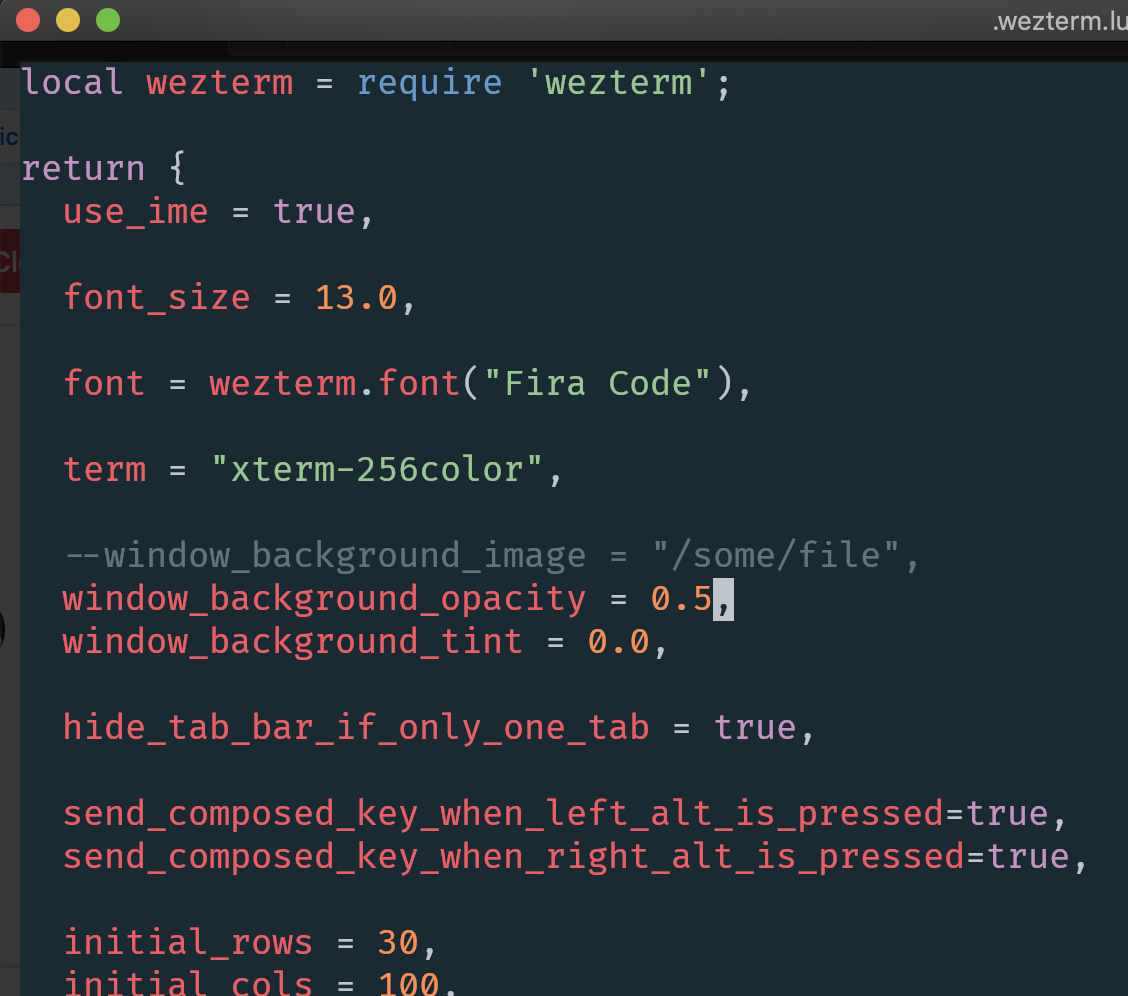
erf
on 19 Oct 2020
I was just about to comment that transparancy was working as expected, as i could see through the background color in the editor, but then suddenly it was opaque again.. strange.
BTW, would it be possible to have the background color (+transparency) used in the padding?
erf
on 21 Oct 2020
I'm not sure what you mean; could you open a new issue for each of those things with screenshots + relevant configs?
wez
on 21 Oct 2020
Sorry about the confusion, i had two different Wezterm's installed (one from brew and one from downloaded nightly).
I think i found some issues with transparency though, i will do some more testing and create an issue.
erf
on 21 Oct 2020
Related issues
erf
·
6Comments
 chris-morgan
·
8Comments
chris-morgan
·
8Comments
 mardukbp
·
8Comments
mardukbp
·
8Comments
 mborejdo
·
6Comments
mardukbp
·
4Comments
mborejdo
·
6Comments
mardukbp
·
4Comments
Most helpful comment
Thanks for the suggestion!
What I think about the concept of a transparent terminal is:
I personally don't place much value in this feature given the amount of effort it will take to implement consistently and the overall utility so I'm not going to implement it myself. If someone from the community is willing to put in the time to implement this feature so that it works across the supported platforms then I will be happy to accept that PR!