Webpack-bundle-analyzer: webpack 5: Detailed bundle structure is gone
Issue description
There are no any details about packages in bundle report
Technical info
 System:
    OS: macOS 10.15.6
    CPU: (8) x64 Intel(R) Core(TM) i7-4770HQ CPU @ 2.20GHz
    Memory: 1.97 GB / 16.00 GB
    Shell: 5.7.1 - /bin/zsh
  Binaries:
    Node: 14.1.0 - /usr/local/bin/node
    Yarn: 1.22.4 - /usr/local/bin/yarn
    npm: 6.14.4 - /usr/local/bin/npm
  npmPackages:
    eslint-webpack-plugin: 2.1.0 => 2.1.0
    html-webpack-plugin: 4.5.0 => 4.5.0
    webpack: 5.2.0 => 5.2.0
    webpack-bundle-analyzer: 3.9.0 => 3.9.0
    webpack-cli: 3.3.12 => 3.3.12
    webpack-dev-server: 3.11.0 => 3.11.0
Debug info
I used it as plugin in webpack config:
new BundleAnalyzerPlugin({
      analyzerMode: 'server',
      analyzerHost: '127.0.0.1',
      analyzerPort: 12345,
      logLevel: 'info',
    })
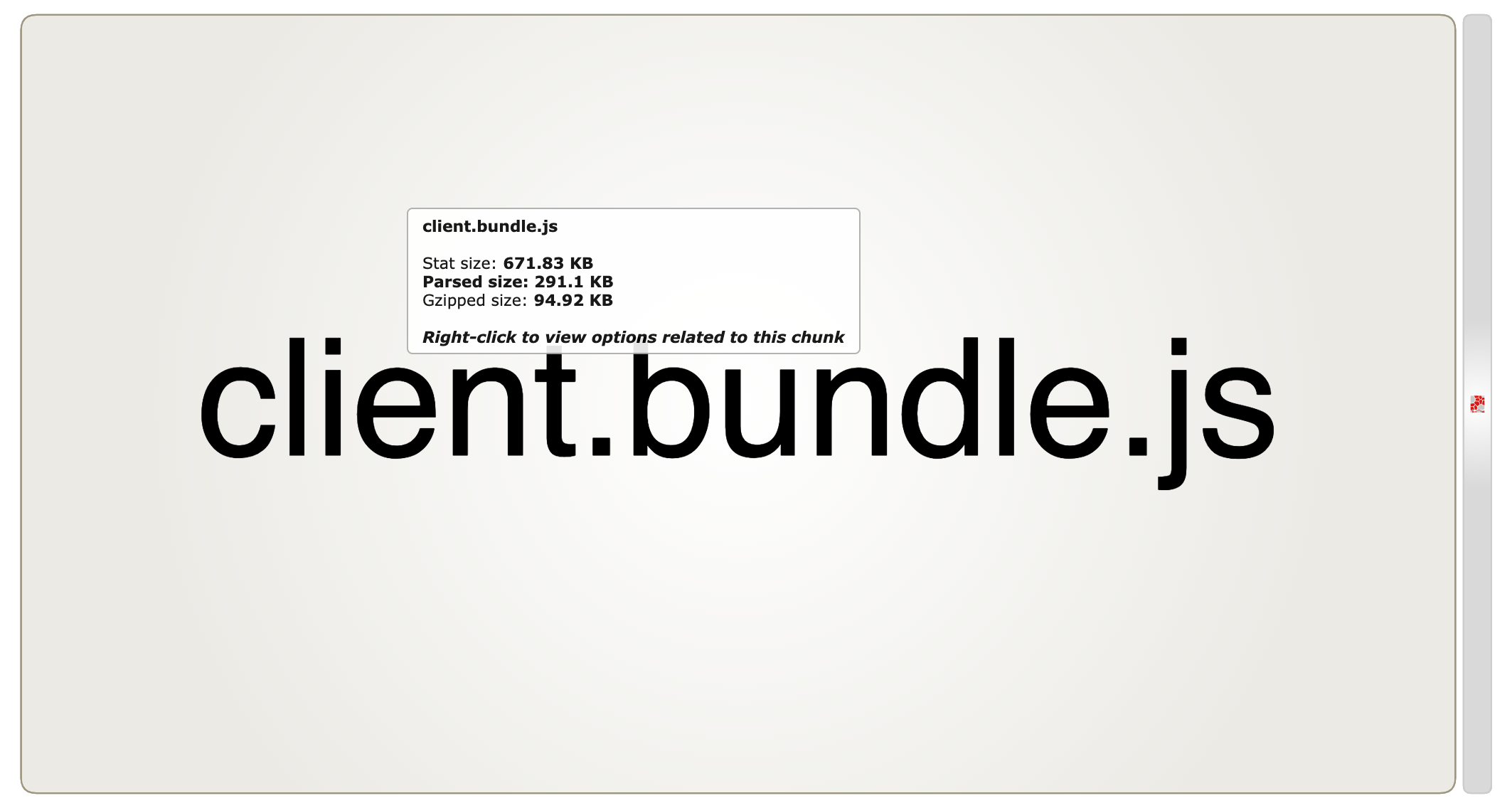
 unbugx
All 27 comments
It works perfect with webpack 4
unbugx
on 22 Oct 2020
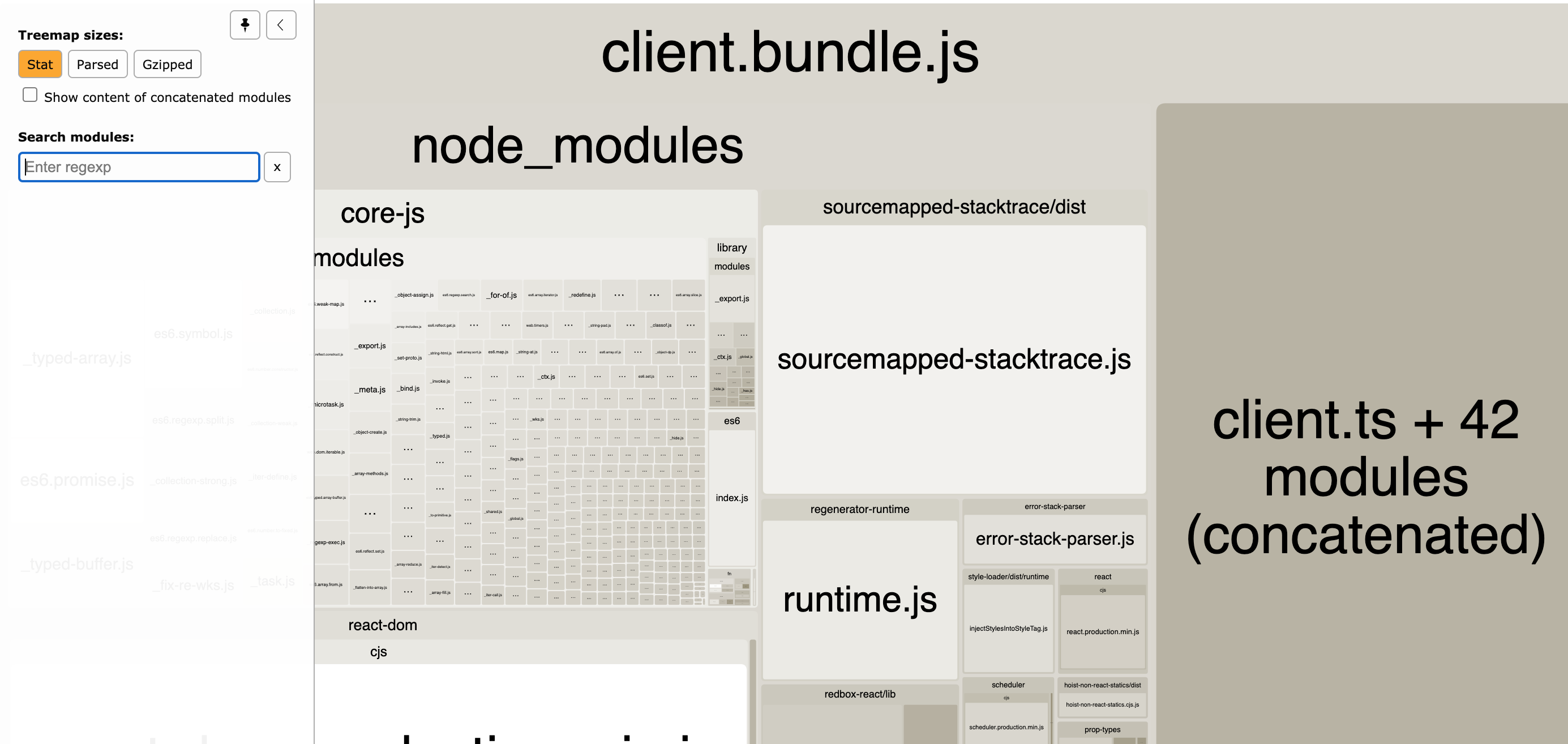
Does it show any details when viewing with stats sizes instead of gzip or parsed?
 valscion
on 23 Oct 2020
valscion
on 23 Oct 2020
same here.

 zeroliu
on 23 Oct 2020
zeroliu
on 23 Oct 2020
Does it show any details when viewing with stats sizes instead of gzip or parsed?
@valscion It works:
unbugx
on 25 Oct 2020
I'm experimenting with adjusting parse function to Webpack 5 format. This solution kind of work for the simplest case (the filename is different as I have it copied to the different project, but it's about parseUtils.js):
diff --git a/lib/parse-bundle.js b/lib/parse-bundle.js
index 0e4c5e8..2b909e4 100644
--- a/lib/parse-bundle.js
+++ b/lib/parse-bundle.js
@@ -162,6 +162,16 @@ function getModulesLocations(node) {
     }, {});
   }

+  if (node.type === 'FunctionExpression') {
+    const modulesNode = node.body.body[0].argument.callee.body.body[1].declarations[0].init;
+
+    if (modulesNode.type === 'ObjectExpression') {
+      return _.transform(modulesNode.properties, (result, moduleNode, i) => {
+        result[i] = getModuleLocation(moduleNode.value);
+      }, {});
+    }
+  }
+
   return {};
 }

@@ -216,6 +226,24 @@ function parseBundle(content) {
           return;
         }

+        // Webpack 5 structure
+        // (function (...) {...})(self, (function () {
+        //   return (() => {
+        //     "use strict";
+        //     var e = <modules>,
+        //         t = {};
+        //     ...
+        //   })()
+        // }))
+        if (
+          node.callee.type === 'FunctionExpression'
+          && !node.callee.id
+          && args.length === 2
+        ) {
+          state.locations = getModulesLocations(args[1]);
+          return;
+        }
+,
         // Async Webpack < v4 chunk without webpack loader.
         // webpackJsonp([<chunks>], <modules>, ...)
         // As function name may be changed with `output.jsonpFunction` option
The tricky part are webpack built-in modules like webpack/runtime/define property getters or webpack/runtime/make namespace object. They're defined outside user modules map, as named properties of __webpack_require__ function. Maybe it'd reasonable to handle these separately.
 erykpiast
on 26 Oct 2020
erykpiast
on 26 Oct 2020
Also experiencing this issue with webpack 5.3.2
 khalwat
on 3 Nov 2020
khalwat
on 3 Nov 2020
Sounds like there's a parsing bug / missing support for newer webpack versions. A PR with a simple test case would be appreciated ☺️
valscion
on 3 Nov 2020
@unbugx @zeroliu @khalwat @erykpiast could you check 4.0.0-rc1 and see if bug is fixed?
 th0r
on 5 Nov 2020
th0r
on 5 Nov 2020
I am experiencing the same issue with webpack 5.4.0. The 4.0.0-rc1 still has the same problem. "Stats" also does not show any details.
The optimization.concatenateModules is set to false. And it is working fine with Webpack 4.x.x.
I am seeing the following warning during the compilation: "[DEP_WEBPACK_COMPILATION_OPTIMIZE_CHUNK_ASSETS] DeprecationWarning: optimizeChunkAssets is deprecated (use Compilation.hook.processAssets instead and use one of Compilation.PROCESS_ASSETS_STAGE_* as stage option)".
 dstarosta
on 5 Nov 2020
dstarosta
on 5 Nov 2020
"Stats" also does not show any details.
What stats? Parsed? Can you attach stats json and problematic bundle?
th0r
on 5 Nov 2020
I mean all 3 choices do not show any results. The stats.json file is only 37 KB. I attached stats from both webpack versions and one of the bundles.
[stats.zip](https://github.com/webpack-contrib/webpack-bundle-analyzer/files/5496352/stats.zip)
dstarosta
on 5 Nov 2020
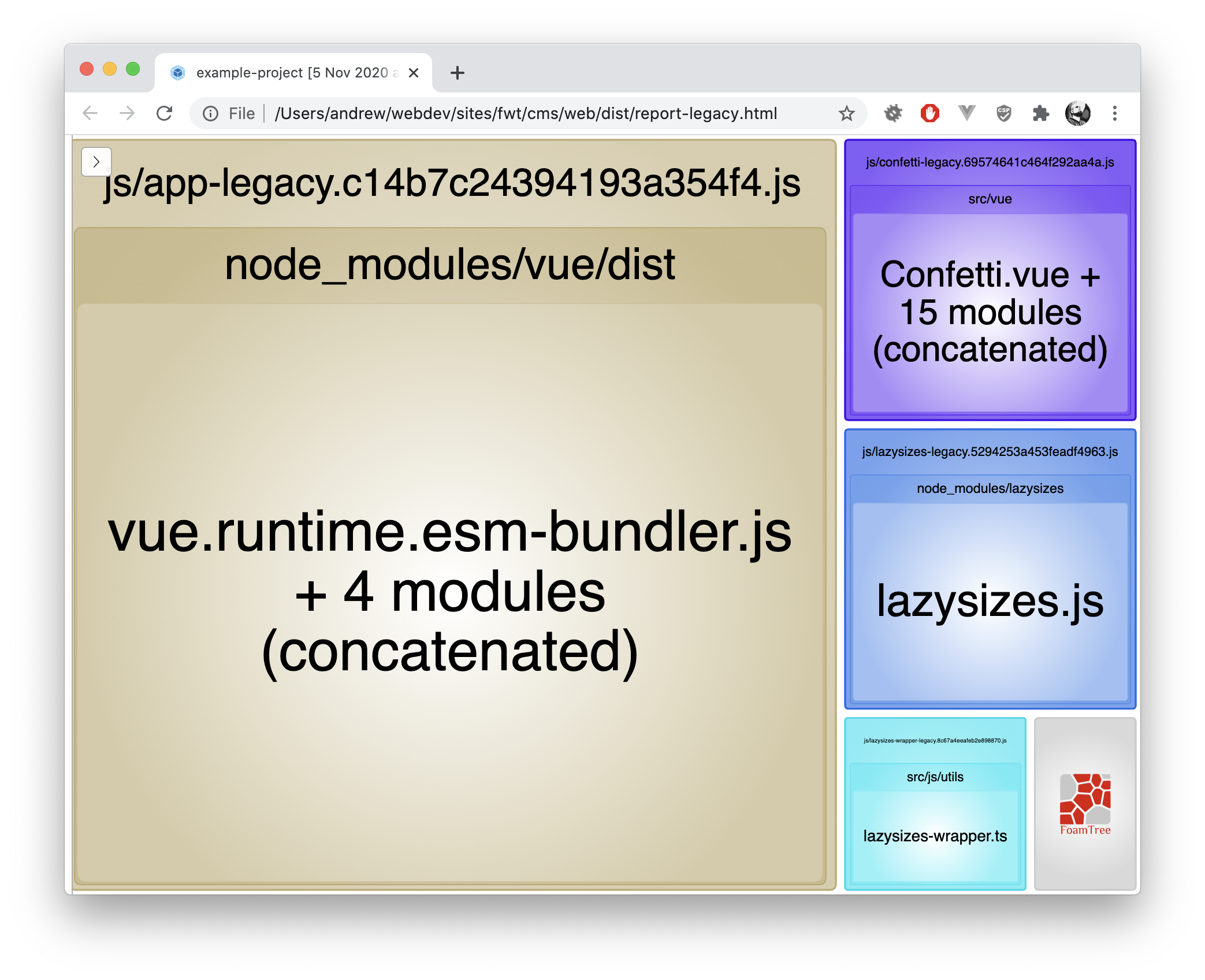
This seems to be fixed for me in ^4.0.0-rc1 -- I'm now seeing the modules in the bundle that formerly I did not.
khalwat
on 5 Nov 2020
I am experiencing the same issue with webpack 5.4.0. The
4.0.0-rc1still has the same problem. "Stats" also does not show any details.The
optimization.concatenateModulesis set tofalse. And it is working fine with Webpack 4.x.x.
Your stats file doesn't contain any modules at all. Are you sure that compilation succeeds using webpack 5?
th0r
on 5 Nov 2020
I am seeing the following warning during the compilation: "[DEP_WEBPACK_COMPILATION_OPTIMIZE_CHUNK_ASSETS] DeprecationWarning: optimizeChunkAssets is deprecated (use Compilation.hook.processAssets instead and use one of Compilation.PROCESS_ASSETS_STAGE_* as stage option)".
I'm not sure this warning relates to bundle analyzer. Does it go away if you remove analyzer from plugins list?
th0r
on 5 Nov 2020
I am experiencing the same issue with webpack 5.4.0. The
4.0.0-rc1still has the same problem. "Stats" also does not show any details.
Theoptimization.concatenateModulesis set tofalse. And it is working fine with Webpack 4.x.x.Your stats file doesn't contain any modules at all. Are you sure that compilation succeeds using webpack 5?
The application is getting built. I attached one of the modules in the previous reply.
But it does seem like a webpack issue.
dstarosta
on 5 Nov 2020
@th0r thx it works with 4.0.0-rc1
unbugx
on 5 Nov 2020
I figured out the issue. In webpack 5, when using a custom stats object, chunks: true needs to be explicitly set. This was not the case with webpack 4.
dstarosta
on 5 Nov 2020
For me only the "Stats" Treemap size works, both "Parsed" and "Gzipped" only show the entire bundle (no detailed chunks).
 julmot
on 5 Nov 2020
julmot
on 5 Nov 2020
@dstarosta Are you sure the DeprecationWarning: optimizeChunkAssets is deprecated is coming from this plugin? I'm experiencing the same problem, however when disabling the bundle analyzer I can still see it.
julmot
on 5 Nov 2020
For me only the "Stats" Treemap size works, both "Parsed" and "Gzipped" only show the entire bundle (no detailed chunks).
@julmot using v4.0.0-rc1?
th0r
on 6 Nov 2020
@th0r Not yet (using ^3.9.0).
julmot
on 6 Nov 2020
Verifying that the issue would be resolved with v4.0.0-rc1 would be helpful :pray:. Are you able to test v4.0.0-rc1 @julmot?
valscion
on 6 Nov 2020
@valscion Yes, Parsed and Gzipped work with this version. What didn't disappear is this warning, also mentioned by @dstarosta:
[1] (node:18020) [DEP_WEBPACK_COMPILATION_OPTIMIZE_CHUNK_ASSETS] DeprecationWarning: optimizeChunkAssets is deprecated (use Compilation.hook.processAssets instead a
nd use one of Compilation.PROCESS_ASSETS_STAGE_* as stage option)
But I'm not sure whether it's related to this analyzer at all.
julmot
on 6 Nov 2020
Fixed in v4.0.0
th0r
on 6 Nov 2020
@valscion Yes,
ParsedandGzippedwork with this version. What didn't disappear is this warning, also mentioned by @dstarosta:[1] (node:18020) [DEP_WEBPACK_COMPILATION_OPTIMIZE_CHUNK_ASSETS] DeprecationWarning: optimizeChunkAssets is deprecated (use Compilation.hook.processAssets instead a
nd use one of Compilation.PROCESS_ASSETS_STAGE_* as stage option)But I'm not sure whether it's related to this analyzer at all.
In my case the cause was the "optimize-css-assets-webpack-plugin", that was only active in production mode. So the warning did not happen in dev builds.
dstarosta
on 6 Nov 2020
@dstarosta Optimize CSS Assets Webpack Plugin page mentions:
⚠️ For webpack v5 or above please use css-minimizer-webpack-plugin instead.
https://github.com/webpack-contrib/css-minimizer-webpack-plugin
khalwat
on 6 Nov 2020
Thanks @khalwat for the hint. I was able to get rid of the warning by replacing optimize-css-assets-webpack-plugin with css-minimizer-webpack-plugin.
Example:
  if (env === 'PROD') {
    config.optimization = {
      minimize: true,
      minimizer: [
        '...',
        new CssMinimizerPlugin(),
      ]
    };
  }
Related issues
 deanshub
·
6Comments
deanshub
·
6Comments
 tomschreck
·
3Comments
tomschreck
·
3Comments
 bregenspan
·
9Comments
bregenspan
·
9Comments
 Couto
·
6Comments
Couto
·
6Comments
 joelnet
·
5Comments
joelnet
·
5Comments
Most helpful comment
@valscion Yes,
ParsedandGzippedwork with this version. What didn't disappear is this warning, also mentioned by @dstarosta:But I'm not sure whether it's related to this analyzer at all.