Webmin: Java File Manager no icons when connected via IP
hello
since 1900 I have an issue with the icons. basically they don't appear anymore
today just for fun , I setup ubuntu on a home server and set it up for both local (192.168.. ) and remote access with hostname then
when I have webmin open with the ip:10000 , no icons , when I have it opened with the hostname, it works normally!!!
On all my server I use ip address:10000 and I lost icons
that could be the reason?
 campones
All 34 comments
Which icons exactly? In modules (like Webmin Configuration) or a theme svg (navigation menu) icons?
Maybe you could provide a screenshot? Any errors on the console?
In case it's a module, have a look here:
https://github.com/authentic-theme/authentic-theme/issues/975
 iliarostovtsev
on 17 Nov 2019
campones
on 17 Nov 2019
iliarostovtsev
on 17 Nov 2019
campones
on 17 Nov 2019
using gray frame
campones
on 17 Nov 2019
I truly don't understand why you never mentioned Java File Manager in the original question. This post would be useless for future reference.
Okay, there might be multiple reasons for it. At first try opening browser' console and see for errors?
For your information, I have it displayed.

iliarostovtsev
on 17 Nov 2019
There is absolutely no single reason to use Java File Manager in the end of 2019. What are your reasons, just curious?
iliarostovtsev
on 17 Nov 2019

well you see, I prefer to scroll down a long list than having a numbered menu . that takes a bunch of time to find what you are looking for
campones
on 17 Nov 2019
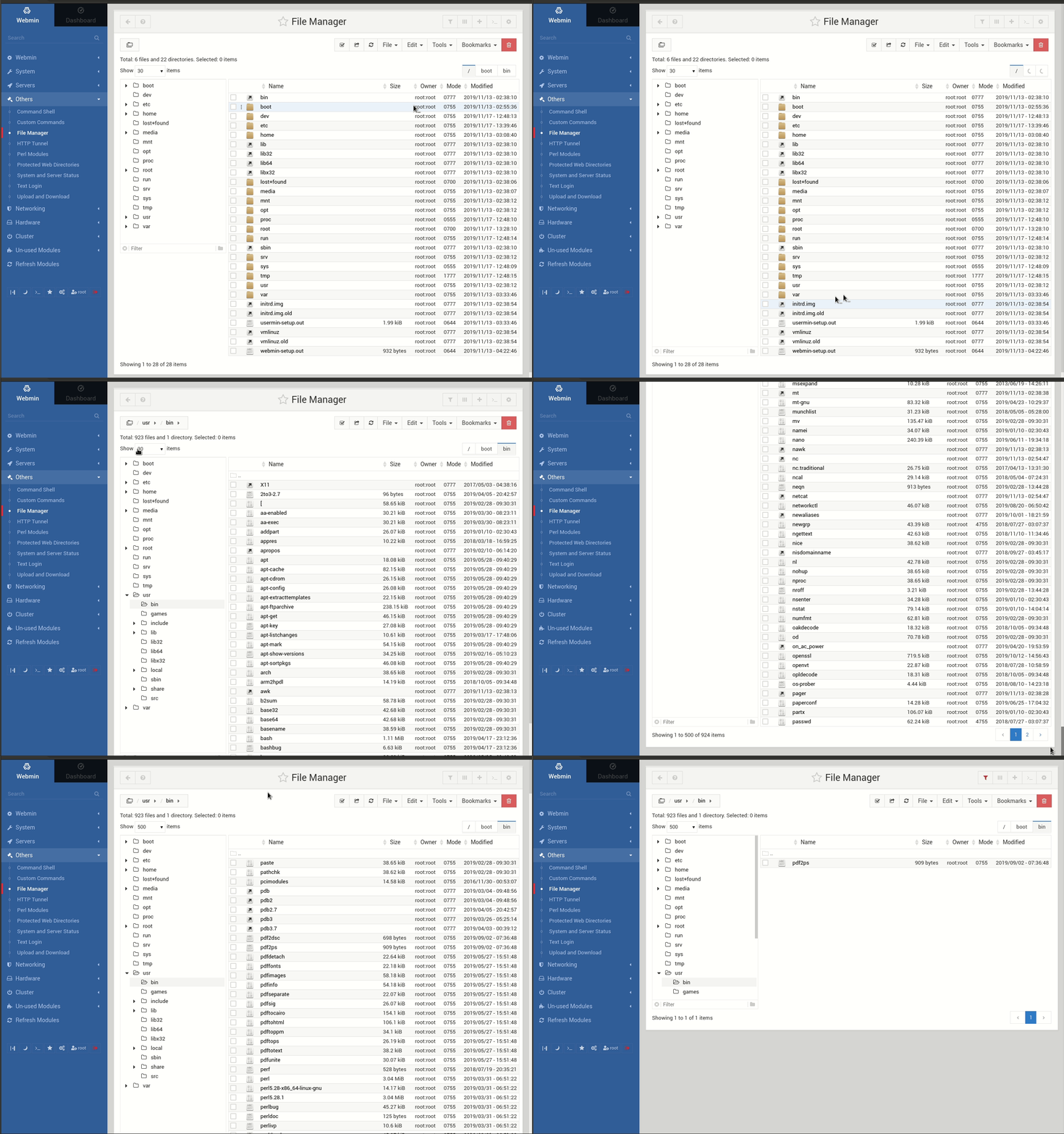
Have a look at how you can do it at Authentic Theme. Can you do it faster??

Besides, you can go to File Manager configuration and set/define maximum number of entries to fall for server pagination. It's not recommended because it's slower but it's possible. Search works impressively fast.
iliarostovtsev
on 17 Nov 2019
it's true that, after switching to authentic theme, and setting up a bit the display, it looks great
great work as been done I recognize , maybe I ll get use to it one day
campones
on 17 Nov 2019
yes thanks , I saw these options now
campones
on 17 Nov 2019
I also see now it's possible to copy paste the same filename on the same folder , it rename automatically which was really missing for me before.
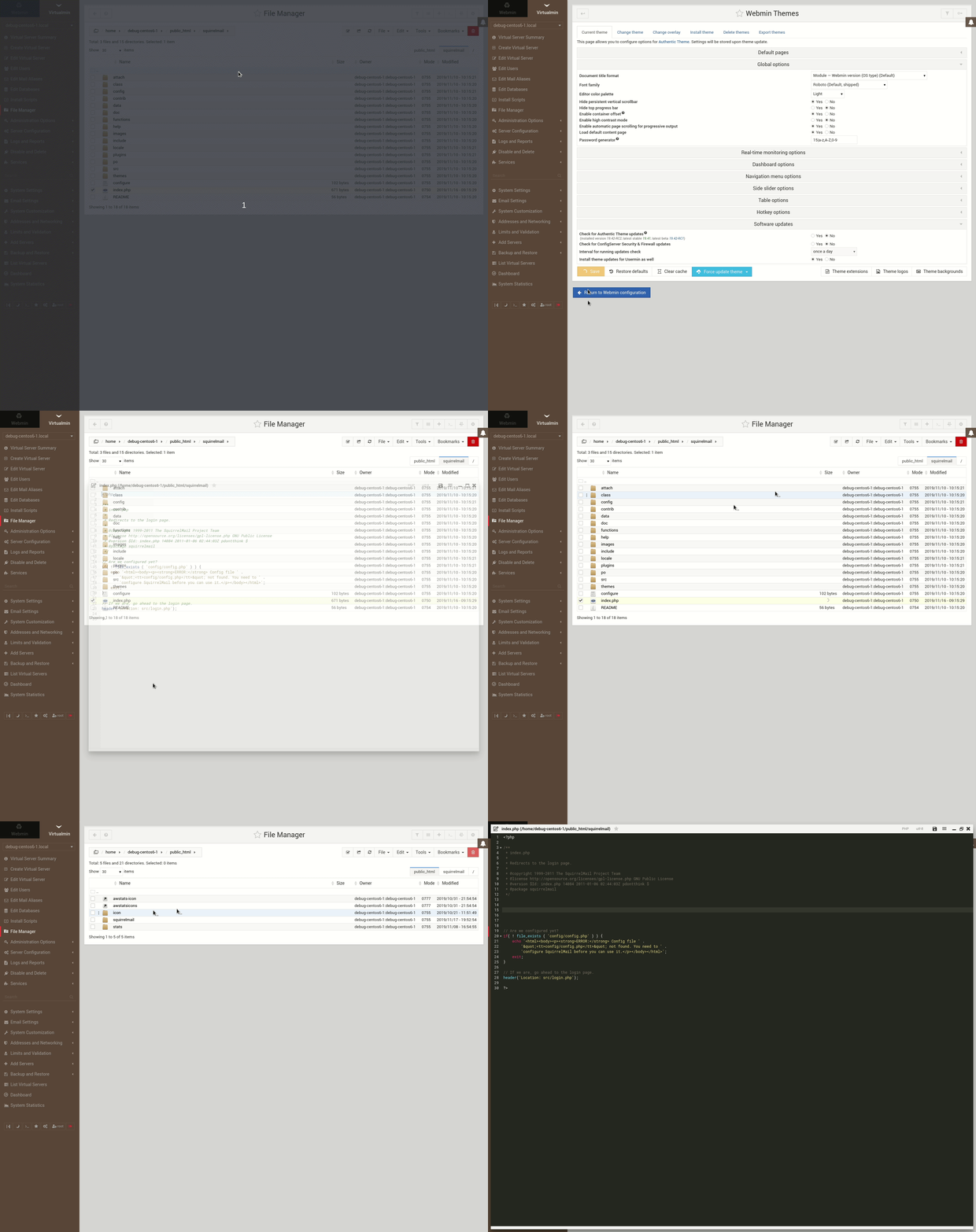
any idea how I can get a light theme when I edit a file, right now it's completely black with white font
campones
on 17 Nov 2019
Yes.
iliarostovtsev
on 17 Nov 2019
awesome!
campones
on 17 Nov 2019
Besides, latest releases of Authentic Theme supports File Manager's listing of millions+ of files, doing it super fast, while I just tried Java File Manager on only ~33.000 files and it was very-very slow.
iliarostovtsev
on 17 Nov 2019
After 19.42 release (in few days), I will start enrolling ACL support to File Manager for 19.43 release. Possibly, I will also add file preview (any file) as well, and do other improvements for File Manager.
Thank you for your kind words!
iliarostovtsev
on 17 Nov 2019
keep up the great work!
campones
on 17 Nov 2019
Will do, will do.
iliarostovtsev
on 17 Nov 2019
there should be a way to be able to copy the path of the current directory
also one thing that I feel is missing for me is the use of shortcuts undo redo after saving. this is a big minus for me, as when you edit a file in the java file manager I can save, then undo, resave on a separate popup tab. I think he when you open a file, it could open a separate windows that would appear on the taskbar that would be more user friendly, also you could have a lot more file being edited, this is the big problem for me
campones
on 18 Nov 2019
ok sorry, right click on the path and it became possible to copy it
campones
on 18 Nov 2019
... also you could have a lot more file being edited, this is the big problem for me.
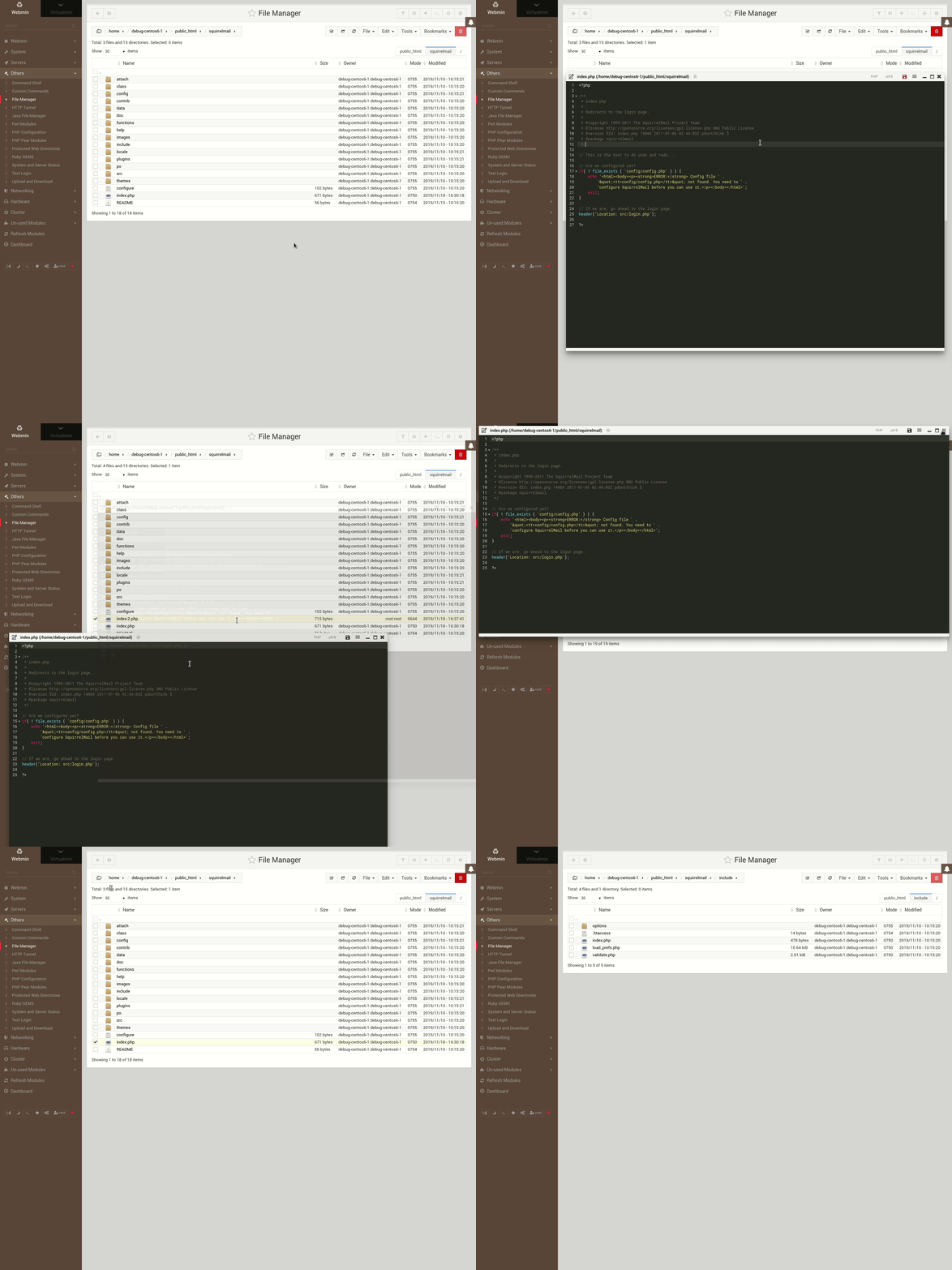
I am trying to understand what you're trying to say. If I understand you right, you need an ability to undo made changes? You can already do it the standard way you do it on desktop, using _Ctr+Z_ (undo) or _Ctrl+Shift+Z_ or _Ctrl+Y_ (redo). Then you can use _Ctrl+Shift+S_ to save file as. There are two helpers with hotkeys.
By the way, the standard _Ctrl+C_ (copy to clipboard), _Ctrl+X_ (cut to clipboard), and _Ctrl+V_ (paste from clipboard) for files and directories, and text in editor work the same way as on desktop. You can even pass currently opened directory to inbuilt command shell by clicking _Alt+Shift+K_.
Have a look at the video-screencast to display how it can be done, and learn more about shortcuts, it's very useful.
iliarostovtsev
on 18 Nov 2019
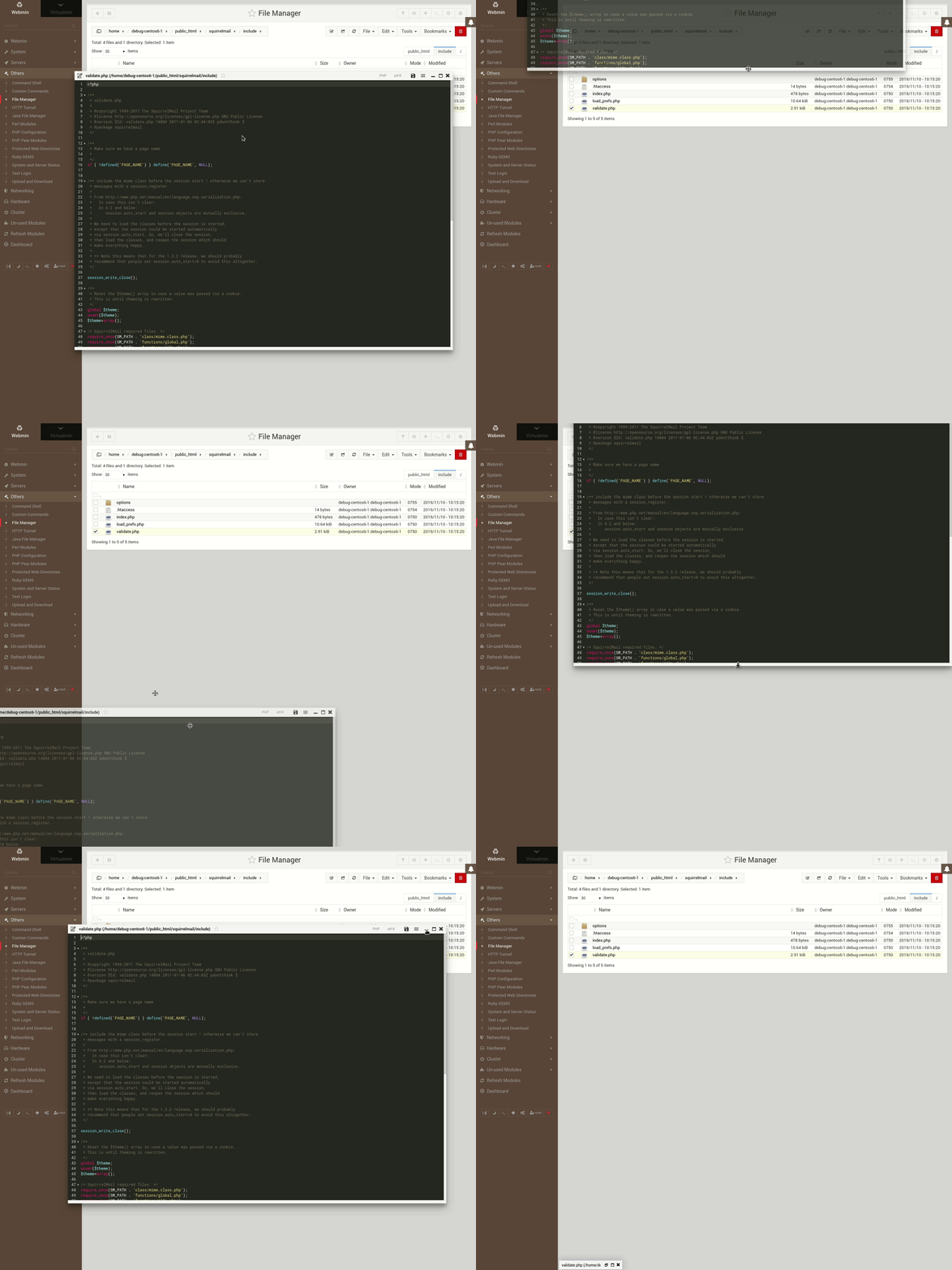
interesting, actually since you show me it' s possible to open several windows, I moved up one, but now I cannot close it . the upper part stays under the chrome fav bar
campones
on 18 Nov 2019
It's possible to drag it back by using editor window's footer. Like this:
iliarostovtsev
on 18 Nov 2019
great, I didn't know. Lot's of learning needed.
And the ctrl Z Y works fine even after saving
the editing layout is obviously much better than the java manager. (but the navigation inside directories will always be faster by design in the java manager, I feel)
So my suggestion would be if possible, an option to popup file being edited as a separate tab that would appears in the taskbar.
you know, it's kinda the same story with skype, they removed these tabs (one tab per conversation in the taskbar) and everyone was complaining. They actually put back that option again few days ago
campones
on 18 Nov 2019
Could you maybe elaborate the idea about popup and separate tab for file being edited? What do you mean by task bar?
Yes, it's a bit slower, at least so far, as long as we are parsing HTML, instead of using JSON.
iliarostovtsev
on 18 Nov 2019
check the taskbar on the bottom right

campones
on 18 Nov 2019
🙂 I don't think it's possible!
iliarostovtsev
on 18 Nov 2019
I thought so
campones
on 18 Nov 2019
I don't think you need this really, as you can collapse file editor window, and have them all at the bottom of the screen.
iliarostovtsev
on 18 Nov 2019
it's not the same as you need to look at that particular tab to have access to them.
campones
on 18 Nov 2019
https://gyazo.com/57f5dd252621ffaeef163cf71b8c83d3
it's not letting me close it, and follow me everywhere!!
campones
on 22 Nov 2019
That is odd. 😅
How did you do it? I expect that you let go of the left click. You can let go dragging, then use left border to resize it (the same way you made it super-large but backwards). Right?
You can also press quickly double esc on the editor, to close its window.
Other than that, what is your browser and client OS?
iliarostovtsev
on 22 Nov 2019
yes ofc I was not having my finger on the left click. but this is exactly as if I had it.. couldn't close, I just f5'd it
campones
on 23 Nov 2019
good tip for the esc key
campones
on 23 Nov 2019
The only way I could reproduce it is to do right click while dragging (holding left).
iliarostovtsev
on 23 Nov 2019
Okay, that was a bug in jsPanel. Fixed upstream (please update the theme and reload the cache) and created pull request to jsPanel repo to fix it.
Thanks for reporting!
iliarostovtsev
on 24 Nov 2019
Related issues
 MurzNN
·
10Comments
MurzNN
·
10Comments
 muhammadwafa
·
8Comments
muhammadwafa
·
8Comments
 MHeuvel
·
6Comments
MHeuvel
·
6Comments
 RobertWojtowicz
·
4Comments
RobertWojtowicz
·
4Comments
 erlangp
·
8Comments
erlangp
·
8Comments