Webiny-js: Headless CMS - Bug in Safari on Mac
This is:
a Bug
Specifications
- version: 4.0.0-beta.2
- OS: macOS Catalina 10.15.4
- Browser: Safari 13.1 (15609.1.20.111.8)
Expected Behavior
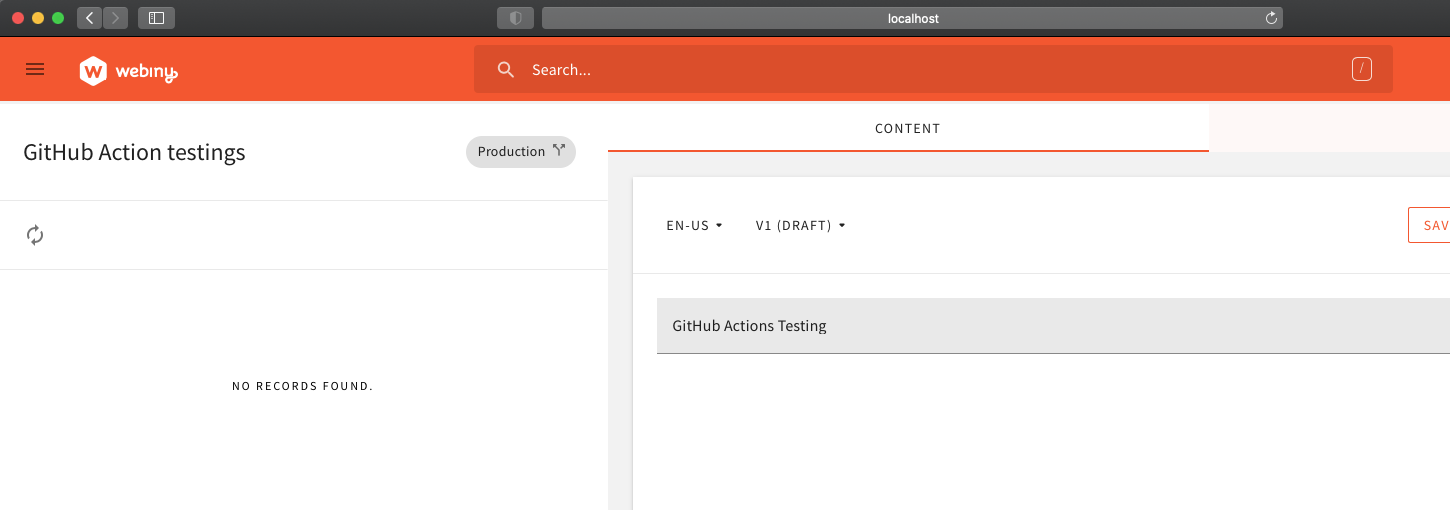
I should be able to see the word "search" clearly and see the words I type
Actual Behavior
Text is partially obscured
Steps to Reproduce the Problem
- Launch Headless CMS
- Open in Safari
- Observe issue, screenshot below

Possible Solution
Maybe remove the line-height declaration from .mdc-text-field__input
 endymion1818
All 12 comments
If you could assign me, I shall look into it @endymion1818
 sunguru98
on 28 May 2020
sunguru98
on 28 May 2020
Go for it @sunguru98, I think this one is a bit more appropriate than the other one you mentioned the other day.
Let's see how this one will go.
 doitadrian
on 28 May 2020
doitadrian
on 28 May 2020
@doitadrian can I have a go at this?
 peterjgrainger
on 3 Oct 2020
peterjgrainger
on 3 Oct 2020
Sure, go ahead @peterjgrainger :)
doitadrian
on 3 Oct 2020
Hey @peterjgrainger, can you please post an update of your progress on the issue and the solutions you tried (communication here is key) - Join our slack community to communicate faster with the community and the core team. Enjoy :)
 AlbionaHoti
on 14 Oct 2020
AlbionaHoti
on 14 Oct 2020
Ok, will do, thanks
peterjgrainger
on 14 Oct 2020
@AlbionaHoti I've tried this in safari Version 14.0 (15610.1.28.1.9, 15610) and there doesn't seem to be the same problem.
I couldn't find a way of downloading exact versions of safari to test it out on. Maybe this issue could be closed?
peterjgrainger
on 15 Oct 2020
Hmm I’ll test in the latest version when I can
endymion1818
on 15 Oct 2020
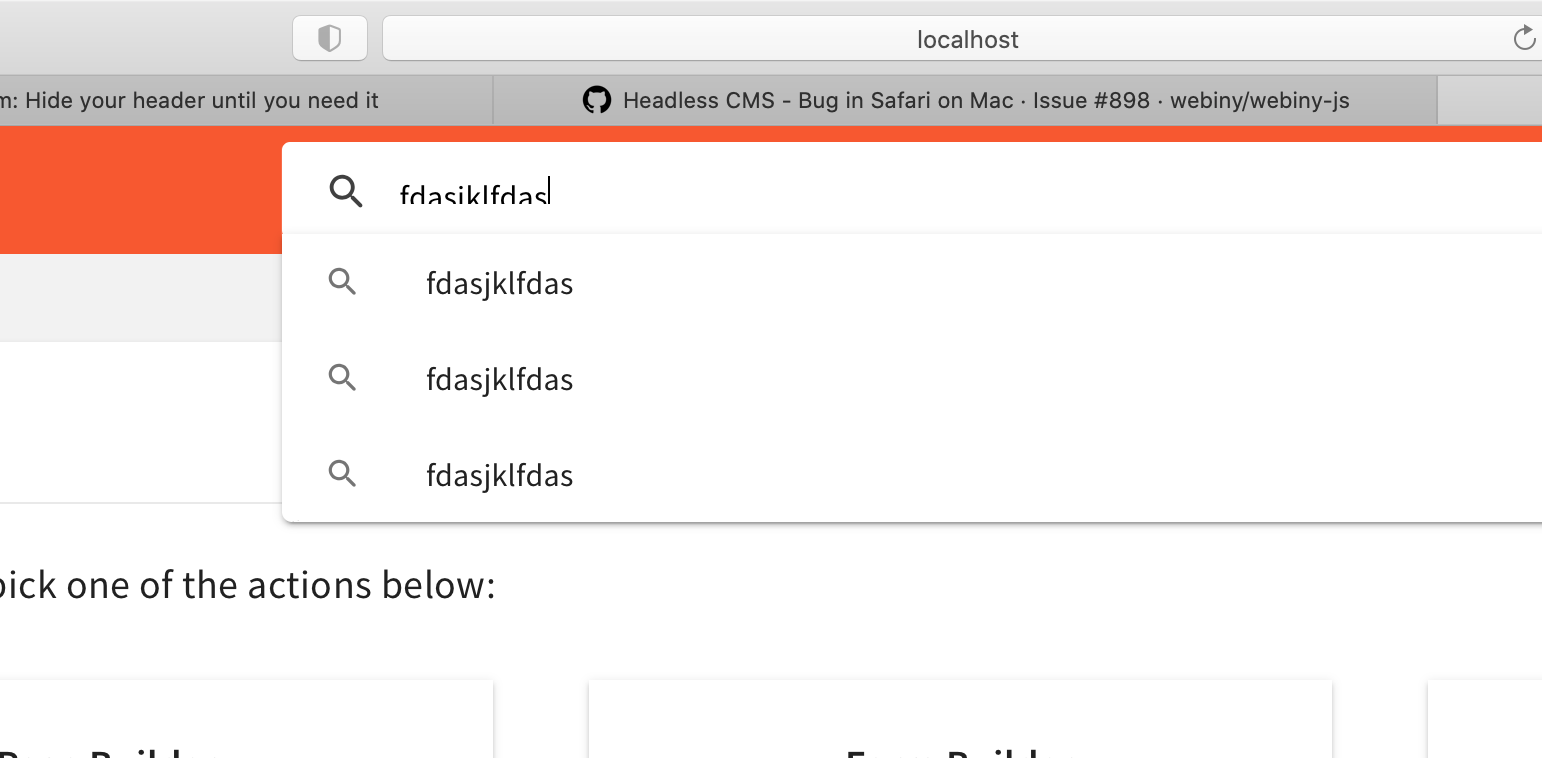
OK so the issue only occurs on focus, when you begin to type in the box:
endymion1818
on 18 Oct 2020
Hmm autocomplete seems to think I type that a lot ...
endymion1818
on 18 Oct 2020
Ah, I see it. I'll take a look
peterjgrainger
on 18 Oct 2020
This issue is stale because it has been open 60 days with no activity. Remove stale label or comment or this will be closed in 7 days.
 webiny-bot
on 18 Dec 2020
webiny-bot
on 18 Dec 2020
Related issues
doitadrian
·
4Comments
 bigb123
·
3Comments
bigb123
·
3Comments
 Pavel910
·
5Comments
Pavel910
·
5Comments
 EmilK15
·
5Comments
doitadrian
·
3Comments
EmilK15
·
5Comments
doitadrian
·
3Comments
Most helpful comment
Hmm I’ll test in the latest version when I can