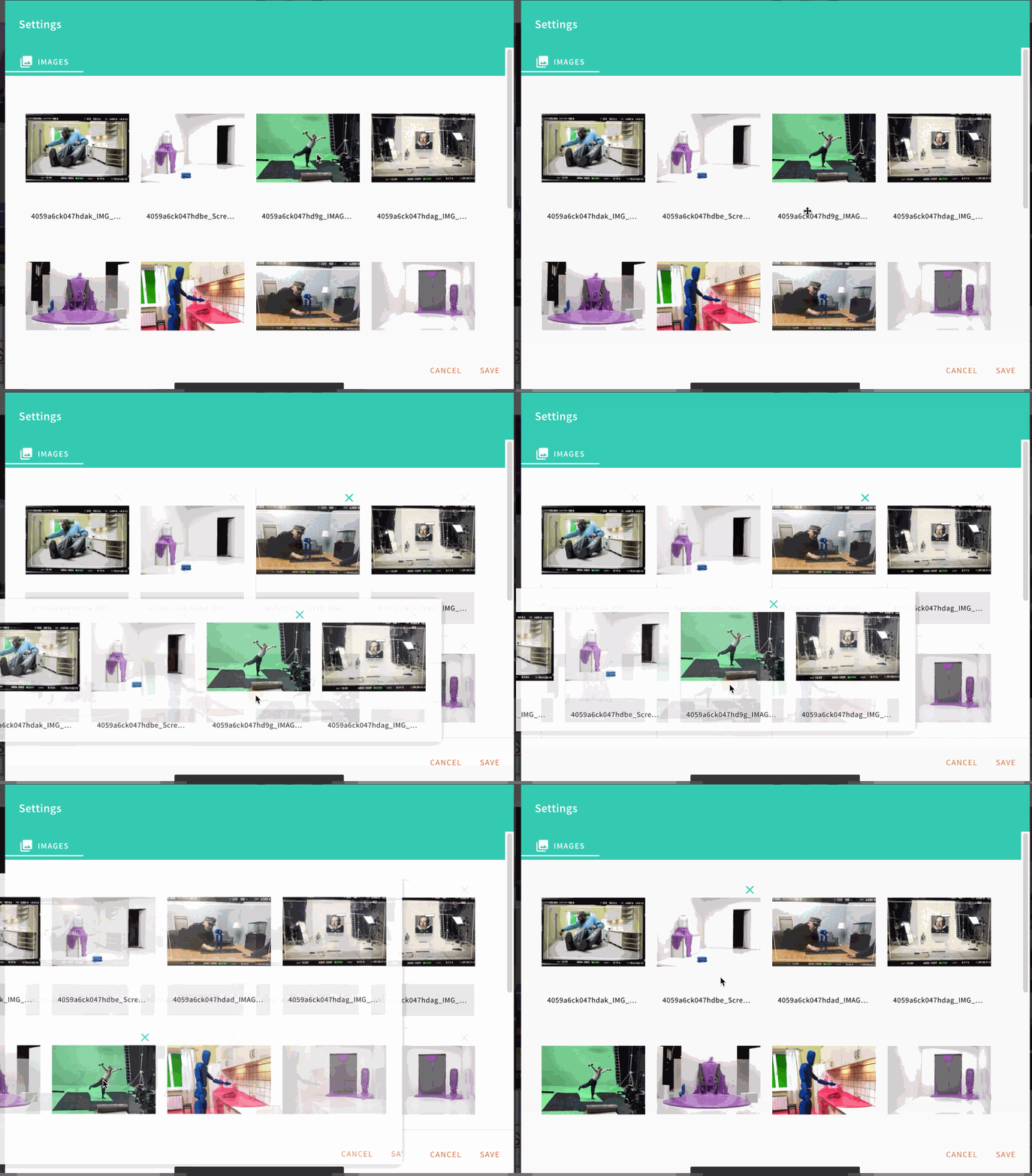
In Chrome Mac this bug when you try to order images.
 roman-vabishchevych
All 19 comments
Thanks for report @roman-vabishchevych.
 doitadrian
on 4 Sep 2019
doitadrian
on 4 Sep 2019
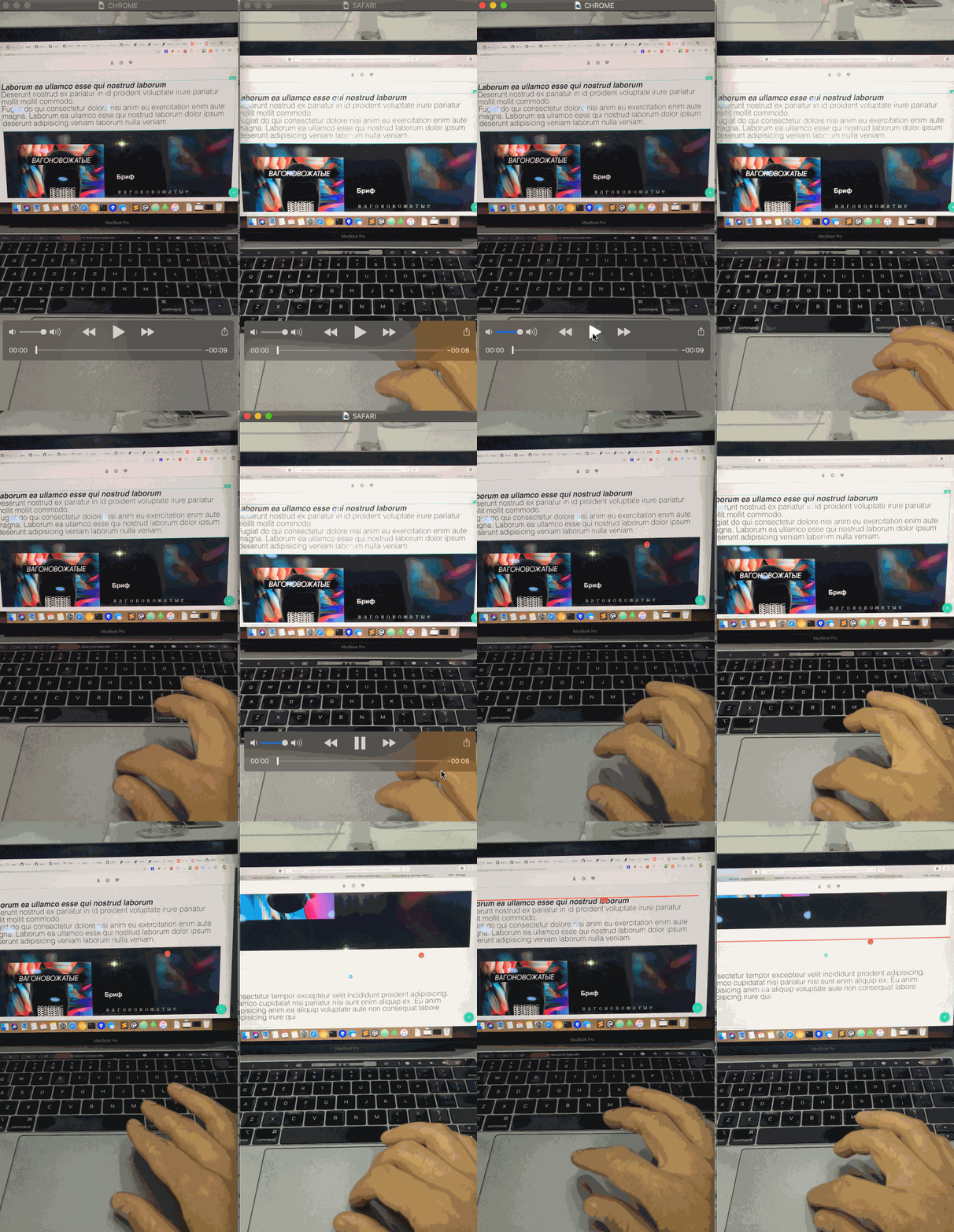
I found yet another bug in Chrome. I can't scroll when dragging an element and its a big problem with content management.
In Safari – everything's Ok.
roman-vabishchevych
on 5 Sep 2019
@roman-vabishchevych good find! under the hood we are using react-dnd, I'll see if there is an issue on their repo, this looks like something not related to the Webiny code itself. We'll investigate :)
Thanks!
 Pavel910
on 5 Sep 2019
Pavel910
on 5 Sep 2019
http://react-dnd.github.io/react-dnd/examples/sortable/simple
I tried this example in chrome – scrolling worked
roman-vabishchevych
on 5 Sep 2019
Hi @roman-vabishchevych,
I've just tried this in Google Chrome, Firefox and Safari, but in all of them, I can't do a scroll gesture while dragging. For example, my mac settings don't allow me to scroll while dragging, this event triggers the expose function on my mac.
The key is to position the cursor at the bottom of your browser window and then the browser scrolls automatically. The same thing happened for me when testing the react-dnd example.
I'm not sure I would classify this as a bug at this moment. I think it might be a mac-settings related thing. Let me know if you have any other use-cases I should test.
The video below is from chrome:

In regards to the image sorting function, I'll revert on that one shortly.
 SvenAlHamad
on 6 Sep 2019
SvenAlHamad
on 6 Sep 2019
Hey @roman-vabishchevych
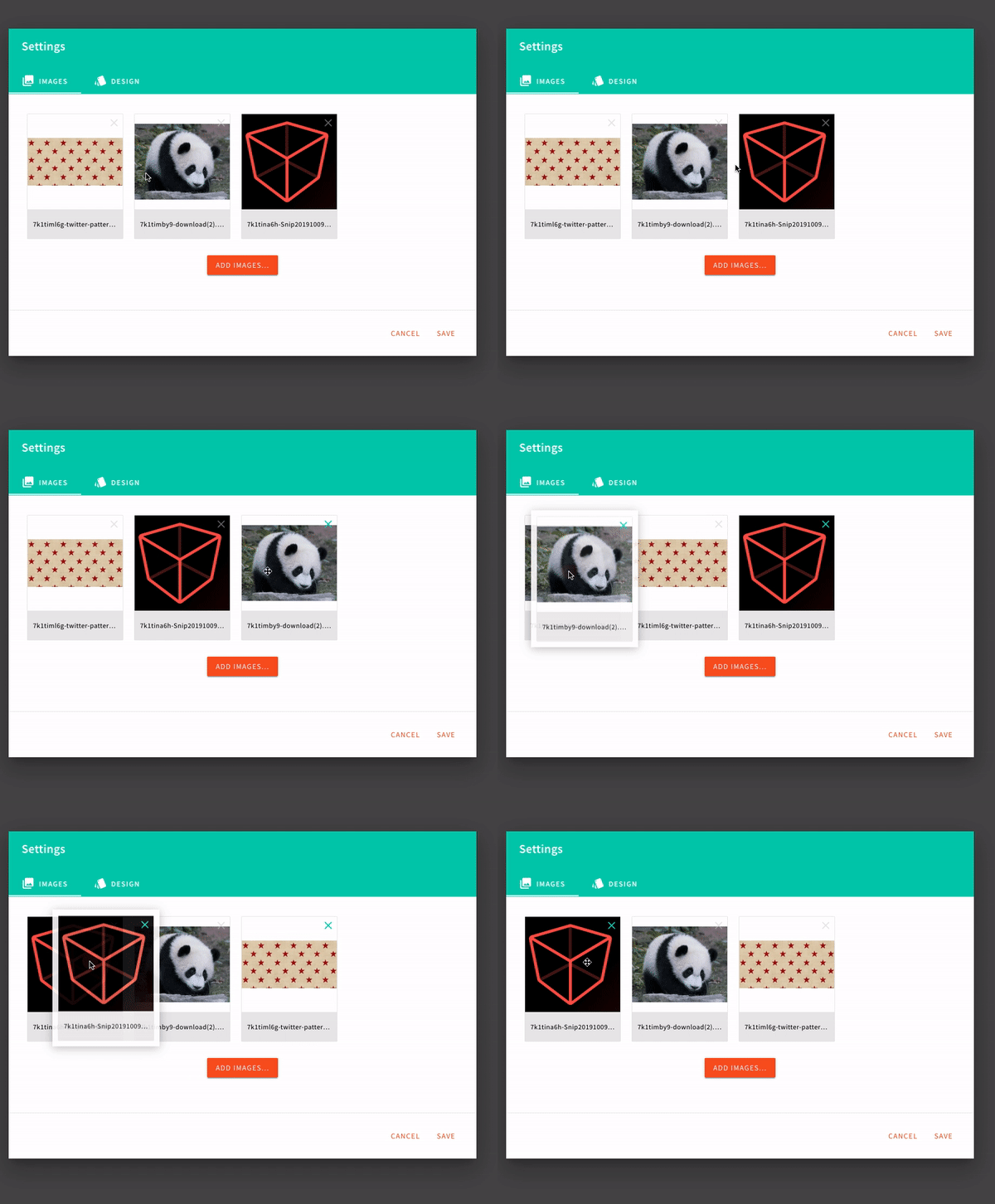
in regards to the image sorting, the drag&drop part seems to be a bug we can reproduce.
@doitadrian will take over the ticket and keep you posted.
SvenAlHamad
on 9 Sep 2019
Will do @roman-vabishchevych , @SvenAlHamad !
doitadrian
on 9 Sep 2019
Thanks @SvenAlHamad
The key is to position the cursor at the bottom of your browser window and then the browser scrolls automatically. The same thing happened for me when testing the react-dnd example.
I'm not sure I would classify this as a bug at this moment. I think it might be a mac-settings related thing. Let me know if you have any other use-cases I should test.
I'm not sure I would classify this as a mac-settings related thing.
This issue in all mac users and no one can move elements at a page in Chrome. This is unusable.
Users need to open Safari for reorder page elements
I tried to drag an element to bottom of the page and the page was scrolled. But the same not working for scroll top. You can try. I think this is philosophical dilemma Bug=Feature :)
On my screencast, I show you that react-dnd example works in Chrome – you can drag and scroll, it's normal expected behavior.
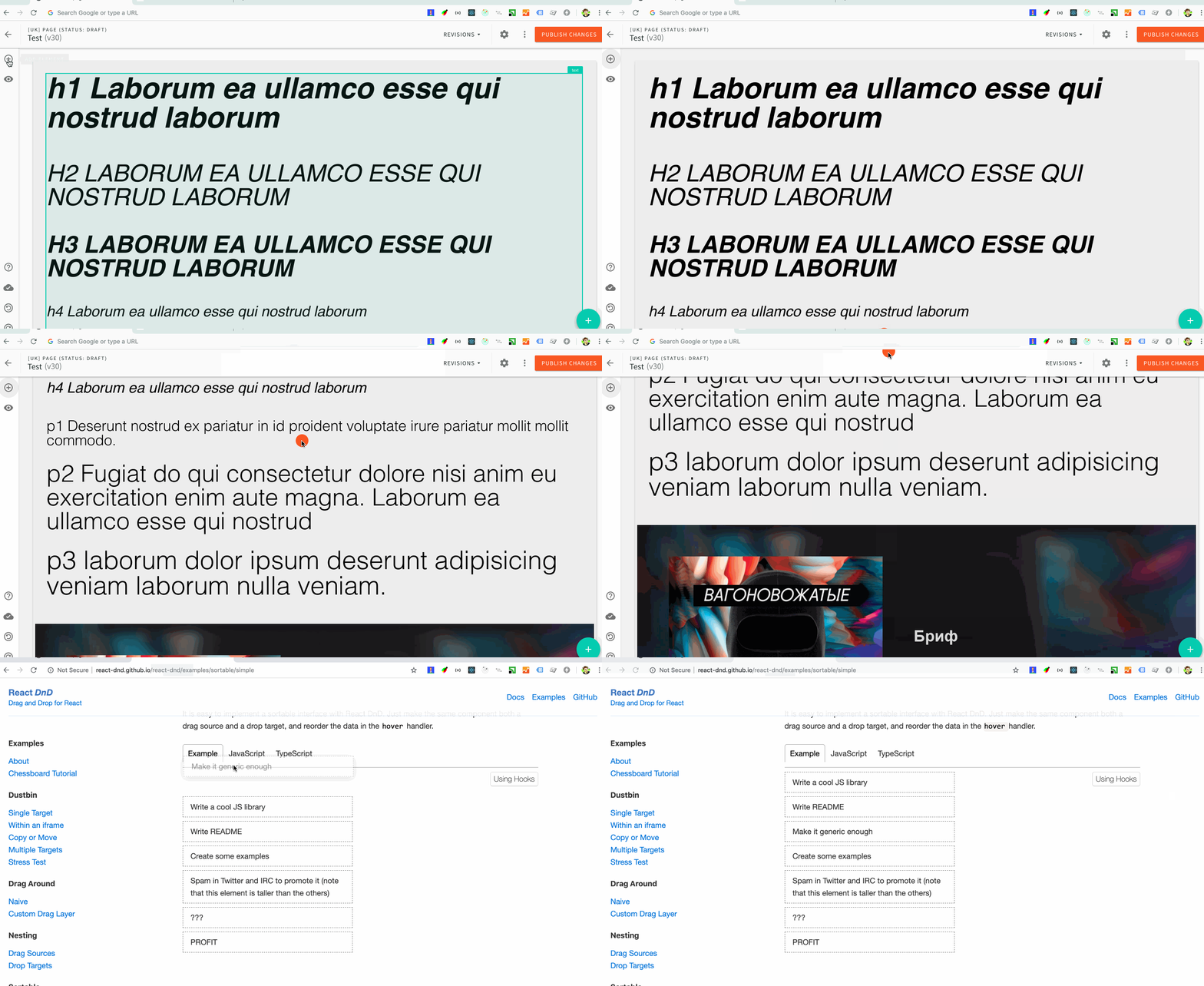
I found related old issues:
https://github.com/react-dnd/react-dnd/issues/49
https://github.com/react-dnd/react-dnd/issues/743
https://stackoverflow.com/questions/42148054/using-mouse-wheel-scroll-while-dragging-in-react-dnd
Maybe you need to use HTML5Backend?
https://react-dnd.github.io/react-dnd/docs/backends/html5
roman-vabishchevych
on 9 Sep 2019
@roman-vabishchevych we are using that backend :) I spent a few hours investigating the problem, and no matter how much I stripped away the editor elements, I couldn't get scroll to work. Even listening for browser scroll events - they are not triggered.
To solve this problem I will implement a custom solution for scrolling, without using the scroll event (because apparently it is broken and doesn't work everywhere).
The idea is to have 2 invisible triggers at the top and bottom of the page, so when you drag close to the top/bottom it will scroll for you. I'll send a video to showcase the solution so we can discuss further.
Pavel910
on 9 Sep 2019
@roman-vabishchevych so, this is weird, but for some strange reason the drag+scroll magically began to work today when I got back to investigating the problem. A wild guess is that some dependency was updated along the way these days, and it somehow affected the page builder.
Let's all wait for the next release of Webiny, and then you'll test it again, ok? If we're lucky, the problem is gone, if not - we'll get back to it :) 🍻
Pavel910
on 9 Sep 2019
hey guys,
before I start a new issue, I am not able to sort any "block"s. Is it currently a known issue? I can drag everything around, but when dragging blocks, I cannot put one block before or after another block, so resorting is not possible.
 theluk
on 14 Oct 2019
theluk
on 14 Oct 2019
@theluk yep, that's a known issue. Actually it's not a bug, it was simply never implemented.
Dragging of blocks is in no way comfortable, as blocks can be really big and you'd have to scroll a lot to sort them. So our idea was to create a sidebar drawer, where all blocks would be listed in form of thumbnails, and you would sort them by clicking small up and down arrows.
What do you think about that? You're welcome to send us your ideas regarding the implementation, UX, etc.
We could also add up/down arrows on the block element itself. But this is something we'll be adding after the next release. Open for discussion on the issue :)
EDIT: there is already a pending issue about blocks reordering
Pavel910
on 14 Oct 2019
ok, would it be possible to at least add in some plugin functionality, at least somewhere near the DragDrop Components, so we could hook in and render something else? E.g. those buttons, without modifiing the core. Otherwise I would prrobably implement some button in the top bar somehow, as this feature is one of the most necessary ones, I imagine how our team would build a whole page and then could not add something above or below a block. That just would not last one hour :)
if you have any tipps where I would most easily and most plugin based extend and implement this functionality, let me know. I also of course would share with you guys
theluk
on 14 Oct 2019
would it work to take the Block from here
packages/webiny-app-cms/src/editor/plugins/elements/block/index.js
and unregister the plugin, import it into my own plugin, extend the settings array with "move up" "move down" buttons (of course implement those) and then register the plugin back again?
theluk
on 14 Oct 2019
@theluk that would work, you don't even need to unregister the existing plugin, simply register your own plugin with the same plugin name and it will automatically overwrite it in the plugins registry.
An example of that would be the delete element settings plugin: packages/webiny-app-cms/src/editor/plugins/elementSettings/delete.
Let me know if you need more info/guidance along the way, I'll be glad to help :)
Pavel910
on 14 Oct 2019
I know this was reported ages ago, but I just wanted to let you know @roman-vabishchevych that the dragging issue was fixed and it will be included in the upcoming release.
doitadrian
on 16 Oct 2019
🙏
roman-vabishchevych
on 16 Oct 2019
I think this task can be closed
roman-vabishchevych
on 1 Nov 2019
Closing this one.
doitadrian
on 8 Nov 2019
Related issues
doitadrian
·
3Comments
 khayong
·
6Comments
khayong
·
6Comments
 icy-meteor
·
4Comments
icy-meteor
·
4Comments
 TommyJackson85
·
6Comments
TommyJackson85
·
6Comments
 tjrexer
·
6Comments
tjrexer
·
6Comments
Most helpful comment
I know this was reported ages ago, but I just wanted to let you know @roman-vabishchevych that the dragging issue was fixed and it will be included in the upcoming release.