Web-stories-wp: Missing poster on inserting NEW video from Media Library
Bug Description
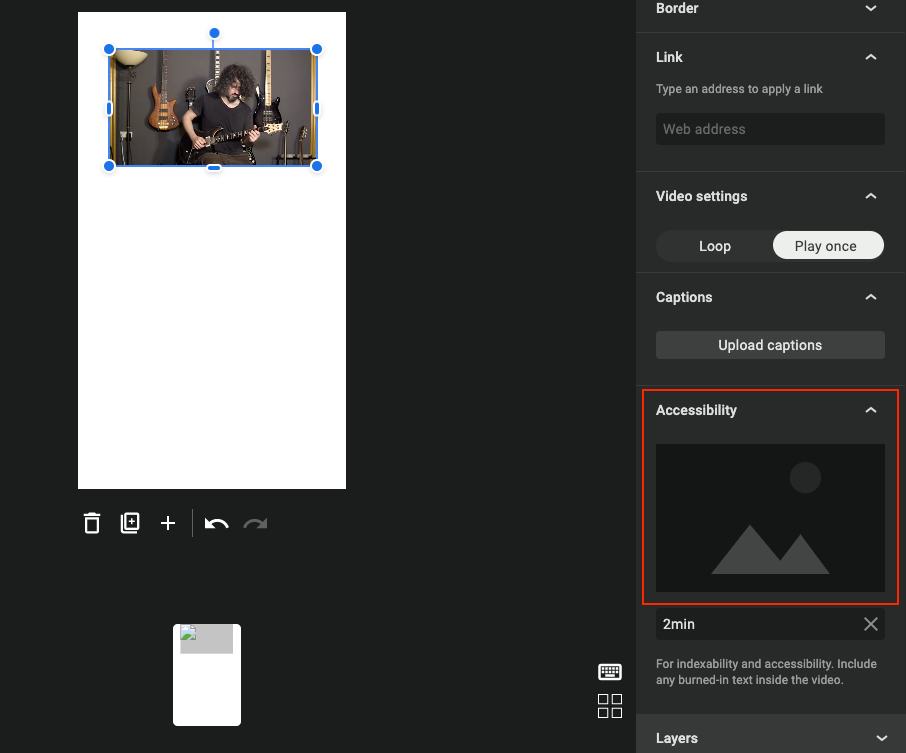
If we upload a video, close the upload modal and insert the new video from. the Media Library, the video poster will not be able to show up.
Expected Behaviour
The video poster should be able to show up as expected.
Steps to Reproduce
- Upload a video, then close the uploader modal.
- Click on blue "Upload" button > "Media Library" tab in popup > select a video > "Insert into page"
Screenshots
_Do not alter or remove anything below. The following sections will be managed by moderators only._
Acceptance Criteria
Implementation Brief
 zidianlyu
All 4 comments
Dang, yet another video poster bug 😞
Any findings so far?
 swissspidy
on 14 Dec 2020
swissspidy
on 14 Dec 2020
Once poster "reset" is fixed, this can probably be P3.
 choumx
on 15 Dec 2020
choumx
on 15 Dec 2020
So what's happening is basically this:
- Click on "Upload" button to open media modal
- Upload video
- Close modal _without_ inserting the video
- The media library refreshes because there now is a new video
- The processor looper in
useContextValueProvider.jssees the new video and generates & uploads a poster
_(so far so good)_ - Click on "Upload" button to open media modal
At this point, the media modal will have partially stale data, because opening the modal does not currently reload media from the server.
This is a known issue with the WP media modal that haven't found a workaround for so far. - Select previously uploaded video and insert it into page
- Because of the stale data, there's no poster information attacched to the selected video (which
getResourceFromMediaPicker()looks for), so the logic inuseContextValueProvider.jstries to generate a poster again, but skips early because the video is already in the "processed" list.
swissspidy
on 15 Dec 2020
Nice investigation.
Once poster "reset" is fixed, this can probably be P3.
Nevermind, "reset" doesn't actually force-regenerate the poster.
@zidianlyu As discussed: to catch other possible causes for "missing poster", let's add a check on video insertion into the page that the poster is not undefined and log it (e.g. throwing a JS error should be surfaced in GA).
choumx
on 16 Dec 2020
Related issues
 LuckynaSan
·
3Comments
LuckynaSan
·
3Comments
 csossi
·
3Comments
csossi
·
3Comments
 dvoytenko
·
3Comments
dvoytenko
·
3Comments
 netnaps
·
3Comments
swissspidy
·
3Comments
netnaps
·
3Comments
swissspidy
·
3Comments
Most helpful comment
So what's happening is basically this:
useContextValueProvider.jssees the new video and generates & uploads a poster_(so far so good)_
At this point, the media modal will have partially stale data, because opening the modal does not currently reload media from the server.
This is a known issue with the WP media modal that haven't found a workaround for so far.
getResourceFromMediaPicker()looks for), so the logic inuseContextValueProvider.jstries to generate a poster again, but skips early because the video is already in the "processed" list.