Web-stories-wp: Story Editor stuck on "Please Wait..."
Bug Description:
Story Editor stuck on "Please Wait"

Console Image:
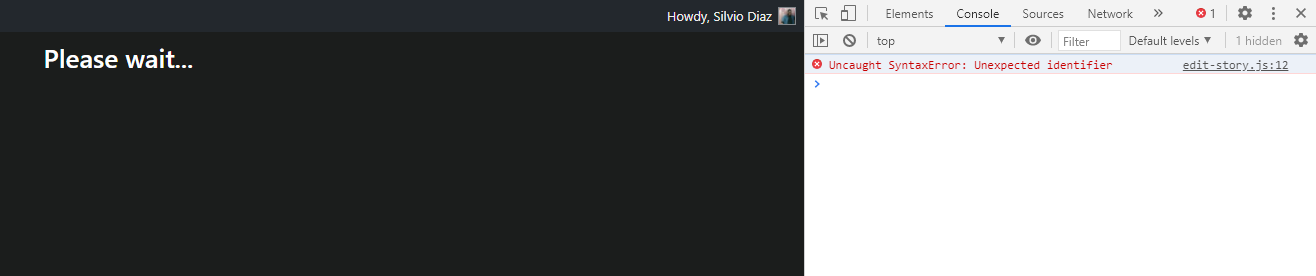
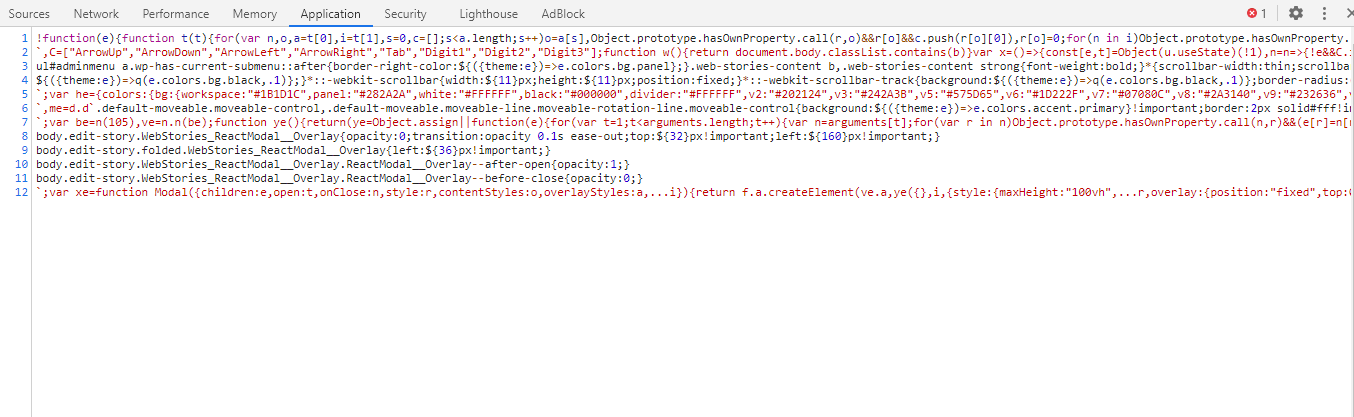
 SilvioDiaz
All 19 comments
Hi there,
What‘s your browser version? Does this still happen in incognito mode with all plugins disabled?
 swissspidy
on 9 Oct 2020
swissspidy
on 9 Oct 2020
Hi there,
What‘s your browser version? Does this still happen in incognito mode with all plugins disabled?
Chrome 86.0.4240.75 (Official Version) 64 bits and yeas, still happening in incognito or with all plugins disabled. I try on Opera and don't work either.
OBS: Work well this morning.
SilvioDiaz
on 9 Oct 2020
And which version of the plugin are you using?
For testing, could you try updating to our current development version to see if the issue persists? Download: https://github.com/google/web-stories-wp/suites/1317276935/artifacts/20896282
If the issue still happens with that version, you can then download this one here to get better understandable error messages: https://github.com/google/web-stories-wp/suites/1317276935/artifacts/20896284
swissspidy
on 10 Oct 2020
And which version of the plugin are you using?
For testing, could you try updating to our current development version to see if the issue persists? Download: https://github.com/google/web-stories-wp/suites/1317276935/artifacts/20896282
If the issue still happens with that version, you can then download this one here to get better understandable error messages: https://github.com/google/web-stories-wp/suites/1317276935/artifacts/20896284
I'm using 1.0, the Web Stories from the first link, work. Why?
SilvioDiaz
on 10 Oct 2020
Good to know! And I don‘t know why exactly it works, but it contains a few bug fixes and improvements. These will be part of our upcoming release, so stay tuned for that update later this month :-)
swissspidy
on 11 Oct 2020
same error
 ajanskartal
on 12 Oct 2020
ajanskartal
on 12 Oct 2020
We have the problem again, look's like, change one version to another solve the problem just for some time.
SilvioDiaz
on 12 Oct 2020
In that case please install https://github.com/google/web-stories-wp/suites/1317276935/artifacts/20896284 and share the error message in the console.
swissspidy
on 12 Oct 2020
In that case please install https://github.com/google/web-stories-wp/suites/1317276935/artifacts/20896284 and share the error message in the console.
SilvioDiaz
on 12 Oct 2020
stories editor stuck new storie.log
In that case please install https://github.com/google/web-stories-wp/suites/1317276935/artifacts/20896284 and share the error message in the console.
New storie:
SilvioDiaz
on 12 Oct 2020
That looks alright. And it‘s still stuck?
swissspidy
on 12 Oct 2020
That looks alright. And it‘s still stuck?
With the dev version it work, very slow, but work. Now with 1.0 and 1.10 alpha, the editor stuck on "please wait"
SilvioDiaz
on 12 Oct 2020
Related: #1369
 spacedmonkey
on 12 Oct 2020
spacedmonkey
on 12 Oct 2020
@ajanskartal Please open a new issue in the WordPress.org support forums and include as much information as possible, including browser version and your Site Health information. Thanks!
@SilvioDiaz Since you previously mentioned it worked only for some time, let us know if it happens again with this one. Also, was there a specific action you took that caused this error to appear again? Does it happen when creating a new story, or editing an existing one?
It's important for us to have as much information as possible, so if you could provide your Site Health information as well that would be great.
swissspidy
on 12 Oct 2020
@ajanskartal Please open a new issue in the WordPress.org support forums and include as much information as possible, including browser version and your Site Health information. Thanks!
Hi,
I found the error. it is not related with the plugin. it is about my server settings.
ajanskartal
on 12 Oct 2020
@ajanskartal Please open a new issue in the WordPress.org support forums and include as much information as possible, including browser version and your Site Health information. Thanks!
Hi,
I found the error. it is not related with the plugin. it is about my server settings.
Hey, can you share the error and how you solve?
SilvioDiaz
on 12 Oct 2020
@ajanskartal Please open a new issue in the WordPress.org support forums and include as much information as possible, including browser version and your Site Health information. Thanks!
@SilvioDiaz Since you previously mentioned it worked only for some time, let us know if it happens again with this one. Also, was there a specific action you took that caused this error to appear again? Does it happen when creating a new story, or editing an existing one?
It's important for us to have as much information as possible, so if you could provide your Site Health information as well that would be great.
It's Happens randomly on story editor, both in a new and already created.
SilvioDiaz
on 12 Oct 2020
I was blocking the following keywords in urls:
wp-json and wp-plugin
For this reason, the page has not load...
ajanskartal
on 12 Oct 2020
@SilvioDiaz Hi there! Could you confirm if this issue still occurs with the latest Web Stories version 1.1.0? We've moved support to the WordPress.org forums and this issue will be closed here. Please open a new support topic with related information and we'll happily continue troubleshooting with you there.
 LuckynaSan
on 2 Nov 2020
LuckynaSan
on 2 Nov 2020
Related issues
 obetomuniz
·
3Comments
swissspidy
·
3Comments
obetomuniz
·
3Comments
swissspidy
·
3Comments
 o-fernandez
·
3Comments
o-fernandez
·
3Comments
 injainja
·
4Comments
swissspidy
·
4Comments
injainja
·
4Comments
swissspidy
·
4Comments