Web-stories-wp: Templates not loading properly in WP
When I open create stories from template it show missing assets
check the screenshot below:
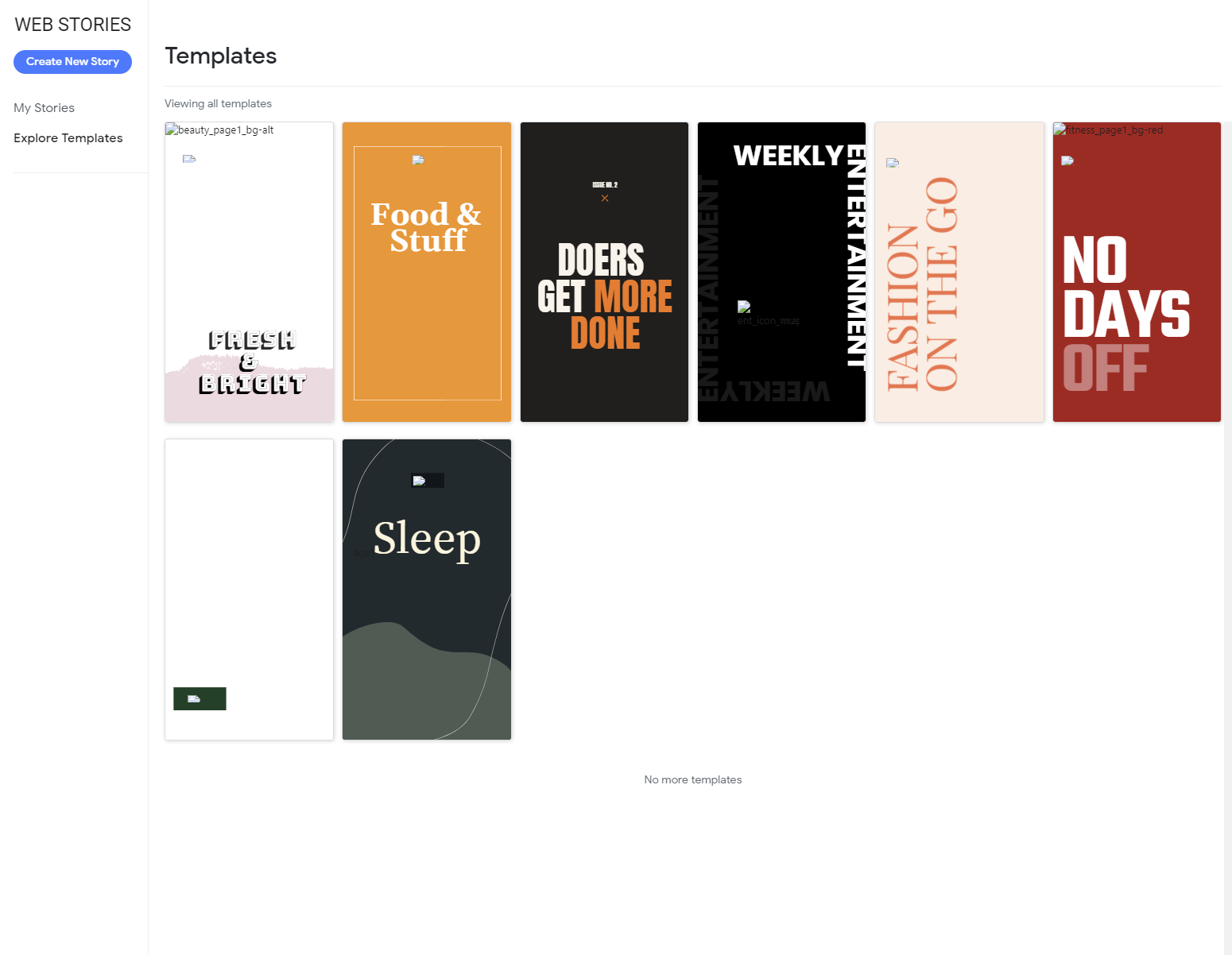
Hope you can fix or guide on how to fix.
Additional Context
- Plugin Version: Version 1.0.0-beta.1
- Operating System: Wordpress on cPanel
- Browser: Chrome
_Do not alter or remove anything below. The following sections will be managed by moderators only._
Acceptance Criteria
Implementation Brief
 ammartist
All 8 comments
@ammartist Thanks a lot for your report!
Have you tried clearing the cache and hard-refreshing the browser? Does it work in other browsers?
Could you perhaps open your browsers developer tools (press F12 on the keyboard) and check the "Console" tab for any errors? If you go to the "Network" tab, are there any failed requests for images? It should look a bit like this:
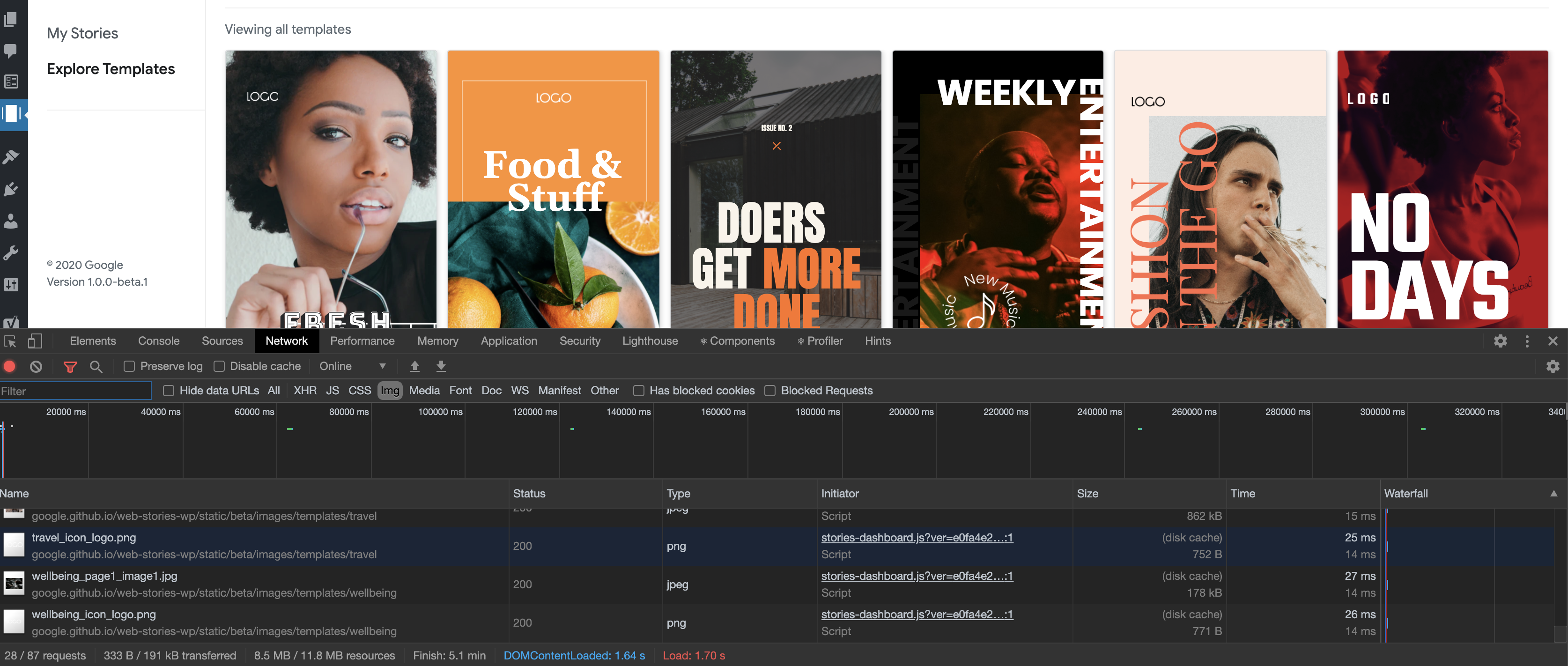
Finally, do you see an image when opening https://google.github.io/web-stories-wp/static/beta/images/templates/beauty/beauty_page1_bg-alt.png directly in your browser?
 swissspidy
on 6 Jul 2020
swissspidy
on 6 Jul 2020
Hi Swissspidy,
I did cleared the cache and I try another browser (edge) on edge it stuck on Please wait...
Back to chrome I did the F12 and below is the screenshot
https://paste.pics/9HKOF
regarding this link https://google.github.io/web-stories-wp/static/beta/images/templates/beauty/beauty_page1_bg-alt.png
yes it open on both browsers chrome and edge
ammartist
on 6 Jul 2020
Thank you, that's already very helpful so far!
In Chrome, after pressing F12, can you do the following too:
- Go to the "Network" tab
- select "Img" in the filter below
- Type "beauty" in the search box on the left
- Take a screenshot
It should look like this:
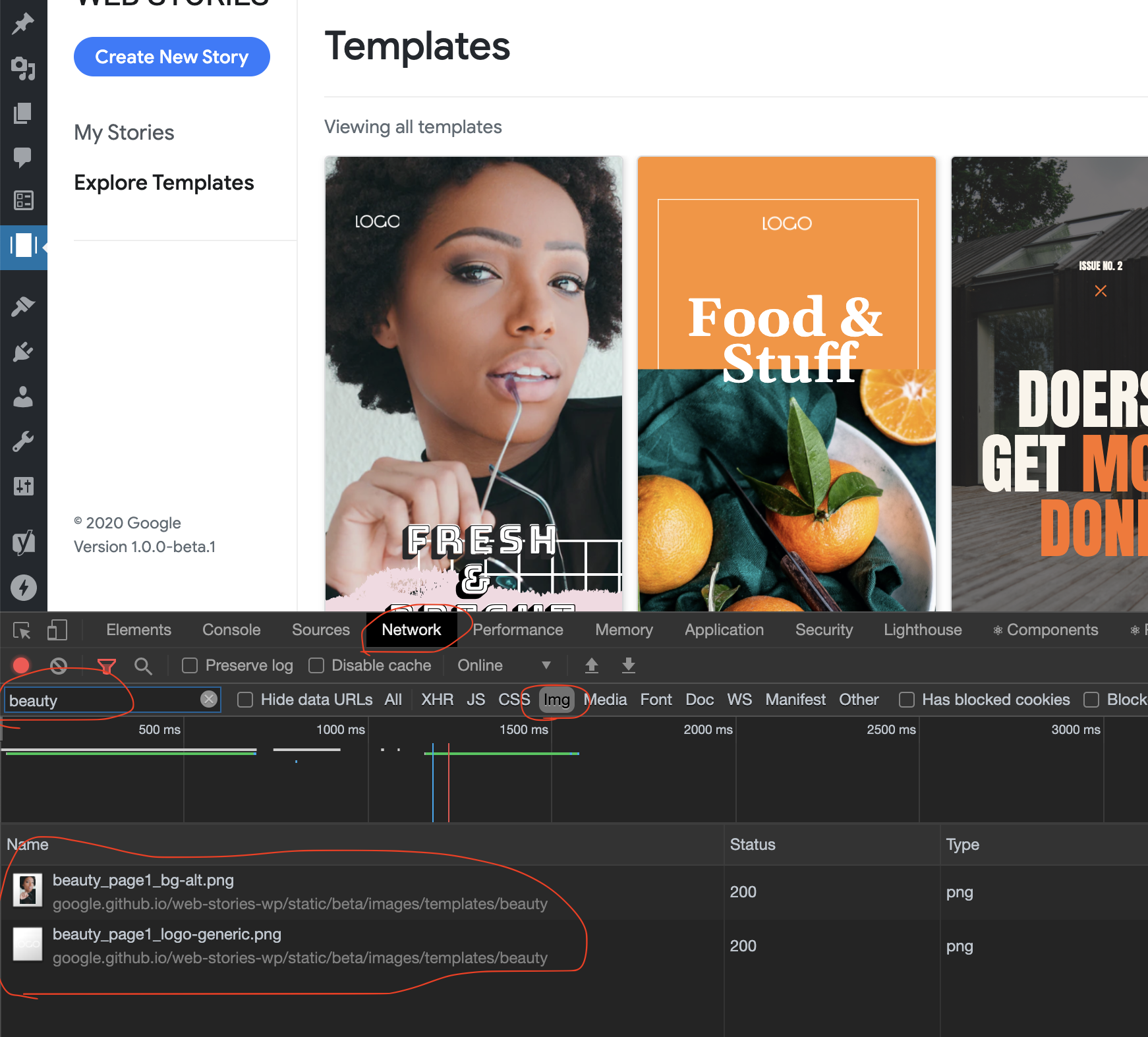
Also, does viewing the templates work in Incognito mode?
swissspidy
on 6 Jul 2020
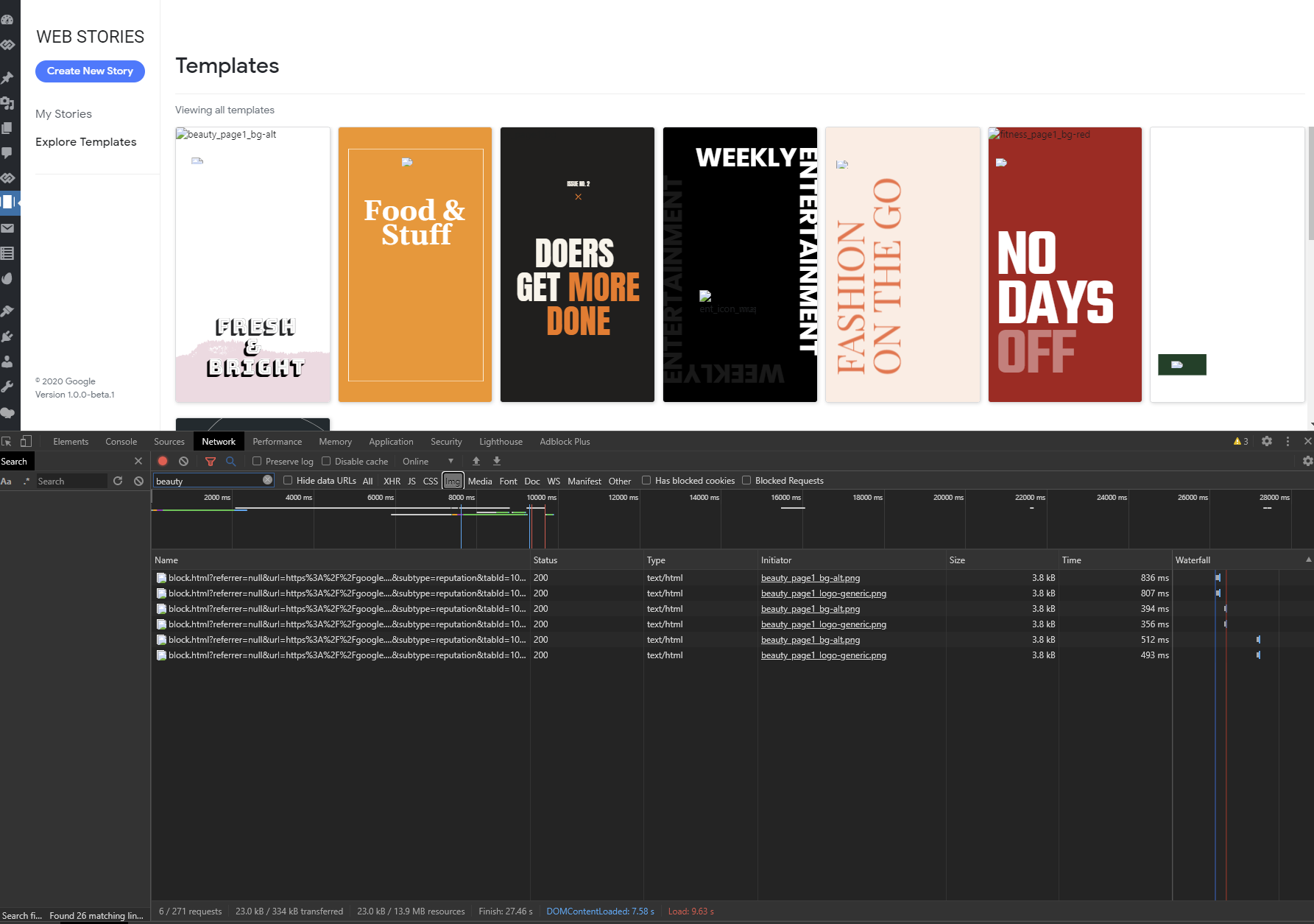
Here you go:
ammartist
on 6 Jul 2020
Thanks a lot @ammartist! It looks like the issue is caused by Adblock Plus, which wrongly blocks requests for the images in templates. I recommend disabling the ad blocker on your site so that no images will be blocked.
swissspidy
on 6 Jul 2020
After disabling Adblock Plus the issues remains the same however, I found out that Malwarebytes' extension was blocking them.
Now the question will be how to prevent Malwarebytes from blocking them and whitelisting it
ammartist
on 6 Jul 2020
I can confirm that it's indeed the Malwarebytes Chrome extension causing this!
It looks like you can whitelist the domain as follows:
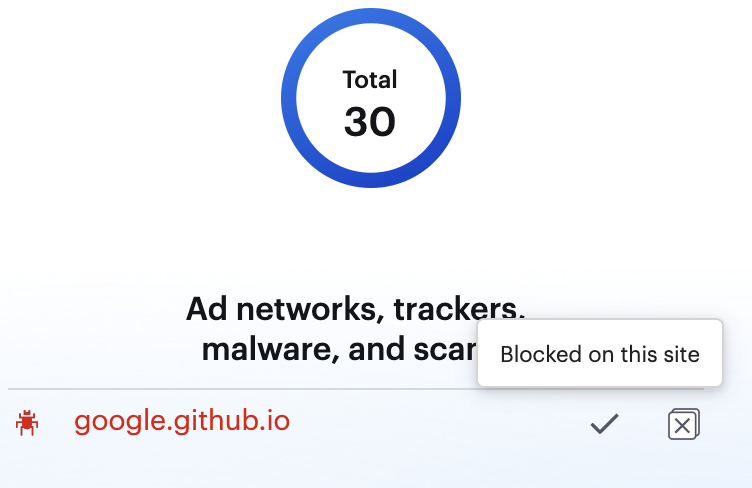
This did the trick for me.
Note: once we release the stable version of the plugin, the domain will be different from the one in the screenshot, so it might be the case that you'd need to do this again once we release the stable version.
swissspidy
on 6 Jul 2020
Yep, that work's perfectly now ;-)
ammartist
on 6 Jul 2020
Related issues
swissspidy
·
3Comments
 LuckynaSan
·
3Comments
swissspidy
·
3Comments
LuckynaSan
·
3Comments
swissspidy
·
3Comments
 3pgarro
·
4Comments
3pgarro
·
4Comments
 injainja
·
4Comments
injainja
·
4Comments
Most helpful comment
Yep, that work's perfectly now ;-)