Web-stories-wp: Page Attachments - linked content
As an editor I want to be able to add page attachments
A user can add a Page Attachment for linked content, which would accept a link. A CTA that would be displayed to the user in the attachment region of the page (bottom 20% of the page).
If configured, the page would have a Page Attachment region (bottom 20% of the page) there the user can tap to load the linked UI. When the user taps to load the Page Attachment for linked content, the link opens in a new page.
If Page Attachment is enabled, a link cannot be positioned in the lower 20% area. If there are existing links when the page attachment is activated, the author receives a warning confirmation that links in the bottom will be discarded when proceeding.
Acceptance Criteria
- A user is able to add page attachments to a page by adding a page attachment link
- Page attachment content can be revealed by users through a "swipe up" gesture, or a tap on the call to action element.
- A UI prompt to open the attachment will automatically be added at the bottom of every page that configured an attachment.
- Tapping on the page attachment or swiping up opens the linked to page.
Dev Notes
See #253
 jauyong
All 35 comments
Note that this is now in the critical path for launch, so I elevated it. This is due to the deprecation of 1-tap links.
 pbakaus
on 11 Apr 2020
pbakaus
on 11 Apr 2020
Awaiting on spec and designs.
During grooming this was pushed from sprint 27 Beta, to be a candidate for sprint 28 stable
jauyong
on 22 Apr 2020
I updated the spec, it seems to me that this is pretty complete. Can review with the team in an upcoming product review.
 o-fernandez
on 6 May 2020
o-fernandez
on 6 May 2020
Moved to icebox as we are not working on new features for Beta/Stable
jauyong
on 13 May 2020
@samitron7 @o-fernandez
In the editor, when the user clicks on the CTA, I assume that the Page Attachment should open in the editor the same way as in the front-end (sliding open and appearing with closing options), is that correct? So that the user could see in the editor how it looks like. Or should it be visible via Preview only?
One more detail to confirm just in case -- currently in Figma, the Page Attachment is not shown in the Page thumbnails, I assume the CTA would still be there, just not clickable?
 miina
on 17 Jun 2020
miina
on 17 Jun 2020
Curious, how is that "Page Attachment Guidelines" dialog being triggered? By clicking on the "Learn more" CTA? I don't see a help icon in the design panel.
 swissspidy
on 17 Jun 2020
swissspidy
on 17 Jun 2020
Answers to both questions from review today: the user will need to go to the preview for both of these things (seeing the page attachment as it would display in the end, and seeing the learn more CTA.) Not in the editor for now.
o-fernandez
on 24 Jun 2020
How is the following dialog triggered though?
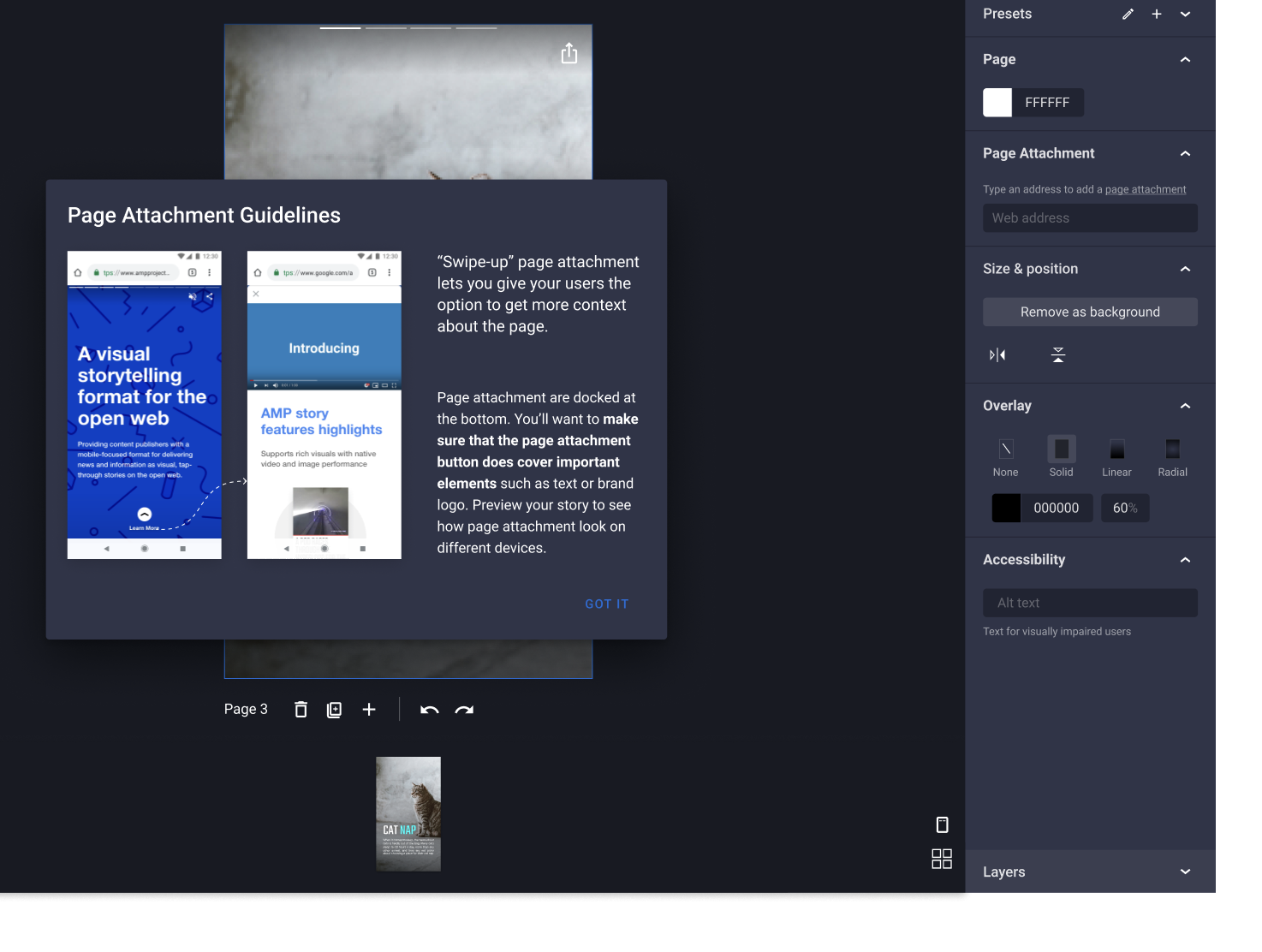
I see "page attachment" is underlined in the design panel, but we currently can't add links in (translatable) sentences due to technical reasons (see #1578).
When we had both 1-tap and 2-tap links, we had a small info/help icon to trigger a similar dialog. Can we do the same here?
Note: we might be able to re-use some of that (now removed) code for the help dialog.
Also, because of #1578 we also cannot make individual words within a sentence bold.
swissspidy
on 25 Jun 2020
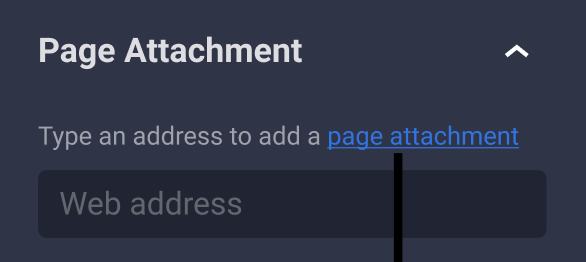
@swissspidy I forgot to refresh the components on figma to reflect the changes I made. Just did that and it should be there now but it's a text link.
 samitron7
on 25 Jun 2020
samitron7
on 25 Jun 2020
@samitron7 As I mentioned above, due to missing underlying implementation (outlined in #1578), such a link is not currently possible. It would break translation.
Until #1578 is addressed, can we do a help icon instead? Or at least do the link like this:
Type an address to add a page attachment. [Learn more]
Where "Learn more" is the link.
swissspidy
on 26 Jun 2020
@samitron7 / @o-fernandez One more question related to the Page Attachment Guidelines:
As clarified in Slack then the first version of the Page Attachment would be linked content only. If that's the case then these specific Page Attachment Guidelines might be irrelevant here since the Page Attachment would be just opening the link instead of including the content as inline content when swiping up.
Thoughts?
miina
on 26 Jun 2020
@samitron7 / @o-fernandez One more question related to the Page Attachment Guidelines:
As clarified in Slack then the first version of the Page Attachment would be linked content only. If that's the case then these specific Page Attachment Guidelines might be irrelevant here since the Page Attachment would be just opening the link instead of including the content as inline content when swiping up.
Thoughts?
Hi @miina - regardless of whether it's linked content or inline content, my expectation is that the UX is the same (that is, the page attachment arrow pointing up is there and the tap or swipe up experience is identical for the user (like this)
So the guidelines do apply, AFAIK. It's just a matter of working with @samitron7 to figure out how the guidelines can be opened, given @swissspidy's feedback.
o-fernandez
on 26 Jun 2020
Hi @miina - regardless of whether it's linked content or inline content, my expectation is that the UX is the same (that is, the page attachment arrow pointing up is there and the tap or swipe up experience is identical for the user (like this)
@o-fernandez In case of linked content the experience wouldn't be identical though -- clicking on the "Learn more" link would just directly open the configured link in the browser -- there would be no swipe up experience, the user would leave the story.
Only in case of using inline content, the swipe up experience is present.
Thoughts?
miina
on 26 Jun 2020
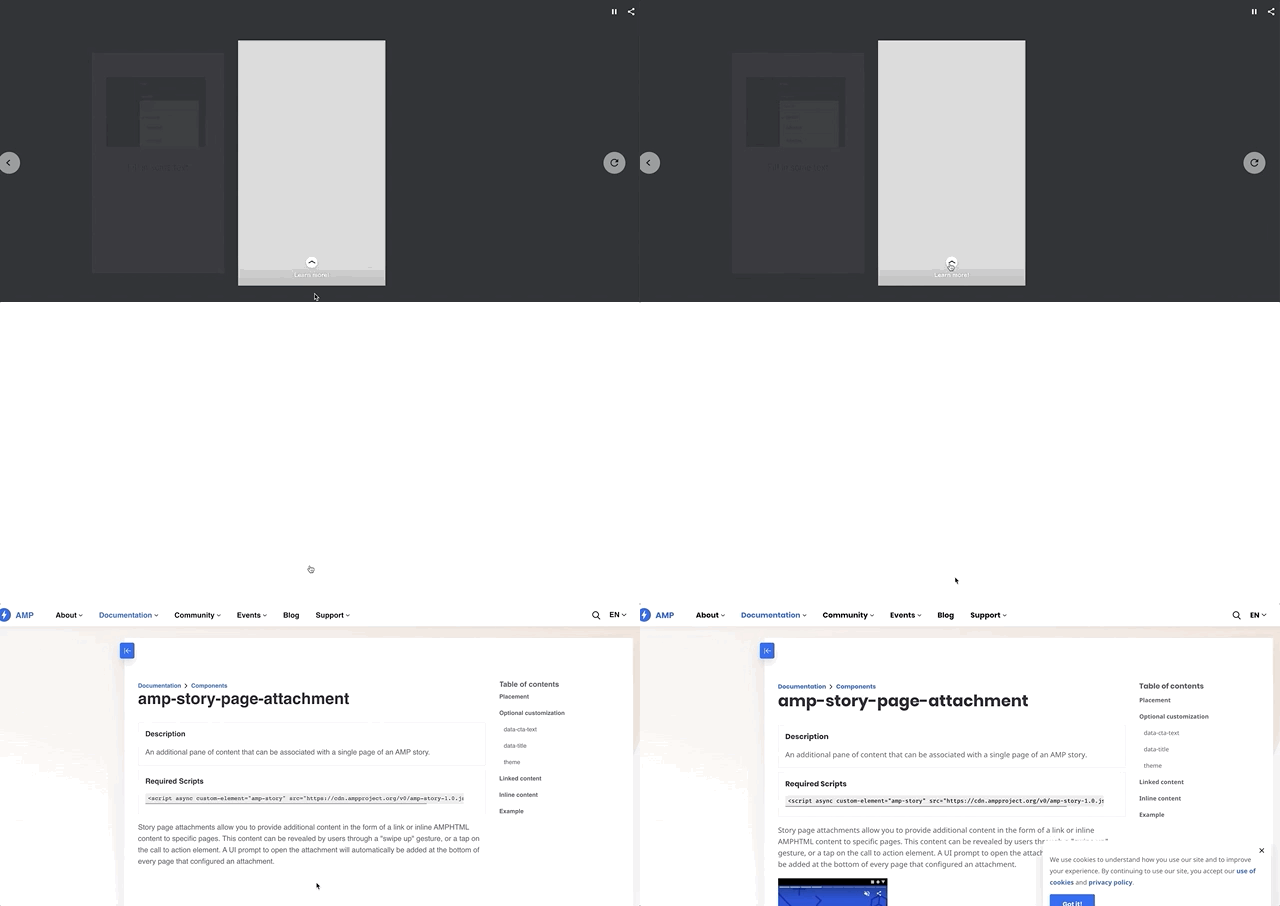
Example with linked content -- instead of swiping up, it just opens the link:
miina
on 26 Jun 2020
Example with linked content -- instead of swiping up, it just opens the link:
Interesting, that doesn't match my expectations of a page attachment. I'd just call that a link...
@samitron7 do you know from your conversations with the format team whether they intend for page attachments to be used this way -- if linked content it opens on a separate page? I'd imagine we'd want to just keep those as regular links and preserve "page attachment" for just the other experience.
o-fernandez
on 26 Jun 2020
Nope, this should not be the behavior for page attachment. Here's documentation on the behavior. Note:
This content can be revealed by users through a "swipe up" gesture, or a tap on the call to action element. A UI prompt to open the attachment will automatically be added at the bottom of every page that configured an attachment.
This is how they differ from the links.
View a example of page attachment in real story here
samitron7
on 26 Jun 2020
Whoops @pbakaus just pointed out that I'm wrong here. Checking in with the format team and waiting back for an answer.
From Paul:
Due to a technical limitation with web browsers, links to an entirely other page will actually go out to another page, not do the swipe up experience. The story you shared as example does not have outbound page attachments (where a link to some page is provided).
@paul does this mean we need to leave the implementation as is?
samitron7
on 26 Jun 2020
Curious to hear from the format team on this. AFAIK, we should for now just clarify that whether it's swipe up or a new window depends on the platform or app the story is displayed on. It's a frustrating complication, but that's how I understand it.
pbakaus
on 26 Jun 2020
Ok, so got clarification that it basically just works like a one-tap link, as Miina shows. So I think this is, in essence, done per current spec. We'll need a new ticket and workstream in the future to have a full inline content page attachment, which is the one Sam referred to in this comment
But, to the earlier earlier points:
- Page Attachment still adds the icon at the bottom of the page (that is tappable) so the instructions in @swissspidy comment here are still relevant.
- @samitron7 can you clarify @swissspidy 's question on whether a help icon is OK, given that inline link as per the Figma is currently not possible (comment for reference)
- One other open question for UX, do we have an alert we can show users in this case: If Page Attachment is enabled, a link cannot be positioned in the lower 20% area. If there are existing links when the page attachment is activated, the author receives a warning confirmation that links in the bottom will be discarded when proceeding.
o-fernandez
on 29 Jun 2020
@miina @samitron7 will move this to "UX Needed" column/pipeline, from In Progress, just to put it at the top of Sam's queue there and make sure we unblock. Then we can move back to In Progress for miina to wrap it up. Sounds good?
o-fernandez
on 1 Jul 2020
SGTM!
miina
on 1 Jul 2020
@swissspidy Yes, let's use the same little "i" icon we used for links dialog before it was removed. We have the error handling for last bullet point and I moved that work off to the graveyard temporary when page attachment was on hold. This in on my queue so let me wrap up 2 things I'm currently working on and get to this next @miina
samitron7
on 2 Jul 2020
@o-fernandez FYI but the images (pulled from the amp dev site) in the help message are now a point of confusion so I'll have to remove or replace them. Just to be clear here, it's a tap and not a swipe on the page attachment ui and this opens a new tab. Confirmation is needed for edits to the informative pop-up box. Will remove UX needed label and do update pop-up once I hear from you.
Added flows for:
samitron7
on 2 Jul 2020
@samitron7 Some additional details to confirm:
- In case of multi-selection where only one of the elements is a link and being dragged -- is the tooltip still shown the same way even though there are other elements in the multi-selection as well? Does then only the element with link snap back to the original position or all the selected elements?
- Does the same apply for rotation and resizing -- since the link could theoretically be (partly) placed to the lower 20% while rotating/resizing as well.
miina
on 6 Jul 2020
My 2 cents here. For both 1 and 2, if at least part of the element with a link falls in the lower 20% of the canvas, then it should trigger what Sam's figma flow shows, whether that's through rotation, movement, etc. If multi-selection, the whole selection can be snapped back.
o-fernandez
on 6 Jul 2020
+1 Snapping everything back makes sense since if you're multi selection you wanted them position together.
samitron7
on 9 Jul 2020
@samitron7 One more question came up from reviewing the PR:
If there are a Page Attachment and an element without a link in the Page Attachment area, then what should happen if the user starts adding a link for the element?
E.g. if the user:
- Adds a shape below the 20%
- Adds a Page Attachment
- Starts adding a link for the Shape
Should a similar warning then display for the shape's link input when focusing? Or should the field be disabled? Or ... ?
miina
on 13 Jul 2020
We should provide an message below the input field and disable the field. Figma
samitron7
on 14 Jul 2020
@samitron7 Two more questions came out from reviewing:
- What should happen if the user is using the arrow keys to move a link and it ends up in the Page Attachment area?
- What should happen if the user is trying to paste a link so that its destination would be in the Page Attachment area?
miina
on 14 Jul 2020
@samitron7 to provide clarity.
 bmattb
on 15 Jul 2020
bmattb
on 15 Jul 2020
OK - I added this to my queue today. Will try to get designs in by Monday. Today is Thursday and I have several things I need to do to wrap up visual pass since this work ends Friday and is more pressing.
samitron7
on 16 Jul 2020
@miina All the page attachment rules should be here now. Sorry for the delay, needed to check in with Paul on a couple details.
samitron7
on 22 Jul 2020
Currently, if a user changes the default "Learn More", the only way it is saved is when user clicks elsewhere within the design panel area. Can this be changed to save if user clicks anywhere or if they hit enter (like link behaviour for images)?
 csossi
on 20 Aug 2020
csossi
on 20 Aug 2020
@csossi When I'm testing then whenever the user hits "Save", the text is saved -- without having to click anywhere. But I guess what you mean is that the text on the Page is not changing at the same time as typing it in? Yes, I suppose in this case it would make sense... Need to rework the logic a bit for that.
miina
on 20 Aug 2020
Thanks, @miina
Verified in QA
csossi
on 24 Aug 2020
Related issues
 injainja
·
4Comments
injainja
·
4Comments
o-fernandez
·
3Comments
o-fernandez
·
4Comments
injainja
·
4Comments
injainja
·
4Comments
o-fernandez
·
3Comments
o-fernandez
·
4Comments
 3pgarro
·
4Comments
3pgarro
·
4Comments