Web-bugs: theathletic.com - The navigation menu does not stick to the top of the page while scrolling
URL: https://theathletic.com/1955419/2020/07/27/minnesota-wild-bubble-edmonton-nhl-guide-inside-look/
Browser / Version: Firefox 80.0
Operating System: Windows 10
Tested Another Browser: Yes Chrome
Problem type: Design is broken
Description: Items are overlapped
Steps to Reproduce:
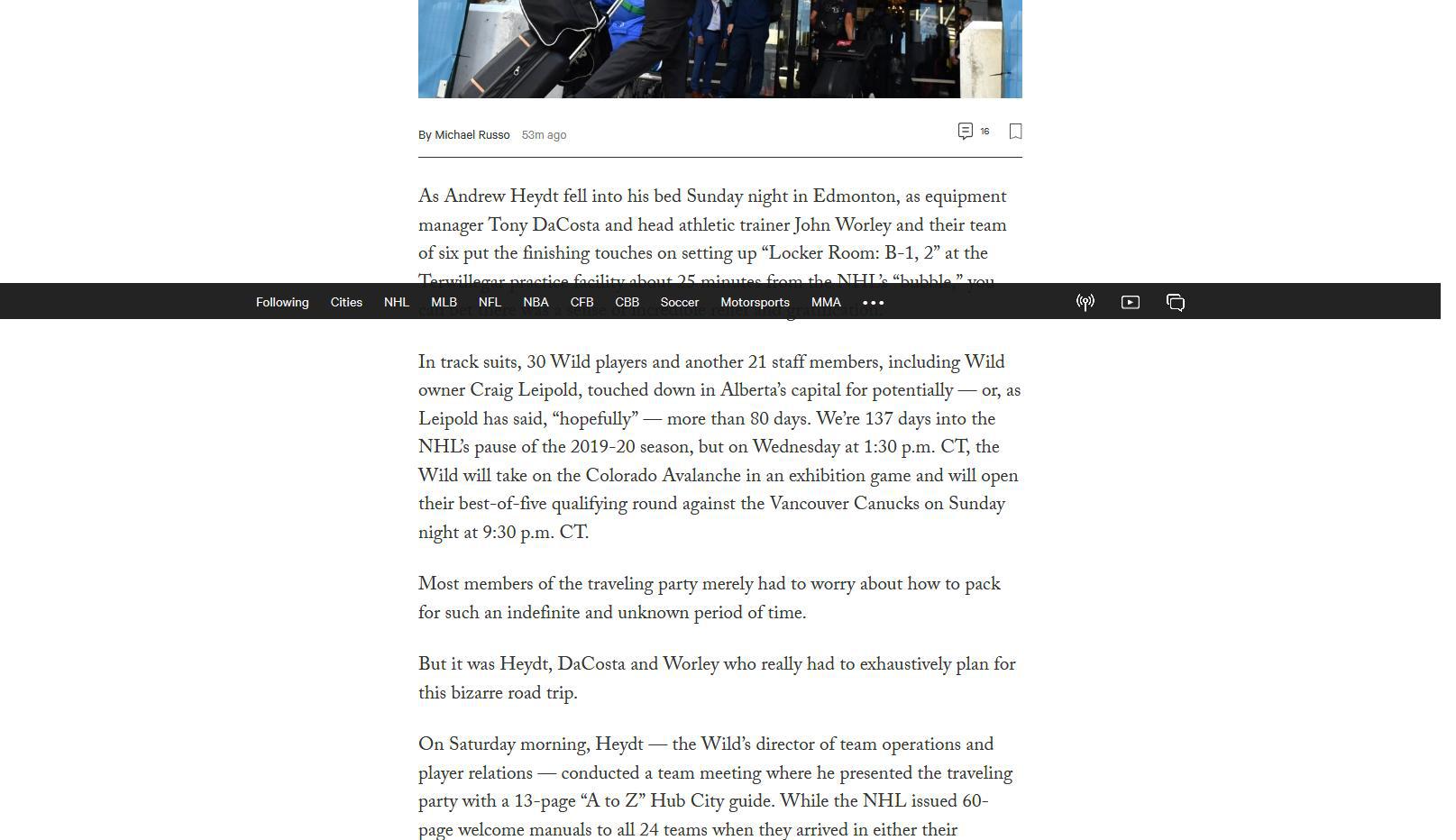
Navigation bar will overlap while scrolling down the page, and then jump back to the top, sometimes obscuring content. Screenshot shows this.
View the screenshot
Browser Configuration
- gfx.webrender.all: true
- gfx.webrender.blob-images: true
- gfx.webrender.enabled: false
- image.mem.shared: true
- buildID: 20200727095125
- channel: nightly
- GPUs:
- active: true
- description: Intel(R) HD Graphics 520
- deviceID: 0x1916
- vendorID: 0x8086
- driverVersion: 27.20.100.8336
- hasTouchScreen: true
- mixed active content blocked: false
- mixed passive content blocked: false
- tracking content blocked: false
_From webcompat.com with ❤️_
 PacketHauler
All 12 comments
Possition absolute fight with position fixed - javascript glitch I guess.
 krystian3w
on 27 Jul 2020
krystian3w
on 27 Jul 2020
Thanks for the report, @PacketHauler.
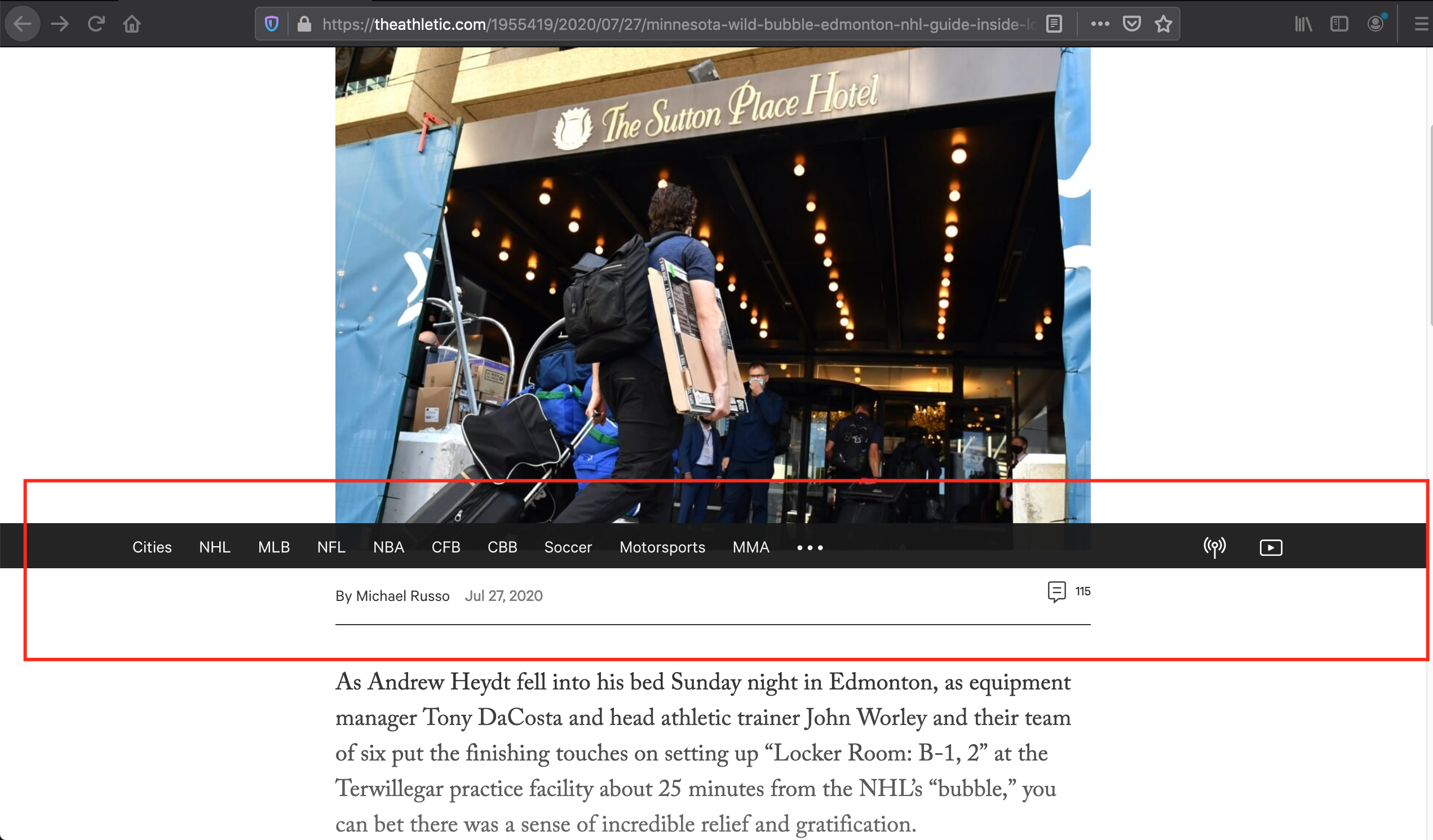
I was indeed able to reproduce the issue. The navigation menu does not stick to the top of the page while scrolling in Firefox.
Tested with:
Browser / Version: Firefox Nightly 81.0a1 (2020-07-27), Chrome 84.0.4147.105
Operating System: macOS 10.15.6
This is the web page displayed in Firefox Nightly after scrolling the page:
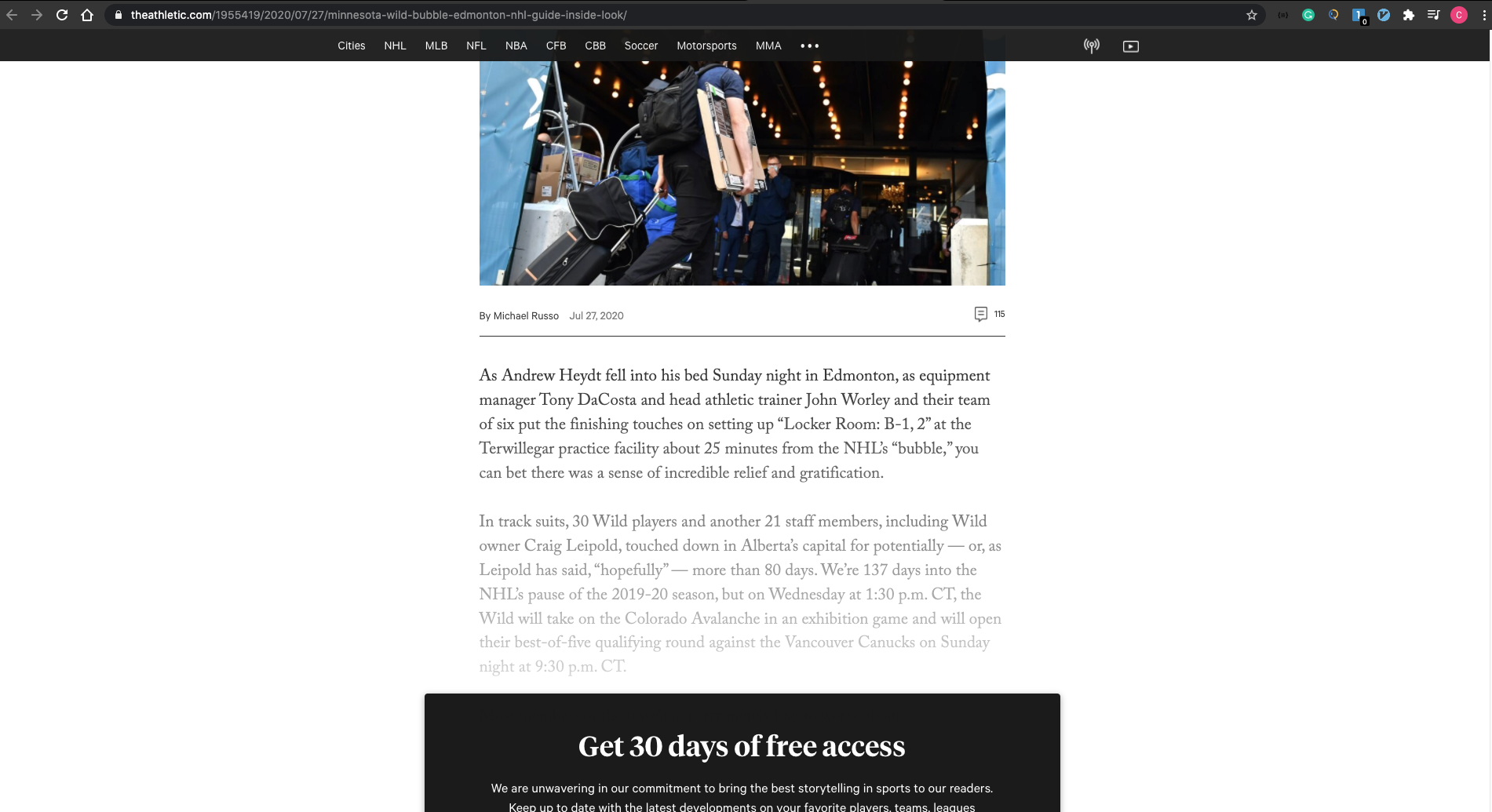
And this is the web page displayed in Chrome:
Moving the issue to needsdiagnosis.
 cipriansv
on 28 Jul 2020
cipriansv
on 28 Jul 2020
Of course! I just tested it in the latest stable (79.0) and it's not happening there. Looks to only impact beta and nightly releases at this time.
PacketHauler
on 28 Jul 2020
@cipriansv, @PacketHauler, this isn't reproducing for me on the latest nightly on my macbook; can you still reproduce the error?
 wisniewskit
on 30 Jul 2020
wisniewskit
on 30 Jul 2020
Works property with Firefox 81 (Nightly) on Windows 10 - Requires observation if the bug has spawned to beta/developer 80.
krystian3w
on 30 Jul 2020
@wisniewskit, I am not able to reproduce it anymore using the latest Nightly build.
Tested with:
Browser / Version: Firefox Nightly 81.0a1 (2020-07-30)
Operating System: macOS 10.15.6
cipriansv
on 31 Jul 2020
It's working now on the latest nightly build.
PacketHauler
on 1 Aug 2020
So now install Beta 80 or Developer 80? Bug maybe arrived into beta builds and in 4 weeks we'll suddenly have a bug in the stable 80 (september 2020) version.
krystian3w
on 1 Aug 2020
Just checked latest dev edition, the bug is in there on Windows 10 64-bit. 80.0b2 (64-bit)
PacketHauler
on 1 Aug 2020
So this neede to check (observe) if version 80b3 and newer will have a bug, if they will not have it, we will avoid damaging the site in September 2020 (until then it will not disappear from js update by webmasters theathletic.com - creators were able to trace this thread based on the link references from the first post).
krystian3w
on 1 Aug 2020
Just upgraded to 80.0b3, and it appears the bug is gone.
PacketHauler
on 4 Aug 2020
Indeed, I can confirm is has been fixed.
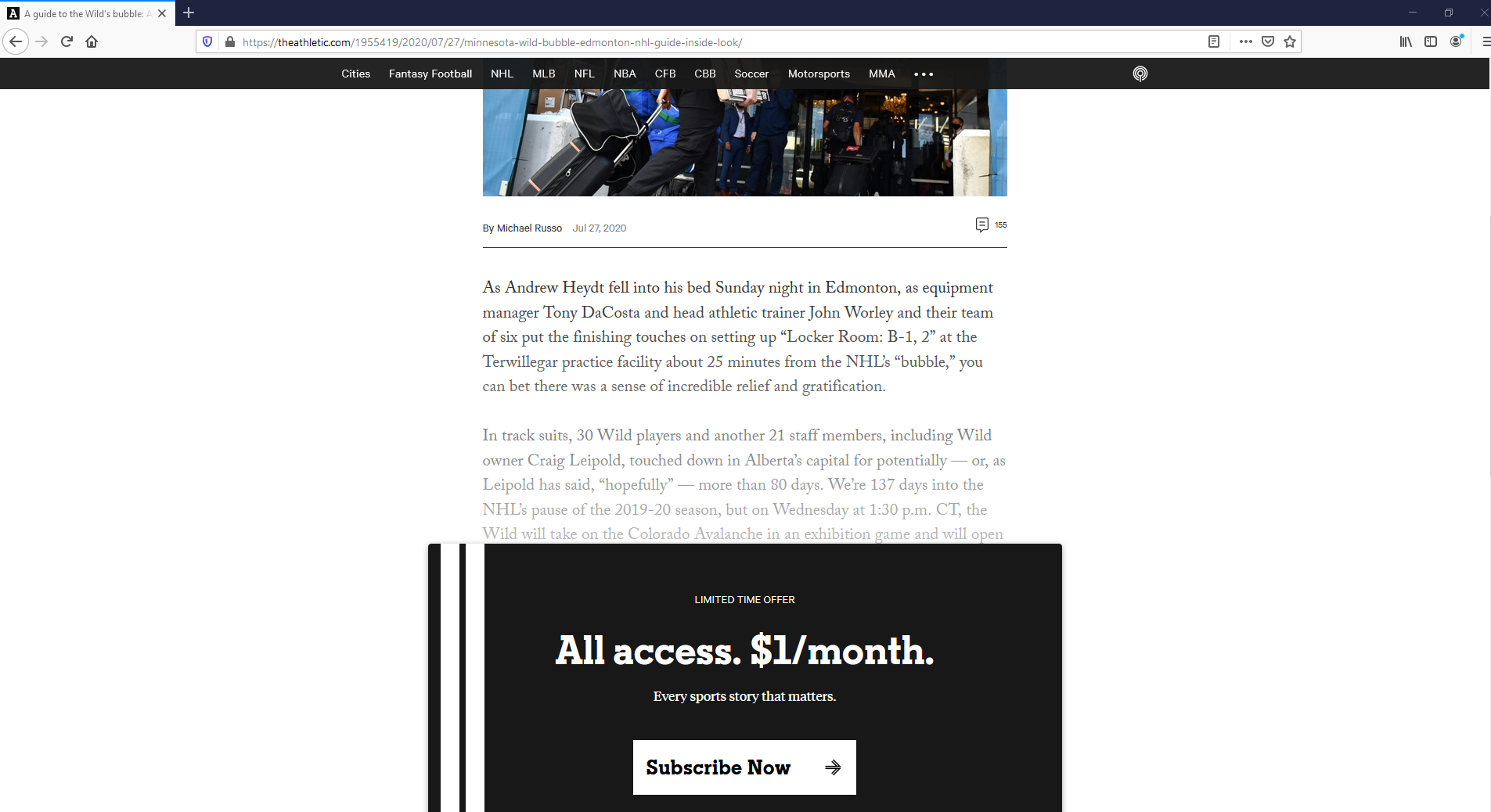
Tested with:
Browser / Version: Firefox Nightly 83.0a1 (2020-10-15)
Operating System: Windows 10 Pro
 softvision-oana-arbuzov
on 16 Oct 2020
softvision-oana-arbuzov
on 16 Oct 2020
Related issues
 IngrownMink4
·
3Comments
IngrownMink4
·
3Comments
 webcompat-bot
·
4Comments
webcompat-bot
·
4Comments
 christantoan
·
4Comments
christantoan
·
4Comments
 Ezio916
·
4Comments
Ezio916
·
4Comments
 oksas
·
5Comments
oksas
·
5Comments
Most helpful comment
Thanks for the report, @PacketHauler.
I was indeed able to reproduce the issue. The navigation menu does not stick to the top of the page while scrolling in Firefox.
Tested with:
Browser / Version: Firefox Nightly 81.0a1 (2020-07-27), Chrome 84.0.4147.105
Operating System: macOS 10.15.6
This is the web page displayed in Firefox Nightly after scrolling the page:
And this is the web page displayed in Chrome:
Moving the issue to needsdiagnosis.