Web-bugs: www.dunkindonuts.com - Sign In form is messed up
URL: https://www.dunkindonuts.com/en/sign-in
Browser / Version: Firefox Nightly 68.0a1 (2019-03-31)
Operating System: Windows 10
Tested Another Browser: Yes
VPN active poiting to USA
Problem type: Design is broken
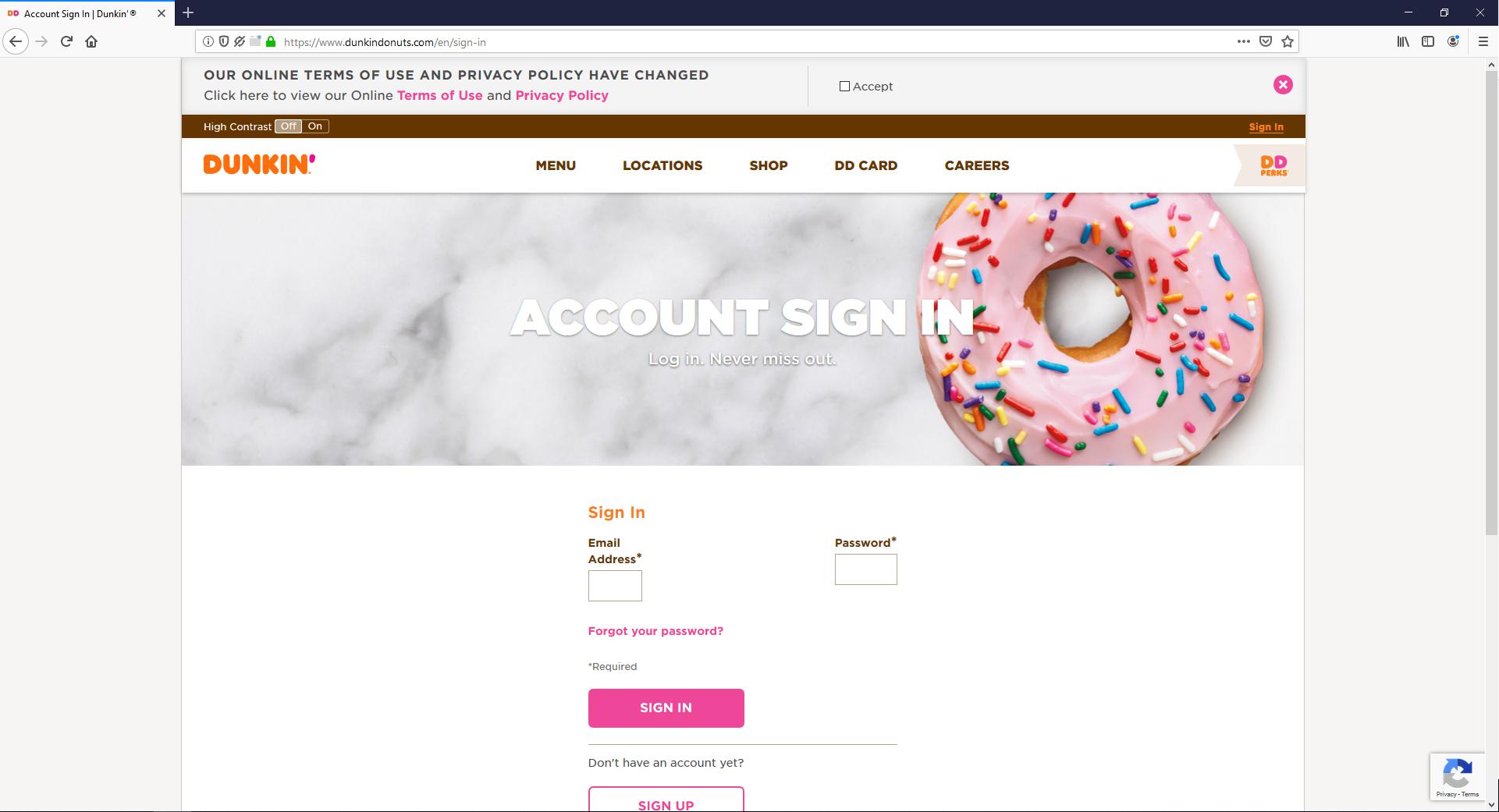
Description: Sign In form is messed up
Steps to Reproduce:
- Navigate to: https://www.dunkindonuts.com/en/sign-in
Expected Behavior:
The Sign In form is correctly displayed.
Actual Behavior:
The Sign In form is messed up.
Notes:
- The issue is not reproducible on Chrome.
- Screenshot attached.
Watchers:
@softvision-oana-arbuzov
@softvision-sergiulogigan
@cipriansv
sv;
Browser Configuration
- None
_From webcompat.com with ❤️_
 softvision-sergiulogigan
All 8 comments
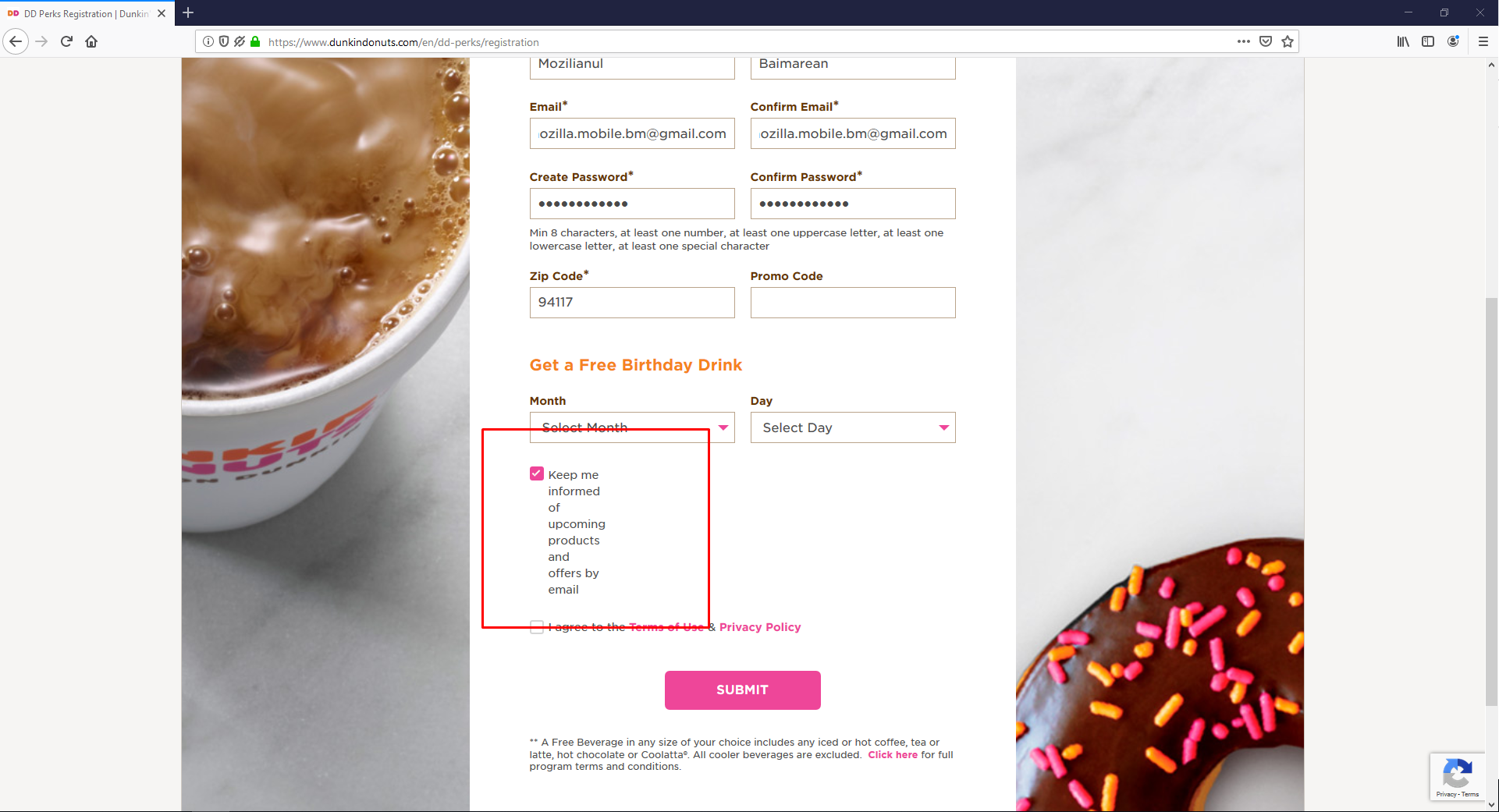
Also reproducible on https://www.dunkindonuts.com/en/dd-perks/registration
softvision-sergiulogigan
on 1 Apr 2019
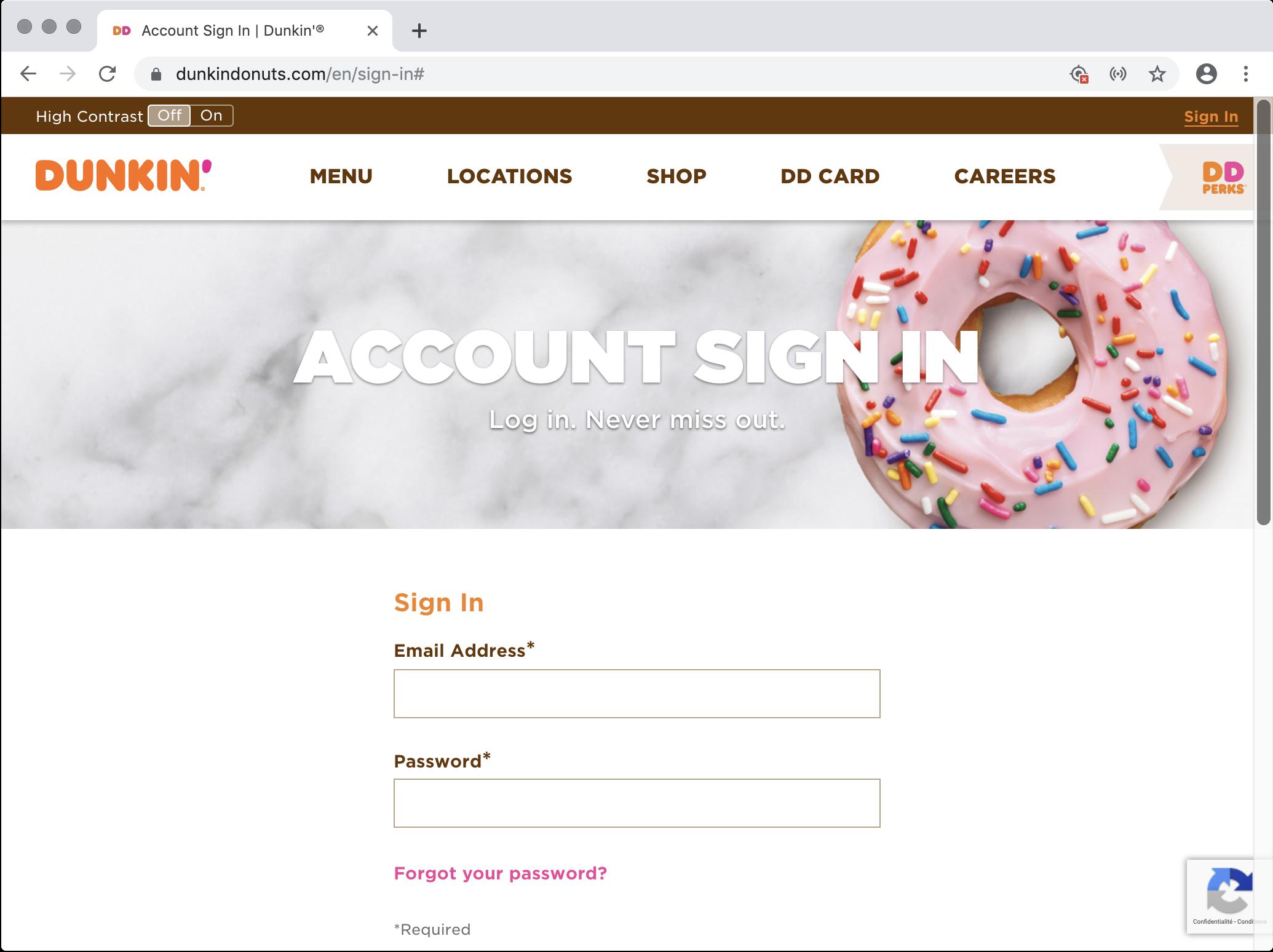
Rendering in Chrome
 karlcow
on 1 Apr 2019
karlcow
on 1 Apr 2019
This is a bit weird.
This change makes it work.
/* all.min.a989aa94a006f1e348f265d013c20d57.css | https://www.dunkindonuts.com/etc/designs/dd/styles/all.min.a989aa94a006f1e348f265d013c20d57.css */

.grid__item {
  /* -webkit-flex-basis: min-content; */
  /* -ms-flex-preferred-size: min-content; */
  /* flex-basis: min-content; */
}
in Chrome
.grid__item {
    padding: 0;
    margin: 0;
    box-sizing: border-box;
    width: 100%;
    -webkit-flex-basis: min-content;
    -ms-flex-preferred-size: min-content;
    flex-basis: min-content;
    position: relative
}
The series flex-basis: min-content; is considered invalid and not applied.
but in Firefox, the min-content is applied.
@dholbert
I was wondering if it was this
https://bugs.chromium.org/p/chromium/issues/detail?id=944614
Slightly worried about their intent to change here.
So for the site owners just remove
    -webkit-flex-basis: min-content;
    -ms-flex-preferred-size: min-content;
    flex-basis: min-content;
It's not related to that Chrome bug, no. But it is a Chrome bug. I'll file a bug report on them.
As you noticed, it looks like Chrome doesn't have support for flex-basis:min-content, but you can emulate it by instead providing width:min-content; flex-basis:auto. If you give .grid__item that styling in Chrome, then they match the Firefox rendering, indicating that they agree with us if you can just massage the CSS into a form that they accept.
Anyway: I agree that removing the flex-basis:min-content styling is what the site wants to do here.
 dholbert
on 2 Apr 2019
dholbert
on 2 Apr 2019
I filed https://bugs.chromium.org/p/chromium/issues/detail?id=948419 on Chrome's bug here.
dholbert
on 2 Apr 2019
 ksy36
on 19 Aug 2019
ksy36
on 19 Aug 2019
Also reached out to the site via twitter DM
ksy36
on 19 Aug 2019
The issue has been fixed. The form layout is displayed correctly now.
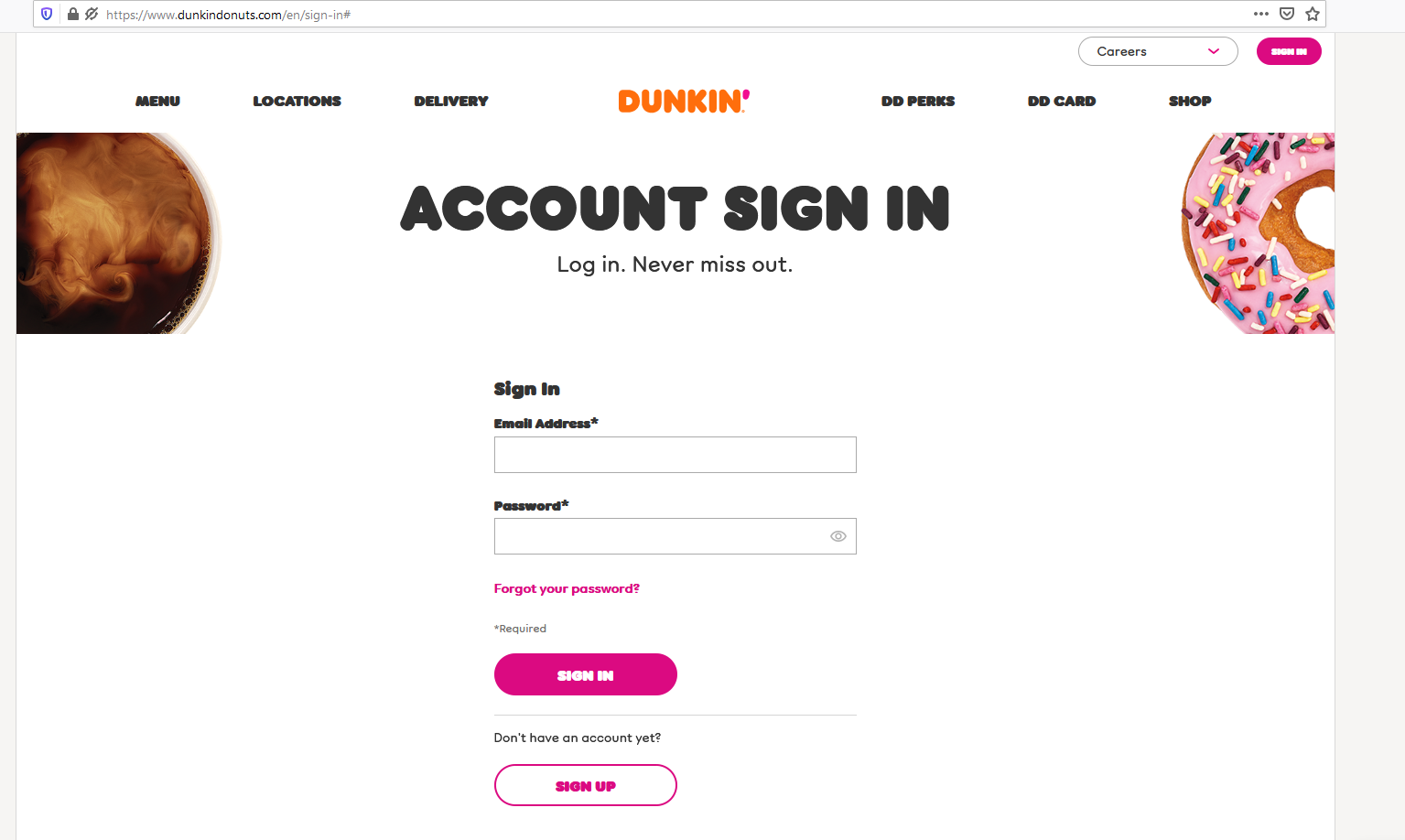

Tested with:
Browser / Version: Firefox Nightly 82.0a1 (2020-09-03)
Operating System: Windows 10 Pro
 softvision-oana-arbuzov
on 4 Sep 2020
softvision-oana-arbuzov
on 4 Sep 2020
Related issues
 IngrownMink4
·
3Comments
IngrownMink4
·
3Comments
 scheinercc
·
6Comments
scheinercc
·
6Comments
 bvanrijn
·
4Comments
bvanrijn
·
4Comments
 oksas
·
5Comments
oksas
·
5Comments
 Gravydigger
·
4Comments
Gravydigger
·
4Comments
Most helpful comment
It's not related to that Chrome bug, no. But it is a Chrome bug. I'll file a bug report on them.
As you noticed, it looks like Chrome doesn't have support for
flex-basis:min-content, but you can emulate it by instead providingwidth:min-content; flex-basis:auto. If you give.grid__itemthat styling in Chrome, then they match the Firefox rendering, indicating that they agree with us if you can just massage the CSS into a form that they accept.Anyway: I agree that removing the
flex-basis:min-contentstyling is what the site wants to do here.