Web-bugs: www.washingtonpost.com - design is broken
Browser / Version: Firefox Mobile 65.0
Operating System: Android 8.1.0
Tested Another Browser: Yes
Problem type: Design is broken
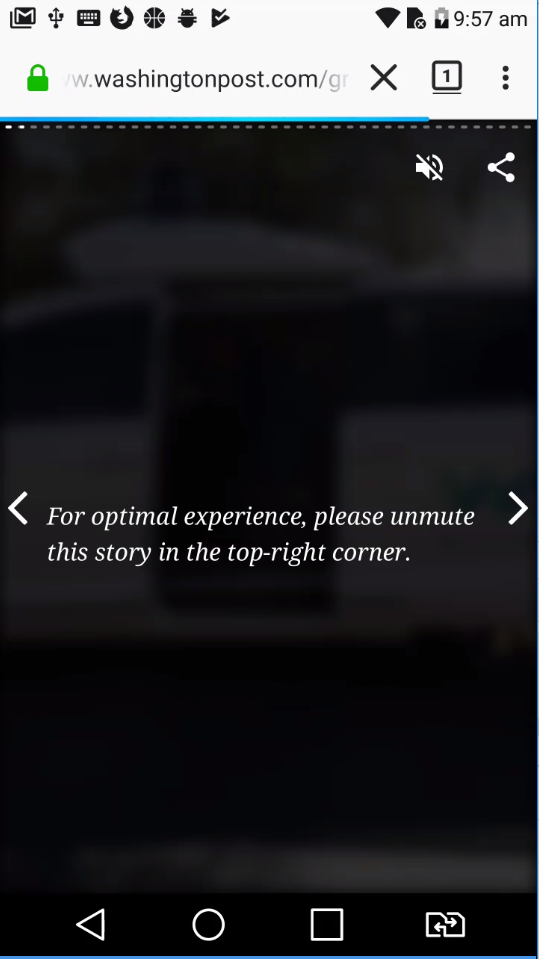
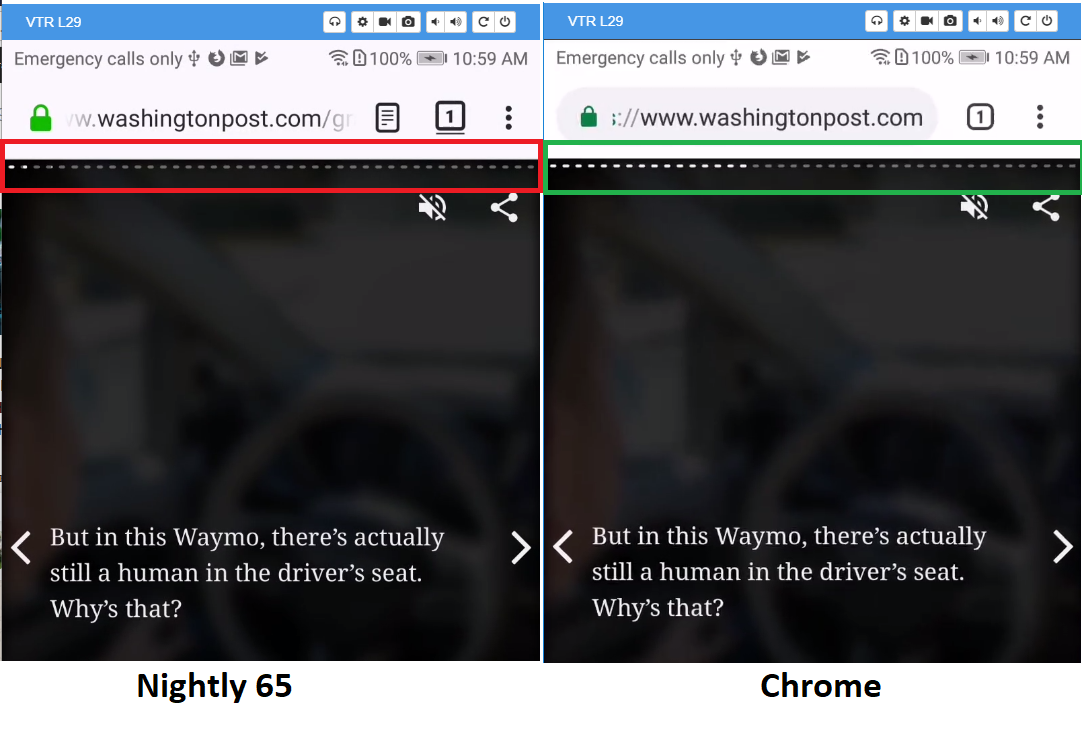
Description: As the "story" page progresses, the page indicator bar is misaligned
Steps to Reproduce:
- Visit the page.
- Tap on the right side multiple times to advance pages.
Notes:
- This is likely an issue affecting AMP stories. Hence other sites may face similar issues.
- This is not reproducible in Chrome 70, Android 8.1.0.

Browser Configuration
- None
_From webcompat.com with ❤️_
 reinhart1010
All 13 comments
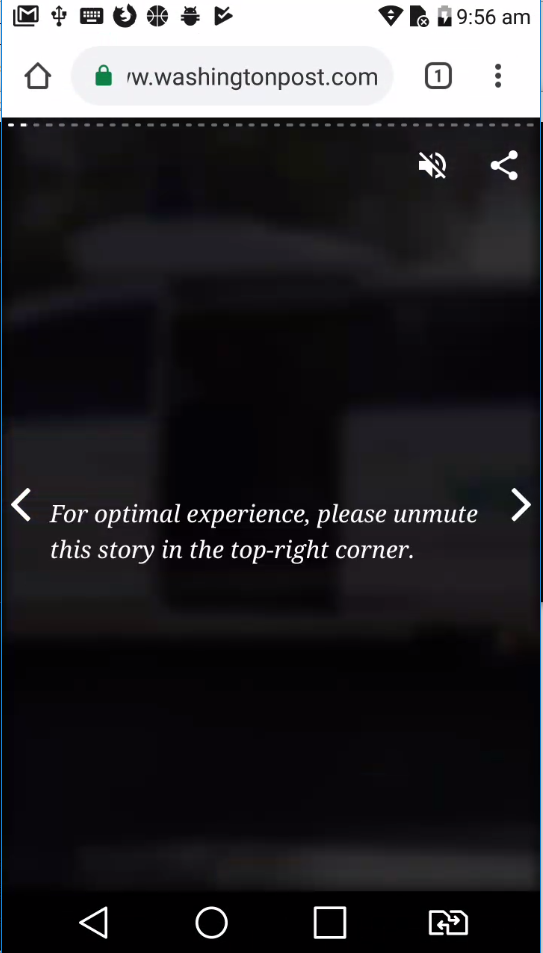
Here's how the page should look in Chrome:

reinhart1010
on 1 Dec 2018
Thanks for the report @reinhart1010 .
I was able to reproduce the issue on multiple browsers.
Tested with:
Browser / Version: Firefox Nightly Mobile 65.0a1 (2018-12-03), Chrome Mobile 70.0.3538.110
Operating System: Huawei P10 (Android 8.0) - 1080 x 1920 pixels (~432 ppi pixel density)
This is the web page displayed in Firefox Nightly:
And this is the web page displayed in Chrome:
@reinhart1010 did you want to say that the text in between the scrolling arrows is not centered with the arrows?
 cipriansv
on 4 Dec 2018
cipriansv
on 4 Dec 2018
After further investigating your report I think you are referring to the issue presented in the image below.
cipriansv
on 7 Dec 2018
Yes. I believe this is related to CSS.
reinhart1010
on 7 Dec 2018
interesting this is not happening on Firefox Desktop with responsive design mode + firefox ua, but definitely can be reproduced on the device.
The progress bar is made with a series of li.
<ol class="i-amphtml-story-progress-bar">
  <li class="i-amphtml-story-page-progress-bar">
    <div
      class="i-amphtml-story-page-progress-value"
      style="transform: scale(1, 1) !important; transition: none 0s ease 0s !important;"
    ></div>
  </li>

  <!-- cut for brevity -->

</ol>
The ol is a flex box.
if I remove the transform: scale(1, 1) !important; on the element AND transform: translateZ(0) scaleX(0) !important; in
.i-amphtml-story-page-progress-value {
    background: #fff !important;
    height: 100% !important;
    width: 100% !important;
    /* -webkit-transform: translateZ(0) scaleX(0) !important; */
    /* transform: translateZ(0) scaleX(0) !important; */
    /* -webkit-transform-origin: left !important; */
    transform-origin: left !important;
    /* will-change: transform,transition !important; */
}
I get a better rendering but that doesn't mean it is the solution. The white backgrounds seem to be little by little at the wrong position. Like if there was a mismatch for the initial position sliding. Rounding issue?
element {
    --i-amphtml-story-vh: 6.07px;
    --i-amphtml-story-vw: 4.14px;
    --i-amphtml-story-vmin: 4.14px;
    --i-amphtml-story-vmax: 6.07px;
}
html.i-amphtml-story-standalone, html.i-amphtml-story-standalone body {
    font-size: calc(2*var(--i-amphtml-story-vh, 8px));
    cursor: auto !important;
}
ok found!
.i-amphtml-story-page-progress-bar {
    background: hsla(0,0%,100%,0.4) !important;
    border-radius: 1px !important;
    height: 100% !important;
    list-style-type: none !important;
    margin: 0 2px !important;
    /* overflow: hidden !important; */
    width: 100% !important;
    -webkit-mask-image: url(data:image/png;base64,iVBORw0KGgoAAAANSUhEUgAAAAEAAAABCAIAAACQd1PeAAAAGXRFWHRTb2Z0d2FyZQBBZG9iZSBJbWFnZVJlYWR5ccllPAAAAA5JREFUeNpiYGBgAAgwAAAEAAGbA+oJAAAAAElFTkSuQmCC) !important;
}
Removing the overflow: hidden !important; makes it work in Firefox. I'm not sure why, but I suspect a rounding issue of some sorts.
 karlcow
on 28 Jan 2019
karlcow
on 28 Jan 2019
I wonder if @erikreyna or @gabrielflorit could help us forward this issue to the right folks at @washingtonpost?
 adamopenweb
on 30 Jan 2019
adamopenweb
on 30 Jan 2019
Yah. I’ll ping some people about this.
 erikreyna
on 30 Jan 2019
erikreyna
on 30 Jan 2019
@simongle did you ever get in touch with anyone re ^^^
erikreyna
on 30 Jan 2019
This is not fixed yet. This is powered by AMP Stories. There is someone right now speaking at the AMP Conf in Tokyo for the washingtonpost. I will try to catch her, Melissa DePuydt @msteffan
karlcow
on 17 Apr 2019
The other issues for washingtonpost
- #27429
- #14113
karlcow
on 17 Apr 2019
The issue is still reproducible on my side.
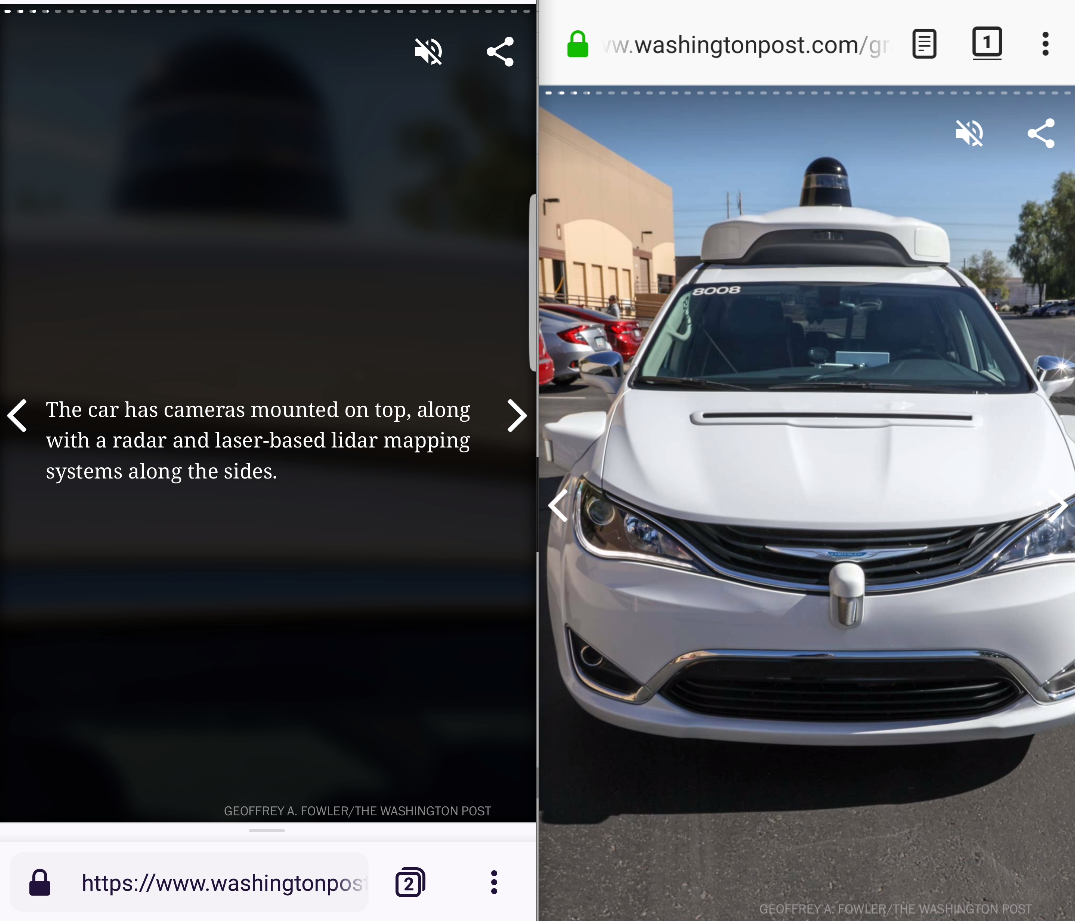
Tested with:
Browser / Version: Firefox Nightly 68.0a1 (2019-06-11), Fenix 1.0.1924 (Build #11621807 🦎 68.0-20190604110028)
Operating System: LG G5 (Android 8.0.0) - 1440 x 2560 pixels (~554 ppi pixel density), Samsung Galaxy S7 Edge (Android 8.0.0) - Resolution 1440 x 2560 pixels (~534 ppi pixel density)
 softvision-oana-arbuzov
on 12 Jun 2019
softvision-oana-arbuzov
on 12 Jun 2019
so this is part of the AMP project.
Following up my discussions with Google folks, it needs to be reported on the Google project itself.
Reported on https://github.com/ampproject/amphtml/issues/22816 I had forgotten to do it.
thanks @softvision-oana-arbuzov
karlcow
on 13 Jun 2019
This issue has been automatically locked since there has not been any recent activity after it was closed. Please open a new issue at https://webcompat.com/issues/new if you are experiencing a similar problem.
![lock[bot] picture](https://avatars1.githubusercontent.com/in/6672?v=4&s=40) lock[bot]
on 20 Jun 2019
lock[bot]
on 20 Jun 2019
Related issues
 oksas
·
5Comments
oksas
·
5Comments
 vickychin
·
4Comments
vickychin
·
4Comments
 scheinercc
·
6Comments
scheinercc
·
6Comments
 halwane050
·
5Comments
halwane050
·
5Comments
 Gravydigger
·
4Comments
Gravydigger
·
4Comments