Web-bugs: webcompat.com - site is not usable
Browser / Version: Chrome Mobile 61.0.3163
Operating System: Android 6.0.1
Tested Another Browser: Yes
Problem type: Site is not usable
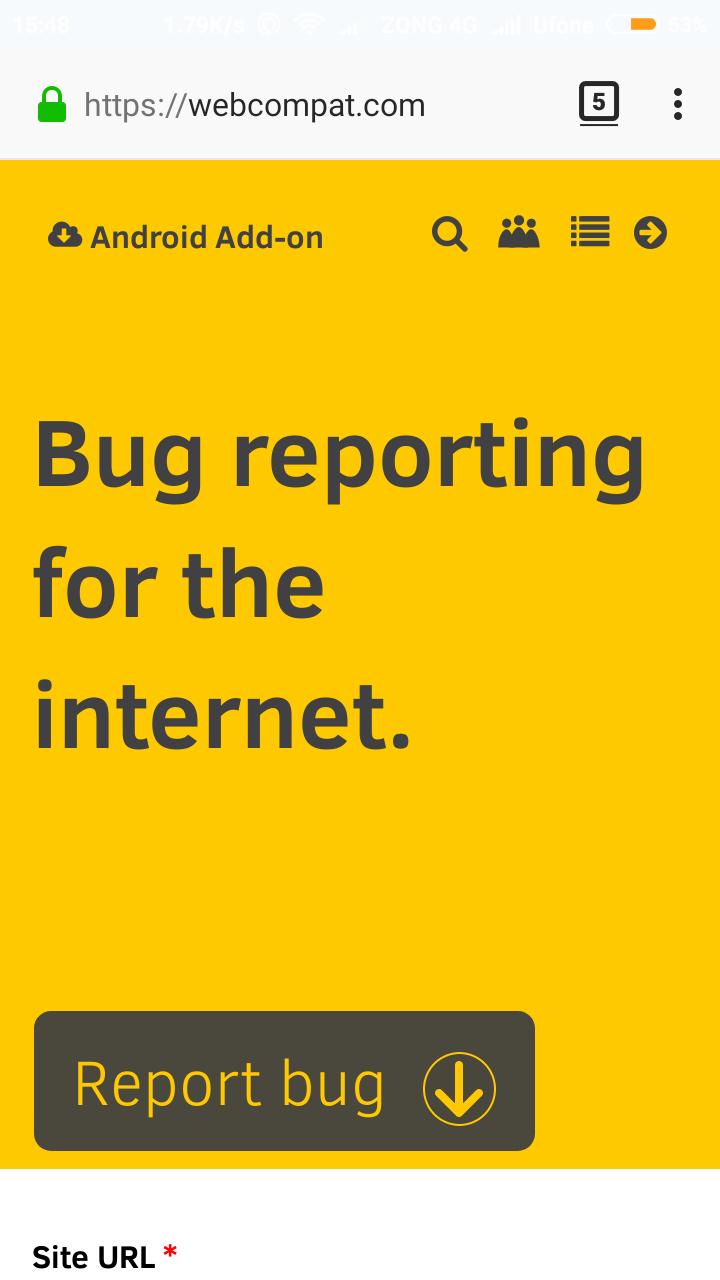
Description: Could not report bug using Android Firefox browser
Steps to Reproduce:
By visiting https://webcompat.com on Firefox page gets reloaded
_From webcompat.com with ❤️_
 umertanvir
All 25 comments
By visiting https://webcompat.com on Firefox page gets reloaded
Can you give some more info please? What happens when you click Report bug? It reloads?
 miketaylr
on 7 Oct 2017
miketaylr
on 7 Oct 2017
@umertanvir ^^
miketaylr
on 7 Oct 2017
When ever i try to file bug using my Firefox for android beta version as soon as i fill details and file bug instead of filing of bug the web compact website start reloading and i have to fill up details again and chain continues.. @miketaylr
umertanvir
on 7 Oct 2017
@miketaylr you might have noticed i have to use chrome browser to file my bug for Firefox
umertanvir
on 7 Oct 2017
@umertanvir which button did you use at the end on Firefox Report as @umertanvir or report Anonymous. I just tried and there is no issue for me.
which bug were you trying to report with Firefox?
 karlcow
on 9 Oct 2017
karlcow
on 9 Oct 2017
@karlcow both i have tried both but result is same instead of directing me to final page where i can get a reference link it just reload the page. actually report Anonymous and @umertanvir does not work
umertanvir
on 9 Oct 2017
Thanks @umertanvir. Do you know how to open developer tools? Could you try to take a screenshot of any error messages that appear in the console when this happens? That might help us understand what the issue is.
miketaylr
on 10 Oct 2017
No i don't have Knowledge about that but i can do it if you guide me through the process i will try best from my side to help you people 😊
umertanvir
on 10 Oct 2017
@umertanvir So thanks for the help.
Before reporting the issue, in the Tools menu, open Web Developer -> Web Console.
Then do the sequence of actions you would normally do. Then share with us your screenshot.
Thanks.
karlcow
on 11 Oct 2017
Does android version of Firefox has web console option??
umertanvir
on 11 Oct 2017
Couldn't find those options on my Android Firefox
umertanvir
on 11 Oct 2017
@karlcow i tried from desktop its working perfectly created issue fine but it doesnt show any kind of web console option in android device
umertanvir
on 11 Oct 2017
@umertanvir Ah yes sorry it is a bit more complicated on Android. That said, there is no difference in between the desktop and android version of webcompat.com So everything which is not working in one should fail in the other… except if your local setup is different.
Do you have an addon on Android? Do you block cookies?
karlcow
on 12 Oct 2017
Hey i dont know why or how but its working now on both Android and Desktop thanks for assistance @karlcow 🥇
Closing this issue
umertanvir
on 12 Oct 2017
Issue still exists and i can prove using screen recording how and where can i present the video
umertanvir
on 12 Oct 2017
(deleted the double comment)
@umertanvir
- Could you tell us the version of Firefox Android you are using?
- Do you have installed addons on Android? Which ones?
- Do you have the issue on 3G or wifi?
- Do you have the issue when adding a screenshot? or also without screenshot?
karlcow
on 12 Oct 2017
hmmm according to #12347 You have no issue reporting…
Mozilla/5.0 (Android 6.0.1; Mobile; rv:57.0) Gecko/57.0 Firefox/57.0
karlcow
on 12 Oct 2017
Sorry for double comment might be network issue
1 Firefox Beta For Android v 57.0
2 Open H264 is the only plug in / addon installed in device
3 I only use it over wifi only
4 this issue occur when adding screenshot
umertanvir
on 12 Oct 2017
https://github.com/webcompat/web-bugs/issues/12347 yes this issue made me confused. yes some time it report other time it doesn't. I dont understand why or how its possible
umertanvir
on 12 Oct 2017
My feeling is taht it is not a website issue but a device issue, probably related to memory and/or the size of the screenshot. ping @miketaylr
karlcow
on 12 Oct 2017
lets wait for comment form @miketaylr after that we will close issue or move according to situation
umertanvir
on 12 Oct 2017
@umertanvir which kind of android phone do you have?
miketaylr
on 12 Oct 2017
Android 6.0.1 Xiaomi Redimi 3S @miketaylr
umertanvir
on 13 Oct 2017
karlcow
on 13 Oct 2017
https://www.gsmarena.com/xiaomi_redmi_3s_prime-8250.php @karlcow this one
umertanvir
on 13 Oct 2017
Related issues
 tGstep
·
3Comments
tGstep
·
3Comments
 massic80
·
5Comments
massic80
·
5Comments
 oksas
·
5Comments
oksas
·
5Comments
 bvanrijn
·
4Comments
bvanrijn
·
4Comments
 IngrownMink4
·
3Comments
IngrownMink4
·
3Comments