Waveboxapp: Gmail conversation mode reports incorrect count
- Wavebox Version: 4.8.4
Operating System & Version: Windows 10
Account type (if applicable): Gmail
Expected & actual behavior
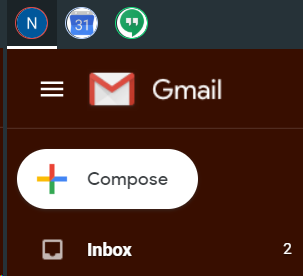
Notification and message count should be consistent with what is in inbox
Steps to reproduce
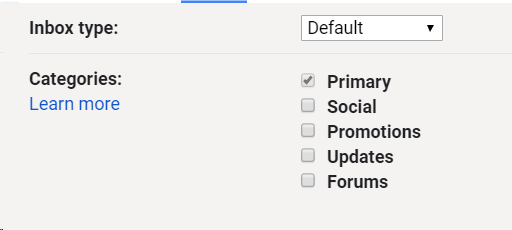
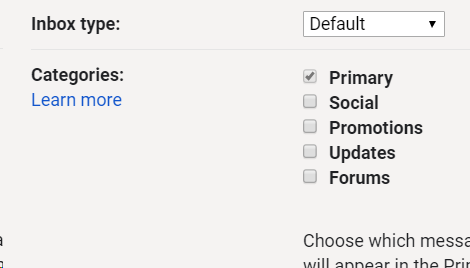
1) Set gmail inbox type to default in gmail
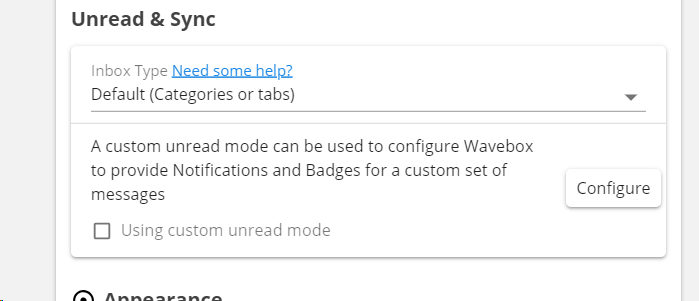
2) Set wavebox unread & sync inbox type to Default (categories or tabs) [note: this the right configuration? because it seems like it is]

3) get an email and notice it doesn't update
Is the bug persistent or intermittent?
If I change the inbox type to important first or priority first allows messages to come in, but the message count is wrong
Screenshots
Additional information
Add any other context about the problem here.
 kcinman11358
All 7 comments
I've just been trying the same here and it looks like when you disable all the categories, Google have started to treat it more like an unread inbox.
In Wavebox, if you change the Unread Mode to be Unread First does that come through properly? Seemed to work here when I played around with it. If so, I'll need to update the docs
 Thomas101
on 19 Mar 2019
Thomas101
on 19 Mar 2019
Yes, setting it to unread first also seems to work.
kcinman11358
on 19 Mar 2019
Thanks and great to hear it's working. I've updated the KB article that we link to with a special cases section - https://wavebox.io/kb/gmail-inbox-type
Thomas101
on 20 Mar 2019
@Thomas101 , I think I see what the issue is.
I have conversation mode turned off. When a message comes in that is part of the same thread, wavebox is not counting it.
Should I open another bug?
kcinman11358
on 2 Apr 2019
@kcinman11358 it might be worth giving it a quick try with 4.9.2 - this has some changes to the Gmail sync.
If that doesn't fix it, I'll re-open and see what's going on :)
Thomas101
on 3 Apr 2019
Still not fixing it :/
kcinman11358
on 4 Apr 2019
Thanks - with those settings I see the same behaviour. I'll see if I can pull the counts out better with conversation mode disabled
Thomas101
on 5 Apr 2019
Related issues
 dep
·
4Comments
dep
·
4Comments
 texelate
·
3Comments
Thomas101
·
3Comments
texelate
·
3Comments
Thomas101
·
3Comments
 dzg
·
4Comments
dzg
·
4Comments
 MichaelTunnell
·
4Comments
MichaelTunnell
·
4Comments