Waveboxapp: Simplenote account is not being saved, need to log in every time Wavebox loads for the first time
- Wavebox Version: 4.5.10
- Operating System & Version: Windows 10, build 17758.1, 64-bit
- Account type (if applicable): Simplenote
Expected & actual behavior
When Simplenote app icon is clicked in the Sidebare, the app opens and user is logged in, when logged in from previous session
Steps to reproduce
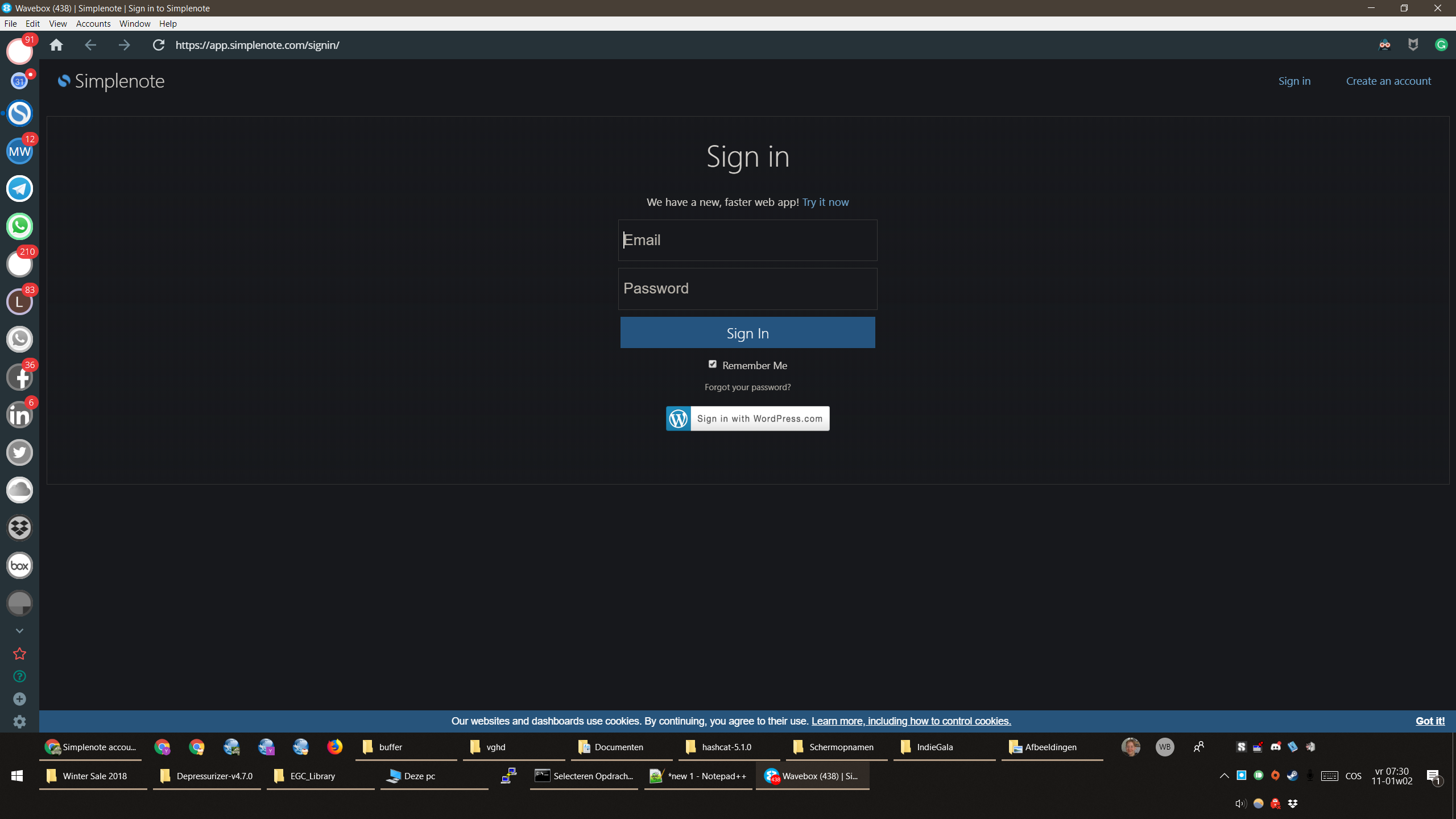
Unload Wavebox, start Wavebox and click on Simplenote icon in Sidebar
Simplenote asks user for account information to log in.
Is the bug persistent or intermittent?
Persistent. Occured from updating to version 4.5.10
Screenshots
Screenshot:
Additional information
Getting "Too many attempts" message in Simplenote app when trying to log in.
Seems to log in with correct name and password, but still gives error before "Too many logins" - message.
 Ymetro
All 6 comments
Thanks! I've put a fix in for this. The client should update automatically in the background, but if you want to make sure you've got the latest version, remove your Simplenote account and re-add it again
 Thomas101
on 11 Jan 2019
Thomas101
on 11 Jan 2019
After working on the "white screen" issue, and thus restarting Wavebox with different advanced settings, and undoing those settings after no effect, the issue still is present after removing and adding the Simplenote account and Simplenote will not remember the login and asks me to log in after a Wavebox restart each time.
Tried several times closing Wavebox with Ctrl+Q and started it with my keyboards Mail button.
I seem to fail a lot of times to log in into my Simplenote account, so that it gives me a time-out, but for me it seems that I input my credentials correctly.
This time-out is a hindrance to this troubleshooting workflow and when I want to access my quick notes.
The container is version 3.
I noticed that in the Simplenote account settings under Credentials, that there are "no credentials attached to this account". Is this the reason it won't stick?
Ymetro
on 12 Jan 2019
Yeah, I'm seeing the same. It looks although the behaviour is also the same in the browser - once you quit the browser you're completely signed out.
I've sent a support request across to Simplenote to see if they can shed any light on the problem
Thomas101
on 14 Jan 2019
Just an update on this, the team at Simplenote is aware of the problem and working on a fix
Thomas101
on 15 Jan 2019
It looks like the Simplenote team have fixed this, so it should be working now. Thanks for taking the time to report!
Thomas101
on 23 Jan 2019
It is working again. Thank you!
Ymetro
on 23 Jan 2019
Related issues
 CheechGe
·
4Comments
CheechGe
·
4Comments
 dctucker
·
4Comments
dctucker
·
4Comments
 Tahini-123
·
4Comments
Tahini-123
·
4Comments
 phileasb
·
3Comments
phileasb
·
3Comments
 MichaelTunnell
·
3Comments
MichaelTunnell
·
3Comments