Right now tray only shows unread count, which is awesome, but it would be even more awesome to also show if there is "uncounted" unread activity and unread counter is 0. like it happens with badges.
 trollfred
All 10 comments
Yeah I see what you mean. Do you have a solid use-case with an account type? Might help us scope it out a bit more easily
 Thomas101
on 9 Jul 2018
Thomas101
on 9 Jul 2018

What I mean is, when there are only uncounted activities on badges, those white dots in red circles. In that case tray icon stays uncolored, you simply don't see that there are activities until you open the window. So it would be cool if tray icon also became red (custom-colored) with a dot.
trollfred
on 9 Jul 2018
That looks like a bug - it should be showing up, but I'm also seeing that it's not! I'll check what's happening
Thomas101
on 12 Jul 2018
Hi, we’ve just released this to the beta channel of Wavebox in version 3.14.8. If you want to give it a try there are some instructions on how to use the beta channel here. Thanks
Thomas101
on 23 Jul 2018
@Thomas101 Hi! its much better now, though I noticed two things
- dot is a little bit off-center (more to the top)
- it is not colored with unread colors
other than that all good!
trollfred
on 24 Jul 2018
Hi, it should be colored the same as the color under tray settings rather than taking the color from the account. We chose not to pick the account color as there may be multiple items with unread activity.
As for the icon placement, which OS are you using & can you send a screenshot?
Thomas101
on 24 Jul 2018
Sure, It's High Sierra 10.13.6

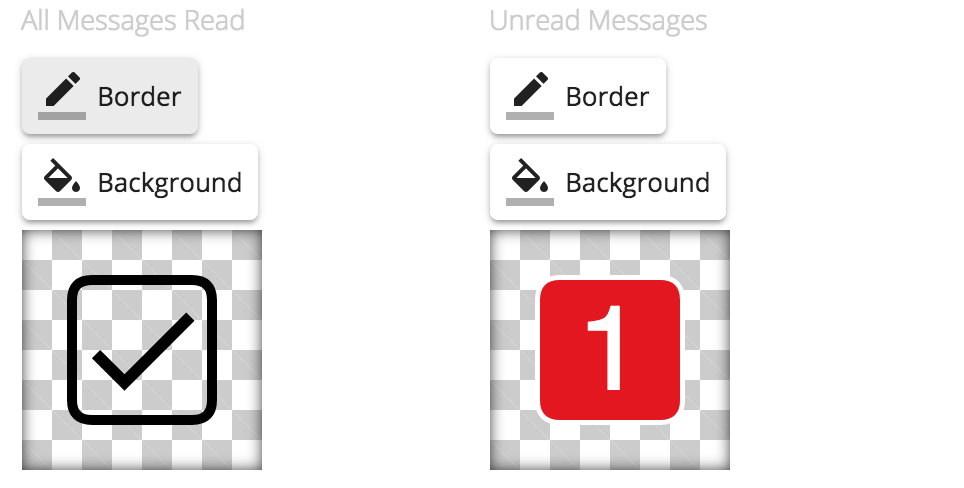
and what I mean - I use white on red colors for unread icon, but that dot is still black on transparent, I think it's better when its red
trollfred
on 24 Jul 2018
Hi, we’ve just released this to the beta channel of Wavebox in version 3.14.9. If you want to give it a try there are some instructions on how to use the beta channel here. Thanks
Thomas101
on 26 Jul 2018
@Thomas101 yes now its perfect, thank you!
trollfred
on 26 Jul 2018
Hi, this has just been released in the latest version of Wavebox (4.0.0). You can get the update by using the Application/File menu and clicking Check for Update or by downloading the latest version from our releases page or download page. Thanks!
Thomas101
on 10 Sep 2018
Related issues
 MichaelTunnell
·
4Comments
MichaelTunnell
·
4Comments
 texelate
·
3Comments
texelate
·
3Comments
 tnaseem
·
4Comments
tnaseem
·
4Comments
 CharlesWiltgen
·
3Comments
CharlesWiltgen
·
3Comments
 phcyso
·
4Comments
phcyso
·
4Comments