- Wavebox Version: 3.14.7beta
- Operating System & Version: Mac OSX 10.13.4
Hi,
Sometimes I'm on Slack, and my team mates share me a google drive link. I'm actually logged in this drive in another tab in wavebox.
It could be cool to have an item in the contextual menu to "Open a Link in tab:" with a nested list of all tabs, or better, "Open a Link in tab XXX" a tab selected in the workspace settings.
One other option could be to be able to choose a default tab for link pattern, depending of the tab where are the links. (if a google drive is opened in _slack A_, open it in _google drive B_
What do you think about that?
Thanks!
Matt'
 mathieutu
All 17 comments
Adding it to the context menu should be pretty easy. There's a lot of boilerplate code to do most of this.
As for the pattern matching, we do some of that internally for deciding where to open certain windows, but it's pretty complex to map-out. I'll see if there's any way to simplify that so it could be exposed as a setting
 Thomas101
on 12 Jun 2018
Thomas101
on 12 Jun 2018
Gonna test this on macOS and Windows 10.
Should the link open in new window or the indexed service? At the moment when I click on open in the gmail tab it opens the item in a new window.
 nmat
on 13 Jun 2018
nmat
on 13 Jun 2018
Also noticed that open in gmail when inside gmail will overwrite the tab on gmail and open the file in the "so called gmail inbox tab" which was not able to go back to inbox.
Had to reload the inbox in order to get Gmail back.
nmat
on 14 Jun 2018
Should open in a new window
For the Gmail/inbox tab, was this with the new window behaviour or just in general? Maybe hive it off to a new issue?
Thomas101
on 14 Jun 2018
Yeah I think I can create a report for it. Will try to make it as descriptive as possible and create one tonight. :)
nmat
on 14 Jun 2018
Hi, we’ve just released this to the beta channel of Wavebox in version 3.14.8. If you want to give it a try there are some instructions on how to use the beta channel here. Thanks
Thomas101
on 23 Jul 2018
Hi!
Thank you @Thomas101 for you work!
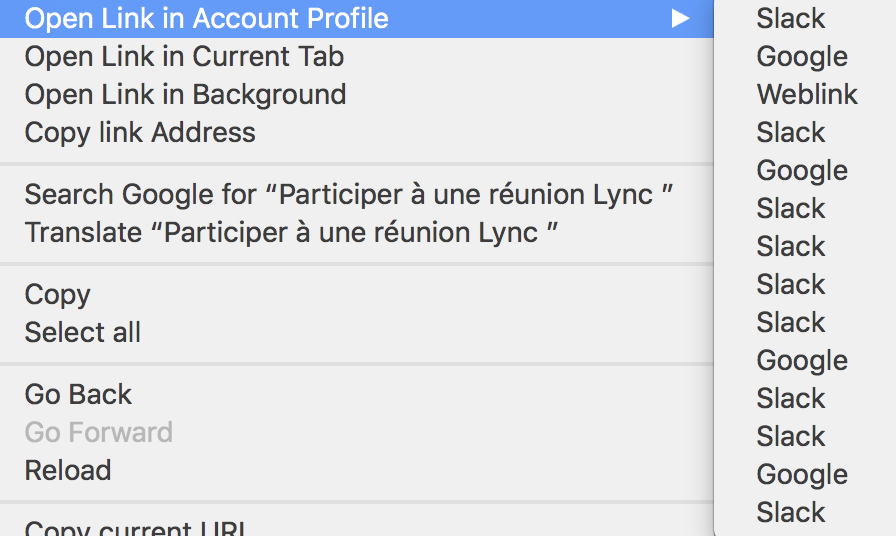
1st point, I've many accounts and so the list isn't really clear:
mathieutu
on 23 Jul 2018
But when you click in the good link, it works very well for me! Thanks !
mathieutu
on 23 Jul 2018
Yeah, that's not great. We've changed the way that Accounts & Services work which means the account has its own identity. That said we should try to pull out some auth info (e.g. email address) up so we can give something more sensible.
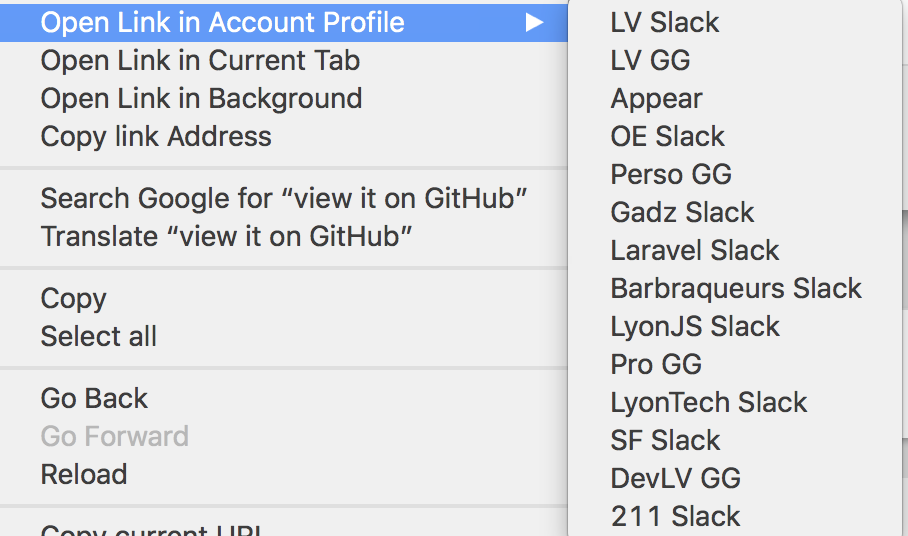
On a side note now though, you can change the name of each account under settings now
Thomas101
on 23 Jul 2018
Much better, Thanks! 👌
mathieutu
on 23 Jul 2018
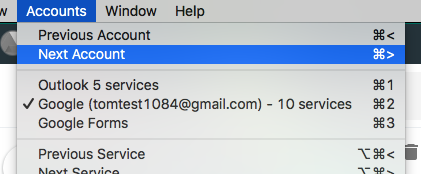
I know you've renamed them manually, but we've been trying to provide some more info when displaying the accounts. Would be good to get your feedback on it to know if think it's helpful.
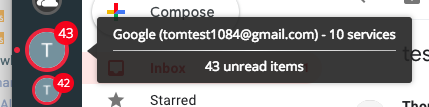
We've propogated up any auth info we have within the account (e.g. email address or account name) and also the count of services. Some accounts don't have any extra info whereas others do.
Here are a few examples...

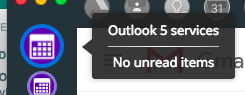
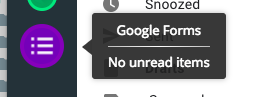
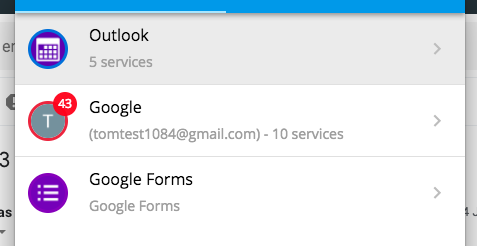
Thomas101
on 24 Jul 2018
Yeah, could be cool, but in my opinion it should appear only if the name isn't customized, or with a on/off feature. Because on my side, as I've named all the services, I don't need theses extra info to recognize them, and it will just be visual pollution to me.
mathieutu
on 24 Jul 2018
Hi, we’ve just released this to the beta channel of Wavebox in version 3.14.9. I've also added an option in to disable the extended info if you're just happy with the name you've provided. You can find this under the account settings...
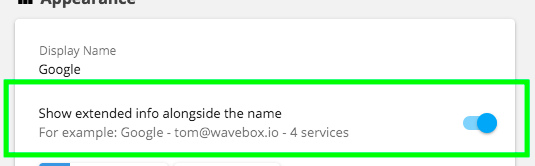
Thanks
Thomas101
on 26 Jul 2018
Is it possible to have this open the service tab in itself instead of its own window?
At the moment when I use zendesk for example and click the link to open in the Tab for the service it does open a new window. Just wondering if it is possible in the future to open the actual service tab? Or be able to controll it?
nmat
on 7 Sep 2018
@nmat that is something we could look at. After opening the link in zendesk would it leave your service tab in a reasonable state (e.g. are you able to get back to where you were before?)
Might be worth opening a separate issue for this don't think it will make the next stable
Thomas101
on 7 Sep 2018
I can open a new issue for this. In general it would mean that you have option to "open in current tab" or in a window. So it would be more straight to the point.
One example would be if you get the zendesk link in for example slack or other service where someone refers to the item. Right click OR have a option to decide to open in current Zendesk tab (that is running) will just choose that tab and open the item. If you are inside zendesk and click on a item it would open that item in a tab in zendesk already. So IMO there should be a call where you can tell a tab to launch a item for opening. This creates a more dynamic view. But I will open a new feature request based on this information.
nmat
on 7 Sep 2018
Hi, this has just been released in the latest version of Wavebox (4.0.0). You can get the update by using the Application/File menu and clicking Check for Update or by downloading the latest version from our releases page or download page. Thanks!
Thomas101
on 10 Sep 2018
Related issues
 cdeutsch
·
3Comments
cdeutsch
·
3Comments
 dep
·
4Comments
dep
·
4Comments
 dctucker
·
4Comments
dctucker
·
4Comments
 yermulnik
·
3Comments
yermulnik
·
3Comments
 atrasatti
·
3Comments
atrasatti
·
3Comments