What is the current behavior ?
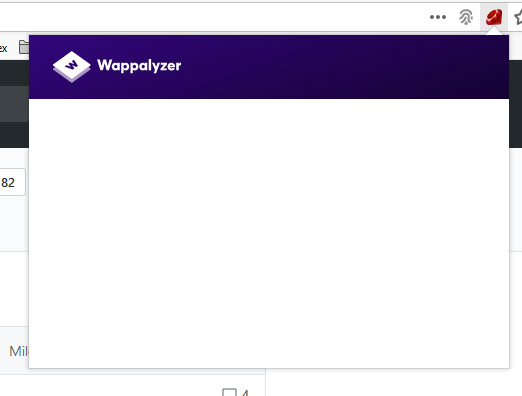
Blank Popup
If the current behavior is a bug, please provide the steps to reproduce and if possible a demo of the problem.
Install addon. Close firefox. Open firefox. Navigate to site. Select wappalyzer tech icon in address bar to open popup. Popup is blank.
What is the expected behavior ?
Popup to not be blank and show other tech icons.
Which versions of Wappalyzer, and which browser / OS are affected by this issue ? Did this work in previous versions ? Wappalyzer 5.7.3 / Firefox 65.0.1 / Windows 10 - Worked in earlier versions. Not sure how long it hasn't worked for. Addon may have been updated a few times before I noticed. However, I have uninstalled and reinstalled. Restarting firefox at each step.
 SabeBarker
All 9 comments
Navigate to what site?
 jvoisin
on 16 Feb 2019
jvoisin
on 16 Feb 2019
any site.
SabeBarker
on 18 Feb 2019
I can't reproduce this :/
Do you have any errors in the console?
jvoisin
on 18 Feb 2019
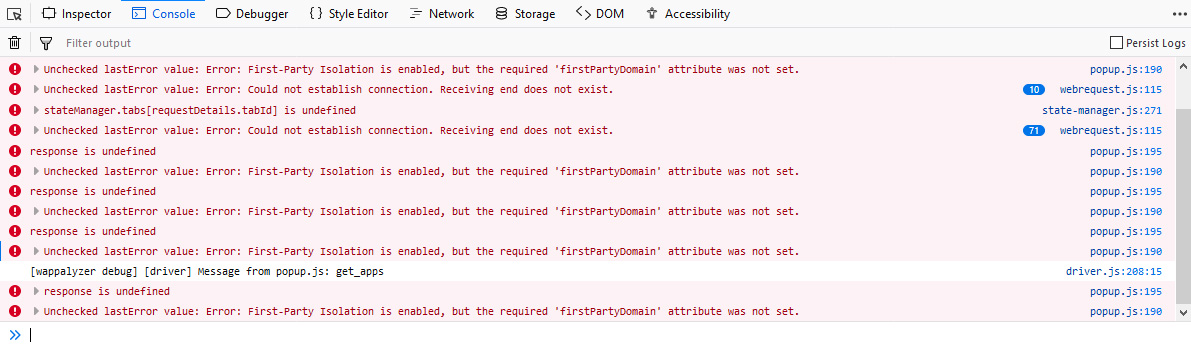
There are errors in the debug console to do with firstPartyDomain as per image.
SabeBarker
on 19 Feb 2019
+1 for this issue.
Firefox 65.0.1
Linux(Debian based)
Wappalyzer 5.7.3
First party isolation enabled.
Debug log:

Edit:
Based on what is described here about first party isolation regarding Firefox my uneducated guess is that the culprit for this specific issue could be found in driver.js at line 151:
const cookies = await browser.cookies.getAll({ domain:.${url.hostname}});
Solution could be as simple adding to the details object the firstPartyDomain string in similar fashion as the domain string is passed. Of course take this with a grain of salt as this guess is based on quick read about the issue on developer.mozilla and a search on the sources.
 mhtmht
on 19 Feb 2019
mhtmht
on 19 Feb 2019
I have reproduced this on another device: Wappalyzer 5.7.3 / Firefox 65.0.1 / Windows 10
@mhtmht comment reminds me that I don't run standard settings and have changed many in about:config as per Firefox: Privacy Related "about:config" Tweaks
I have being using settings from privacytools.io for a while now and wappalyzer had no issues up until recently. Hope the extra info helps.
Edit: I had an old vm with the privacytools firefox settings and an older version of wappalyzer so loaded it up and checked it out. Seems everything works fine with version 5.5.3 / Firefox 65.0.1 / Windows 10
SabeBarker
on 20 Feb 2019
@SabeBarker I also had this issue using the about:config settings from privacytools.io.
I "fixed" it by setting privacy.firstparty.isolate back to the default value of false. From what I understand, that setting prevents data from being sent to wappalyzer.com for purposes of enumerating the different web technologies being used.
 bssb
on 5 Apr 2019
bssb
on 5 Apr 2019
Yes this is the issue. I now use First Party Isolation firefox extension to toggle this setting when I want to use wappalyzer. Works for me.
SabeBarker
on 1 Jun 2019
This thread has been automatically locked since there has not been any recent activity after it was closed. Please open a new issue for related bugs.
![lock[bot] picture](https://avatars.githubusercontent.com/in/6672?v=4&s=40) lock[bot]
on 24 Jun 2020
lock[bot]
on 24 Jun 2020
Related issues
 madhavprabhu
·
11Comments
madhavprabhu
·
11Comments
 clintnetwork
·
4Comments
clintnetwork
·
4Comments
 faheel
·
3Comments
jvoisin
·
10Comments
faheel
·
3Comments
jvoisin
·
10Comments
 TheophilePACE
·
10Comments
TheophilePACE
·
10Comments
Most helpful comment
I have reproduced this on another device: Wappalyzer 5.7.3 / Firefox 65.0.1 / Windows 10
@mhtmht comment reminds me that I don't run standard settings and have changed many in about:config as per Firefox: Privacy Related "about:config" Tweaks
I have being using settings from privacytools.io for a while now and wappalyzer had no issues up until recently. Hope the extra info helps.
Edit: I had an old vm with the privacytools firefox settings and an older version of wappalyzer so loaded it up and checked it out. Seems everything works fine with version 5.5.3 / Firefox 65.0.1 / Windows 10