Walletwasabi: Wasabi GUI corrupted after minimizing/restore
General Description
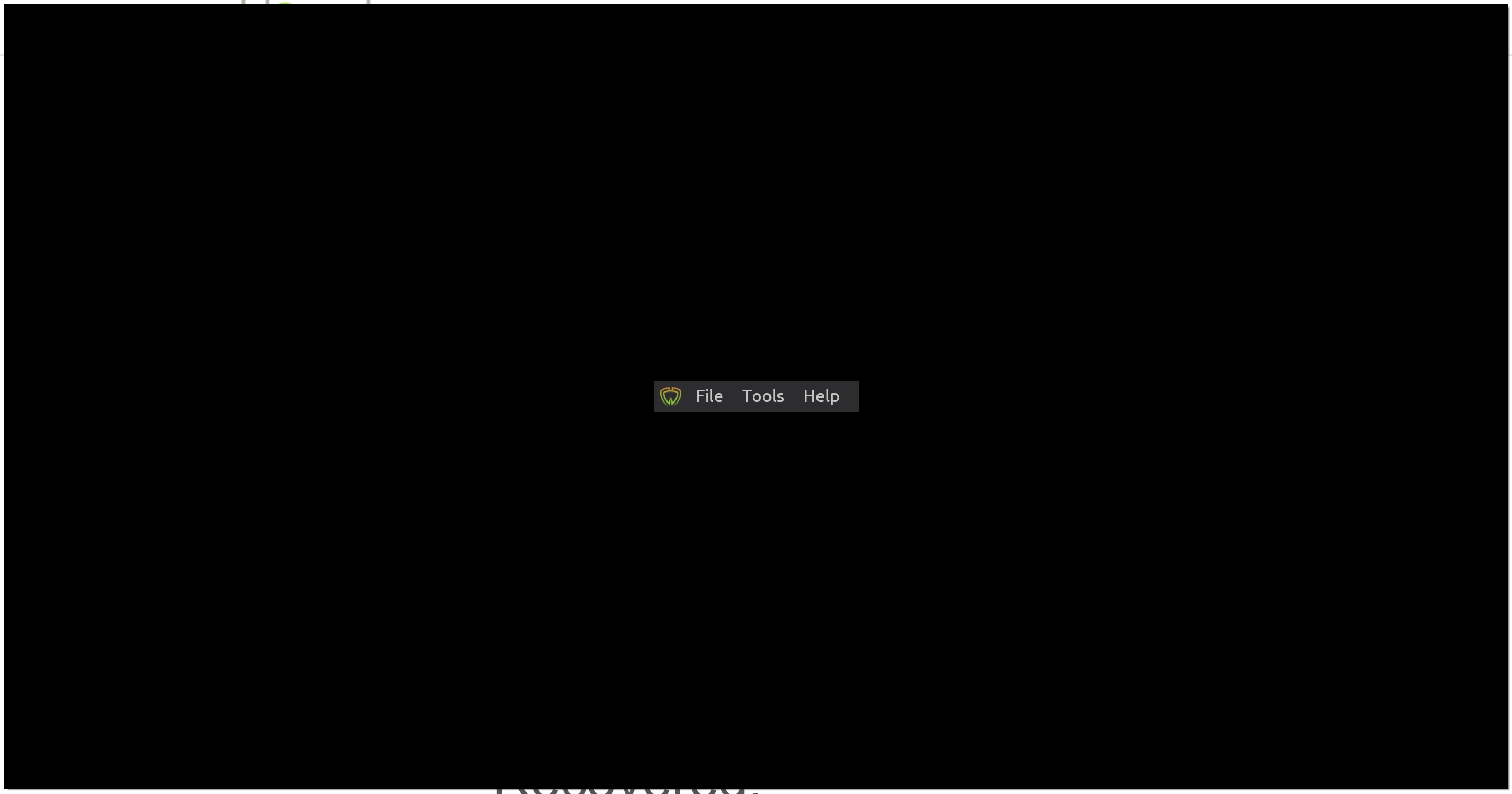
Using Windows 10,sometimes Wasabi GUI becomes unusable (see screen below) after minimizing and restoring the window, this did not happen prior to 1.1.11
I keep wasabi minimized to avoid it from hogging my GPU and consuming power.
How To Reproduce?
- Open wasabi
- Open wallet and select the coinjoin or send tabs
- minimize the window
- After a while try to restore Wasabi window (seems to happen after a while not 100% of the time)
- Gui is corrupted, but everything seems to continue working in the background,, you can click on the three menu items that get displayed and get the pull down menus, you can close Wasabi with Alt-F4.
- See error
Screenshots
If applicable, add screenshots to help explain your problem.
Operating System
Windows 10 1909 x86_64 / Intel UHD 620 Graphics
Logs
There are no errors in the log whatsoever, everything looks normal.
Wasabi Version
1.1.11.0
 garceri
All 11 comments
@danwalmsley @jmacato could you checkout 1] what this window size issue is [dan you did some changes here] and 2] why wasabi is so GUI hungry [there are several issues on this, it's odd]...
 MaxHillebrand
on 6 Apr 2020
MaxHillebrand
on 6 Apr 2020
@jmacato @danwalmsley the GPU is used if you leave the window open in the Send or CoinJoin Tabs, if that rings a bell.
IMHO The GPU should not even be used, unless there is a good reason to do it, you are basically displaying text only, can we just disable HW Acceleration in Avalonia ?
garceri
on 6 Apr 2020
I was able to recover the GUI by Selecting File|Lock Screen from the menu showing up at the center of the screen and then unlocking wasabi
garceri
on 7 Apr 2020
I can reproduce this! My window was minimized for about 5 minutes while syncing the full node.
win10
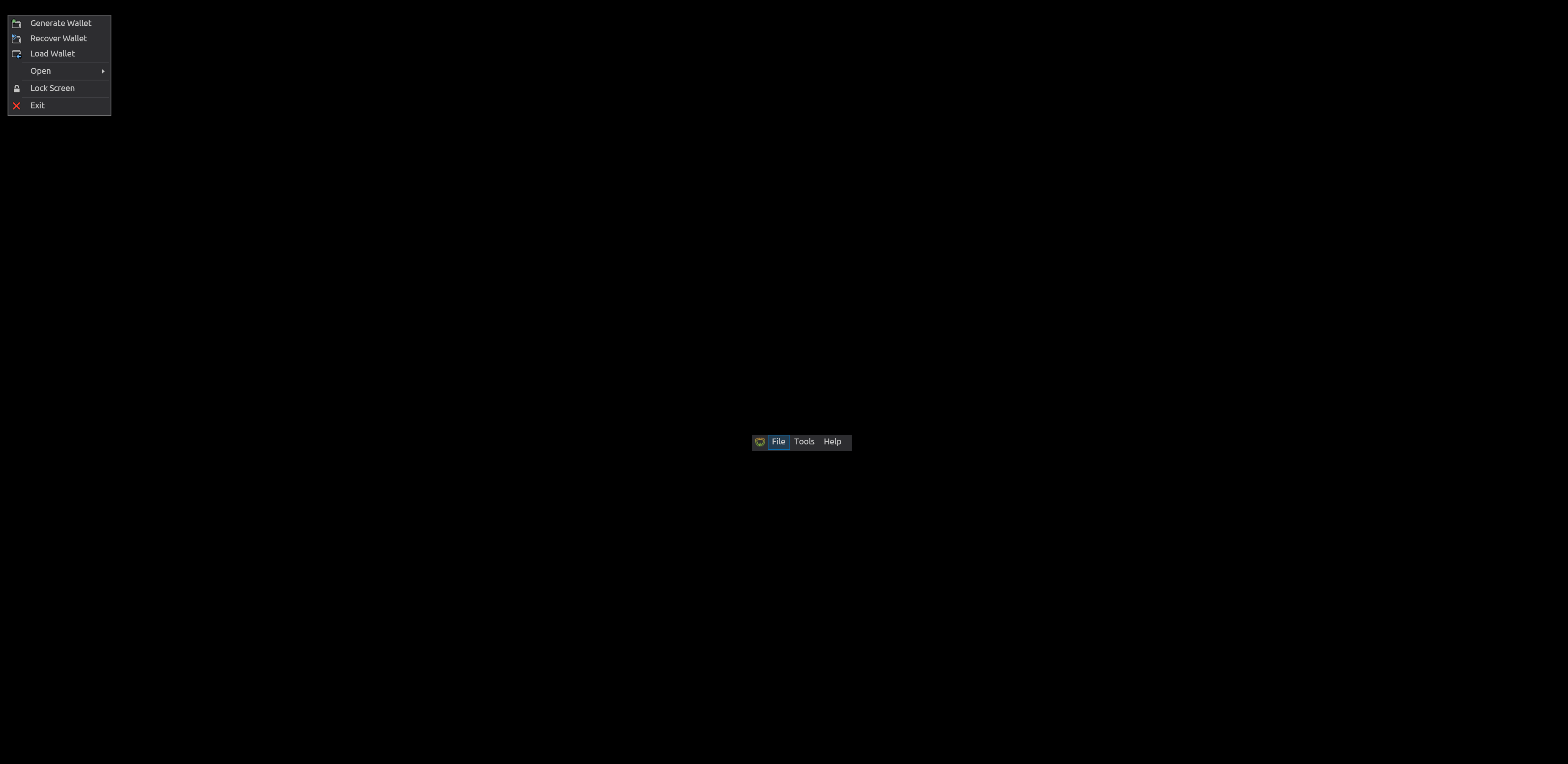
I recovered by clicking on the Wallet Manager on the main menu.
 molnard
on 17 Apr 2020
molnard
on 17 Apr 2020
Syncing full node does that mean syncing filters or running your own node?
 danwalmsley
on 17 Apr 2020
danwalmsley
on 17 Apr 2020
@molnard @danwalmsley in my case happens all the time while leaving running wasabi in the background, not when syncing filters, sometimes you reactivate it and the screen is corrupted..
garceri
on 18 Apr 2020
Syncing full node does that mean syncing filters or running your own node?
It means that your own local full node does not have all blocks verified, so the full node is still syncing.
MaxHillebrand
on 19 Apr 2020
Sorry for the confusion, syncing has nothing to do with the error. I meant there were some operations in the background that update the UI while minimized. If you delete the filters on client-side and start wasabi you will have similar behavior.
molnard
on 20 Apr 2020
Related error (basically different origins but same result as this one due to some garbage value getting into the render cycle that crashes it) https://github.com/AvaloniaUI/Avalonia/issues/3653
 jmacato
on 28 Apr 2020
jmacato
on 28 Apr 2020
Iv come across other ways this can happen... it is actually possible for drawing contexts to be passed nan or infinity and it will completely blank your screen... this could be case here, and needs fixing in Avalonia,,, at least so its not a silent failure.
There is also a Window blank after minimised issue open on avalonia too.
danwalmsley
on 6 May 2020
https://github.com/AvaloniaUI/Avalonia/pull/3900
im adding this validation and warnings to avalonias render calls. This would allow us to detect and debug this kind of failure in the future.
danwalmsley
on 7 May 2020
Related issues
 trading2835
·
3Comments
molnard
·
3Comments
trading2835
·
3Comments
molnard
·
3Comments
 yahiheb
·
3Comments
yahiheb
·
3Comments
 davterra
·
3Comments
MaxHillebrand
·
3Comments
davterra
·
3Comments
MaxHillebrand
·
3Comments
Most helpful comment
https://github.com/AvaloniaUI/Avalonia/pull/3900
im adding this validation and warnings to avalonias render calls. This would allow us to detect and debug this kind of failure in the future.