Walletwasabi: Recovering hidden addresses
General Description
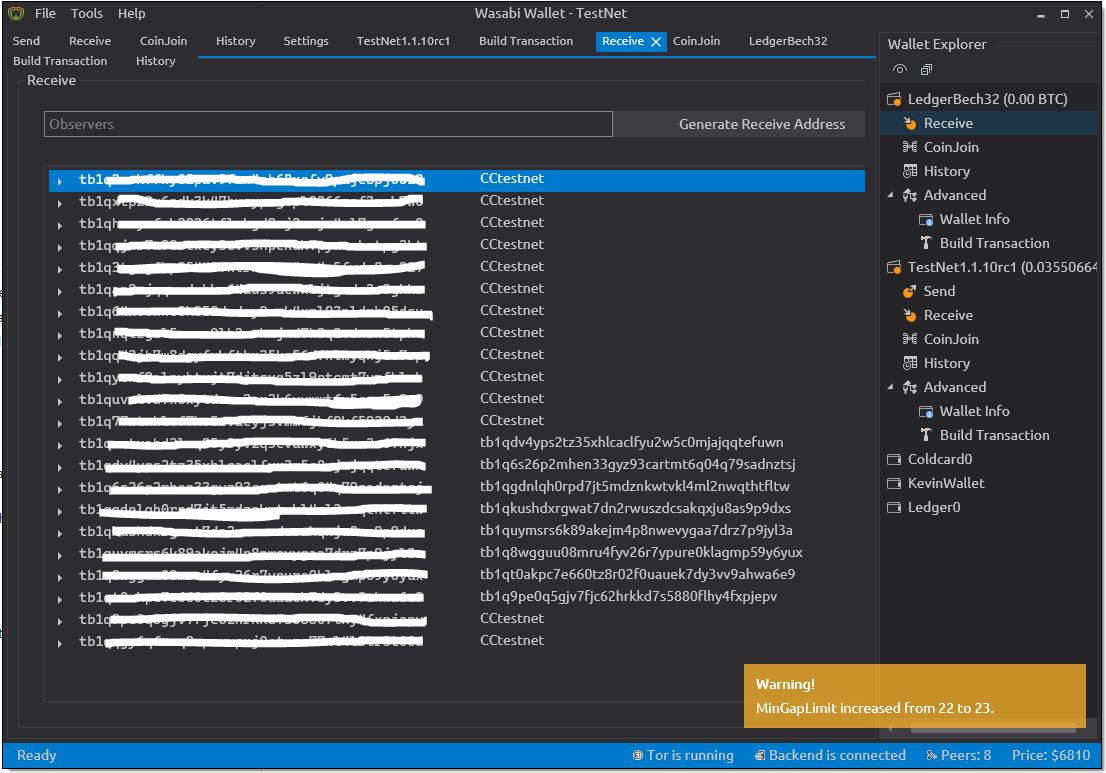
If by accident a receive address has been hidden, it is currently not possible to recover this address in the GUI.
How To Reproduce?
- Open Wallet
- Go to Receive tab
- Generate Receive Address
Right click, select Hide address
How to recover if this was a mistake ?
Screenshots
Operating System
Win10
Logs
https://github.com/zkSNACKs/WalletWasabi/issues/3396
Wasabi Version
1.1.11 release candidate from .msi installer.
 kravens
All 6 comments
NACK imho. If you made an accident, just create a new one. You can create infinite addresses.
I don't like an idea of a "Hidden addresses" tab. It only adds complexity for the final user
 RiccardoMasutti
on 3 Apr 2020
RiccardoMasutti
on 3 Apr 2020
Perhaps a hidden address can stay in the Receive Tab, but with a permanently ####-out address and visible label that is not automatically copied.
kravens
on 3 Apr 2020
I remember this was discussed before. However now when I tested the wallet I pressed accidentally the button and I had the same idea to restore it somehow. Now my intention is that "I lost one address forever, because of a click" - it is a frustrating feeling.
1 point for bringing the idea.
 molnard
on 3 Apr 2020
molnard
on 3 Apr 2020
NACK. There is virtually no limits to the number of addresses you can create, they are not scarce in any way. If you hide an address by accident then do not worry and create a new one.
 lontivero
on 3 Apr 2020
lontivero
on 3 Apr 2020
good issue, I agree with the 1 point.
But I give a concept NACK. yes, it might be useful for some edge cases, but it will clutter UI greatly.
Well, maybe there's an advanced way of changing the wallet file to get the address back, for advanced users, this way it doesn't clutter UI.
 MaxHillebrand
on 3 Apr 2020
MaxHillebrand
on 3 Apr 2020
@lontivero True, only bitcoin are scarce, random numbers or addresses are infinite!
kravens
on 3 Apr 2020
Related issues
 yahiheb
·
3Comments
MaxHillebrand
·
3Comments
RiccardoMasutti
·
3Comments
MaxHillebrand
·
3Comments
yahiheb
·
3Comments
yahiheb
·
3Comments
MaxHillebrand
·
3Comments
RiccardoMasutti
·
3Comments
MaxHillebrand
·
3Comments
yahiheb
·
3Comments
Most helpful comment
@lontivero True, only bitcoin are scarce, random numbers or addresses are infinite!