Wails: Local package.json exists, but node_modules missing
Description
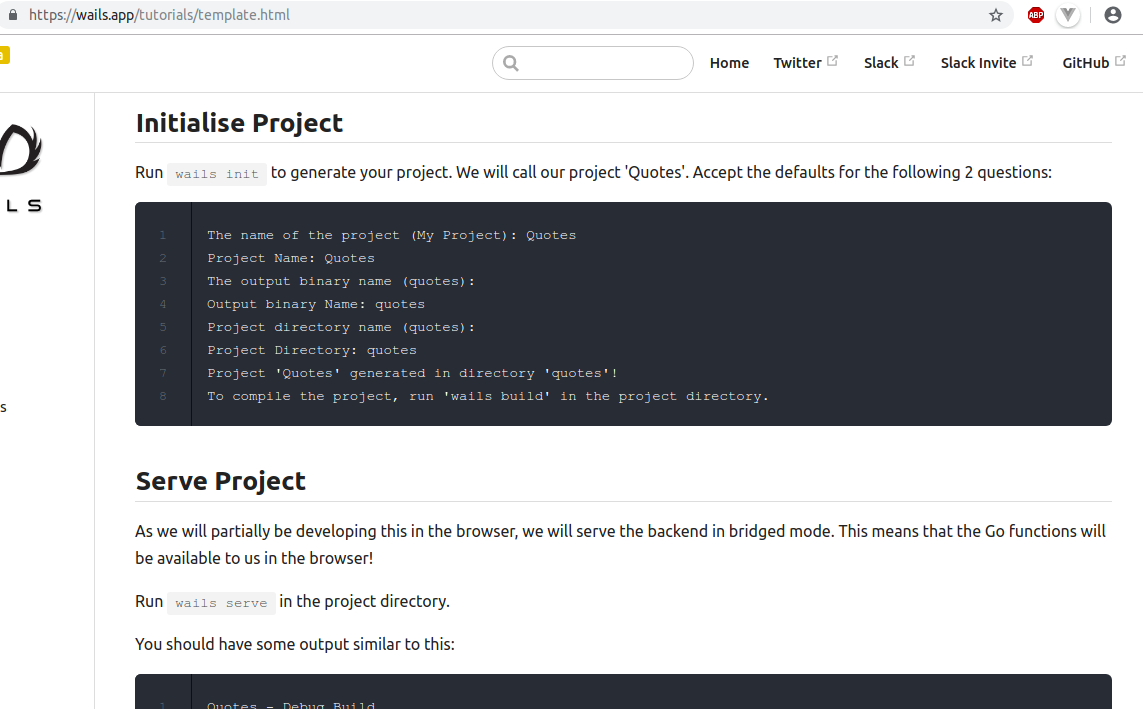
I am following the guide found here from Wails' documentation. After running wails init -without first running wails build since it is not noted as mandatory- I cd in frontend directory and try npm run serve. I get thrown a warning Local package.json exists, but node_modules missing, did you mean to install? (see below). Running npm install "fixes" the problem.
To Reproduce
Steps to reproduce the behaviour:
wails initcd projectnamecd frontendnpm run serve- error thrown
sh: 1: vue-cli-service: not found
npm ERR! file sh
npm ERR! code ELIFECYCLE
npm ERR! errno ENOENT
npm ERR! syscall spawn
npm ERR! testwails@ serve: `vue-cli-service serve`
npm ERR! spawn ENOENT
npm ERR!
npm ERR! Failed at the testwails@ serve script.
npm ERR! This is probably not a problem with npm. There is likely additional logging output above.
npm WARN Local package.json exists, but node_modules missing, did you mean to install?
Expected behaviour
Serve the frontend
Screenshots

System Details
Wails v0.14.4-pre
Ubuntu 18.04
go1.12.3
npm 6.9.0
 bh90210
All 8 comments
Thanks for this. After init, i think it does say to cd to the directory and run wails build but maybe the tutorial doesn't say it. However, I'm going to consider this a bug and force serve to build the frontend if it hasn't been done. 👍
 leaanthony
on 19 May 2019
leaanthony
on 19 May 2019
yes, it says
$ wails init
Wails v0.14.4-pre - Initialising project

The name of the project (My Project): testwailsinit
Project Name: testwailsinit
The output binary name (testwailsinit):
Output binary Name: testwailsinit
Project directory name (testwailsinit):
Project Directory: testwailsinit
Template: Vue2/Webpack Basic
Project 'testwailsinit' generated in directory 'testwailsinit'!
To compile the project, run 'wails build' in the project directory.
But I assumed that compile here is referring to a binary -not to vue dependencies- so I thought I don't need to run it immediately after init since I have serve available.
Also going through the documentation I couldn't find somewhere clearly stated that I should run wails build first. But in any way if the init command wails init incorporates the npm install there is no need to change anything in the documentation.
If the fix comes at wails serve level though I think there should be a clearer feedback to the user that before attempting to move inside frontend & running npm run serve on a newly created project, they should at least first run wails serve from main project dir.
This got my confused twice. The first time, a couple of weeks back I didn't pay attention, but going through it the second time I realised that is indeed confusing and worth reporting just for the time spent npm install things my self and continuous looping through documentation to find what I possibly could have done wrong.


bh90210
on 19 May 2019
Checkout https://github.com/wailsapp/wails/tree/92-build-on-first-init and see if that works better for you. The docs will need updating if you think this is a good solution.
leaanthony
on 20 May 2019
Not sure if you deleted your response but go modules turns off if in the gopath. Best git clone to your home/code dir and use that.
leaanthony
on 21 May 2019
uh yes, I figured it was something I was doing wrong and didn't want to clatter the ticket with this.
bh90210
on 21 May 2019
https://github.com/wailsapp/wails/tree/92-build-on-first-init
this solves the issue yes.
Now obviously it takes that much longer to init the project. Maybe a flag to optionally by-pass the building (or vice versa) could be a solution? Or maybe the solution could be part of template creation for devs?
I am thinking scenarios that you could really use a new project template fast without node_modules at present.
bh90210
on 21 May 2019
Closed by #97
leaanthony
on 21 May 2019
je résolu se problème de réinstallé npm c'est à dire "nmp install"
 BoutheinaIngenieure
on 28 May 2020
BoutheinaIngenieure
on 28 May 2020
Related issues
leaanthony
·
6Comments
 pedzed
·
7Comments
pedzed
·
7Comments
 incafox
·
7Comments
incafox
·
7Comments
 billacw
·
3Comments
billacw
·
3Comments
 mewmew
·
3Comments
mewmew
·
3Comments