@tomjn
Do you guys have the original source code for the 2.2.0. This version, I have been using a while and it works perfectly and since the master develop is 2.2.1 has issues and it seems like 2.2.1 vagrantfile request >2.1.1 or something.
I was reading some issues prior and saw that vagrant 2.2.1 and vvv 2.1 has problems working together so I had to downgrade to vagrant 2.0.4 and seems like i need to use vvv 2.2.0 instead of 2.2.1
Trying to go back to the following components that works for me
Vagrant: 2.0.4
VVV: 2.2.0
Windows 10.
 benlumia007
All 29 comments
@benlumia007 it should be here on GitHub if you checkout the specific commit just before the Vagrant core changes
Can you raise issues for the current develop version so we can fix them? If it's the nginx server certificate that's been fixed just now. Going forward we'll be requiring Vagrant 2.1 as a minimum
 tomjn
on 13 May 2018
tomjn
on 13 May 2018
@tomjn
Hey man,
I just used a laptop that already have VVV 2.2.0 so i used that for now.
thanks for the update, I still have a laptop that has Vagrant 2.1 and VVV 2.2.1 I'll do some testing, I remember it failed right is about to create a custom template (sandbox) and it exited and it said something.
[The SSH command responded with a non-zero exit status. Vagrant assumes that this means the command failed. The output for this command should be in the log above. Please read the output to determine what went wrong.]
benlumia007
on 13 May 2018
@tomjn: yes, it looks like its the certifcate issue that you were describing.
default: nginx: [emerg] BIO_new_file("/vagrant/certificates/sandbox/dev.crt") failed (SSL: error:02001002:system library:fopen:No such file or directory:fopen('/vagrant/certificates/sandbox/dev.crt','r') error:2006D080:BIO routines:BIO_new_file:no such file)
    default: nginx: configuration file /etc/nginx/nginx.conf test failed
Is there a way to fix this or have u come out with a fix for it,
My current setup right now is
Vagrant 2.1.0
VVV: 2.2.1
Windows 10 (Version 1803)
benlumia007
on 14 May 2018
@benlumia007 It was fixed before I made my last reply, and should not be an issue in the current develop branch
tomjn
on 14 May 2018
@tomjn
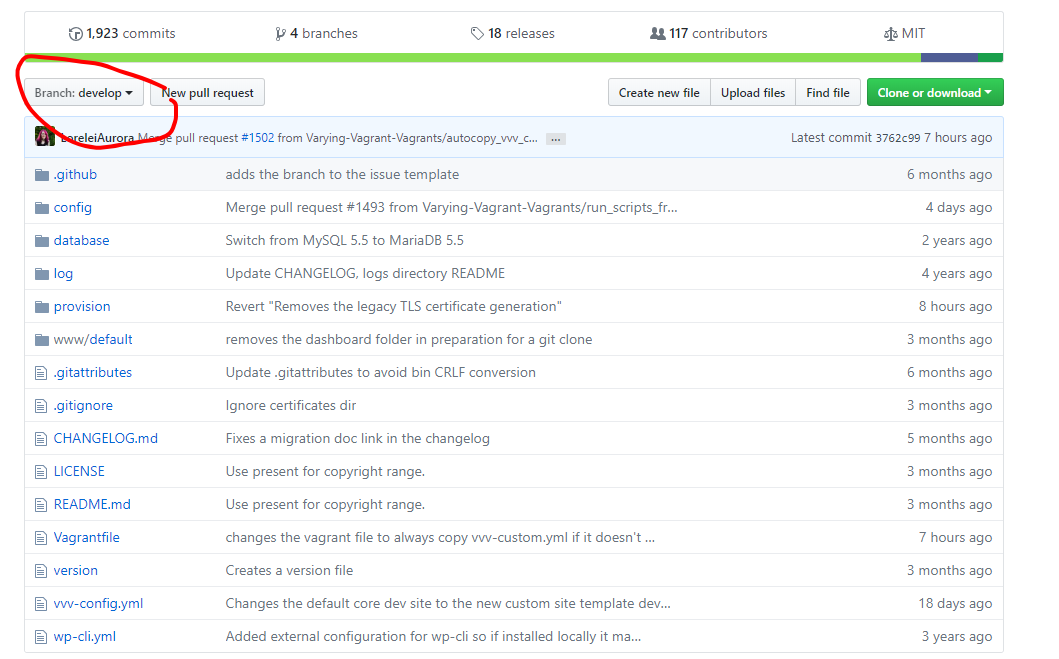
It looks like I'm using the develop branch but is getting that error at this moment even if you fixed the problem.
see below
benlumia007
on 14 May 2018
@benlumia007 did you reprovision? The change that caused that error was reverted in https://github.com/Varying-Vagrant-Vagrants/VVV/commit/c4d80706bd58dfe5f6a56f5f0bcdee263b16beba
Does re-provisioning fix it?
tomjn
on 14 May 2018
@tomjn
When I first clone this develop branch, I went ahead and did a vagrant up --provision and it give me that certificate issue and did a another vagrant provision and it still failed
  default: nginx: [emerg] BIO_new_file("/vagrant/certificates/sandbox/dev.crt") failed (SSL: error:02001002:system library:fopen:No such file or directory:fopen('/vagrant/certificates/sandbox/dev.crt','r') error:2006D080:BIO routines:BIO_new_file:no such file)
    default: nginx: configuration file /etc/nginx/nginx.conf test failed
The SSH command responded with a non-zero exit status. Vagrant
assumes that this means the command failed. The output for this command
should be in the log above. Please read the output to determine what
went wrong.
so most likely, doing another re-provisioning did not work.
benlumia007
on 14 May 2018
hmm that is not an error I have seen before, @LoreleiAurora thoughts?
tomjn
on 14 May 2018
As an aside, can you produce a full provision log?
tomjn
on 14 May 2018
@tomjn
What version of box are you guys on, i wonder if it could be the box it self, im using the latest version
ubuntu/trusty64 (virtualbox, 20180509.0.0)
actually i take that back, can't be the box since i was using it on Vagrant 2.0.4 with VVV 2.2.0
and I don't see any provision log
benlumia007
on 14 May 2018
I'm also getting this too
default: ERROR 2002 (HY000): Can't connect to local MySQL server through socket '/var/run/mysqld/mysqld.sock' (2 "No such file or directory")
benlumia007
on 14 May 2018
also, do you remember the last commit number that was changed before 2.2.1, i need to do my development, even if 2.2.1 and vagran 2.1 may have some kind of conflict.
benlumia007
on 14 May 2018
You shouldn't update the vagrant box, not while we're on VVV 2, I'm debugging
tomjn
on 14 May 2018
I know, just that some of my computers are using different boxes since some laptops i use more and less,
I eventually tested an older version of Windows 10 (1709) and still have the same problem. so we can rule out the windows 10 (1709) and (1803).
benlumia007
on 14 May 2018
@benlumia007 you can get that by clicking on commits on the main repo page, but there is no canonical 2.2.0, you're going to have to check individual commits, starting with the one immediatley before the vagrant trigger core changes
tomjn
on 14 May 2018
@benlumia007 can you try the tomjn_fixes branch?
tomjn
on 14 May 2018
@tomjn
for sure, I'll give that a shot.
benlumia007
on 14 May 2018
@tomjn
Looks like it worked, vagrant 2.1.1 with tomjn_fixes works cool and just added a new site and looks it works.
benlumia007
on 14 May 2018
Hi @tomjn.
I got this problem just now:
default: nginx: [alert] could not open error log file: open() "/var/log/nginx/error.log" failed (2: No such file or directory)
    default: 2018/05/14 12:33:19 [emerg] 13767#13767: open() "/var/log/nginx/error.log" failed (2: No such file or directory)
    default: nginx: configuration file /etc/nginx/nginx.conf test failed
The SSH command responded with a non-zero exit status. Vagrant
assumes that this means the command failed. The output for this command
should be in the log above. Please read the output to determine what
went wrong.
It happened when I switched to tomjn_fixes branch and pulled the latest commit from it. As soon as I ran the command vagrant up --provision, the error above happened.
 guyromellemagayano
on 14 May 2018
guyromellemagayano
on 14 May 2018
@guyromellemagayano
It works if you delete the .vangrant.d on Windows platform because that's what i did and it fixed the problem. I have used tomjn_fixes on two different computers running windows and I'm about to test another windows platform. It works fine.
I delete the that everytime when I upgrade or downgrade Vagrant just to avoid issues along the way.
keep develop branch separate from tomjn_fixes in a separate folder
benlumia007
on 14 May 2018
@benlumia007
I see. My VVV setup is currently installed in my Mac with the latest High Sierra update. Will try your suggestion and let you know my findings. 👍
guyromellemagayano
on 14 May 2018
A possible reason is because one of the changesets that caused issues moved logs to /srv/log
Since some stuff still goes to /var/log I moved it all back in that branch, then changed the vagrant mapping to use /var/log rather than /srv/log as it's got more stuff in it, to consolidate things
It's likely that all that needs adding is noroot mkdir -p /var/log/nginx && noroot touch /var/log/nginx/error.log to provision.sh though I don't know why this would be an issue now when it wasn't before, v2.1 has the same log location
tomjn
on 14 May 2018
@benlumia007 it should work now, I spoke with @LoreleiAurora and we merged it and a revert to another PR that should fix grunt, I'm reprovisioning from scratch now and conducting tests
@guyromellemagayano I've made a modification that should ensure the nginx log files are created if they don't exist and the relevant folders are present, let me know if the develop branch resolves that issue for you
tomjn
on 14 May 2018
ha keep using the wrong account
@tomjn
Should I go ahead and test the develop branch since @LoreleiAurora did a merge 14 minutes ago.
just a note if anyone is having issues, im using the following
Vagrant 2.1.1
VVV 2.2.1 (Last Commit May 14, 2018, Merge #1505)
Windows 10 Home/Pro
Thanks Guys
benlumia007
on 14 May 2018
@benlumia007 @tomjn
I'm currently deleting my current VVV box and start - i mean provision - all over again. Just wanted to make sure if the latest commit from develop branch fixes all the recent issues.
guyromellemagayano
on 14 May 2018
@guyromellemagayano
From what I understand from the last messae from Tom, yes, use the latest develop branch and test it out. I'm about to do a test on it.
benlumia007
on 14 May 2018
@tomjn
So i have provisioned as well on 4 different computers now and it seems to work flawlessly. no error logs or the original problem with the SSH, looks like it has been fixed.
benlumia007
on 14 May 2018
Awesome, I'm going to close this out and continue testing
tomjn
on 15 May 2018
This thread has been automatically locked since there has not been any recent activity after it was closed. Please open a new issue for related bugs.
![lock[bot] picture](https://avatars.githubusercontent.com/in/6672?v=4&s=40) lock[bot]
on 22 Feb 2020
lock[bot]
on 22 Feb 2020
Related issues
 caseyallen386
·
5Comments
caseyallen386
·
5Comments
 GuerrillaCoder
·
5Comments
GuerrillaCoder
·
5Comments
 robneu
·
4Comments
robneu
·
4Comments
 CreativeTransmissions
·
5Comments
CreativeTransmissions
·
5Comments
 sirbrillig
·
5Comments
sirbrillig
·
5Comments