After the last update, the button type could be set manually overriding Vuesax default as "button". So we could set a button to be submit using:
<vs-button
    type="button"
   ...
</vs-button>
Now the type gets ignored and the button is always set as type="button". This makes forms stop working when the button calls the form submit.
- OS: Windows 10
- Node.js version: 8.11.2
- Vuesax version: vuesax3.1.7
- Browser version: Chrome 67.0.3396.87
- Package manager: npm v6.1.0
 RickCardoso
All 20 comments
Ready and the problem is solved when I upload you notice to review it I'm updating the select just finished upload the latest version with the arrangement thank you very much
 luisDanielRoviraContreras
on 18 Jun 2018
luisDanielRoviraContreras
on 18 Jun 2018
Also just noticed I think the changes to button recently messed up the Dialogs, Confirmations.
 pitchinnate
on 20 Jun 2018
pitchinnate
on 20 Jun 2018
Also it messed with buttons that an icon specified, all the sudden they now float left.
pitchinnate
on 20 Jun 2018
You could pass images of the problems, thank you very much for the contribution the documents were updated
luisDanielRoviraContreras
on 21 Jun 2018
You can now add the type property without problem please check thanks
luisDanielRoviraContreras
on 21 Jun 2018
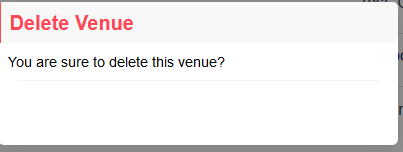
Here is how Dialogs look now:
pitchinnate
on 21 Jun 2018
Also here is how adding an icon affects it:

Then with just adding vs-icon you get this:

pitchinnate
on 21 Jun 2018
For now I've had to work around it by putting the icon in myself doing something like this:
<vs-button
          v-on:click="$emit('creator-click')"
          vs-color="success"
          vs-type="filled"
          class="addButton">
        <i class="material-icons">add_circle</i>
        {{creatorText}}
      </vs-button>
But it requires some more css changes to get the icon to be the right size and line up correctly.
pitchinnate
on 21 Jun 2018
Do you have the latest version?
luisDanielRoviraContreras
on 21 Jun 2018
I believe so I'll check.
pitchinnate
on 21 Jun 2018
Ok that seemed to fix it I just did another upgrade. Any idea why material icons are broke now?
pitchinnate
on 21 Jun 2018
Also the floating left on a button with a vs-icon still happens with latest upgrade.
pitchinnate
on 21 Jun 2018
Library icons were removed now you have to add them independently
luisDanielRoviraContreras
on 21 Jun 2018
but in the documents does not happen that if it's weird you could give me a repo or something to verify the problem and fix it
luisDanielRoviraContreras
on 21 Jun 2018
Any quick instructions in docs for installing library icons?
pitchinnate
on 21 Jun 2018
Nevermind I found I can just add
<link href="https://fonts.googleapis.com/icon?family=Material+Icons" rel="stylesheet">
to my index.html for now.
pitchinnate
on 21 Jun 2018
If that is the idea, it is very easy to add it but it gave many problems in compilation and unnecessary loaders if you can add the documents on this in a RP would be great thanks
luisDanielRoviraContreras
on 21 Jun 2018
Yeah I don't mind loading it from a CDN I'm loading other google fonts the same way I'm sure some people will want it locally downloaded but works fine for me. Yeah I can add it to the documentation.
pitchinnate
on 21 Jun 2018
<vs-button button="submit" color="success" type="gradient" class="float-right">Click Me </vs-button>
the default type of button is set to button which cause preventing submitting form add button="submit" to change the behavior with in form
 safiullahsarhandi
on 26 Aug 2019
safiullahsarhandi
on 26 Aug 2019
@safiullahsarhandi you save my day buddy thanks!
 gautam-patadiya
on 4 Apr 2020
gautam-patadiya
on 4 Apr 2020
Related issues
 leah-cc
·
3Comments
leah-cc
·
3Comments
 jupox
·
3Comments
jupox
·
3Comments
 Deltalus
·
3Comments
Deltalus
·
3Comments
 mjmnagy
·
3Comments
mjmnagy
·
3Comments
 danyakov
·
3Comments
danyakov
·
3Comments
Most helpful comment
<vs-button button="submit" color="success" type="gradient" class="float-right">Click Me </vs-button>the default type of button is set to button which cause preventing submitting form add
button="submit"to change the behavior with in form