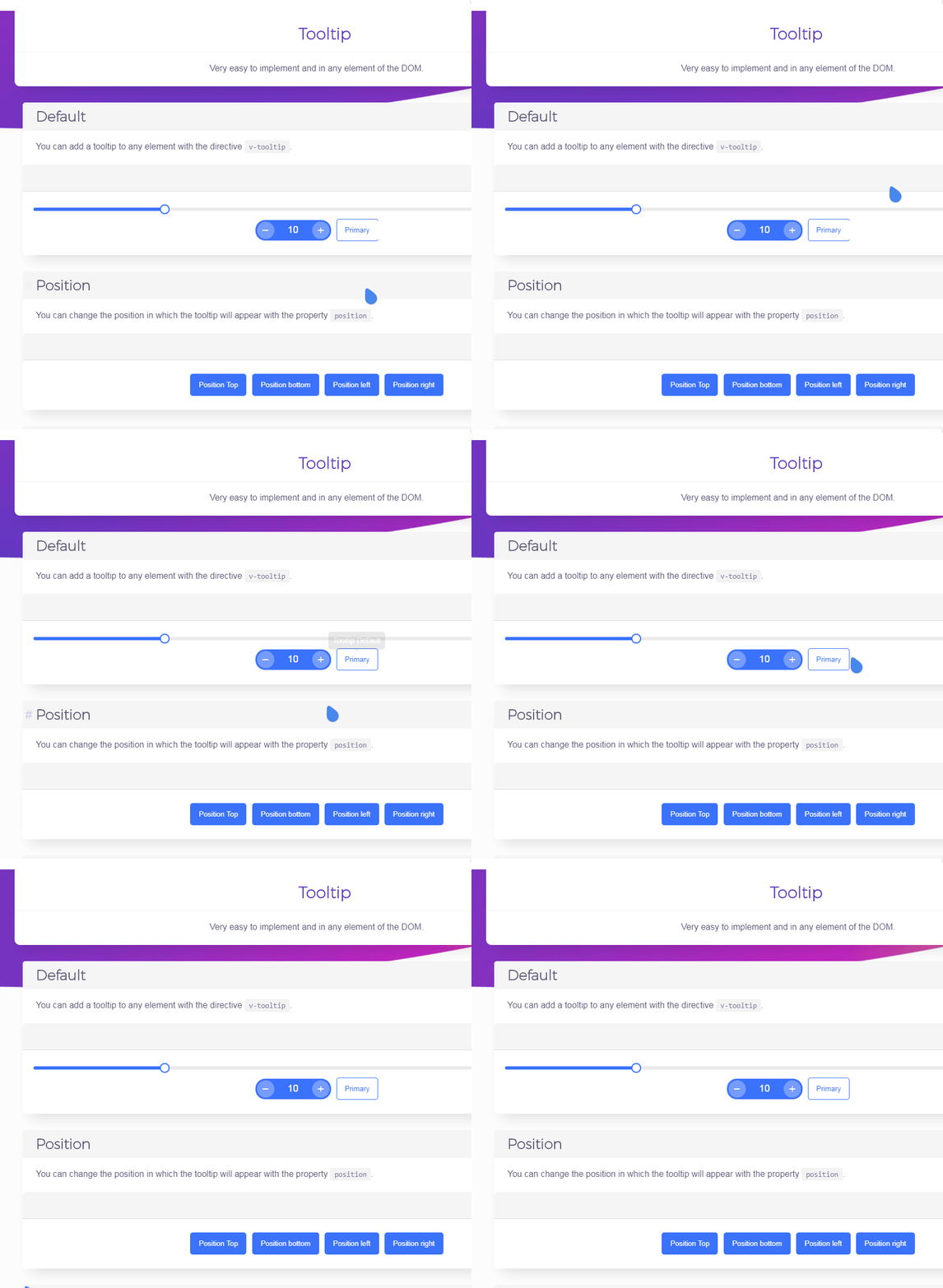
Vuesax: Little bug on button (present demo tooltip)
- Windows 7
- 10.0.0
- Current on documentation
- Yandex Browser 18.1
- Yarn
 RALMAZ
All 8 comments
RALMAZ
on 13 May 2018
@RALMAZ I think that problem is because the edge of the button is very narrow and it is not displayed well in some cases, with 2px it may improve I will review it thank you very much for the contribution
 luisDanielRoviraContreras
on 14 May 2018
luisDanielRoviraContreras
on 14 May 2018
@RALMAZ Would you like to do a PR to solve this problem?
luisDanielRoviraContreras
on 14 May 2018
@luisDanielRoviraContreras Unfortunately i do not have enough time for this now :crying_cat_face:
RALMAZ
on 14 May 2018
I think its the overflow: hidden; of the button. Try to change it to overflow: visible; and see if that helps.
 fergardi
on 14 May 2018
fergardi
on 14 May 2018
@fergardi if we change to overflow: visible; the clicking effect would overflow out of the button, look for another solution, would you like to address this problem? or do I? Thank you very much for the contribution
luisDanielRoviraContreras
on 14 May 2018
I see. Well, padding-right: 1px; seems to do the trick for me, but I'm not satisfied with that...
https://stackoverflow.com/questions/13240665/css-overflowhidden-removing-border-bottom
fergardi
on 14 May 2018
Ready already solved the problem was by backface-visibility: hidden; or that I think please try with the latest version to see if it works as it should thanks for the contribution.
luisDanielRoviraContreras
on 18 May 2018
Related issues
 jupox
·
3Comments
jupox
·
3Comments
 fahada95
·
4Comments
fahada95
·
4Comments
 andresilva-cc
·
3Comments
andresilva-cc
·
3Comments
 alexflorea2
·
4Comments
alexflorea2
·
4Comments
 grali
·
4Comments
grali
·
4Comments
Most helpful comment
I see. Well,
padding-right: 1px;seems to do the trick for me, but I'm not satisfied with that...https://stackoverflow.com/questions/13240665/css-overflowhidden-removing-border-bottom