Vuesax: Autocomplete Select component does populate with the value that has been selected if enter is pressed
OS - MacOS High Sierra
Node - 8.11.2
Vuesax - 3.1.1
Browser - Chrome 66.0.3359.18
Package Manager - npm
If you begin typing the beginning of an item in the component and try to hit enter, the field will not populate with the input that had been highlighted.
https://lusaxweb.github.io/vuesax/components/selects.html#autocomplete
 fahada95
All 4 comments
Thank you very much for the message to review the problem most likely is that there is no option to be selected at the previous value do you think it would be good functionality or would it be better otherwise?
 luisDanielRoviraContreras
on 13 Jun 2018
luisDanielRoviraContreras
on 13 Jun 2018
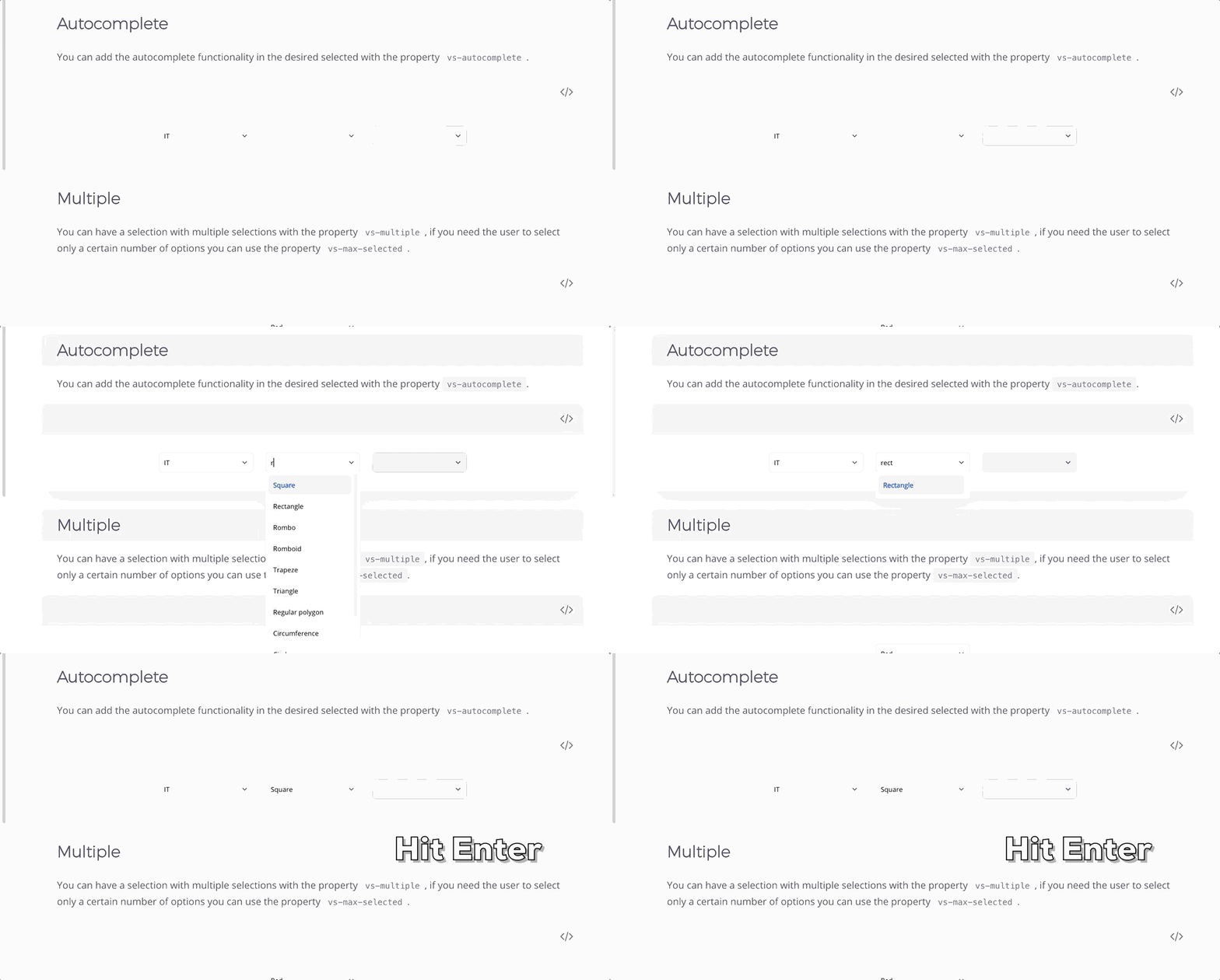
I think it would be good functionality. Maybe I am doing something incorrectly however I tried it in Safari as well and got the same result. I was not expecting to select square when I actually meant to select rectangle in the recording attached to this comment. I hope this helps.
fahada95
on 13 Jun 2018
Thank you very much I understand better I will fix it and I will advise you to check if it works as it should :+1:
luisDanielRoviraContreras
on 13 Jun 2018
Ready and the update was completely complete thanks for the contribution please check if it works as it should thanks
luisDanielRoviraContreras
on 20 Jun 2018
Related issues
 danyakov
·
3Comments
danyakov
·
3Comments
 andresilva-cc
·
3Comments
andresilva-cc
·
3Comments
 alexflorea2
·
4Comments
alexflorea2
·
4Comments
 webafra
·
3Comments
webafra
·
3Comments
 leah-cc
·
3Comments
leah-cc
·
3Comments
Most helpful comment
Thank you very much I understand better I will fix it and I will advise you to check if it works as it should :+1: