Problem:
When the body has direction: rtl, the position of the modal is way off.
The left should be switch to right. Any suggestion how to do an hack of this?
...
Example & screenshots:
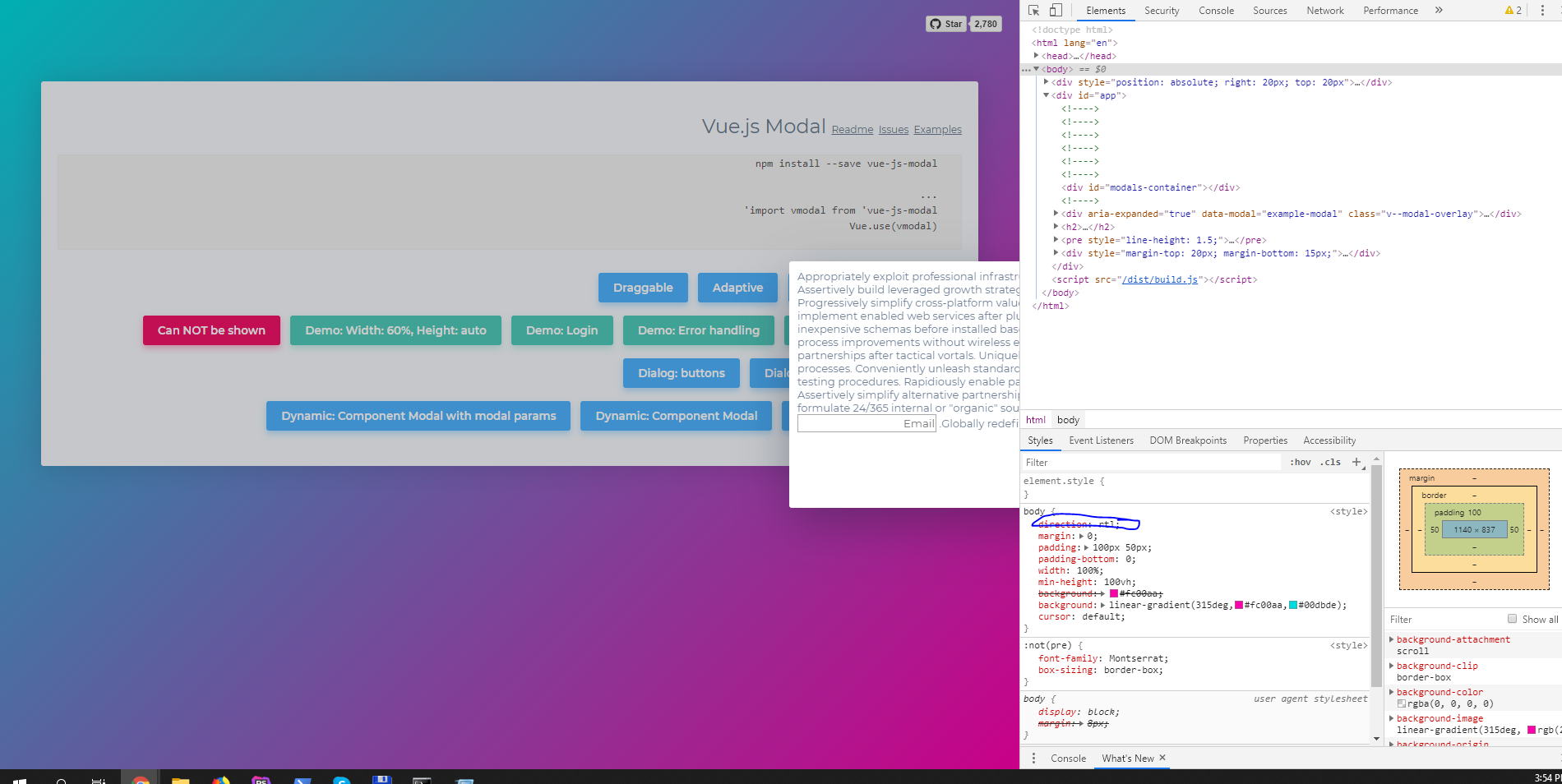
...
I have checked stackoverflow for solutions and 100% sure that issue not in my code.
 ionutt
All 7 comments
this happens because the modal is positioned using an absolute left style. you can go around it using this dirty hack.
edit to remove the hack code.
 the-ashraf
on 16 Oct 2019
the-ashraf
on 16 Oct 2019
Thanks for this. I was think about that but for this is a hack, and also what will we do if there is an screen resize or I think that we can drag the modal, we need to think of this use case.
My aproach was different.
- detect the direction or language on the body ( direction: rtl )
- if arabic apply a class on the modal wrapper to change the direction ( direction: ltr ).
- if arabic apply a class on component inside the modal ( direction: rtl )
Hope these solution will help other developers.
ionutt
on 16 Oct 2019
i concede that your approach is absolutely cleaner and way simpler 😄
the-ashraf
on 22 Oct 2019
I add a custom css in v--modal
.v--modal {
text-align: right;
left: 0px !important;
margin: 0 auto;
}
 henfreire
on 23 Oct 2019
henfreire
on 23 Oct 2019
This issue has been automatically marked as stale because it has not had recent activity. It will be closed if no further activity occurs. Thank you for your contributions.
![stale[bot] picture](https://avatars.githubusercontent.com/in/1724?v=4&s=40) stale[bot]
on 22 Nov 2019
stale[bot]
on 22 Nov 2019
This issue has been automatically closed.
stale[bot]
on 29 Nov 2019
I handled this issue like this.
<div :class="{'ltr': $i18n.locale === 'ar'}">
  <modal name="subscribe" height="auto" :scrollable="true">
    <div class="text-center pt-5 lg:pt-0" :class="{'rtl': $i18n.locale === 'ar'}">
      <!-- content goes here -->
    </div>
  </modal>
</div>
 amirehman
on 28 Jan 2020
amirehman
on 28 Jan 2020
Related issues
 alex3683
·
4Comments
alex3683
·
4Comments
 outOFFspace
·
4Comments
outOFFspace
·
4Comments
 songoo
·
4Comments
songoo
·
4Comments
 heykkyu
·
4Comments
heykkyu
·
4Comments
 vesper8
·
3Comments
vesper8
·
3Comments
Most helpful comment
I add a custom css in v--modal
.v--modal {
text-align: right;
left: 0px !important;
margin: 0 auto;
}