Vue-grid-layout: Dragging scrollbar also moves grid item in Firefox
Hi there,
Problem in Firefox:
Some of my grid-items are actually larger than their containers, so I've set overflow:auto on them. The scrollbars don't seem to work well in this CodeSandbox:

So far so good. If I move the mouse into the first one and scroll with the mouse wheel, it scrolls as expected. But if I use the mouse and try to click on the scroll handle and drag it down a centimeter or two, it looks like this:

So the grid item did scroll, but it moved as well, which I didn't expect. Can I get vue-grid-layout to "play nice" with scrollbars?
"Play nice" is a little ill-defined, but at least I'm expecting that dragging the (blue) scroll handle in the scrollbar _just_ scrolls.
Software versions
- Browser: Firefox 67.0.4
- Vue Version: 2.6.10
- vue-grid-layout Version: 2.3.4
 pmorch
All 2 comments
@pmorch Hello! Did you find a solution?
I have a similar problem. I have an input tag in the draggable area, and I can't select text using the mouse because of the cell is dragging while I try to select text inside the input tag
 heavenlyteam
on 8 Aug 2019
heavenlyteam
on 8 Aug 2019
Hi,
What we ended up doing was specific to our problem. We're making a dashboard with some widgets. Each widget has a title area, and for application-specific purposes it made sense to only allow dragging the title area. It is a work in progress (the CSS/styling is likely to improve) but this is what it looks like today:
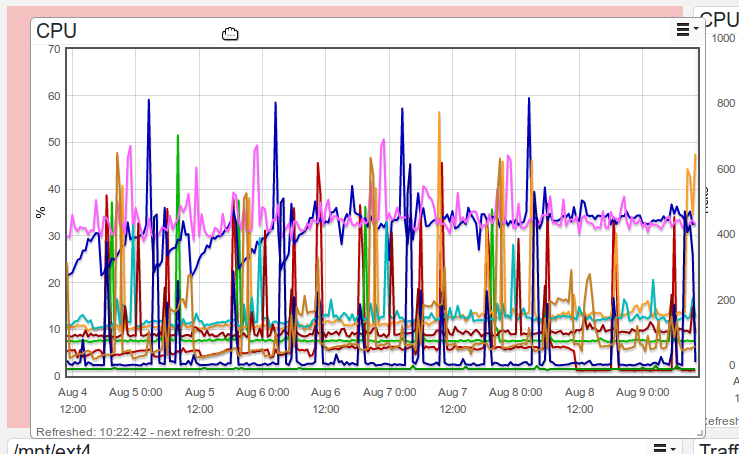
One can move the widget only by dragging the top bar. Then this problem is not an issue.
This was done by using
dragAllowFrom=".widget-header-enclosure"
on the <grid-item/> - see the doc
pmorch
on 9 Aug 2019
Related issues
 MLongz
·
7Comments
MLongz
·
7Comments
 spider58
·
5Comments
spider58
·
5Comments
 goalie7
·
6Comments
goalie7
·
6Comments
 jordangorla
·
7Comments
jordangorla
·
7Comments
 mateo2181
·
6Comments
mateo2181
·
6Comments
Most helpful comment
Hi,
What we ended up doing was specific to our problem. We're making a dashboard with some widgets. Each widget has a title area, and for application-specific purposes it made sense to only allow dragging the title area. It is a work in progress (the CSS/styling is likely to improve) but this is what it looks like today:
One can move the widget only by dragging the top bar. Then this problem is not an issue.
This was done by using
on the
<grid-item/>- see the doc