Vue-devtools: It doesn't appear in dev tools on Firefox
Version
6.0.0-beta.2
Browser and OS info
Firefox 83.0
Steps to reproduce
After fresh install of Firefox without any other extensions, this extension doesn't appear there.
What is expected?
Extension should be added to developer tools.
What is actually happening?
It is not there even though it is unique extension so it can not collide with other extensions.
 step135
All 9 comments
Works for me: close devtools after enabing extension. Then open them again and you should see the Vue icon.
 weleoka
on 11 Dec 2020
weleoka
on 11 Dec 2020
Works for me: close devtools after enabing extension. Then open them again and you should see the Vue icon.
This worked in Chrome as well, thanks.
 ameotoko
on 19 Dec 2020
ameotoko
on 19 Dec 2020
I consistently faced this issue on -beta.2 and noticed in on -beta.3 also. I'm using Firefox Nightly 86.0a1.
- vue create someapp --default && cd someapp && npm run serve
- go to localhost 8080 in firefox
- press f12
- vue devtools tab is not visible in devtools
The biggest problem is that each time a different solution works:
- sometimes it's "close localhost tab, close devtools, disable vue addon, enable vue addon, reopen localhost tab and press f12 to reopen devtools"
- other times it's the above but you also need to restart firefox before re-enabling vue addon
I understand this doesn't even come close to useful repro steps, but this is legitimately what happens. Are there any debug logs I can collect for vue devtools to provide some more detail?
A similar issue happens from time to time with Vue 2 devtools to my colleagues using both Firefox and Chrome.
EDIT: Hmm, Vue tab showed up before I updated Nightly (nightly gets several updates everyday), but after I clicked "Update & restore", the Vue tab wouldn't pop up. Perhaps it's an issue where the devtools won't show up after an update and require a manual reset after one?
 3nuc
on 24 Dec 2020
3nuc
on 24 Dec 2020
I can reproduce this issue on Firefox 84.0.1 using at least beta 2 & 3. The extension icon is visible, Vue is detected, but the panel is not visible in the inspector. I tried to update the plugin, restart Firefox, nothing works.
I’m using Vue 3 with a Vite server.
 LeBenLeBen
on 30 Dec 2020
LeBenLeBen
on 30 Dec 2020
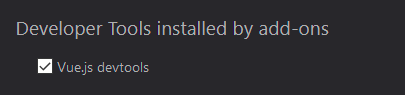
In case anyone has the issue where the Vue Devtools Extension detects Vue but doesn't show up in the firefox devtools I was able to fix it by:
- Open devtools when Vue says "VueJS is detected on this page"
- Click the 3 dots on the right of the devtools panel (next to the X to close)
- Click "Settings"
- Check Vue.js devtools under "Developer Tools installed by addons"

 lucacataldo
on 4 Jan 2021
lucacataldo
on 4 Jan 2021
This setting is already checked for me and toggling it doesn’t fix the issue 😭
LeBenLeBen
on 6 Jan 2021
@LeBenLeBen Ah that's a shame, sorry. I just thought I'd share since that fixed it in my situation.
lucacataldo
on 6 Jan 2021
Vue JS 3, locally started:

I tried to remove, reinstall, close firefox, and so on... Nothing...
And not error in console:

Firefox 84.0.1 on Fedora 33
Ha and, it doesn't work on Chrome/Brave ... Seems that something goes wrong with Vue 3
 metal3d
on 10 Jan 2021
metal3d
on 10 Jan 2021
OK... Sorry...
https://v3.vuejs.org/guide/migration/introduction.html#devtools-extension
metal3d
on 10 Jan 2021
Related issues
 Gedminas
·
3Comments
Gedminas
·
3Comments
 mikaelhadler
·
3Comments
mikaelhadler
·
3Comments
 kevinaskin
·
3Comments
kevinaskin
·
3Comments
 matthewsunrise
·
3Comments
matthewsunrise
·
3Comments
 mitramejia
·
3Comments
mitramejia
·
3Comments
Most helpful comment
Works for me: close devtools after enabing extension. Then open them again and you should see the Vue icon.