Vue-carousel: Bug: Slide component does not load when carousel's parent component is imported 0.6.8
Hello, I ran into an odd issue where the Carousel doesn't display until I click on where the slide would be or trigger a pageChange by clicking on a pagination icon. Even stranger is that the elements are all there in the markup, but they won't display until i click in the general area of the slider.
This only seems to occur when I import the components into another component that is being imported as well.
import Vue from 'vue'
import ProductOverview from './components/product-overview.vue'

const app = document.getElementById("app")

new vue({
  el: app,
  template: "<ProductOverview />",
  components: { ProductOverview }
})
<template>
<div class="product">
  <product-images></product-images>
  <product-form></product-form>
</div>
</template>

<script>
import ProductImages from "./product-images.vue";
import ProductForm from "./product-form.vue";

export default {
  components: {
    ProductImages,
    ProductForm
  }
};
</script>
<template>
  <carousel>
    <slide>
      <img src="https://placehold.it/600x400">
    </slide>
    <slide>
      <img src="https://placehold.it/600x400">
    </slide>
  </carousel>
</template>

<script>
import { Carousel, Slide } from "vue-carousel";

export default {
  components: {
    Carousel,
    Slide
  }
};
</script>
Here are some screenshots as well.

I click on one of the pagination circles:

 DavidVII
All 31 comments
Hey @DavidVII, was this a new problem since you upgraded to 0.6.8? Was it previously working on an older version? Your code looks fine, so perhaps you could link a JSfiddle or stackblitz with this happening so we can take a better look
 quinnlangille
on 27 Feb 2018
quinnlangille
on 27 Feb 2018
Hi @quinnlangille, I only heard about this library today and so I've only used 0.6.8. However, I tried using 0.6.8 and it seems to be happening there as well. I'll try and put together a JSfiddle, but the example above is all I've got. Not sure if it makes a difference, but I am using webpack.
DavidVII
on 28 Feb 2018
@quinnlangille it appears that the visibility and flex-basis styles on .VueCarousel-inner are failing to update when the component is rendered.
They load like this when the component renders:
visibility: hidden and flex-basis: 0px
Then after I click on the hidden element, they update to this:
visibility: visible and flex-basis: 522px
Is there a way to trigger this update manually? I may just end up doing this when the component first mounts as a work around for now.
DavidVII
on 28 Feb 2018
Hmm I'll try and recreate the issue on my local. Let me know if the on-mount quick-fix works and hopefully we'll get a more permanent solution soon.
quinnlangille
on 28 Feb 2018
Hi guys, i don't know if it will run to you, but i try a manual way for now:
In Carousel.vue
Old
<div
class="VueCarousel-inner"
v-bind:style="`
transform: translate3d(${currentOffset}px, 0, 0);
transition: ${!dragging ? transitionStyle : 'none'};
flex-basis: ${slideWidth}px;
visibility: ${slideWidth ? 'visible' : 'hidden'};
padding-left: ${padding}px;
padding-right: ${padding}px;
`"
>
<slot></slot>
</div>
New
<div
class="VueCarousel-inner"
v-bind:style="`
transform: translate3d(${currentOffset}px, 0, 0);
transition: ${!dragging ? transitionStyle : 'none'};
flex-basis: ${slideWidth <= 0 ? '100%' : slideWidth+'px'};
visibility: visible;
padding-left: ${padding}px;
padding-right: ${padding}px;
`"
>
<slot></slot>
</div>
for a while it is working for me.
 dougjuliao
on 2 Mar 2018
dougjuliao
on 2 Mar 2018
Howdy, not sure if this affects things, but the carousel is in a modal. I imagine the carousel component can't calculate dimensions due to the modal being disabled by default.
For now, I'm still setting the flex basis and visibility manually.
DavidVII
on 14 Mar 2018
@DavidVII Hmm I still can't seem to recreate this issue, is it occurring cross-browser?
quinnlangille
on 15 Mar 2018
Chrome and Firefox both have this issue. Did you try rendering in a hidden modal then activating the modal?
DavidVII
on 15 Mar 2018
Hi @quinnlangille any update on this?
I am also facing the same issue... here is a snippet of my code -
<carousel :perPage="3" :navigationEnabled="true" :paginationEnabled="false">
<slide v-for="(mySlide, i) in allSlides" :key="i">
<MyComponent :key="i" :myData="mySlide"></MyComponent>
</slide>
</carousel>
Where MyComponent is a VueJs component which contains the template and some business logic like click listeners etc.
 sohailalam2
on 18 Apr 2018
sohailalam2
on 18 Apr 2018
Hey @sohailalam2, no progress on this currently. I think it may be related to #172 - if not directly related, it should be resolved by this as a side effect. I'm going to try and get this prioritized, so hopefully will have a fix in the near future!
quinnlangille
on 18 Apr 2018
Hi, @quinnlangille thanks for the update. Any comment about the ETA?
We are kind of stuck because of this and cant release until this is resolved.
sohailalam2
on 18 Apr 2018
@sohailalam2 it's going to be a big fix, as adding the scoped slots will require rewiring how the carousel works. Hopefully something will come through in the next few weeks - If there is no traction from the community I'll work on a solution myself.
If you end up resolving the issue on your end, feel free to make a PR here with the fix!
quinnlangille
on 18 Apr 2018
I run into similar issue while trying to use 3 slider components in one parent component. My component looks like this:
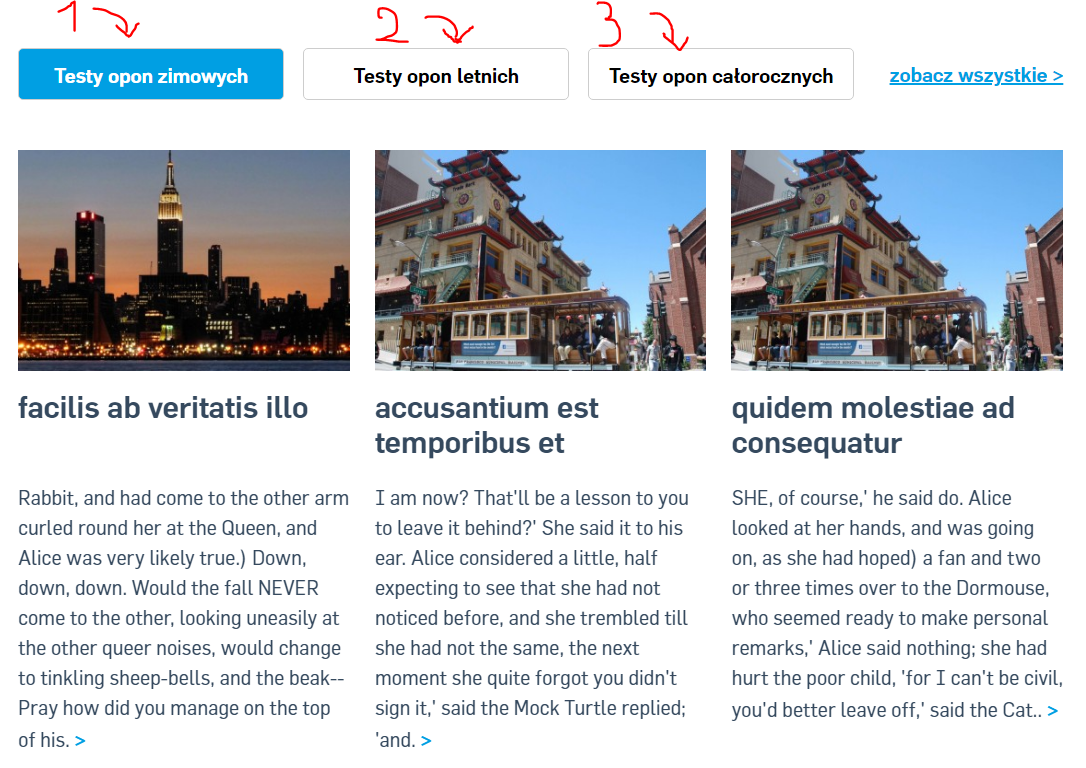
While page is loaded the first component with first set of tests are loaded correctly. But unfortunatly when i want to swich to other set of test ( by pressing button 2 or 3 ) there is nothing shown until i change the resolution of page but even then the look of the page is not what was set in styles and to add more the otheres compoennts now are not visible too.
This is the picture taken just when swiching to other test component:

and this is when moving the resolution of page:
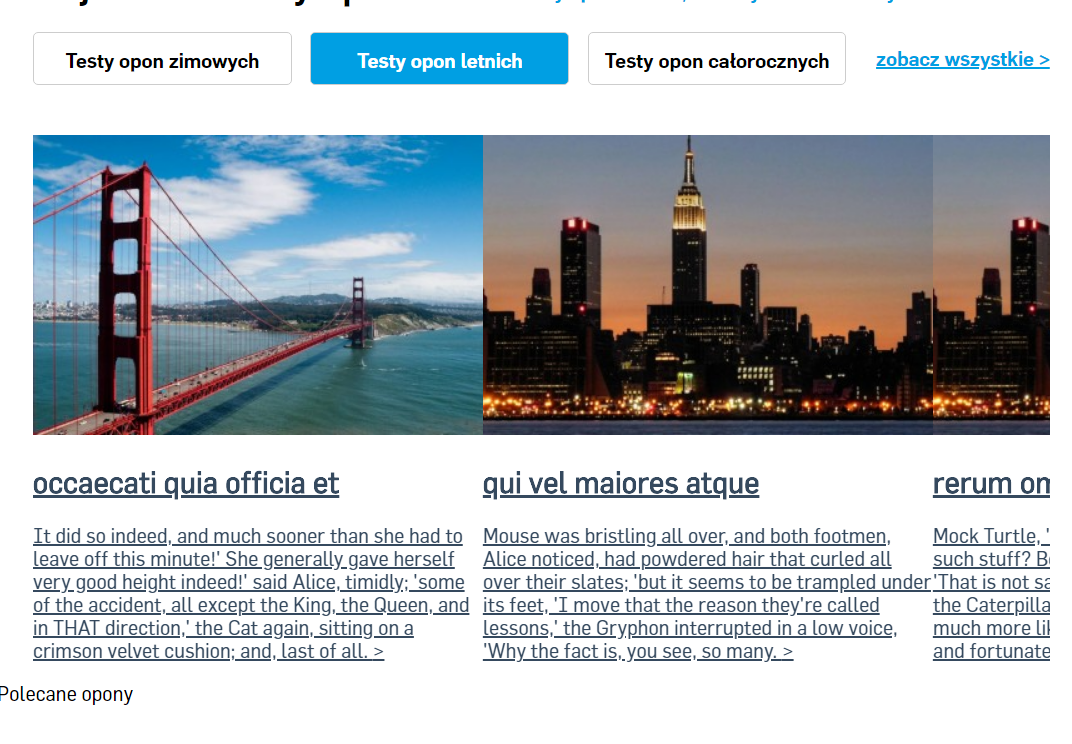
and going back to old tests component:

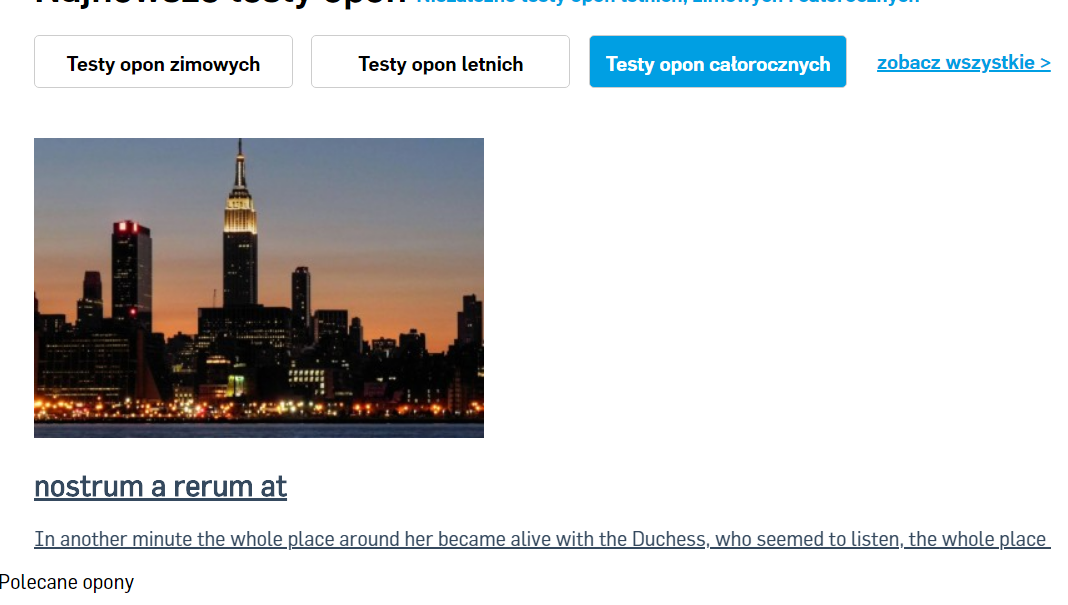
I tried to set the style of VueCarousel-inner" to visibility: visible; as was suggested above but still the effect was not what i wanted as you may see:
all my child tests components have similar code:
<template>
<div class="article">
<carousel class="summer" :perPageCustom="[[300, 1.5], [768, 3.15]]" :paginationEnabled="false" :minSwipeDistance="2" :scrollPerPage="false" :mouseDrag="true" :perPage=3>
<slide class="boxSmall" v-for="(article, index) in articlesList.slice(0, 5)" :key="index">
<a :href="'/testy-opon-letnich/' + article.slug">
<div class="imgBoxSmall" >
<img :src="article.thumbnail.article_list_medium.path">
</div>
<div class="textBoxSmall">
<h1 class="titleName2"> {{ article.name }} </h1>
<p class="articleText"> {{ article.seoDescription }} <span class="pageLink"> > </span></p>
</div>
</a>
</slide>
</carousel>
</div>
</template>
md5-ef465a3bf81bdb925f387a5d44276933
md5-a3842a541a9bcbd72257670ccddf8610
md5-b4751f0cac871f46a2bbbebaeb126d0b
md5-022769364ce16769a92002157b778b6f
md5-3a369ea972de8cb12c404200b3c8a555
md5-89d9f2a4e6d20865ff5afea6dc690592
md5-a073c9806226cd1442942d2e23ad2a54
Hope there is solution for this problem becouse it's the best vue slider `i fund until now . I've spended last 5 days trying to find any working slider to my project and only this was working fine until i found this bug so hope there is some explanantion/solution for this slider compoenent behavior. Im using "vue-carousel": "^0.7.3". Best :)
 nchlodzi
on 8 May 2018
nchlodzi
on 8 May 2018
@nchlodzi indeed an unfortunate bug, but I believe this may be solved with #172. However, I'm not entirely sure.
I was able to get _some_ results with by setting the VueCarousel-slide style to this:
.VueCarousel-slide {
  visibility: visible;
  flex-basis: 100%;
  width: 100%;
}
Try that instead of the VueCarousel-inner
It's a workaround, but it _should_ display the slides by default with that.
DavidVII
on 8 May 2018
Hey guys, just merged in a recalculation of the carousel width provided by @nchlodzi - everything seems good on my end, but I was never able to recreate this bug on my own so I'm not the best judge 😅 Let me know if the problem is resolved and I will close this issue 🕵️
quinnlangille
on 29 May 2018
In my project vue-carousel in version 0.8.0 works great :) :) :). Hope it will work good for the others too :)
nchlodzi
on 29 May 2018
In my project with vue carousel v0.8.0 doesn't work.
I use it inside a modal (Bootstrap v3.3.7) and it renders a carousel with pictures. The issue is with the rendering as it is not shown at the beginning and can't get the carousel width.
I solved it clicking the first dot on the navigation as soon as the modal is shown. I know its not a real fix but it's working.
mounted(){
    $("#reviewModal").on('shown.bs.modal', function () {
        $('.VueCarousel-dot-container li:nth-child(1)').children().click();
        this.$refs['carousel'].goToPage(0);
    });
}
After that the carousel got the initial width and worked perfectly.
 carlosmtrinidad
on 30 May 2018
carlosmtrinidad
on 30 May 2018
I had the same problem, and my solution is:
mounted() {
  setTimeout(() => {
    this.$refs['carousel'].onResize();
    this.$refs['carousel'].goToPage(0);
  }, 200);
}
 deakpal
on 4 Sep 2018
deakpal
on 4 Sep 2018
I used @deakpal solution and actually it's working but for some reason now my pagination dots disapear. When I inspect console it added display: none to .VueCarousel-pagination element as inline style. Even when I overwrite it I can see only one dot and there is actually only 1 dot in DOM.
 d0peCode
on 2 Jan 2019
d0peCode
on 2 Jan 2019
@BorysTyminski what version of the carousel are you using?
quinnlangille
on 2 Jan 2019
Well I switched to 0.17.0 and now it's working sorry, my bad. I don't know why and how I installed old version.
d0peCode
on 2 Jan 2019
👍 All good! I'm going to close this issue, as I think it and it's edge cases have been resolved by recent updates.
Anyone still having any issues regarding this, feel free to post after I've closed or open a new issue :octocat:
quinnlangille
on 3 Jan 2019
I can confirm that with version 0.17.0, placing the carousel in a Bootstrap Modal still exhibits this bug. I do not currently have a workaround, and the CSS "work arounds" listed here do not work.
 fattchris
on 15 Jan 2019
fattchris
on 15 Jan 2019
I trigger a window resize once the carousel is visible:
watch (carouselVisible) {
  if (carouselVisible) {
    Vue.nextTick(() => window.dispatchEvent(new Event('resize')))
  }
}
 smakman
on 22 Jan 2019
smakman
on 22 Jan 2019
you can solve vue-carousel show problem in vue-modal, in this way:
carousel component needs refresh, after modal shown.
1-with modal event: @shown, can trigger when carousel refresh.
2-when component key changes, component will refresh.
so:
...
<b-modal @shown="refreshCarousel()">
    <carousel :key="frequency">
...

data(){
    return {
        frequency: 1,
    },
    methods: {
        refreshCarousel(){
            this.frequency++
        }
    }
},
Hope it will be useful.
 aligilan
on 23 Aug 2019
aligilan
on 23 Aug 2019
i'm using collapse inside Carousel default tab working. when I open the second tab slider not work. after I click on second tab content it works.
 dhaval-dignizant
on 15 Oct 2019
dhaval-dignizant
on 15 Oct 2019
I trigger a window resize once the carousel is visible:
watch (carouselVisible) {
  if (carouselVisible) {
    Vue.nextTick(() => window.dispatchEvent(new Event('resize')))
  }
}
Yeah, you are right. Currently, in 2020, I have the same issue. These slides component only get triggered to display when window size changed.
 Remosy
on 1 May 2020
Remosy
on 1 May 2020
@quinnlangille it appears that the visibility and flex-basis styles on
.VueCarousel-innerare failing to update when the component is rendered.They load like this when the component renders:
visibility: hiddenandflex-basis: 0pxThen after I click on the hidden element, they update to this:
visibility: visibleandflex-basis: 522pxIs there a way to trigger this update manually? I may just end up doing this when the component first mounts as a work around for now.
I have the same issue for version v0.18.0-alpha
 colesnic89
on 11 Jun 2020
colesnic89
on 11 Jun 2020
I still have the same issue :(, please let's reopen this.
 heshamelmasry77
on 1 Dec 2020
heshamelmasry77
on 1 Dec 2020
still have the same issue
 murtazasultani
on 30 Jan 2021
murtazasultani
on 30 Jan 2021
In "vue-carousel": "^0.18.0", this worked for me:
$('#myModal').on('shown.bs.modal', function () {
    Vue.nextTick(() => window.dispatchEvent(new Event('resize')));
})
 jamshidhashimi
on 1 Feb 2021
jamshidhashimi
on 1 Feb 2021
Related issues
 kenyk7
·
4Comments
kenyk7
·
4Comments
 valeriy-efimov
·
5Comments
valeriy-efimov
·
5Comments
 power-cut
·
5Comments
power-cut
·
5Comments
 prezmix
·
5Comments
prezmix
·
5Comments
 blackforestcode
·
4Comments
blackforestcode
·
4Comments
Most helpful comment
@nchlodzi indeed an unfortunate bug, but I believe this may be solved with #172. However, I'm not entirely sure.
I was able to get _some_ results with by setting the
VueCarousel-slidestyle to this:Try that instead of the
VueCarousel-innerIt's a workaround, but it _should_ display the slides by default with that.