Vue-carousel: only one element slide
Is it possible to customize your plugin so that when switching slides only one element is added.
example

i want this

 valeriy-efimov
All 5 comments
Hey @valeriy-efimov, you can set the perPage prop to 1! https://ssense.github.io/vue-carousel/api/#perPage
 quinnlangille
on 15 Apr 2019
quinnlangille
on 15 Apr 2019
@quinnlangille not working
https://jsfiddle.net/suobpda2/
if press right button, display "3 5 6" but i want to see "2 3 4" if again press "3 4 5" etc
valeriy-efimov
on 17 Apr 2019
Ah I misunderstood your request, for that you'll need to add scrollPerPage=false, like this -> https://jsfiddle.net/oLvr8wem/
quinnlangille
on 18 Apr 2019
@quinnlangille thank you very much!
valeriy-efimov
on 18 Apr 2019
Hi @quinnlangille while this visually works, it is not possible to target the "active" sliders this way.
When you go from "items 1-2-3" to "items 2-3-4", active classes switch from "items 1-2-3" to " items 4-5-6", so when you visually get to "items 4-5-6" you don't have any active class anymore.
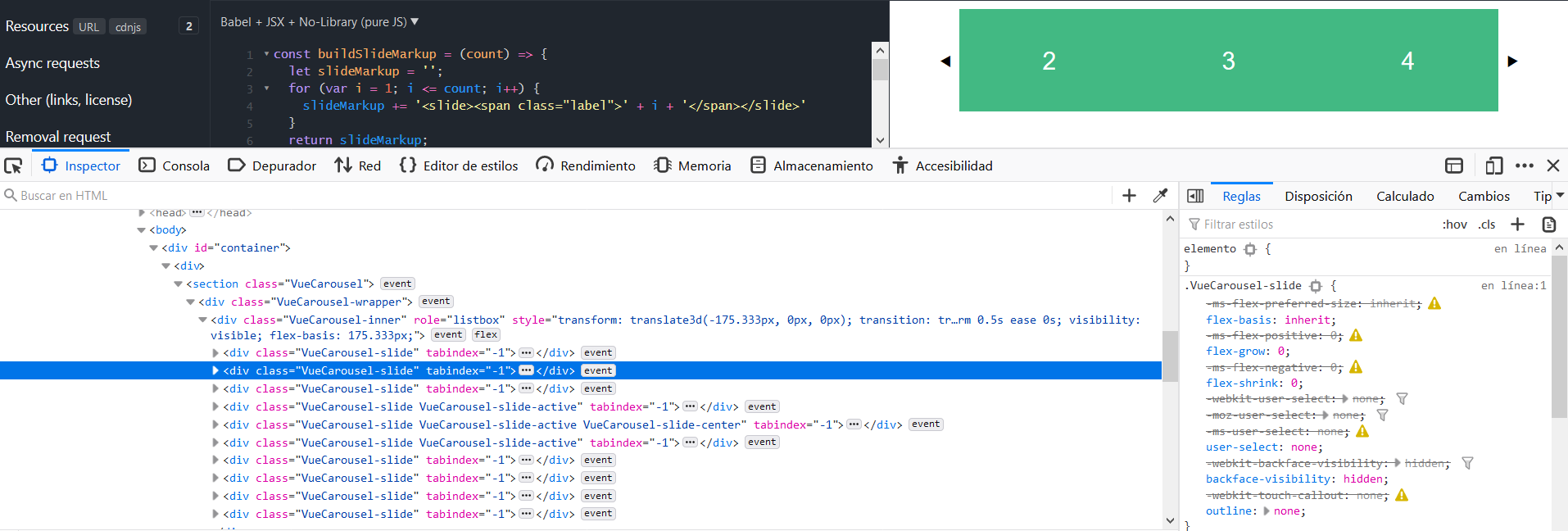
Is there any workaround to that?
Thanks!
 Jesus82
on 17 Jan 2020
Jesus82
on 17 Jan 2020
Related issues
 midlantica
·
4Comments
midlantica
·
4Comments
 prezmix
·
5Comments
prezmix
·
5Comments
 manniL
·
3Comments
manniL
·
3Comments
 daanhaitsma
·
5Comments
daanhaitsma
·
5Comments
 hdodov
·
5Comments
hdodov
·
5Comments
Most helpful comment
Ah I misunderstood your request, for that you'll need to add
scrollPerPage=false, like this -> https://jsfiddle.net/oLvr8wem/