Hi, I have a volume render, and I would like to rotate it in Desktop/VR, but I have issue in both of them, When I set myVolume.rotateX(interValue) volume is rotate but some of data is missing like this image:
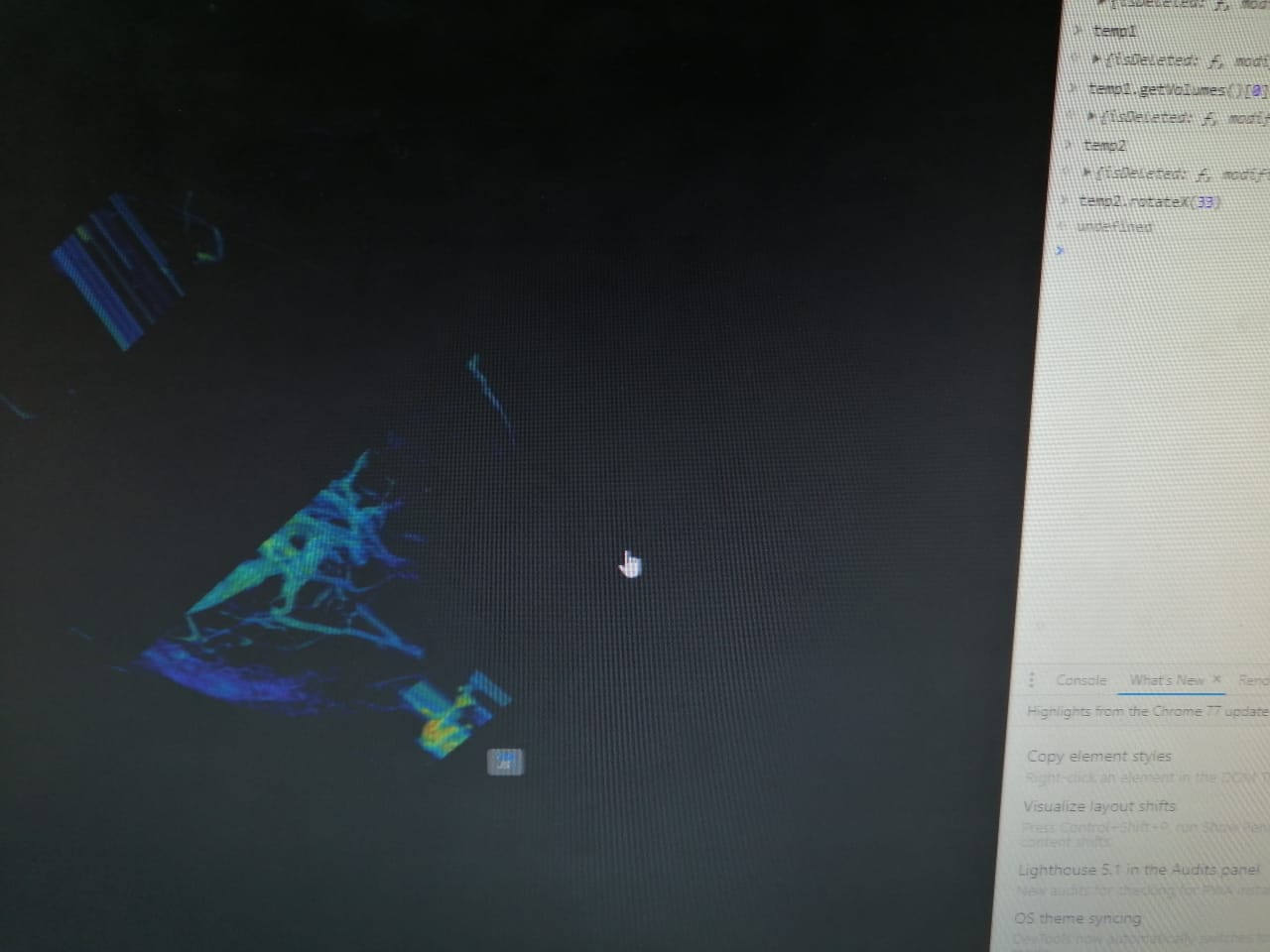
the volume result in image after I rotateX 33 degree, I think this issue related to 858.
Any way, is rotate action a truth way to rotate volume? Since if I use camera view up nested of rotate, its work nice on desktop, but in VR not working truth since VR has left and right projection/view matrix and maybe I need to build a new matrix for that, Im not sure...
Additional Note:
VTKJS Version: 11.1.0
Browser: Google Chrome 77.0
OS: Windows 10 64 bit.
Thanks for help.
 aneeshikmat
All 13 comments
When you manipulate the camera programmatically, you need to reset the clipping planes.
For the VR, I'm pretty sure right now vtk.js does not properly handle volume rendering in VR. Only geometry is supported. @martinken feel free to add any comment.
 jourdain
on 16 Sep 2019
jourdain
on 16 Sep 2019
Thank you @jourdain , but when I using renderer.resetCameraClippingRange(); Its no effect, in browser return false, and nothing change....
aneeshikmat
on 16 Sep 2019
And when you rotate the volume using the mouse drag, do you see the full volume or are you also running into visual artifacts?
jourdain
on 16 Sep 2019
After programmatically rotate and reset clippingRange, mouse is keep volume work as visual artifacts, not full volume ...like image in my question...
aneeshikmat
on 16 Sep 2019
Oops, I misread the initial message. The rotation happen on the volume, not on the camera... Disregard my camera comment.
I guess the Volume transform is not properly taking into account. But if you want to work on the vtkImageData instead, you can adjust the transform matrix unless you are really looking for having several representations of that same image data with different orientations?
jourdain
on 16 Sep 2019
Thanks Jordain,
mmm, I think I need a several representations since I call a 3D render and crop it, get Dicom slice after cropping also using vtkVolumeController to control density and so on....I think vtkImageData not support it....else if not understand it...LOL.
aneeshikmat
on 16 Sep 2019
My guess is that you don't need to rotate the volume. You just need to point the camera to the volume properly.
jourdain
on 16 Sep 2019
What I need is rotate volume programmatic like mouse behavior when you rotate volume....so that I use rotate volume....
aneeshikmat
on 16 Sep 2019
Why don't you rotate the camera programmatically? Is the visual result the same?
jourdain
on 16 Sep 2019
Since if I rotate camera, its will work in Desktop perfect, but when camera rotate, the VR behavior will work unspected, so that I change the idea to rotate volume nested of camera, but visual artifacts are seen in desktop/vr when use rotate ...
aneeshikmat
on 16 Sep 2019
You can also adjust the VR camera as well. But since you want to rotate the volume at the representation level, that's fine.
BTW, based on what I can understand from your explanations, the vtkImageData does exactly what you are looking for. But it is true, that you should also be able to define transform on Props so I'll stop suggesting workarounds that will let you move forward.
jourdain
on 16 Sep 2019
I will work in your suggestions, Thank you a lot for your time.
And I will try to add/build a rotate representation level for our vtk.
Thanks again.
aneeshikmat
on 16 Sep 2019
Hi @jourdain
After trace rotate code, and take look at direction for input data, we can change the way for rotate data, we can build Orthogonal matrix from Rotation matrix and pass it to setDirection(), this way will make rotate work perfect with direction, I test it and implement it in my code, and all is good....
For example for my work (sample of code):
  publicAPI.customRotate = (degreeValue) => {
    var outPutMatrix = [[0,0,0],[0,0,0],[0,0,0]], outPutMatrixFinal = [[0,0,0],[0,0,0],[0,0,0]];
    var rotateX   = [[1, 0, 0], [0, Math.cos(degreeValue), -Math.sin(degreeValue)], [0, Math.sin(degreeValue), Math.cos(degreeValue)]];
    var rotateY   = [[Math.cos(degreeValue), 0, Math.sin(degreeValue)], [0, 1, 0], [-Math.sin(degreeValue), 0, Math.cos(degreeValue)]];
    var rotateZ   = [[Math.cos(degreeValue), -Math.sin(degreeValue), 0], [Math.sin(degreeValue), Math.cos(degreeValue), 0], [0, 0, 1]];
    vtkMath.multiplyMatrix(rotateX, rotateY, 3, 3, 3, 3, outPutMatrix);
    vtkMath.multiplyMatrix(outPutMatrix, rotateZ, 3, 3, 3, 3, outPutMatrixFinal);

    // return rotateX, or rotateY or rotateZ for single plan or outPutMatrixFinal for all plans;
  }
After I implement this way, Volume is rotate in Desktop/Vr without any issue, so that I share it, and no visual artifacts seen, I wish its be helpful too like your suggestions before.
aneeshikmat
on 18 Sep 2019
Related issues
 mix3d
·
5Comments
mix3d
·
7Comments
mix3d
·
5Comments
mix3d
·
7Comments
 aylward
·
4Comments
aylward
·
4Comments
 rjsgml5698
·
4Comments
rjsgml5698
·
4Comments
 truongleit
·
6Comments
truongleit
·
6Comments