Vtk-js: How to preserve lungs and eliminate the rest
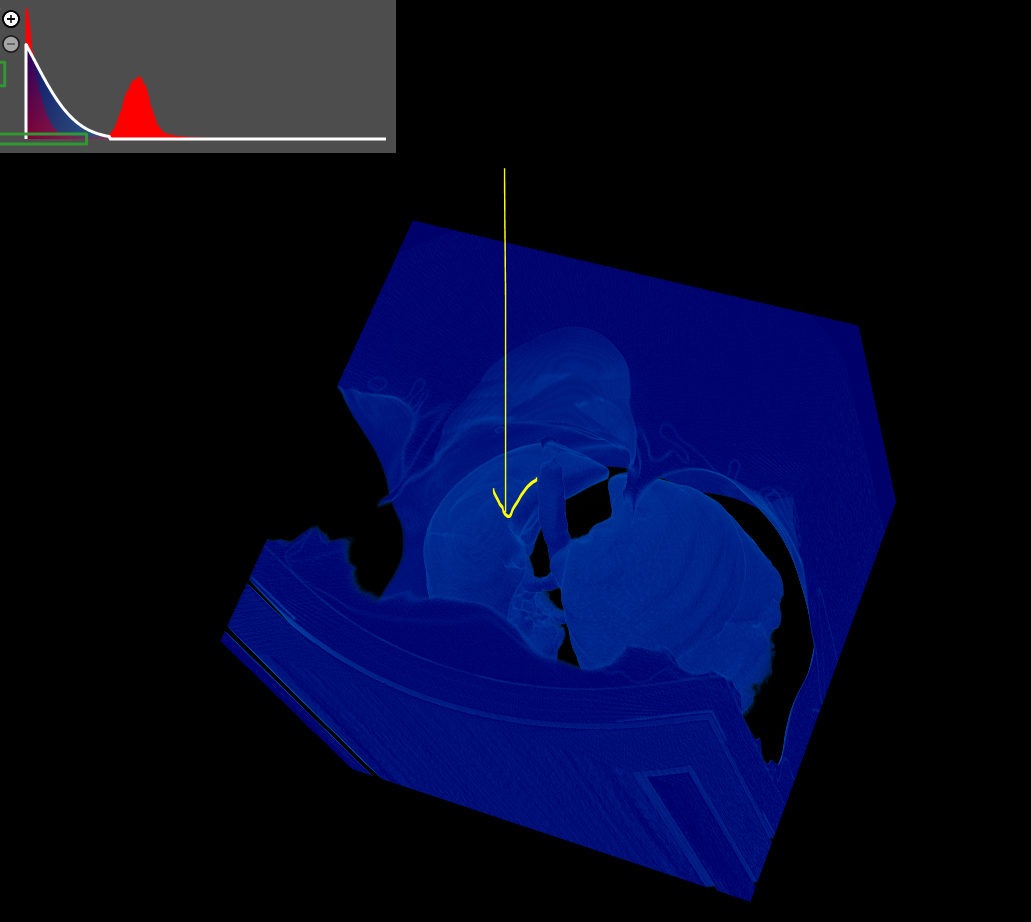
I am looking for a way to preserve the lungs and remove the rest for the pictures below. I can use a guassian filter to make it look like the picture below. I do not know how to look at lungs alone.
I know I can control the guassian filte using PiecewiseFunction and ColorTransferFunction.
Can you help me with this?
 rjsgml5698
All 2 comments
A quick and dirty way, without doing any sort of segmentation, would be to try running your dataset through an image crop filter (example shown here). That may or may not get rid of everything you don't want though, but it should be an easy start
 llangholz89
on 7 May 2019
llangholz89
on 7 May 2019
@llangholz89
Thanks for the answer. I got a good idea.
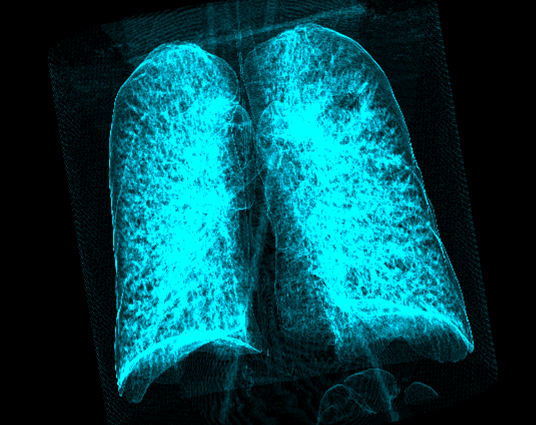
Can I give transparency to only one part of the yellow mark? (I want to make the lung more visible)
There is a way I already know.
I make a dicom image as a binary file that consists of 1 (desired part) and 0 (not necessary part).
Give transparency and color value using piecewise function and colortransferfunction.
Is this the only way?
I want to be like this:
Thank you!!
rjsgml5698
on 8 May 2019
Related issues
 truongleit
·
6Comments
truongleit
·
6Comments
 aminechir
·
3Comments
aminechir
·
3Comments
 doczoidberg
·
5Comments
doczoidberg
·
5Comments
 mix3d
·
7Comments
rjsgml5698
·
4Comments
mix3d
·
7Comments
rjsgml5698
·
4Comments
Most helpful comment
A quick and dirty way, without doing any sort of segmentation, would be to try running your dataset through an image crop filter (example shown here). That may or may not get rid of everything you don't want though, but it should be an easy start