Vtk-js: when I use InteractorStyleMPRSlice, how to set the windowLevel and windowCenter?
I used the InteractorStyleMPRSlice class,but the image is not one I like, I want to set the win
dowLevel and windowCenter to change the color,but I don't know how to do it. can somenoe help me?
 zhirui1994
All 5 comments
You should have a vtkImageSlice object which holds a vtkImageProperty object, on which you'll want to call colorWindow (window width really) and colorLevel (window level).
 agirault
on 22 Apr 2019
agirault
on 22 Apr 2019
Sicne InteractorStyleMPRSlice renders a volume as a thin slab, you'll need to modify the vtkVolumeProperty (you can get this via vtkVolume.getProperty()). Since there is no window width/level property on volumes, you can get the same by setting the color transfer function mapping range. Below is some quick code on how to do this:
window = 255;
level = 127;

mappingRangeLower = level - window / 2.0;
mappingRangeUpper = level + window / 2.0;

volumeActor.getProperty().getRGBTransferFunction(0).setMappingRange(mappingRangeLower, mappingRangeUpper);
 floryst
on 22 Apr 2019
floryst
on 22 Apr 2019
@agirault @floryst Thanks very much!It's helped me.
zhirui1994
on 23 Apr 2019
Please tell me what I'm doing wrong?
I get data through cornerstone by images, by values, and rendering through it looks very correct, but when transferring images to vtk, setting values using codes 0028,1050 and 0028,1051, the picture drawn by vtk is drawn brightly.
"vtk.js": "^8.14.0"
For setting windowLevel I am using code:
        const window = 400; // cornerstone image.windowWidth = 400
        const center = 40; // cornerstone image.windowCenter = 40

        const mappingRangeLower = center - window / 2;
        const mappingRangeUpper = center + window / 2;

        volumeActor.getProperty()
          .getRGBTransferFunction(0)
          .setMappingRange(mappingRangeLower, mappingRangeUpper);
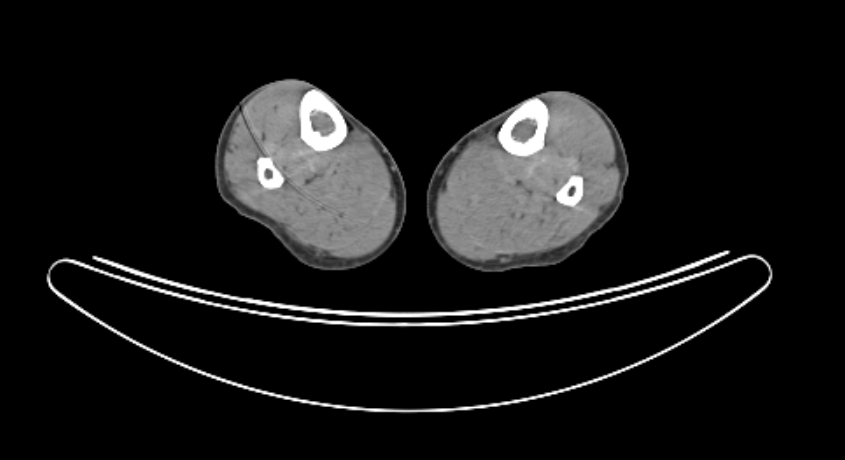
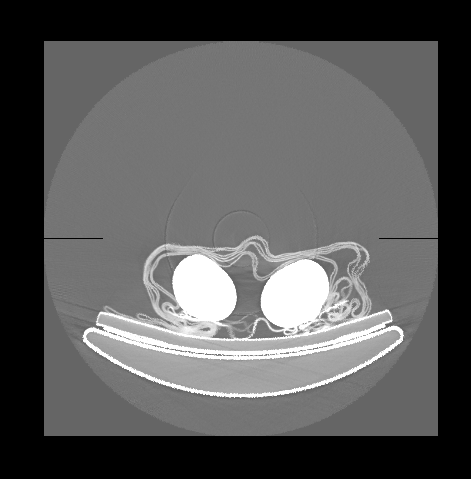
Updated vtk to version 14.5.0, graininess disappeared, but the problem with overlighting remained.
 GreyFoxRU
on 11 Jun 2020
GreyFoxRU
on 11 Jun 2020
@GreyFoxRU: maybe you should try convert image pixel value to CT value: 'Hu = pixel * slope + intercept', slop and interceptcan can get from dicom tag.
 neroooren
on 8 Sep 2020
neroooren
on 8 Sep 2020
Related issues
 aylward
·
4Comments
aylward
·
4Comments
 BotellaA
·
3Comments
BotellaA
·
3Comments
 rjsgml5698
·
4Comments
rjsgml5698
·
4Comments
 xavArtley
·
4Comments
rjsgml5698
·
4Comments
xavArtley
·
4Comments
rjsgml5698
·
4Comments
Most helpful comment
@agirault @floryst Thanks very much!It's helped me.