Vscode: Switch group command not working as expected
Issue Type: Bug
When having Python interactive window open and try to switch to that group (normally with Cmd + 2), the cursor will disappear instead of going to the "command line" (the space to write commands). Then when trying to go back to editor with Cmd + 1, this won't work again so I need to use the mouse to click where I want to go. This is happening since the last update. It's important to mention that this problem is exclusive for Python Interactive. When using editors, it works fine.
VS Code version: Code 1.45.1 (5763d909d5f12fe19f215cbfdd29a91c0fa9208a, 2020-05-14T08:33:47.663Z)
OS version: Darwin x64 19.4.0
System Info
|Item|Value|
|---|---|
|CPUs|Intel(R) Core(TM) i5-5257U CPU @ 2.70GHz (4 x 2700)|
|GPU Status|2d_canvas: enabled
flash_3d: enabled
flash_stage3d: enabled
flash_stage3d_baseline: enabled
gpu_compositing: enabled
metal: disabled_off
multiple_raster_threads: enabled_on
oop_rasterization: disabled_off
protected_video_decode: unavailable_off
rasterization: enabled
skia_renderer: disabled_off_ok
video_decode: enabled
viz_display_compositor: enabled_on
viz_hit_test_surface_layer: disabled_off_ok
webgl: enabled
webgl2: enabled|
|Load (avg)|1, 2, 2|
|Memory (System)|8.00GB (1.19GB free)|
|Process Argv|.|
|Screen Reader|no|
|VM|0%|
Extensions (2)
Extension|Author (truncated)|Version
---|---|---
python|ms-|2020.5.78807
vim|vsc|1.14.3
 antonioriverov
All 18 comments
Sounds like a webview issue to me. Maybe caused by extension, not sure.
 bpasero
on 18 May 2020
bpasero
on 18 May 2020
I'm not sure. I disabled the extensions but this kept happening. I had to go back to version 1.44.2 for it to work again.
antonioriverov
on 24 May 2020
Hi @mjbvz 👋 I work on the Python extension data science team. We've had multiple users report this issue on our repo: #11808 and #12088.
This bug does not manifest with 1.44.2 and the latest release of our Python extension (2020.5.80290). In ^1.45, it appears that our webview within the panel doesn't receive focus when the user switches to a group containing it using the Ctrl+1/2 keyboard shortcut. Specifically, focus fires when the user directly clicks on the webview, but not with the keyboard shortcuts.
Would you happen to have an idea of when / how this can be fixed, and any workarounds we can use in the interim to ensure our webview receives focus with keyboard shortcuts?
 joyceerhl
on 2 Jun 2020
joyceerhl
on 2 Jun 2020
@joyceerhl Are any other keyboard shortcut not working?
 mjbvz
on 2 Jun 2020
mjbvz
on 2 Jun 2020
I've only been testing switching groups since that's what users reported an issue with, so just Ctrl+1/2/3 etc. Sorry if my original comment was ambiguous!
joyceerhl
on 2 Jun 2020
This is a lower priority issue since those keyboard short cuts are not super heavily used.
It sounds like the core of https://github.com/microsoft/vscode-python/issues/11808 is that focus is not restored once the interactive window is refocused. I can repo this just by clicking away from the python interactive window and then clicking on the interactive window tab. I believe that needs to be fixed in the interactive window's implementation
mjbvz
on 3 Jun 2020
Just to be sure I understand—you're recommending that when the webview panel is focused, we should also explicitly focus the webview? Could you point me to docs for managing focus changes for webview panels? As far as we know, we don't have sufficient information to determine when to correctly give focus to ourselves without stealing focus when we shouldn't (the active state on the webview panel is not accurate).
joyceerhl
on 3 Jun 2020
This is up to your extension. When a webview tab is focused, VS Code focused the webview element but it does not restore focus to any previously focused element within that webview
In your webview, you can just use:
window.addEventListener('focus', () => { });
window.addEventListener('blur', () => { });
to detect when focus is gained or lost
mjbvz
on 3 Jun 2020
Will give that a try. Thank you!
joyceerhl
on 3 Jun 2020
Hi @mjbvz, I added listeners for focus and blur events on the window itself, and forced a focus on the input box when window receives focus. This did not resolve the issue.
Based on logging in the window focus / blur callbacks, it appears that if I select, unselect, then reselect the interactive window using keyboard shortcuts, on reselect, the webview window gets focus immediately followed by blur, which is what results in the interactive window becoming unresponsive. This still manifests after stripping out all the places in our codebase where we manually focus elements. We do not get the extra blur event if we click directly on the panel tab.
For this reason I think this bug is a result of a change in keyboard shortcut handling, and listening for focus / blur on the window is insufficient, since we're getting an extra blur external to our code. Would you be able to suggest any workarounds we can implement while the keyboard shortcut issue is being resolved?
joyceerhl
on 4 Jun 2020
@joyceerhl I see that a focus event is always fired last:
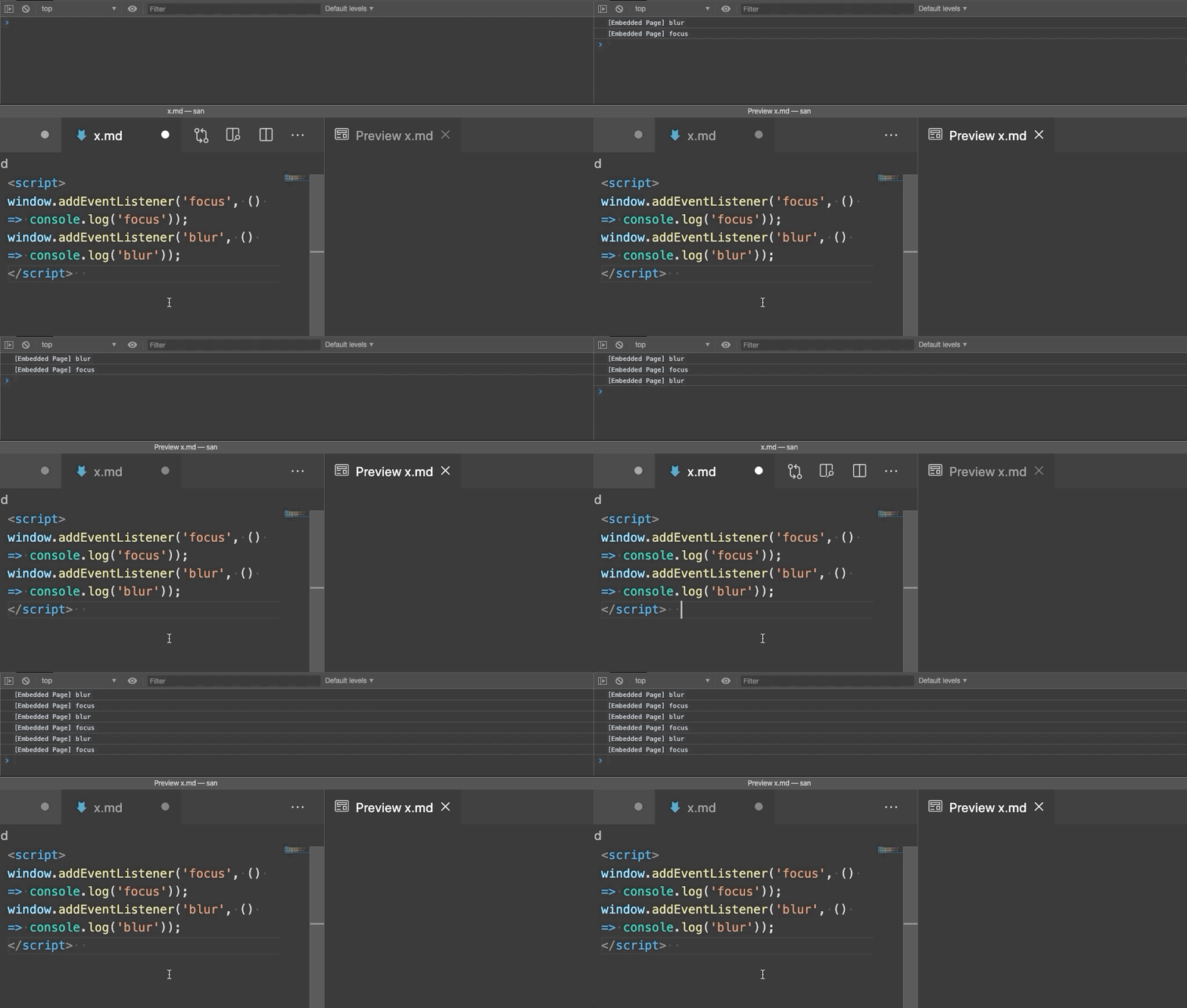
It looks like there is an extra blur in between but the focus remains the last callback
mjbvz
on 4 Jun 2020
focus is not restored once the interactive window is refocused. I can repo this just by clicking away from the python interactive window and then clicking on the interactive window tab.
I can repro this behavior with the standard Cat Coding demo extension. Clicking on the tab for the webview results in a blur being the last callback, so focus gets trapped in the webview, after which I'm unable to navigate away using keyboard shortcuts.
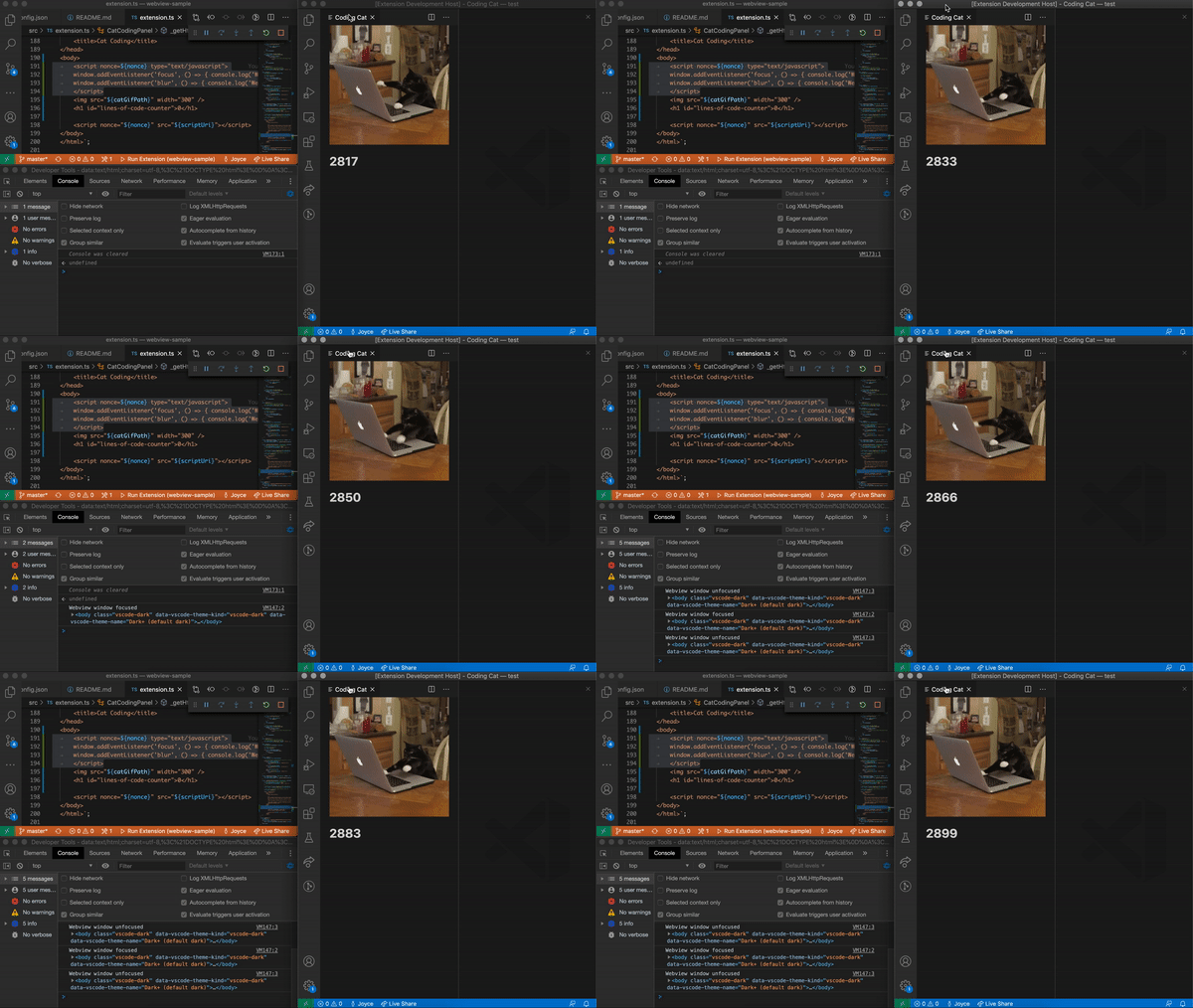
Additionally, when I modify the Cat Coding demo extension to render a text input and force focus onto the input when the window receives focus, focus also gets lost just by clicking on the tab. The following gif demonstrates this twice:
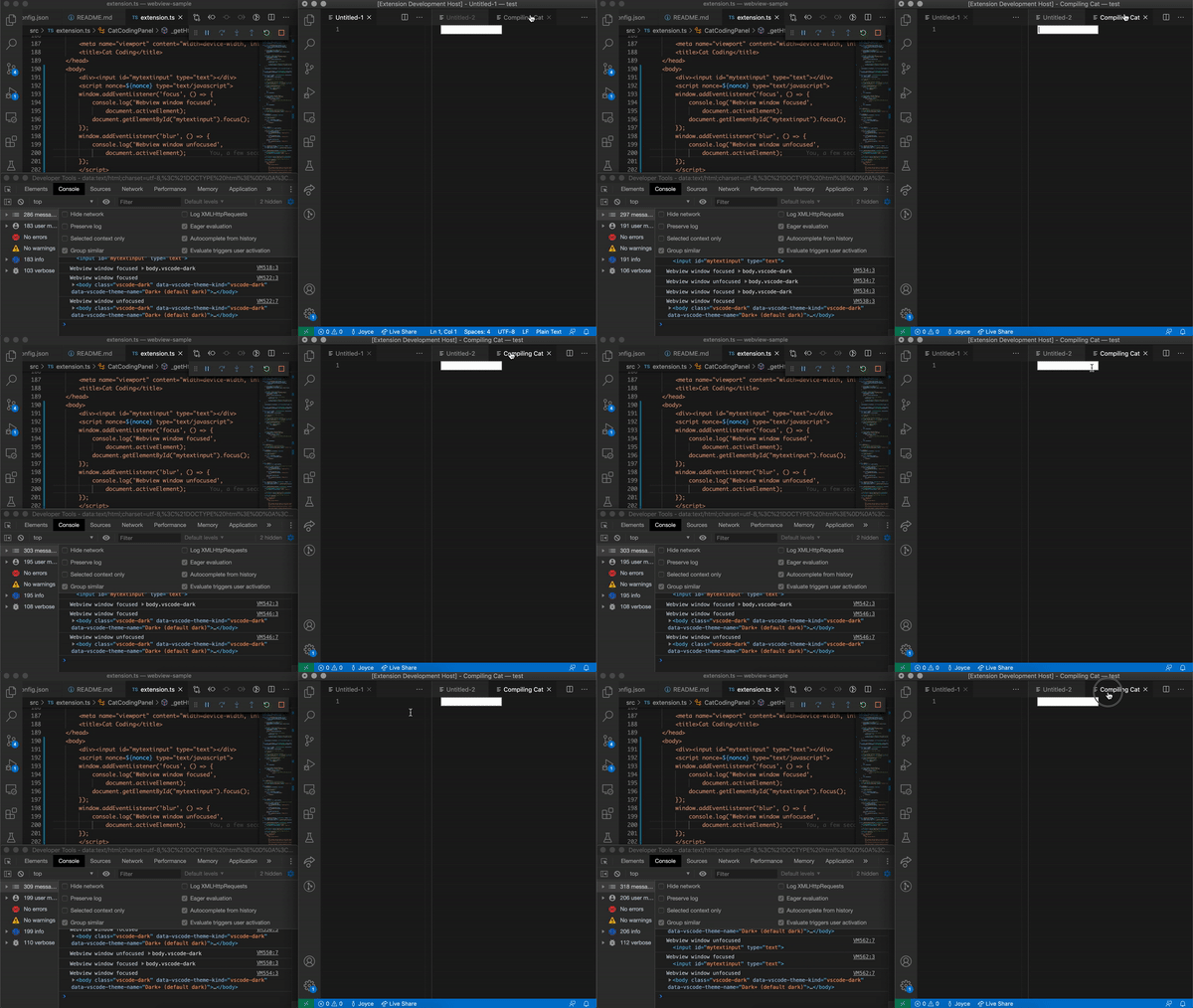
It's possible that the tab clicking causing the webview to lose focus is a separate bug entirely. But if I use keyboard shortcuts to focus the webview (again using the Cat Coding demo with a text input that is manually focused when the window receives focus), I consistently repro the shortcuts getting stuck after switching groups enough times:
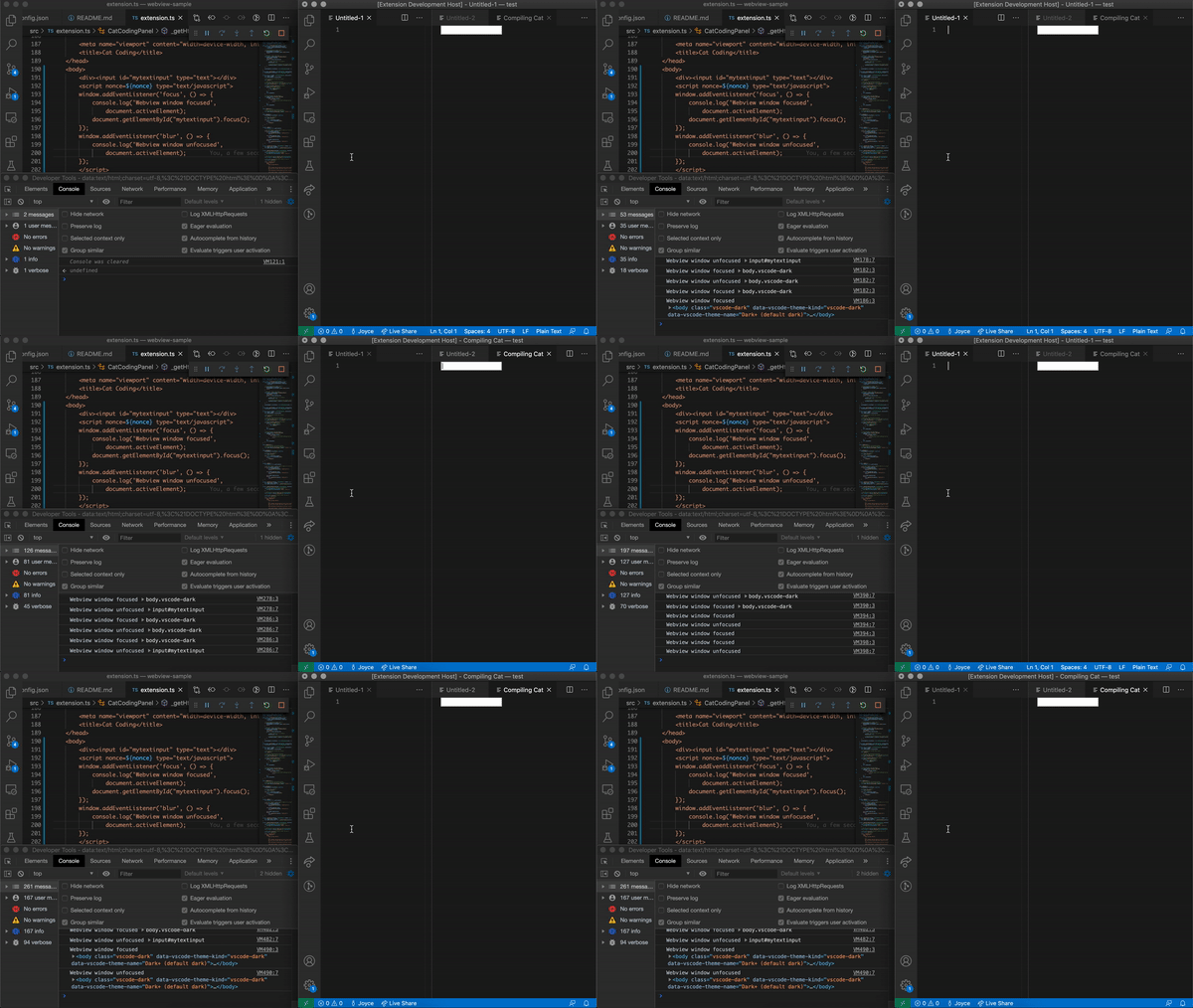
Here's the modified extension code, I just modified the HTML returned in _getHtmlForWebview.
Are any other keyboard shortcut not working?
Also, once focus is lost, no keyboard commands work, as noted in microsoft/vscode-python#12150.
joyceerhl
on 5 Jun 2020
This behavior affects accessibility. Is there a different keyboard-only combination that can enable the user to switch groups and set focus as the original user desires? If not, then I think the priority of this bug warrants a closer look.
 greazer
on 5 Jun 2020
greazer
on 5 Jun 2020
Hi, just following up. Is there any fix to this yet? Thank you for looking into this.
antonioriverov
on 16 Jun 2020
Hey @mjbvz, we're getting more users reporting issues with the switch group command with our interactive window and Jupyter notebook viewer. I see that there's a 'help wanted' label on this--I'd be happy to work with you to submit a fix!
joyceerhl
on 25 Jun 2020
Here's the place where we try rebroadcasting keypresses from webviews: https://github.com/microsoft/vscode/blob/49f35453c456dd7189578895d81868e66ee3aab9/src/vs/workbench/contrib/webview/browser/baseWebviewElement.ts#L155
Try looking into why these keypresses are either not rebroadcast or why they are not handled properly as VS Code commands
mjbvz
on 26 Jun 2020
Hi there, are there any updates, it's been silent here for 4 months? It totally breaks the Python extension workflow for me (and many others). Python is one of the main extensions and MS supported so it'd be fab if you could reconsider priority of this bug.
 corneliusroemer
on 26 Oct 2020
corneliusroemer
on 26 Oct 2020
Just wanted to add that I also find this issue to be a major barrier to effectively using the Python interactive extension. It would be great if this could be prioritized higher.
 nayefahmad
on 29 Oct 2020
nayefahmad
on 29 Oct 2020
Related issues
 Perkovec
·
191Comments
Perkovec
·
191Comments
 jez9999
·
234Comments
jez9999
·
234Comments
 jsftw86
·
361Comments
jsftw86
·
361Comments
 Tyriar
·
200Comments
Tyriar
·
200Comments
 ghost
·
234Comments
ghost
·
234Comments
Most helpful comment
This behavior affects accessibility. Is there a different keyboard-only combination that can enable the user to switch groups and set focus as the original user desires? If not, then I think the priority of this bug warrants a closer look.