Vscode: macOS: switch dark/light theme when system theme changes
What about add function to set light and dark themes and switch them on system theme changes?
Like in IINA
When system theme changes, then changes theme in app.

 sergeysova
All 13 comments
(Experimental duplicate detection)
Thanks for submitting this issue. Please also check if it is already covered by an existing one, like:
- Installed theme only available in one window (#35585)
- [themes] Foregound Color on Modals and Popups not respecting newly selected theme (#58216)
- Separate workbench theme and syntax theme (#25986)
- [themes] Add a "Recently Used" section at the top of the color themes menu (#54597)
- Different themes per window instance (#44268)
![vscodebot[bot] picture](https://avatars2.githubusercontent.com/in/2406?v=4&s=40) vscodebot[bot]
on 24 Sep 2018
sergeysova
on 25 Sep 2018
vscodebot[bot]
on 24 Sep 2018
sergeysova
on 25 Sep 2018
For anyone that doesn't want to wait, I made a little extension that does this for you:
https://marketplace.visualstudio.com/items?itemName=LinusU.auto-dark-mode
You can set the dark and light mode in the settings:

Hope this helps someone!
 LinusU
on 21 Nov 2018
LinusU
on 21 Nov 2018
Someone can confirm but I think this was in the last release?
 Lapsusone
on 21 Nov 2018
Lapsusone
on 21 Nov 2018
@Lapsusone I think that the only thing that was in the last release was that the window borders and system dialogues will now follow the system dark theme settings. It still doesn't have a mechanism for automatically switching the editor theme...
LinusU
on 21 Nov 2018
@LinusU, thanks for extension, it works!
 samplenull
on 25 Jan 2019
samplenull
on 25 Jan 2019
@LinusU So thank you!
sergeysova
on 25 Jan 2019
@bpasero what about add built in support of that feature?
sergeysova
on 25 Jan 2019
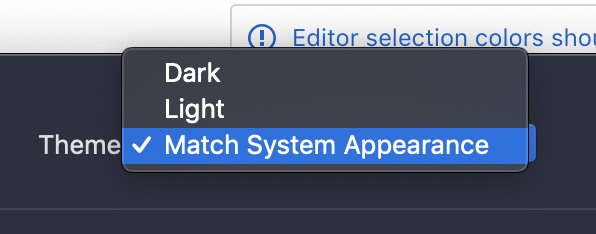
I would also like this, but I can see this getting complicated with themes that provide multiple light/dark themes. Here is what GitHub Desktop does this:

 misolori
on 11 Mar 2019
misolori
on 11 Mar 2019
I'd love to see this built-in. I've been using @LinusU's extension (https://marketplace.visualstudio.com/itemdetails?itemName=LinusU.auto-dark-mode) which works well most of the time but sometimes does not pick up the change.
Anyhow, I think it makes sense for this to be in the core.
 jerguslejko
on 11 Apr 2019
jerguslejko
on 11 Apr 2019
As I wasn't completely satisfied with @LinusU's extension, there's now another extension for this task:
ThemeSwitch on VS Code Marketplace
It is customizable and can therefore switch between more than 2 themes. You can choose any time of day and combine that time with the theme you prefer at that time.
 rapgru
on 20 May 2019
rapgru
on 20 May 2019
 bpasero
on 10 Oct 2019
bpasero
on 10 Oct 2019
Thanks for creating this issue! We figured it's covering the same as another one we already have. Thus, we closed this one as a duplicate. You can search for existing issues here. See also our issue reporting guidelines.
Happy Coding!
vscodebot[bot]
on 10 Oct 2019
Related issues
 Tyriar
·
200Comments
Tyriar
·
200Comments
 jsftw86
·
361Comments
jsftw86
·
361Comments
 Tekbr
·
191Comments
Tyriar
·
187Comments
Tekbr
·
191Comments
Tyriar
·
187Comments
 TurkeyMan
·
411Comments
TurkeyMan
·
411Comments
Most helpful comment
For anyone that doesn't want to wait, I made a little extension that does this for you:
https://marketplace.visualstudio.com/items?itemName=LinusU.auto-dark-mode
You can set the dark and light mode in the settings:
Hope this helps someone!