General issues: #35683 , #35783
APP (Desktop, taskbar, start or context menu issues):
[x] Pinning vscode to the taksbar changes it's colour from orange to blue 1.17 #35663
[x] Open with code in context menu still old icon #35747
[x] cmz and insiders have similar icon. https://github.com/Microsoft/vscode/issues/35683#issuecomment-334757991 (stable and insiders are two different colors)
[x] Providing different icon for the TouchBar #35641 (this isn't a logo/icon issue)
[x] Icon did not update in Windows search bar #33685 (caching problem)
[x] The lack of visual distinctness with Sublime is not great. As noted on https://github.com/Microsoft/vscode/issues/6607#issuecomment-334792687. ... https://github.com/Microsoft/vscode/issues/35683#issuecomment-334831978 (we're changing the icon from orange to blue, this should make it distinct again)
[x] Stable should be green, Insiders orange (swap the icon color?) #35674 (we will keep Insiders green and make Stable blue. this is how it was prior to the new icon design)
[x] inability to distinguish between stable and insiders https://github.com/Microsoft/vscode/issues/35672 (this should be much better with green and blue)
[ ] New macOS icon is too small (tracking here: https://github.com/Microsoft/vscode/issues/36692)
[ ] Allow to change Visual Studio Code icon #26839
[x] Missing Task Bar Icon #34106 (cache problem)
[ ] It is difficult to distinguish VSCode icon on Linux Mint task bar. https://github.com/Microsoft/vscode/issues/35683#issuecomment-334994102 (blue should help here, but keeping open for now to verify)
[x] If vscode is notified in the windows task bar, it looks strange because the colors are similar. https://github.com/Microsoft/vscode/issues/35783#issuecomment-335351345 (related to the fact that the icon on windows is of a single color. This is a limitation of the guidelines, which we are working to fix, so that we can then fix the icon)
[x] new icon blends on an orange background (transparent parts of icon cause it). #36657 (this is a limitation of the single color requirement. we need to change the branding guidelines and then we can fix the icon for this case.)
Installer:
- [x] Installer Icon on Windows #33603 (upstream (Inno Setup) issue, nothing we can do on our side, same problem existed with previous icon)
Files (associated with vscode, icons in "lists" (in settings / controll panel etc.)):
- [x] Files associated with VSCode had old icon of VSCode https://github.com/Microsoft/vscode/issues/35683#issuecomment-334734135 (this is a caching issue, probably not an issue now.)
Website:
- [x] [website] favicon is not updated #35708
 Mlocik97-issues
All 15 comments
That's a quite useful list for the team! :)
 jens1o
on 6 Oct 2017
jens1o
on 6 Oct 2017
-- Sorry for the English, I used Google Translator --
@Mlocik97-issues I think you can relate this question ( #33685 ) as well. No?
 Tekbr
on 9 Oct 2017
Tekbr
on 9 Oct 2017
Yes, this is a helpful issue. I'm editing the checklist above putting comments in parens. There are more issues about the icon open, but for this specific issue, it distills down to these three:
- Lack of distinction between VS Code and Sublime
- Stable/Insiders colors
- Size (as a result of the shape) of icon on Mac is too small
 chrisdias
on 19 Oct 2017
chrisdias
on 19 Oct 2017
We're changing the orange to blue, you can read more here: https://code.visualstudio.com/blogs/2017/10/24/theicon
chrisdias
on 24 Oct 2017
Nooooooooooooo @chrisdias :(
I LOVED IT. Let's make a petition of introducing a setting for controlling the icon. 😋
jens1o
on 24 Oct 2017
@chrisdias Could we not have yet another blue icon. I think Microsoft doesn't need every icon to be blue or some derivative of blue. There's what, Access (red) and Powerpoint (orange). Everything else is either blue, purple, or green.
 CSpellmanKrieg
on 25 Oct 2017
CSpellmanKrieg
on 25 Oct 2017
@chrisdias: please keep the orange icon for VS Code, this way it is visually distinct from Visual Studio icon. When both icons are blue or violet with similar shape, they are very confusing if both programs are installed on the same machine, and even more so if both are used at the same time.
 Azarien
on 26 Oct 2017
Azarien
on 26 Oct 2017
For me VS orange-stripes logo is confusing with SublimeText logo ((

 zaharcelac
on 26 Oct 2017
zaharcelac
on 26 Oct 2017
I was quite pleased with the introduction of the tilted icon on macOS builds, as it feels like it better adheres to the Human Interface Guidelines for application icons on macOS. You can see the section about "Perspective and Textures" mentions the tilt.
https://developer.apple.com/macos/human-interface-guidelines/icons-and-images/app-icon/
You can see it looks quite consistent in the example below. I hope you will consider keeping the tilt.
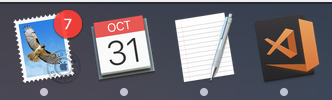
The only issue I have is there isn't as much contrast when the Dock is set to dark mode, but it's only a minor complaint.
 Rylon
on 31 Oct 2017
Rylon
on 31 Oct 2017
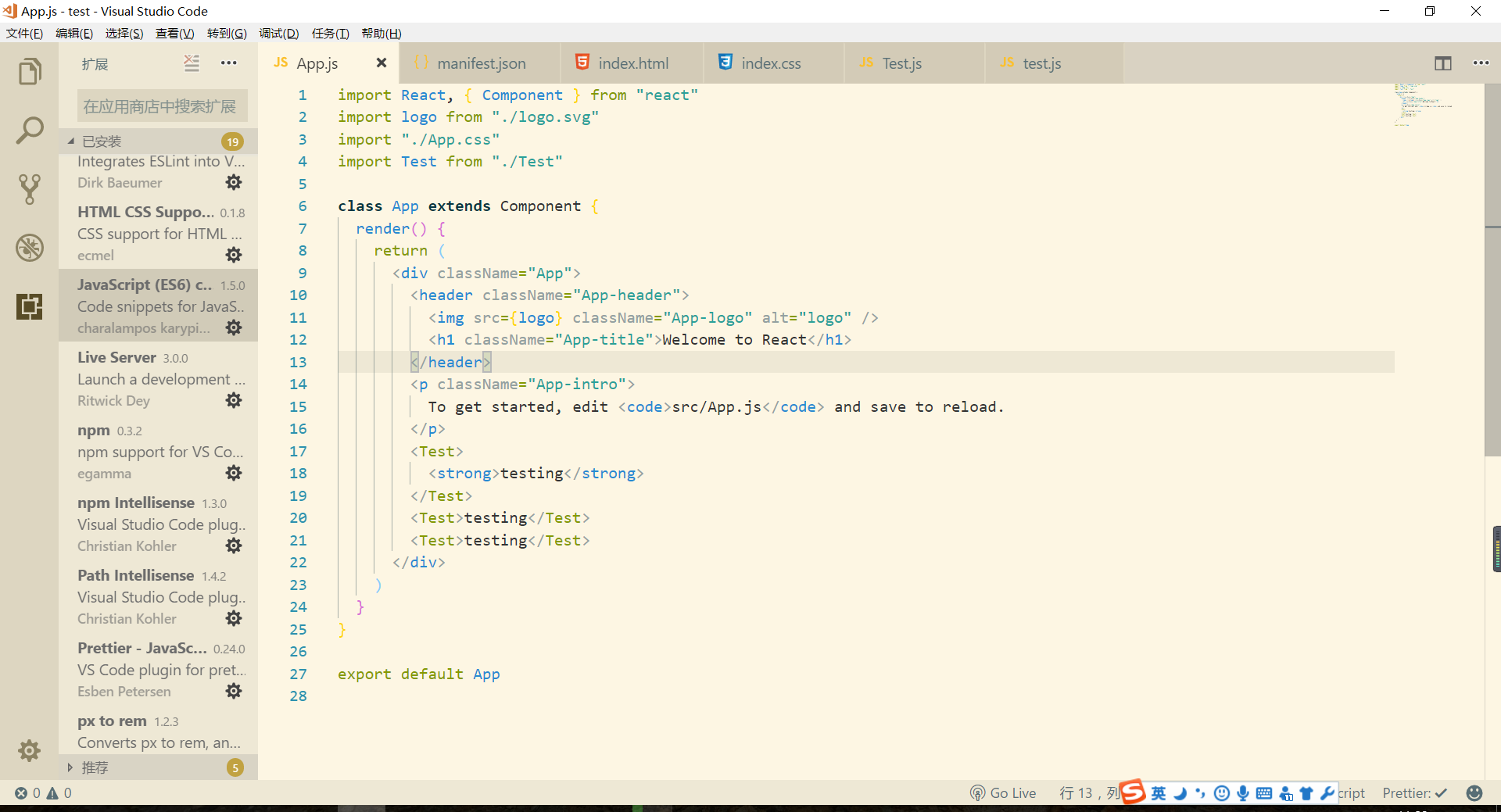
Ah, the new logo works well with my theme though, anyway, the logo color doesn't really matter for me, thx for your contribution
 wenfangdu
on 2 Nov 2017
wenfangdu
on 2 Nov 2017
biggest comment I have on the new icons (including oct release) is that it is so hard to spot or make out of a crowded taskbar.
The old one stood out, and was easy to spot and go for
 glynd
on 9 Nov 2017
glynd
on 9 Nov 2017
The blue icon is a bit problematic on windows when it is asking what program you want to open a file with. The background color is the same blue as the logo

 joar28
on 13 Nov 2017
joar28
on 13 Nov 2017
Is there any way to get the Windows icon on Ubuntu instead of the macOS one? The tilted icon looks great on macOS but clashes with everything else on Ubuntu and is too dark and detailed to work at smaller dock sizes, especially when using a dark theme (like the Ubuntu default). This has been the case for the Unity desktop before and is still the case with the new Gnome desktop in 17.10.
 pluma
on 13 Nov 2017
pluma
on 13 Nov 2017
I'm guessing a poll on blue or orange is out of the question?
🔸 😉
 martinRibotDeBressac
on 14 Nov 2017
martinRibotDeBressac
on 14 Nov 2017
First, this is my first time commenting on github, so I apologize if I screw this up.
Second, I love Visual Studio Code, recommend it to everyone, and has become my default text/code editor on all platforms (Window, Ubuntu, and OSX). It has made my life so much easier to have a non-java based, cross platform, seamless user experience, across all platforms. This allows me to navigate clients through administering P.O.S. application config changes.
Now the Issue, I will agree with everyone above I didn’t like the orange. Not because it was a change, but because it stands out almost as an eye sore (the neighbor bringing down everyone’s property values). Then with the new blue it is basically invisible on the Windows 7 Taskbar with the default Aero Theme and Background. I haven’t checked Windows 8 yet (I’m sorry I refuse to use Windows 10 until Microsoft figures out what they are doing with the Windows Embedded Platform). Most of the custom applications I deploy I can configure the Icon that is to be displayed with that application prior to build. I can either build it into the EXE or point it to a location. I haven’t looked at the source of Code to see how this is handled, but it could be dynamic setting within the application with a couple of options that would be fine. It might be simpler to point it to a file that could be changed for the desired color. I know it sounds lazy but when I deploy this application on hundreds of systems, I avoid altering Windows as much as possible from the default, it also helps people from irrationally thinking the system is somehow not the same windows they are used to using.
I have attached some screen shots.
Windows 7 Taskbar with the default Aero Theme and Background

Windows 7 Taskbar with the default Aero Theme and different Background

To help understand what I am talking about.
https://social.msdn.microsoft.com/Forums/vstudio/en-US/9e23a82c-8bed-4b96-8b9a-4c2b6136a622/changing-the-icon-of-exe-files-programatically?forum=csharpgeneral
https://msdn.microsoft.com/en-us/library/339stzf7.aspx
 bstockman25
on 16 Nov 2017
bstockman25
on 16 Nov 2017
Related issues
Tekbr
·
191Comments
 ozsay
·
247Comments
ozsay
·
247Comments
 TurkeyMan
·
411Comments
TurkeyMan
·
411Comments
 filfat
·
246Comments
filfat
·
246Comments
 fabiopicchi
·
192Comments
fabiopicchi
·
192Comments
Most helpful comment
We're changing the orange to blue, you can read more here: https://code.visualstudio.com/blogs/2017/10/24/theicon