Vscode-yaml: DeprecationWarning for Unhandled promise rejections
"Yaml Support" log shows this error:
[Error - 6:11:37 PM] (node:2616) [DEP0018] DeprecationWarning: Unhandled promise rejections are deprecated. In the future, promise rejections that are not handled will terminate the Node.js process with a non-zero exit code
and a lot of errors like this:
[Error - 6:11:37 PM] (node:2616) UnhandledPromiseRejectionWarning: Unhandled promise rejection (rejection id: 4): #<Object>
redhat.vscode-yaml v0.0.17
Window 10 v1809 x64
Version: 1.28.0
Commit: 431ef9da3cf88a7e164f9d33bf62695e07c6c2a9
Date: 2018-10-05T14:58:53.203Z
Electron: 2.0.9
Chrome: 61.0.3163.100
Node.js: 8.9.3
V8: 6.1.534.41
Architecture: x64
 lashchev
All 19 comments
Is there any specific action that makes the log show up?
 JPinkney
on 9 Oct 2018
JPinkney
on 9 Oct 2018
The following triggers the errors:
- Opening YAML file (that has schema errors) - leads to error 2 following by error 1 and error 2 again.
- Changing
yaml.schemasleads to error 2 in the logs
Changing YAML or schema doesn't produce the errors.
lashchev
on 9 Oct 2018
I got these errors too
 imroc
on 17 Oct 2018
imroc
on 17 Oct 2018
I get these errors once the extension, regardless of whether or not the file is valid Yaml.
 MitBit01
on 19 Oct 2018
MitBit01
on 19 Oct 2018
I get the same error multiple time
 celsoandrade
on 22 Oct 2018
celsoandrade
on 22 Oct 2018
I'm getting the same error, regardless of whether or not the file is valid or not.
It only happens when opening a YAML file, the first one.
My vscode version is 1.29, and running on MacOS Mojave
If there's any other information needed to pinpoint the issue, let me know.
 adelwin
on 7 Dec 2018
adelwin
on 7 Dec 2018
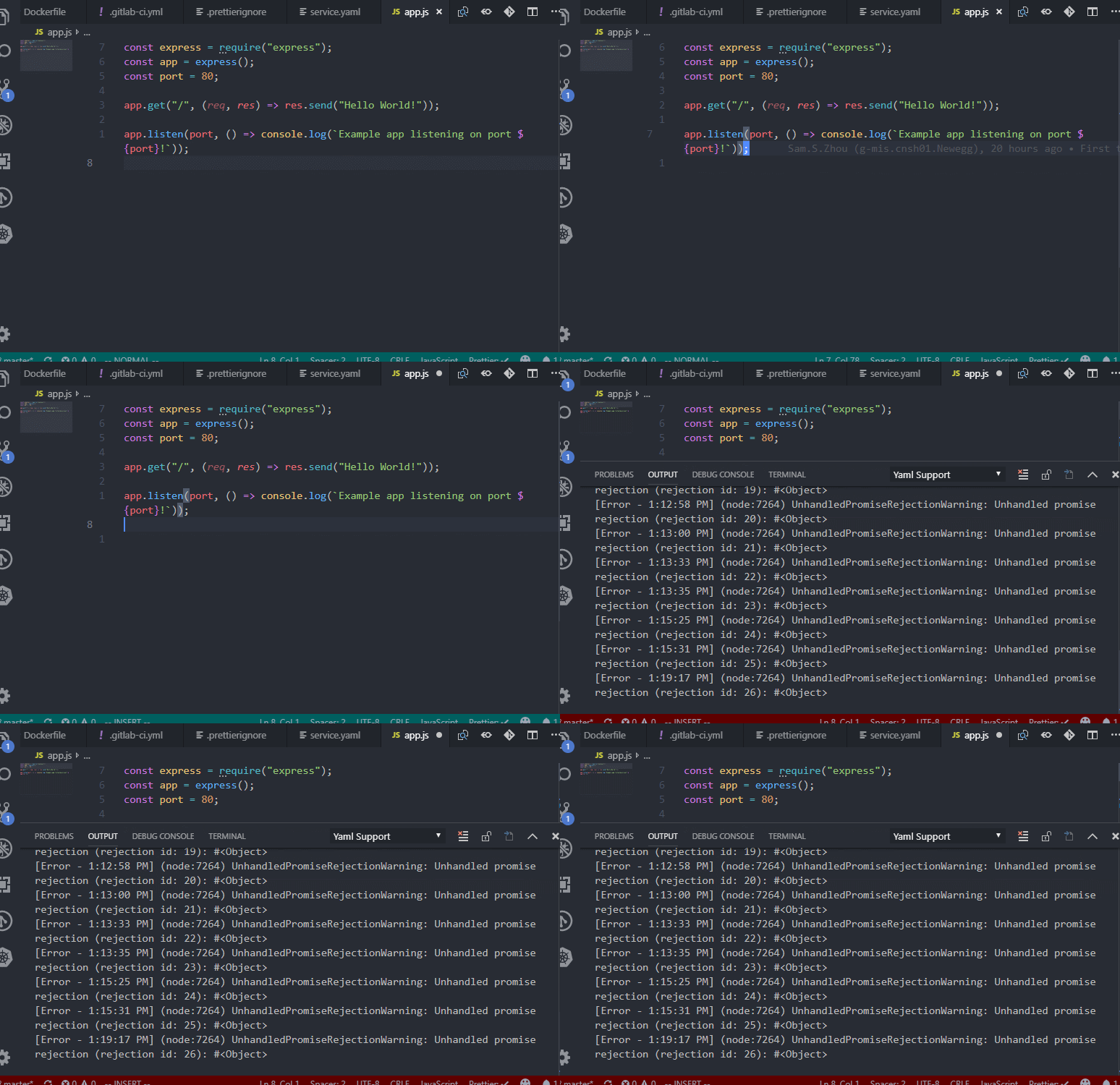
The error pops up whenever I try to edit a file, regardless of file type.
 Shenmin-Z
on 26 Dec 2018
Shenmin-Z
on 26 Dec 2018
Do you have something like autoformat or something like that on? I'm having a hard time finding the issue because I cannot reproduce
JPinkney
on 26 Dec 2018
I disabled the Vim plugin, and it no longer pops up.
Both plugins have plenty users, I shouldn't be the first one to encounter this... I did some customization to the vim plugin though, not sure if related...
Shenmin-Z
on 28 Dec 2018
I don't have vim plugin installed tho.
Maybe do you know what are the customization of your Vim plugin?
adelwin
on 15 Jan 2019
vim plugin specific:
{
  "vim.hlsearch": true,
  "vim.leader": "<space>",
  "vim.normalModeKeyBindingsNonRecursive": [
    {
      "before": ["leader", "w"],
      "commands": [
        {
          "args": [],
          "command": "workbench.action.files.save"
        }
      ]
    }
  ],
  "vim.useSystemClipboard": true,
  "vim.statusBarColorControl": true,
}
full settings:
{
  "editor.codeLens": false,
  "editor.lineNumbers": "relative",
  "editor.minimap.enabled": true,
  "editor.minimap.showSlider": "always",
  "editor.minimap.side": "left",
  "editor.tabSize": 2,
  "editor.wordWrap": "on",
  "emmet.triggerExpansionOnTab": true,
  "explorer.openEditors.visible": 0,
  "git.enableSmartCommit": true,
  "terminal.integrated.shell.windows": "C:\\Program Files\\Git\\bin\\bash.exe",
  "vim.hlsearch": true,
  "vim.leader": "<space>",
  "vim.normalModeKeyBindingsNonRecursive": [
    {
      "before": ["leader", "w"],
      "commands": [
        {
          "args": [],
          "command": "workbench.action.files.save"
        }
      ]
    }
  ],
  "vim.useSystemClipboard": true,
  "window.title": "${dirty}${activeEditorShort}${separator}${activeEditorMedium}",
  "workbench.colorTheme": "One Dark Pro",
  "workbench.startupEditor": "newUntitledFile",
  "explorer.confirmDelete": false,
  "window.titleBarStyle": "custom",
  "typescript.updateImportsOnFileMove.enabled": "never",
  "emmet.showExpandedAbbreviation": "inMarkupAndStylesheetFilesOnly",
  "editor.fontSize": 15,
  "javascript.updateImportsOnFileMove.enabled": "never",
  "vim.statusBarColorControl": true,
  "files.exclude": {
    "**/.git": true,
    "**/.svn": true,
    "**/.hg": true,
    "**/CVS": true,
    "**/.DS_Store": true,
    // "node_modules": true
  },
  "workbench.colorCustomizations": {
    "statusBar.background": "#5f00af",
    "statusBar.noFolderBackground": "#5f00af",
    "statusBar.debuggingBackground": "#5f00af"
  },
  "breadcrumbs.enabled": true,
  "git.autofetch": true,
  "explorer.confirmDragAndDrop": false,
  "javascript.implicitProjectConfig.experimentalDecorators": true,
  "extensions.ignoreRecommendations": true
}
@JPinkney I do have auto-save and auto-format on
lashchev
on 31 Jan 2019
Same issue here. Only other extension is Bash Beautify.
Plugin version 0.3.0
Version: 1.31.1 (user setup)
Commit: 1b8e8302e405050205e69b59abb3559592bb9e60
Date: 2019-02-12T02:20:54.427Z
Electron: 3.1.2
Chrome: 66.0.3359.181
Node.js: 10.2.0
V8: 6.6.346.32
OS: Windows_NT x64 10.0.17134
 pcevela
on 24 Feb 2019
pcevela
on 24 Feb 2019
Thanks everyone for the debugging info! I haven't found the cause yet but all the diagnostics everyone gave should give me a few places to look!
JPinkney
on 7 Mar 2019
+1
 rroblik
on 4 Apr 2019
rroblik
on 4 Apr 2019
If I may, I have the same issue with a french os.
It might not be the issue, but it is an issue with so many tools, that I feel obligated to share ;)
 Groumy
on 11 Jul 2019
Groumy
on 11 Jul 2019
I've seen this happening in an environment where my access to the json schema server is blocked (due to firewall or vpn) and "yaml.schemaStore.enable": true.
I believe the extension is trying to download some schemas from the json schema server automatically and failing.
I was able to use local schemas using the file protocol and "yaml.schemas" variable. In that case the extension worked just fine.
The solution could be as simple as fixing proxy settings or any other connectivity issue.
 kenankule
on 3 Sep 2019
kenankule
on 3 Sep 2019
I believe I was finally able to solve the issue! It was a super simple fix too: https://github.com/redhat-developer/yaml-language-server/pull/183/files. it should be available in the next release
JPinkney
on 11 Sep 2019
@JPinkney sorry, when you say "next release" is exactly which release of vscode?
adelwin
on 24 Sep 2019
Related issues
 miqm
·
4Comments
miqm
·
4Comments
 hppsc1215
·
7Comments
hppsc1215
·
7Comments
 ssbarnea
·
3Comments
ssbarnea
·
3Comments
 riker09
·
5Comments
riker09
·
5Comments
 joshuaavalon
·
4Comments
joshuaavalon
·
4Comments
Most helpful comment
I get these errors once the extension, regardless of whether or not the file is valid Yaml.