Vscode-yaml: vscode auto-completion does not work when using yaml custom tags.
Hello, folks,
i have the problem that the vscode auto-complete no longer works since one of the last updates when i use yaml custom tags. Does anyone have the same problem?
Custom tags in use:
"yaml.customTags": [
    "Same sequence",
    "FindInMap sequence."
    "!GetAtt",
    "!GetAZs",
    "!ImportValue",
    "!Join sequence",
    "!Ref."
    "!Select sequence",
    "Split sequence."
    "!Sub"
],
After disabling the custom tags, auto-complete works as expected.
 hppsc1215
All 7 comments
Hello I have the same problem.
 dvonessen
on 23 Oct 2019
dvonessen
on 23 Oct 2019
Can you provide some more diagnostic info like os, which version of the extension you're running, schema configuration etc?
It looks like your current config is missing a bunch of commas. Once I fix that everything is working as expected:
"yaml.customTags": [
        "Same sequence",
        "FindInMap sequence.",
        "!GetAtt",
        "!GetAZs",
        "!ImportValue",
        "!Join sequence",
        "!Ref.",
        "!Select sequence",
        "Split sequence.",
        "!Sub"
    ]
 JPinkney
on 23 Oct 2019
JPinkney
on 23 Oct 2019
Hello JP, thanks for your answer.
We are using Windows 10 here and the extension version is 0.53.
The yaml suggestions of the used shema also work fine, but when it comes to suggestions of used resources it doesn't show anything at all.
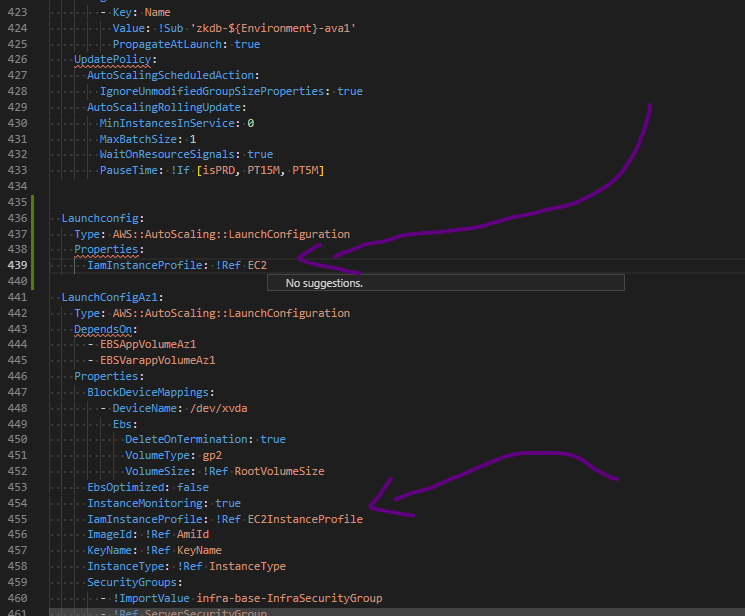
    "yaml.format.enable": true,
    "yaml.trace.server": "verbose",
    "json.schemas": [
        {
            "fileMatch": [
                "*-template.json"
            ],
            "url": "../../cloudformation-shema.json"
        }
    ],
    "yaml.schemas": {
        "../../cloudformation-shema.json": "*.yaml"

    },
    "yaml.customTags": [
        "!Equals sequence",
        "!FindInMap sequence",
        "!GetAtt",
        "!GetAZs",
        "!ImportValue",
        "!Join sequence",
        "!Ref",
        "!Select sequence",
        "!Split sequence",
        "!Sub",
        "!If sequence",
        "!Not sequence",
        "!And",
        "!And sequence",
        "!If",
        "!Not",
        "!Equals",
        "!Or",
        "!Or sequence",
        "!FindInMap",
        "!Base64",
        "!Join",
        "!Cidr",
        "!Sub sequence",
        "!ImportValue sequence",
        "!Select",
        "!Split",
    ],
    "yaml.format.singleQuote": true,
Hi,
I am having exactly the same issue. That happened in version 0.5. Version 0.4.1 was working (if I downgrade the version this works also).
 loicvolle
on 19 Nov 2019
loicvolle
on 19 Nov 2019
Same issue. As soon as you introduce custom tags, quick suggestions breaks.
 et304383
on 19 Nov 2019
et304383
on 19 Nov 2019
I think the issue here is that the vscode quick suggestions (that doesn't come from this extension) doesn't show unless nothing is returned by the yaml auto completion. My guess is that because the yaml auto completion will try to return something when the custom tags property is set, its blocking the vscode quick suggestions
JPinkney
on 19 Feb 2020
Seeing same behavior. Using "yaml.customTags" in your settings will stop VS Code from providing suggestions for anything other than what's in that list.
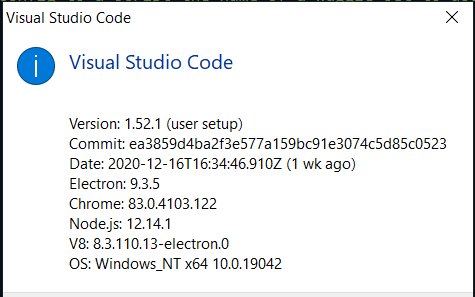
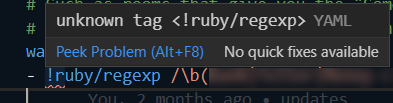
Could the yaml extension instead of _suggesting_ the custom tags, just use the custom tags to avoid flagging them as invalid in the document? That way VS Code still provides the out-of-the-box suggestions?
Without custom tags, then tags that are valid for your use case are still flagged as invalid:
 douglascayers
on 23 Dec 2020
douglascayers
on 23 Dec 2020
Related issues
 rylnd
·
3Comments
rylnd
·
3Comments
 kace91
·
7Comments
kace91
·
7Comments
 teresaejunior
·
4Comments
teresaejunior
·
4Comments
 nicholas-devlin
·
4Comments
nicholas-devlin
·
4Comments
 ssbarnea
·
3Comments
ssbarnea
·
3Comments
Most helpful comment
Same issue. As soon as you introduce custom tags, quick suggestions breaks.