Vscode-sqltools: Blank Screen appearing after installed sqltools
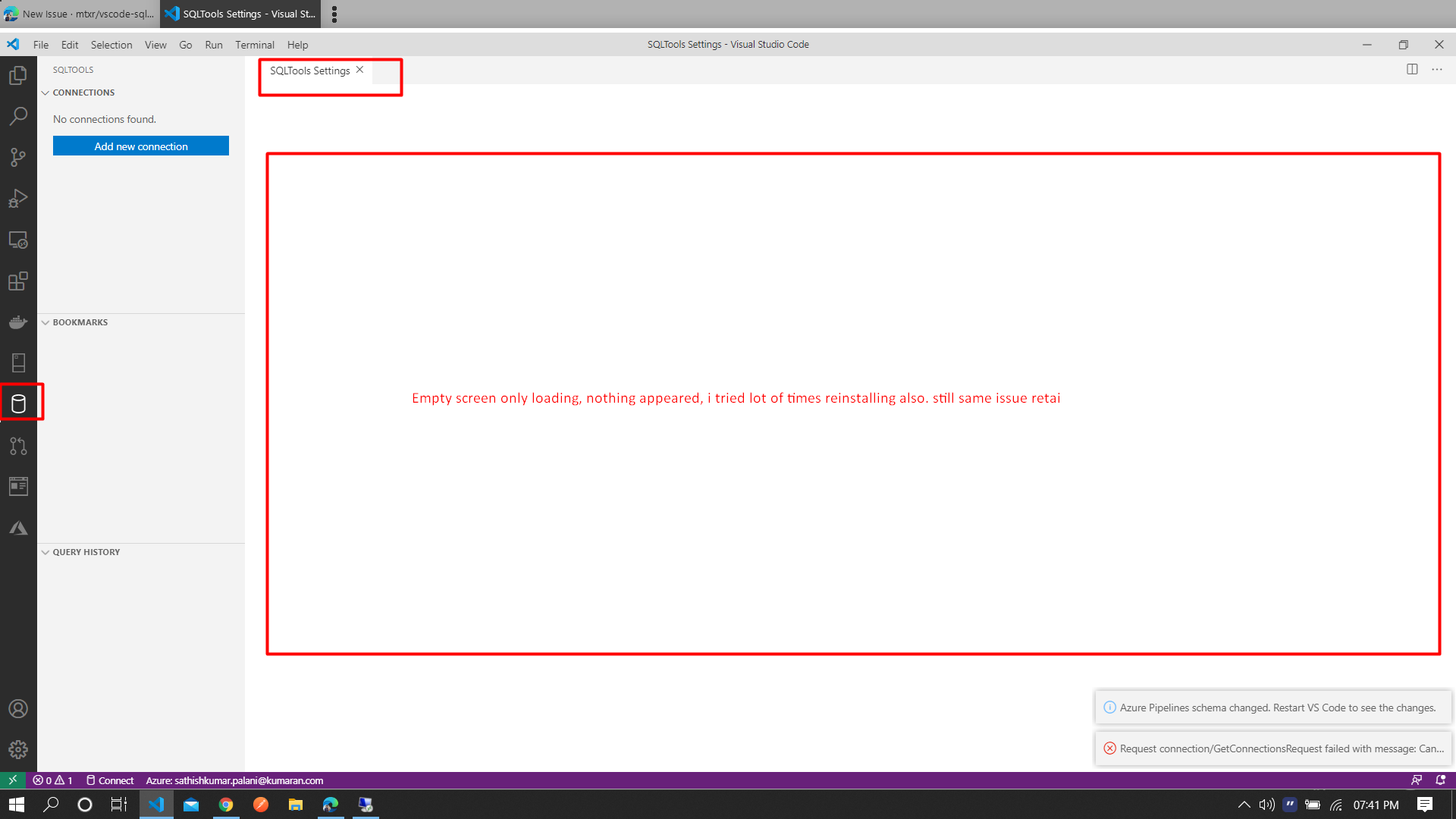
Not able to load the screen, v0.22.10
Kindly help me!!!
 sathishkumarkevin
All 21 comments
What’s the error message you got on bottom-right?
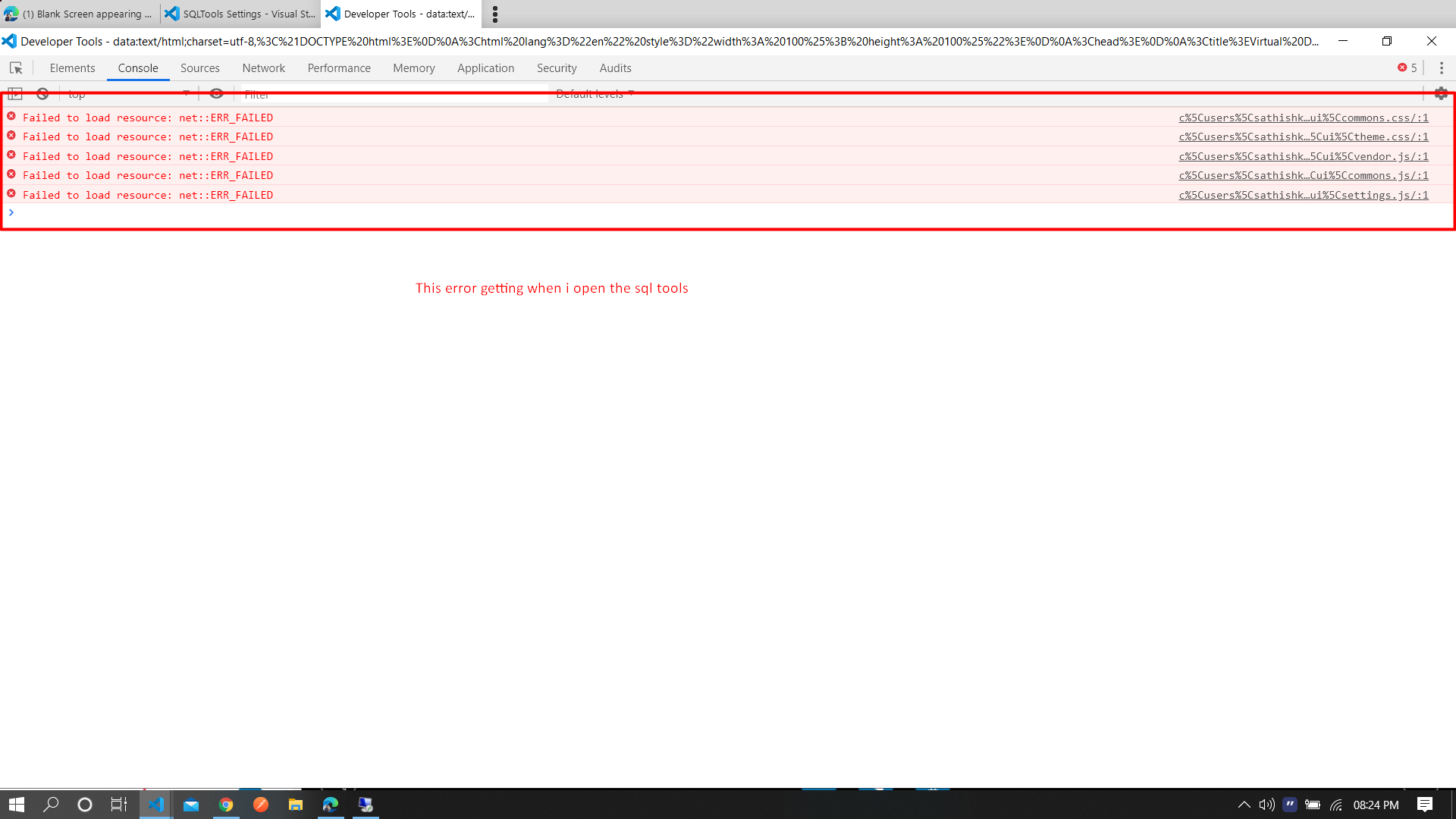
Also try to check there errors using Open Webview Developer tools from
command palette. This issue as is I don’t know what to say to you
On 29 June 2020 at 11:14:03, sathishkumarkevin ([email protected])
wrote:
[image: image]
https://user-images.githubusercontent.com/25504642/86016677-bbd20d00-ba40-11ea-9082-ca9e298334d5.png
Not able to load the screen, v0.22.10
Kindly help me!!!
—
You are receiving this because you are subscribed to this thread.
Reply to this email directly, view it on GitHub
https://github.com/mtxr/vscode-sqltools/issues/639, or unsubscribe
https://github.com/notifications/unsubscribe-auth/AAFMX2KDBQLHEMXVNCGFDC3RZCOSVANCNFSM4OLIJFRQ
.
 mtxr
on 29 Jun 2020
mtxr
on 29 Jun 2020
I also suddenly got this issue this morning; I'm able to connect to the database just fine it seems. When running a query, the Console Messages says "Not focused to results view," and the SQLTools Results pane is blank. The webview developer tools shows this.

I've been using sqltools for months and this issue surfaced this morning. I tried reinstalling as well and that did not fix the issue.
 mgipson
on 29 Jun 2020
mgipson
on 29 Jun 2020
Any of you are using VSCode insiders?
On 29 June 2020 at 11:14:03, sathishkumarkevin ([email protected])
wrote:
[image: image]
https://user-images.githubusercontent.com/25504642/86016677-bbd20d00-ba40-11ea-9082-ca9e298334d5.png
Not able to load the screen, v0.22.10
Kindly help me!!!
—
You are receiving this because you are subscribed to this thread.
Reply to this email directly, view it on GitHub
https://github.com/mtxr/vscode-sqltools/issues/639, or unsubscribe
https://github.com/notifications/unsubscribe-auth/AAFMX2KDBQLHEMXVNCGFDC3RZCOSVANCNFSM4OLIJFRQ
.
mtxr
on 29 Jun 2020
I use the stable VSCode build.
mgipson
on 29 Jun 2020
@mgipson @sathishkumarkevin which vscode version are you using exactly?
Switching back to SQLTools v0.22.9 fixes the issue?
I'm afraid this change https://github.com/mtxr/vscode-sqltools/commit/284f44e8427919531509caa88abe93971f0b8714#diff-6e8ca5e7fbf8398ee9f0c5f170f4f66aR64 is breaking on some VSCode versions.
mtxr
on 29 Jun 2020
@mgipson @sathishkumarkevin which vscode version are you using exactly?
Switching back to SQLTools v0.22.9 fixes the issue?I'm afraid this change 284f44e#diff-6e8ca5e7fbf8398ee9f0c5f170f4f66aR64 is breaking on some VSCode versions.
I am using 1.46.1. How i can revert to SQLTools v0.22.9 version ?
sathishkumarkevin
on 29 Jun 2020
Any of you are using VSCode insiders? On 29 June 2020 at 11:14:03, sathishkumarkevin ([email protected]) wrote: [image: image] https://user-images.githubusercontent.com/25504642/86016677-bbd20d00-ba40-11ea-9082-ca9e298334d5.png Not able to load the screen, v0.22.10 Kindly help me!!! — You are receiving this because you are subscribed to this thread. Reply to this email directly, view it on GitHub <#639>, or unsubscribe https://github.com/notifications/unsubscribe-auth/AAFMX2KDBQLHEMXVNCGFDC3RZCOSVANCNFSM4OLIJFRQ .
I am not using insiders.
sathishkumarkevin
on 29 Jun 2020
I am using 1.46.1 as well.
How do you switch back to SQLTools v0.22.9?
mgipson
on 29 Jun 2020
sathishkumarkevin
on 29 Jun 2020
Sorry, Didn't upload from email

mtxr
on 29 Jun 2020
Yeah its working after i rolled back Thanks!!!
sathishkumarkevin
on 29 Jun 2020
Reverting to v0.22.9 worked; thank you!
mgipson
on 29 Jun 2020
Don't close yet. We still need to get it fixed
mtxr
on 1 Jul 2020
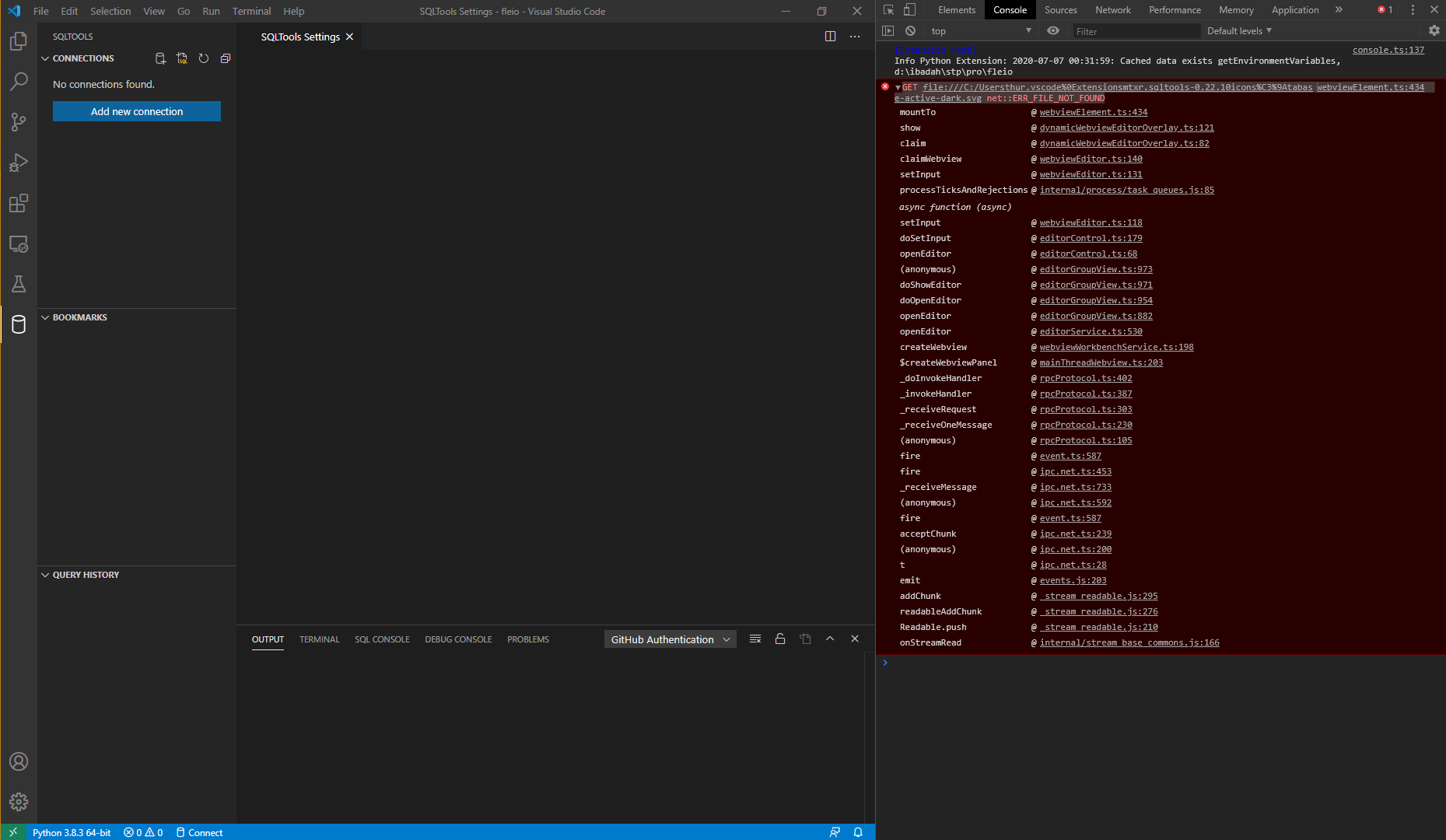
get the same issue,
VSCode Version: 1.46.1
SQLTools Version: 0.22.10
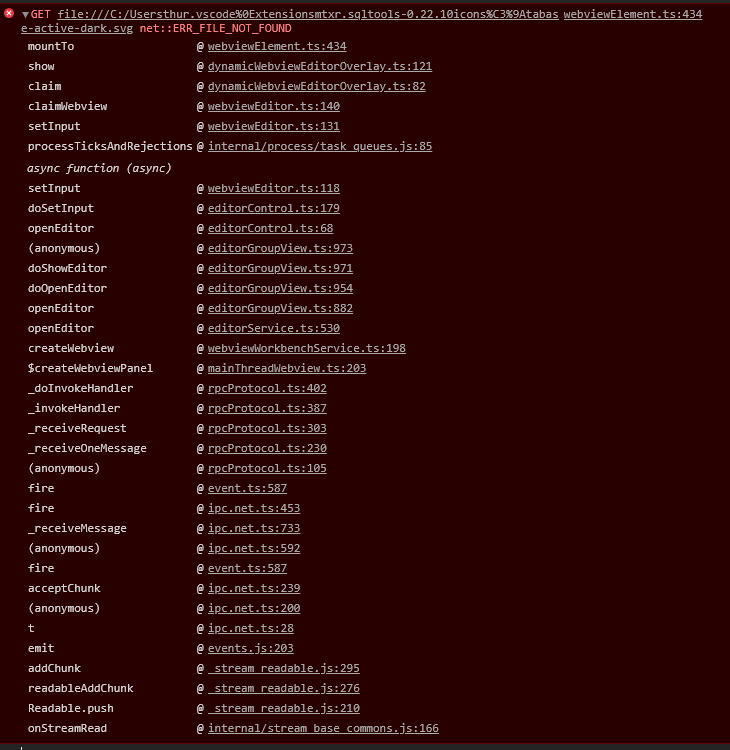
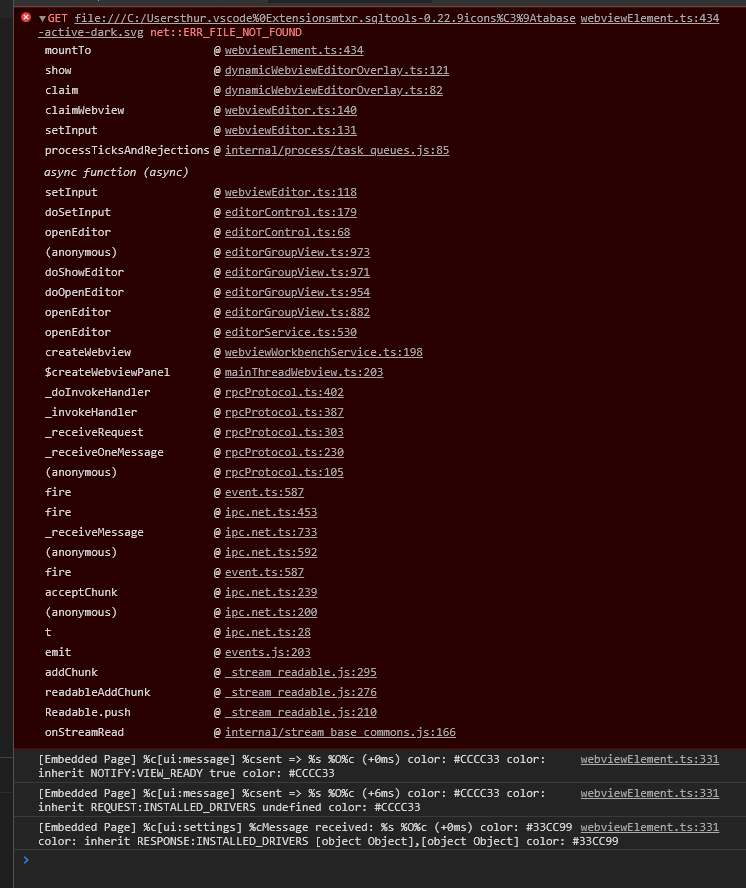
webviewElement.ts:434 GET file:///C:/Usersthur.vscode%0Extensionsmtxr.sqltools-0.22.10icons%C3%9Atabase-active-dark.svg net::ERR_FILE_NOT_FOUND
 kgfathur
on 6 Jul 2020
kgfathur
on 6 Jul 2020
SQLTools version 0.22.9 works perfectly, but same error log still appear

kgfathur
on 6 Jul 2020
Can someone work on this?
I'm pretty busy this week, I can't get it done before the weekend.
Here is vscode guide for webviews: https://code.visualstudio.com/api/extension-guides/webview
and here is where we setup the resources for webviews: https://github.com/mtxr/vscode-sqltools/commit/284f44e8427919531509caa88abe93971f0b8714#diff-6e8ca5e7fbf8398ee9f0c5f170f4f66aR64
We need to test this on past 3 versions, because VSCode had some webview issues on v1.47 insiders.
mtxr
on 6 Jul 2020
Reverting to v0.22.9 not work
Version: 1.47.0 (user setup)
Commit: d5e9aa0227e057a60c82568bf31c04730dc15dcd
Date: 2020-07-09T08:02:06.629Z
Electron: 7.3.2
Chrome: 78.0.3904.130
Node.js: 12.8.1
V8: 7.8.279.23-electron.0
OS: Windows_NT x64 10.0.18363
 wukan1986
on 10 Jul 2020
wukan1986
on 10 Jul 2020
Any of you are using VSCode insiders? On 29 June 2020 at 11:14:03, sathishkumarkevin ([email protected]) wrote: [image: image] https://user-images.githubusercontent.com/25504642/86016677-bbd20d00-ba40-11ea-9082-ca9e298334d5.png Not able to load the screen, v0.22.10 Kindly help me!!! — You are receiving this because you are subscribed to this thread. Reply to this email directly, view it on GitHub <#639>, or unsubscribe https://github.com/notifications/unsubscribe-auth/AAFMX2KDBQLHEMXVNCGFDC3RZCOSVANCNFSM4OLIJFRQ .
Just subscribe to be an insider. Was this issue resolved on a VSCode insider forum?
 kelvenus
on 23 Jul 2020
kelvenus
on 23 Jul 2020
Sorry, Didn't upload from email
This seems to work for me, I can now connect to my Database. I went back to two versions.

kelvenus
on 23 Jul 2020
This works, but I hope a permanent fix is found, as you can see I am being asked to upgrade versions.
kelvenus
on 23 Jul 2020
Thanks @mtxr I upgraded and the problem is now resolved. I was able to insert data into my database.
kelvenus
on 11 Aug 2020
Related issues
 tchase56
·
4Comments
tchase56
·
4Comments
 Ahmad-Magdy-Osman
·
3Comments
Ahmad-Magdy-Osman
·
3Comments
 ntt2k
·
4Comments
ntt2k
·
4Comments
 bergamin
·
3Comments
bergamin
·
3Comments
 BrendanSimon
·
3Comments
BrendanSimon
·
3Comments