Describe the bug
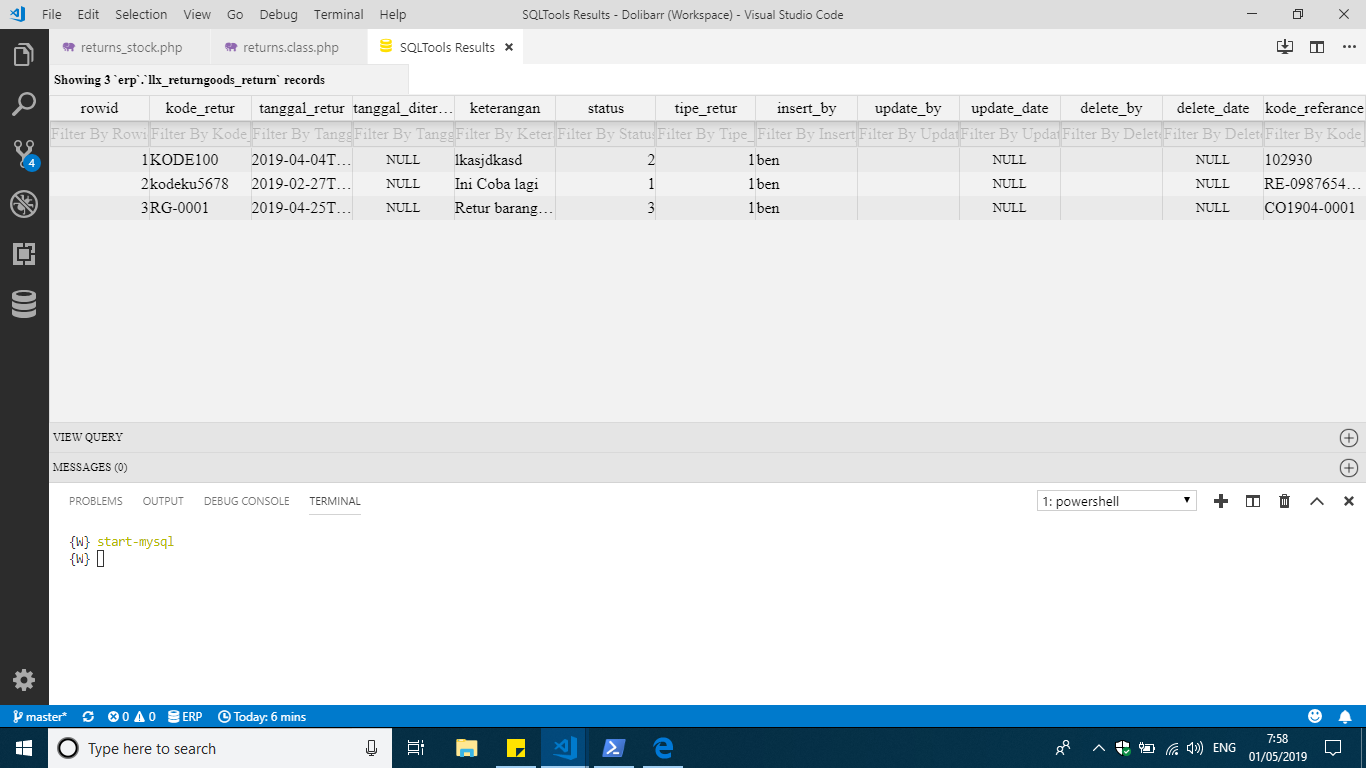
The HTML result of query is broken. Maybe VS Code change something. Look at this
To Reproduce
Steps to reproduce the behavior:
- Do any query and this will happens
- See error
Expected behavior
It should be like before, not like this.
Screenshots
If applicable, add screenshots to help explain your problem.
Desktop (please complete the following information):
- SQLTools Version v0.17.17
- VSCode Version: 1.33.1 User setup
- Dialect Used: All
- OS: Windows 10 1809
 benyaminl
All 12 comments
Hi @benyaminl,
Can you send me a screenshot of the HTML debug view?
Here is how to do it:
https://imgur.com/a/7k7HGpK
I want to check what is happening with the CSS of the table for you. I saw that bug before, but it was quickly fixed a month ago and should not be happening anymore.
 mtxr
on 1 May 2019
mtxr
on 1 May 2019
That as updated on issue #158 per MS request,
mtxr
on 1 May 2019
Hi @benyaminl,
Can you send me a screenshot of the HTML debug view?
Here is how to do it:
https://imgur.com/a/7k7HGpK
I want to check what is happening with the CSS of the table for you. I saw that bug before, but it was quickly fixed a month ago and should not be happening anymore.
So sad leh, imgur blocked in Indonesia. I've seen it using host file.
So it's here.
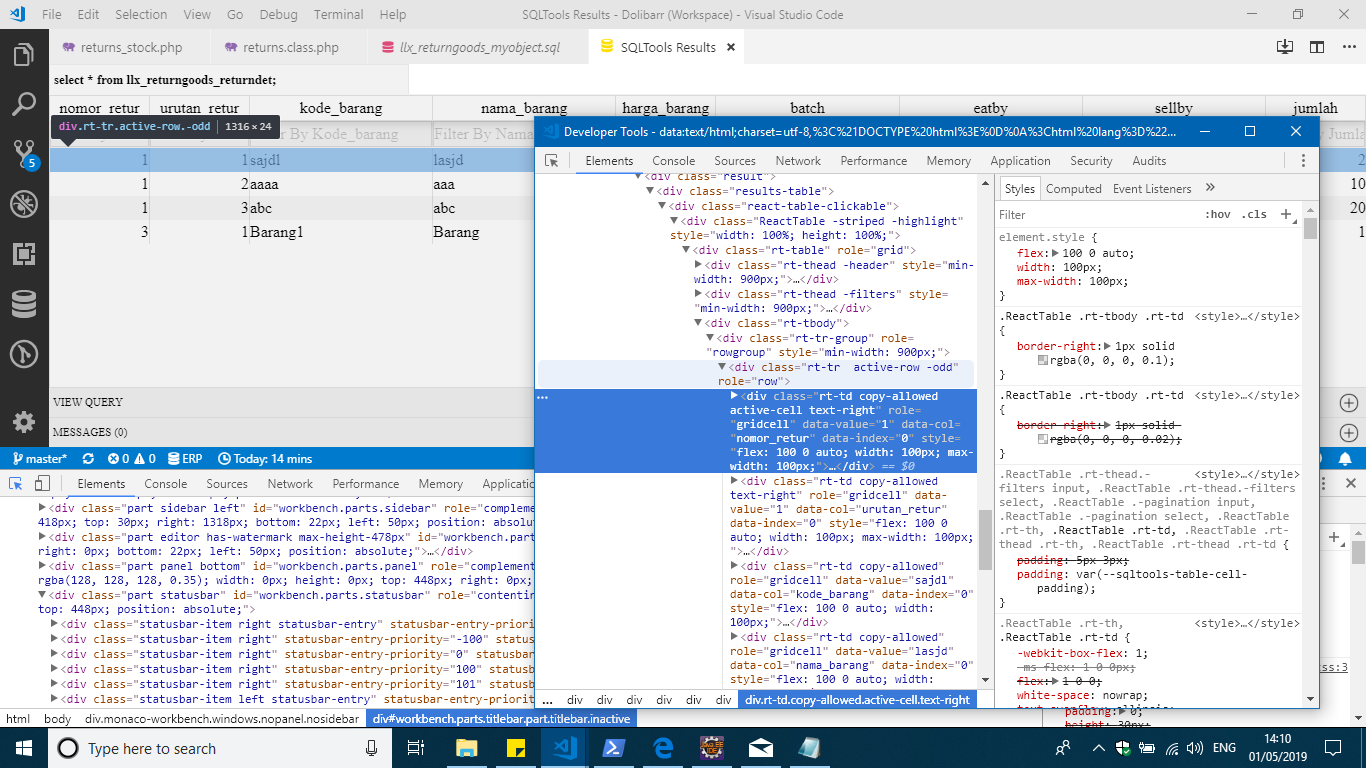
Or maybe I need to remove and add the extension again?
Thanks.

benyaminl
on 1 May 2019
Anyway I tried install and reinstall also clean the extension cache no help, still not working anyway. VS Code having a hard time -_-. Or maybe there's a extension that's collided with yours?
benyaminl
on 1 May 2019
That as updated on issue #158 per MS request,
It said that ver 1.34, mine is 1.33, is that any possibility that it's not working on 1.33.1 ? I tried to update no new update from VS Code. Also no update from website. Hmm.. Why VS Code always break someone extension.. -_-
benyaminl
on 1 May 2019
@benyaminl can you do the screenshots again? I need to see going font-family css prop :D
mtxr
on 1 May 2019
@benyaminl https://transfer.sh/9985o/sqltools-0.17.17.htmlfix.vsix try this VSIX file with the commit https://github.com/mtxr/vscode-sqltools/commit/8b5e8546d7ed182b3e3644a71baf1ecfa1a31de2
I believe that fixes for you.
Use the command palette, search by VSIX and hit enter, pick the file, install and reload.
Let me know how it goes.
Thanks!
mtxr
on 1 May 2019
Anyway I tried install and reinstall also clean the extension cache no help, still not working anyway. VS Code having a hard time -_-. Or maybe there's a extension that's collided with yours?
Sorry I didn't see this message before. VSCode are struggling a lot to link customization settings with CSS variables on webviews, so it's expected to have some problems with CSS. I'm expecting then to change a bit at least for the next 2 releases. At least those changes are not very complex, so we can quickly fix it, even though I was not expecting that for happening in version 1.34. It's the same I'm using..
mtxr
on 1 May 2019
@benyaminl https://transfer.sh/9985o/sqltools-0.17.17.htmlfix.vsix try this VSIX file with the commit 8b5e854
I believe that fixes for you.
Use the command palette, search by VSIX and hit enter, pick the file, install and reload.
Let me know how it goes.
Thanks!
Transfer.sh also blocked in my country -_-. Ah.
benyaminl
on 2 May 2019
@benyaminl can you do the screenshots again? I need to see going font-family css prop :D
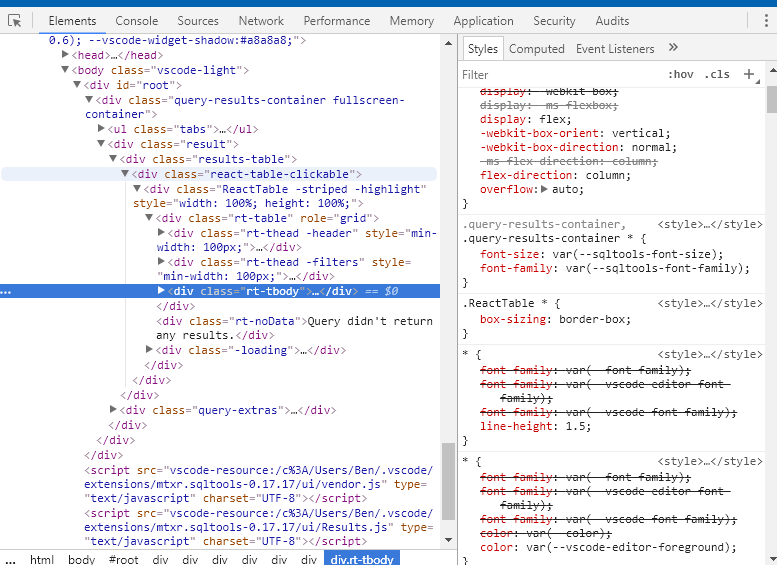
This one?
benyaminl
on 2 May 2019
Anyway I tried install and reinstall also clean the extension cache no help, still not working anyway. VS Code having a hard time -_-. Or maybe there's a extension that's collided with yours?
Sorry I didn't see this message before. VSCode are struggling a lot to link customization settings with CSS variables on webviews, so it's expected to have some problems with CSS. I'm expecting then to change a bit at least for the next 2 releases. At least those changes are not very complex, so we can quickly fix it, even though I was not expecting that for happening in version 1.34. It's the same I'm using..
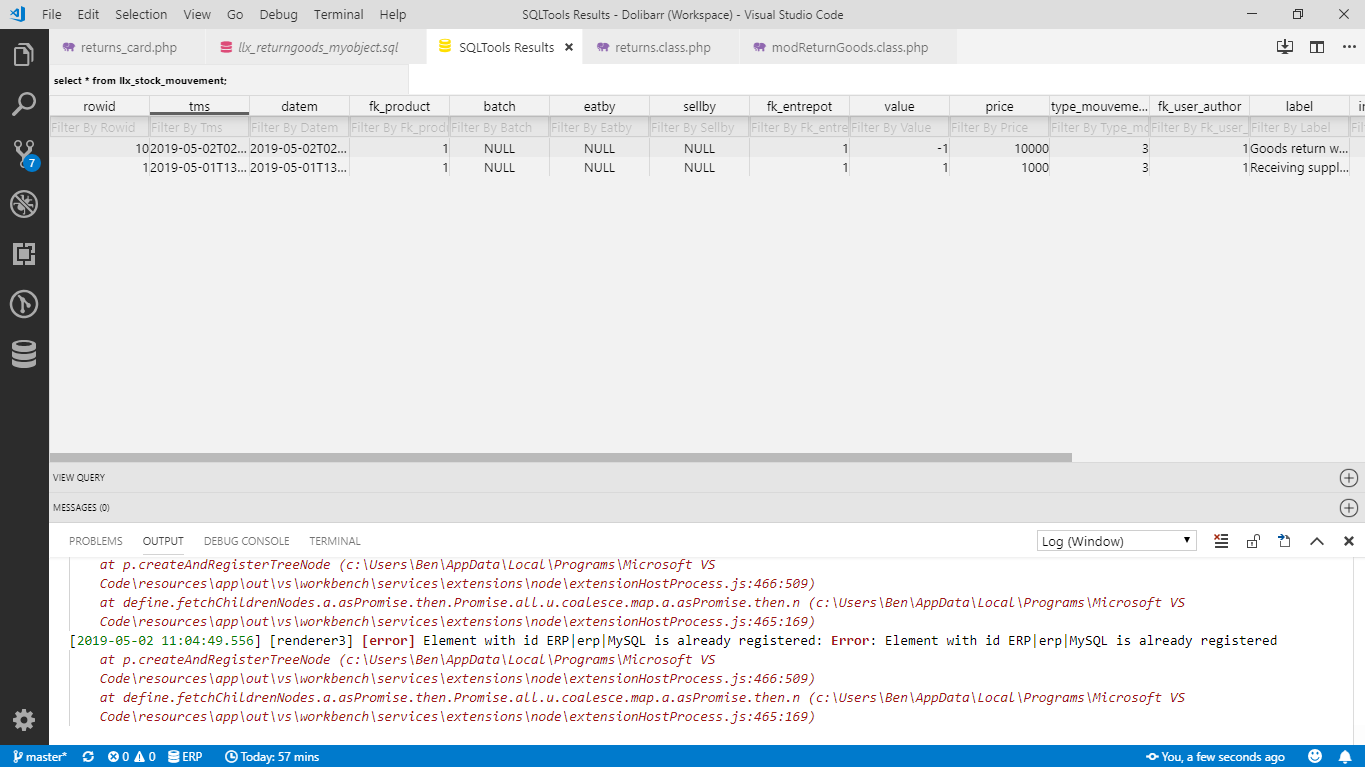
It's usable for now. Maybe need to wait for 1.34 version rolled out. Thanks Mat 👍
benyaminl
on 2 May 2019
@benyaminl nice!
I'll release another version in a few hours. While waiting, try to tweak the results CSS using this settings:
"sqltools.results": {
    "customization": {
      "table-cell-padding": "4px 8px"
    }
  },
Related issues
benyaminl
·
5Comments
 komalbb
·
5Comments
komalbb
·
5Comments
 ntt2k
·
4Comments
ntt2k
·
4Comments
 PixelT
·
6Comments
PixelT
·
6Comments
 Ahmad-Magdy-Osman
·
3Comments
Ahmad-Magdy-Osman
·
3Comments