Vscode-remote-release: Terminal Not Opening Up
Issue Type: Bug
Terminal doesn't open. I used the command pallete.
Extension version: 0.41.0
VS Code version: Code - Insiders 1.35.0-insider (553cfb2c2205db5f15f3ee8395bbd5cf066d357d, 2019-06-04T00:11:00.788Z)
OS version: Darwin x64 18.2.0
Remote OS version: Linux x64 4.4.0-143-generic
System Info
|Item|Value|
|---|---|
|CPUs|Intel(R) Core(TM) i7-8850H CPU @ 2.60GHz (12 x 2600)|
|GPU Status|2d_canvas: enabled
checker_imaging: disabled_off
flash_3d: enabled
flash_stage3d: enabled
flash_stage3d_baseline: enabled
gpu_compositing: enabled
multiple_raster_threads: enabled_on
native_gpu_memory_buffers: enabled
rasterization: enabled
surface_synchronization: enabled_on
video_decode: enabled
webgl: enabled
webgl2: enabled|
|Load (avg)|2, 2, 2|
|Memory (System)|16.00GB (0.16GB free)|
|Process Argv|-psn_0_249917|
|Screen Reader|no|
|VM|0%|
|Item|Value|
|---|---|
|Remote|SSH: apdev2|
|OS|Linux x64 4.4.0-143-generic|
|CPUs|Intel(R) Xeon(R) Platinum 8175M CPU @ 2.50GHz (48 x 2500)|
|Memory (System)|184.85GB (10.31GB free)|
|VM|0%|
 ananthrn
All 12 comments
Please include more details about exactly what you tried
 roblourens
on 5 Jun 2019
roblourens
on 5 Jun 2019
I used the Remote-SSH extension.
Using the command pallete (CMD+Shift+P), I clicked on Open New Terminal. There was no response, no new terminal opened.
ananthrn
on 6 Jun 2019
Facing this issue.
But If I open a new terminal by clicking plus then the second terminal works fine.
 imbdb
on 6 Jun 2019
imbdb
on 6 Jun 2019
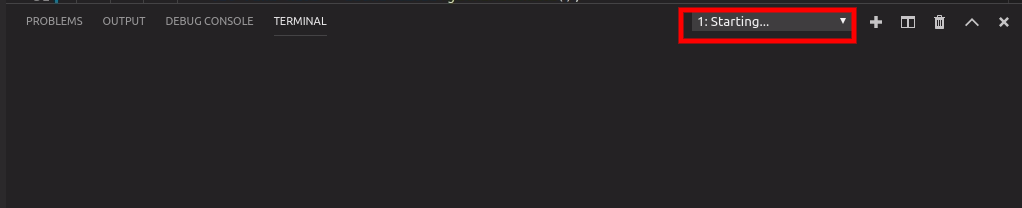
Its stuck and won't open

Its second terminal and it works fine.
imbdb
on 6 Jun 2019
I also have this issue, with Code version 1.35.1
I am trying to use the Remote-SSH extension in order to work on a remote CentOS server (CentOS 7.6).
I have set up the SSH keys, and the connection appears to work fine; browsing and eting files works OK.
However, attempting to start a terminal just leads to the '..starting' message reported by @imbdb above. In my case, though, starting a second terminal does not succeed.
I can start an ssh terminal session from the command prompt outside of code without any problem.
One thing I did worry about was that my shell on the remote is csh rather than bash, but changing this using chsh did not help. In any case, I think that if that were the problem, remote-ssh would not work at all?
 byzantic
on 13 Jun 2019
byzantic
on 13 Jun 2019
This is what I am experiencing.
I open VS Code using the Remote - WSL extension and when I try to open a terminal this shows up.
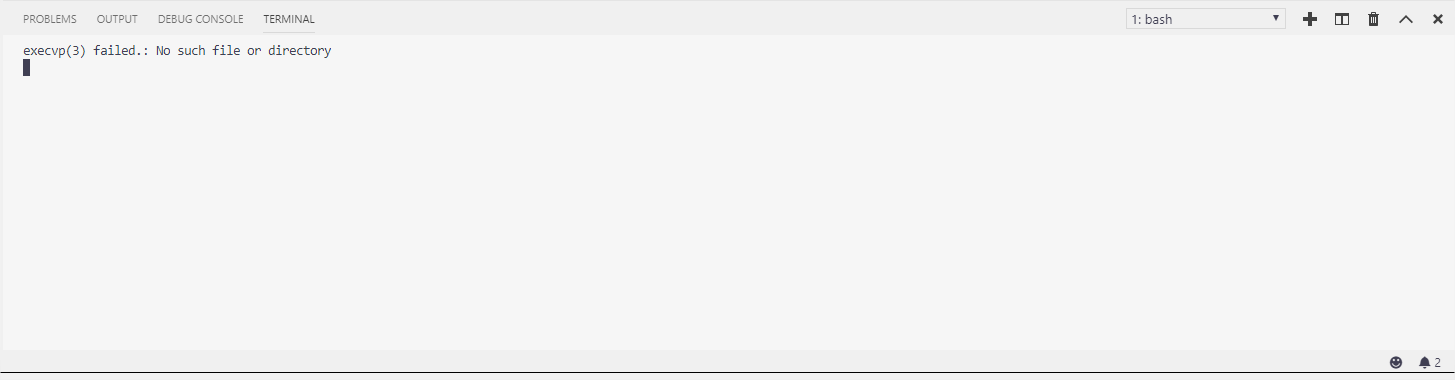
The error says The terminal process terminated with exit code: 1 and my default shell is

Without the extension, everything works fine.
 eduarmreyes
on 18 Jun 2019
eduarmreyes
on 18 Jun 2019
@eduarmreyes your issue looks like https://github.com/microsoft/vscode-remote-release/issues/590
roblourens
on 18 Jun 2019
@eduarmreyes your issue looks like #590
Thank you, that was exactly it.
eduarmreyes
on 21 Jun 2019
I have issue similar to @byzantic with WSL (Ubuntu).
Without remote extension WSL terminal opens fine.
But when i connected to WSL, terminal is stuck in "starting" stete, no errors displayed.
In my case terminal does not work, if directory is open on startup.
Steps to reproduce:
- Close folder in vscode, and restart
- Start vscode, without connection to WSL

- Open WSL folder from Recent tab
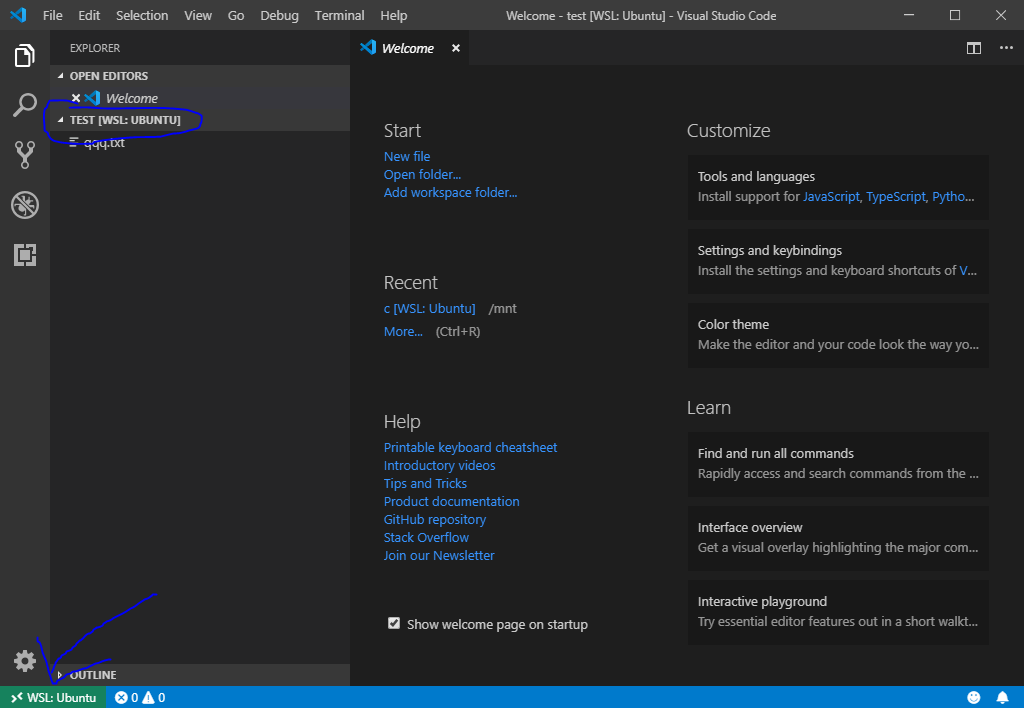
- Open terminal, it works.

- Close vscode, without closing terminal
- Run vscode, it will automaticaly open folder, terminal does not work anymore.

- File-close folder
- open from recent, get an error
"WSL Daemon exited with error code 0"

It was tested on clean windows 10 install in virtualbox.
 nagos
on 13 Jul 2019
nagos
on 13 Jul 2019
 Tyriar
on 27 Jul 2019
Tyriar
on 27 Jul 2019
Sorry, but this doesn't seem fixed. Behaviour in release 1.37.0 has changed, though.
As before, I can start a remote-SSH session, and the editor works OK. That is, I can see remote files in the filesystem browser, edit files, etc. However, when attempting to start the terminal, this fails immediately with the error message:
"The terminal process command '/bin/bash' failed to launch (exit code: {2})"
My conclusion is that there were probably two interrelated bugs causing my issue, and that it is different from #1031
byzantic
on 12 Aug 2019
@byzantic please create a new issue
Tyriar
on 12 Aug 2019
Related issues
 asyncx
·
3Comments
asyncx
·
3Comments
 gurdevrana
·
3Comments
gurdevrana
·
3Comments
 nphmuller
·
3Comments
nphmuller
·
3Comments
 kieferrm
·
3Comments
kieferrm
·
3Comments
 Yvand
·
3Comments
Yvand
·
3Comments