Vscode-remote-release: Debugging with external terminal does not work
Some debug extensions support to use an "external terminal" for running the target program (e.g. Python, Node, C++).
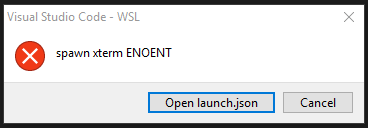
Using this option in a remote scenario (WSL, SSH, Docker Container) might result in the following error:
 weinand
All 12 comments
The issue is that some of the linux systems used in the remote scenarios don't have a terminal application "xterm".
The fix is to configure a different terminal emulator via the terminal.external.linuxExec setting (or to disable the use of an external terminal in the launch configuration).
Another issue is that the error reporting for this situation is not very helpful.
weinand
on 20 May 2019
To address the bad error reporting I suggest to improve the error message in two places:
Instead of just returning the somewhat cryptic OS error received from VS Code:
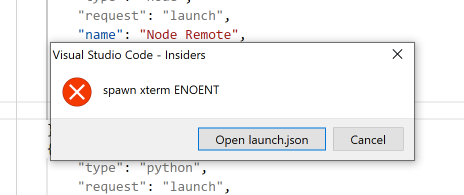
the affected extensions needs to return a better error message which embeds the OS error as further details.
For instance in Node Debug the same error shows up like this:
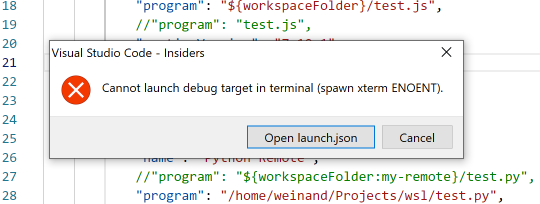
In addition the error could contain a link that refers to more information about this problem and how to fix it.
In VS Code I will try to detect the "ENOENT" error and map it to a more meaning error message, e.g. "External terminal application 'xterm' not found".
weinand
on 20 May 2019
In addition debug extensions might want to detect the case that they are running remotely and change the "external terminal" option into an "integrated terminal".
This is especially important for debug extensions that provide no user control and use a hardcoded "external terminal".
weinand
on 20 May 2019
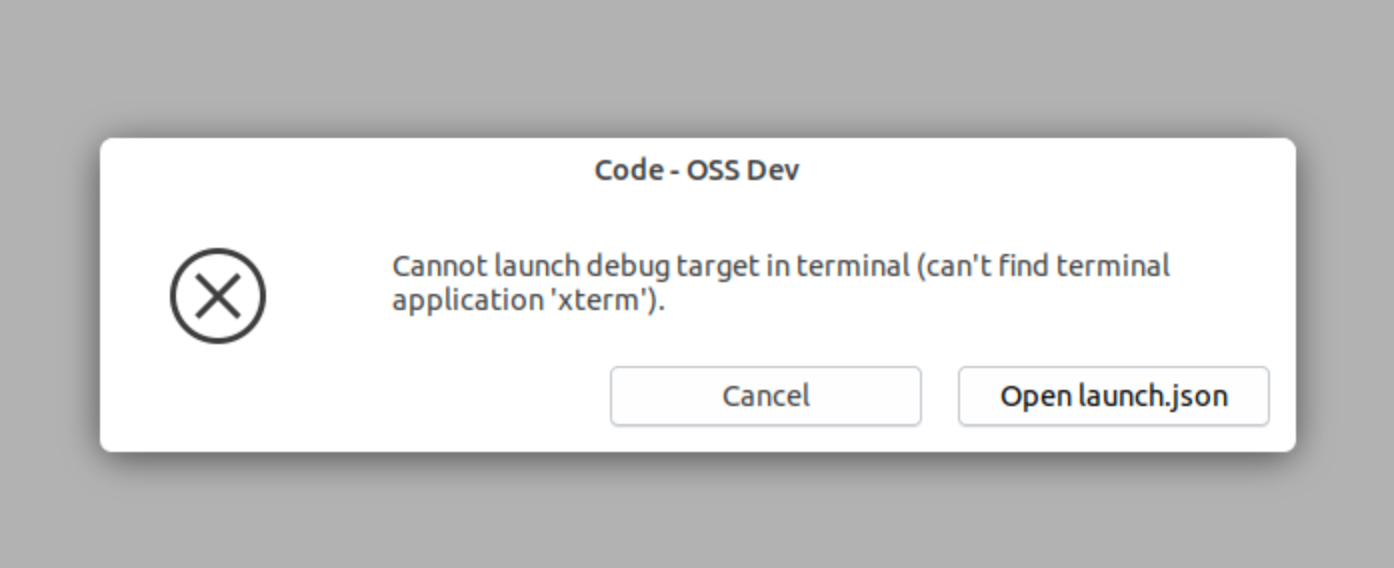
I've improved the error message that gets returned from VS Code to the debug extension. With this the error dialog for linux shows this:
weinand
on 20 May 2019
This was fixed for the April release.
weinand
on 20 May 2019
@weinand Can you link the commit that fixed this? Thanks
 pieandcakes
on 20 May 2019
pieandcakes
on 20 May 2019
@pieandcakes the commit on the VS Code side is this https://github.com/Microsoft/vscode/commit/38cad5d4f67c78cad17bec565242663c965e995e
weinand
on 12 Jun 2019
Discussed with @chuxel. The concern is that message is not easy to understand for a windows user that tries SSH or DevContainer for an existing project.
The suggestion to provide some more guidance in the error dialog. Suggestion:
"Cannot launch debug target in terminal (can't find terminal application xterm). Open launch.json and change the console setting to use the internal console."
 egamma
on 12 Jun 2019
egamma
on 12 Jun 2019
Yes, improving the message is one thing debug extensions need to do (VS Code provides only the "can't find terminal application xterm" part. The rest of the message comes from debug extensions that support an external terminal and only the extension knows the name of the launch config attribute).
Another way to avoid the problem completely is to use the Integrated Terminal as the default (instead of the External Terminal).
weinand
on 12 Jun 2019
The rest of the message comes from debug extensions that support an external terminal and only the extension knows the name of the launch config attribute)
Is there a launch config attribute for users to change the terminal settings? I thought it was only in the VS Code Settings json that the setting existed. We ran into this with users using the RunInTerminal DAP message with external set but the default that VS Code chose doesn't exist on their machine. Once this is shipped, I can give it a shot and see if the experience is better.
I agree that if theres a way to point the user to the settings json option to configure it that would be useful too.
pieandcakes
on 12 Jun 2019
@pieandcakes terminal settings for configuring the Integrated and external terminals only exist in the VS Code settings. But a debug extension contributes the attribute that determines what terminal to use, e.g. externalConsole for C++ and console for Node.js. So the error message that explains what the user has to change must come from the extension too.
Here is the code from node-debug: https://github.com/microsoft/vscode-node-debug/blob/56dc3892885b3122385b785322b00a92d33fdded/src/node/nodeDebug.ts#L1115
The code that improves the runInTerminal error message from "spawn xterm ENOENT" to "can't find terminal application xterm" ships already since two VS Code releases.
weinand
on 13 Jun 2019
I understand the externalConsole from true to false change needs to come from us. The common issue we see is in the Linux world where the user has a non-mainstream terminal application as their default but VS Code is set to a different value and in that instance to have a good way for the user to know where to change it to something they have. We have sticky'ed an issue in our repo to help users find and change that setting currently.
I'll make a change to default to use integrated console for new configurations.
pieandcakes
on 13 Jun 2019
Related issues
 Arunselvan-AS
·
3Comments
Arunselvan-AS
·
3Comments
 abdullahiabdirahman
·
3Comments
abdullahiabdirahman
·
3Comments
 jeffreyyjp
·
3Comments
jeffreyyjp
·
3Comments
 Yvand
·
3Comments
Yvand
·
3Comments
 nphmuller
·
3Comments
nphmuller
·
3Comments
Most helpful comment
I understand the
externalConsolefromtruetofalsechange needs to come from us. The common issue we see is in the Linux world where the user has a non-mainstream terminal application as their default but VS Code is set to a different value and in that instance to have a good way for the user to know where to change it to something they have. We have sticky'ed an issue in our repo to help users find and change that setting currently.I'll make a change to default to use integrated console for new configurations.