Vscode-react-native: Unable to debug via VSCode
Actual Behavior
Followed the instruction of "Debugging React Native applications".
- Configuration was added successfully in launch.json file.
- Clicked "green arrow" or F5 to start debugging.
- The debugger float dialog appeared for few seconds then disappeared.
- App was never started.
Note:
react-native run-android can be executed successfully in terminal.
Debugging in Chrome browser works.
Expected Behavior
Expected Behavior
- App and debugger should start.
or - Attach to packager
Software versions
- React-Native VS Code extension version: 0.10.0
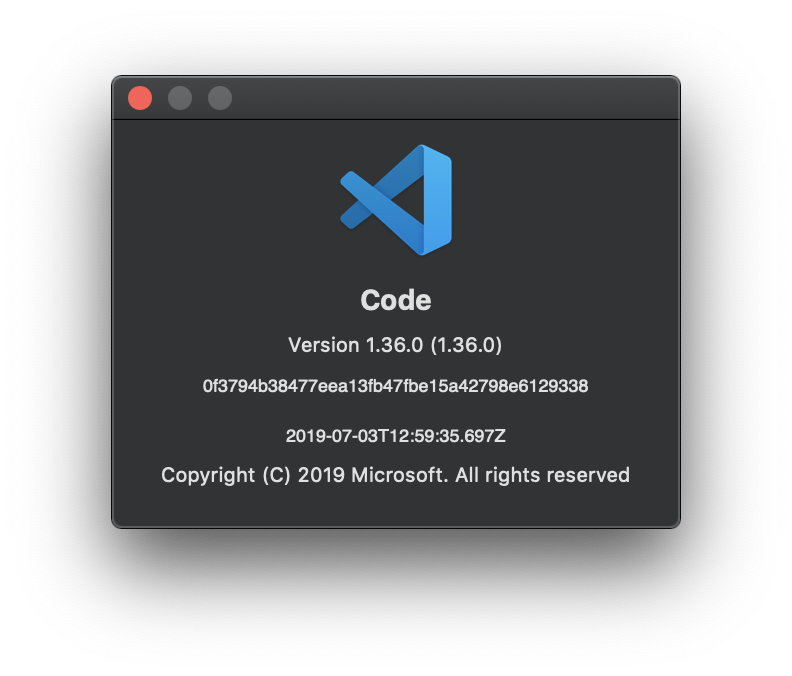
- VSCode version: 1.36.0 (1.36.0)
- OS platform and version: MacOS 10.14.5 (18F132)
- NodeJS version: v12.6.0
- React Native version: 0.57.4, also with 0.60.0
- Expo SDK version (include if relevant):
Outputs (Include if relevant)
- Output of the Debug Console (View -> Toggle Debug Console):
<EMPTY>
- Output of the React-Native output channel (View -> Toggle Output -> Select React-Native in ListBox):
<EMPTY>
- Output of the Developer Tools console (Help -> Toggle Developer Tools -> Select Console tab):
<EMPTY>
Similar to #1008
 amadeu01
All 11 comments
Hi @amadeu01 thanks for reaching us. Do you use nvm?
 ruslan-bikkinin
on 9 Jul 2019
ruslan-bikkinin
on 9 Jul 2019
hi @ruslan-bikkinin
I use asdf for managing node versions. Is it any issue?
amadeu01
on 9 Jul 2019
Same problem here when I click on green arrow after successfully adding Configuration in launch.json.
debugger appeared for few seconds then disappeared.
 uday5162
on 11 Jul 2019
uday5162
on 11 Jul 2019
any update on this?
amadeu01
on 15 Jul 2019
@amadeu01 sorry for the delay.
Are you sure that output of the Developer Tools console (Help -> Toggle Developer Tools -> Select Console tab) is empty in your case after clicking at play button?
Also, did you try to fallback to the previous version of the extension by following the instructions from this comment: https://github.com/microsoft/vscode-react-native/issues/1012#issuecomment-511741934?
ruslan-bikkinin
on 16 Jul 2019
Yes fallback to previous versions is working for me
Thanks :+1:
uday5162
on 18 Jul 2019
@ruslan-bikkinin sorry my delay to answer.
I tried to kill chromes instance after select Remotely debug at RN's app. Then, I attached the debug again with VSCode, it worked so far :D
Thanks 👍
amadeu01
on 19 Jul 2019
Alright, glad that your problem is resolved, may I close this then?
ruslan-bikkinin
on 19 Jul 2019
Alright, glad that your problem is resolved, may I close this then?
Is there any indication on when this will be fixed in a future release, not requiring a rollback of the extension? I have not had success using the current or previous versions of this extension for debugging via VSCode with RN60+.
 draperj
on 23 Jul 2019
draperj
on 23 Jul 2019
Alright, glad that your problem is resolved, may I close this then?
For my personal environment, I'm not facing the issue. So, you can close.
amadeu01
on 23 Jul 2019
@draperj please create separated issue for your case.
@amadeu01 thank for letting me know, I am closing this.
ruslan-bikkinin
on 24 Jul 2019
Related issues
 vladimir-kotikov
·
5Comments
vladimir-kotikov
·
5Comments
 AlexandreLouisnard
·
3Comments
AlexandreLouisnard
·
3Comments
 canpoyrazoglu
·
3Comments
canpoyrazoglu
·
3Comments
 peterp
·
4Comments
peterp
·
4Comments
 SounD120
·
4Comments
SounD120
·
4Comments
Most helpful comment
Same problem here when I click on green arrow after successfully adding Configuration in launch.json.
debugger appeared for few seconds then disappeared.