Vscode-pull-request-github: 503 on vscode-auth.github.com when signing in to GitHub Enterprise
- Extension version: 0.2.3
- VSCode Version: 1.27.2
- OS: macOS 10.14.1
Steps to Reproduce:
- Open Code with a GitHub Enterprise repo open
- Click "sign in" on the extension pop-up
- Click green "Continue" button
- Wait for a while (60s?)
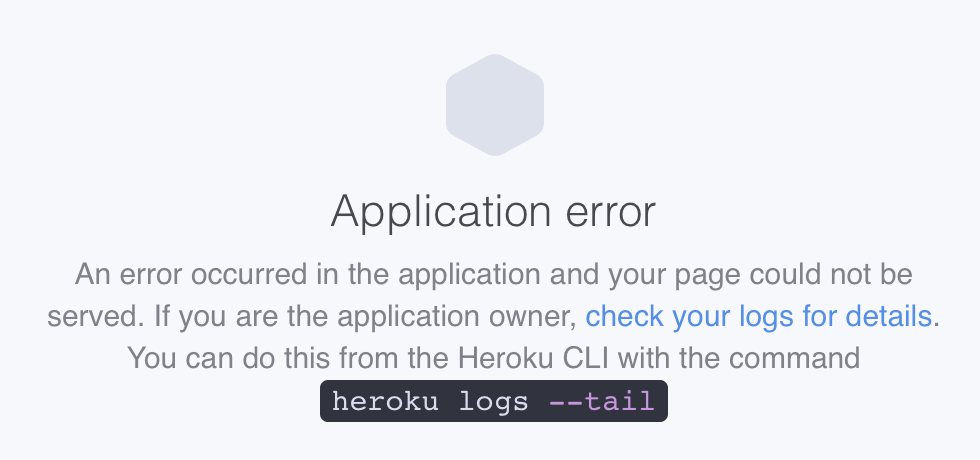
- See a Heroku 503 page (see below)
 romanlevin
All 12 comments
I think it's a similar issue to https://github.com/Microsoft/vscode-pull-request-github/issues/591
romanlevin
on 5 Nov 2018
I ran into the same issue. I tried to give a PAT as well, but the extension says invalid token.
 vinod386
on 8 Nov 2018
vinod386
on 8 Nov 2018
I ran into the same issue. I tried to give a PAT as well, but the extension says invalid token.
I'm having the same issue. After I approve my account, it automatically takes me to 404 page. I click on the "signing in to github.(corp).com..." it asks for token. what token?
 ghost
on 9 Nov 2018
ghost
on 9 Nov 2018
same here, I tried a personal access token but it didn't work. just keep saying it's an invalid token, keep showing the error page
 YeThor
on 21 Nov 2018
YeThor
on 21 Nov 2018
@YeThor @rockypabillore That sounds like an issue fixed in the most recent release. What version of the extension are you using? If you update the extension, does it help?
 queerviolet
on 29 Nov 2018
queerviolet
on 29 Nov 2018
I just tried with the last version and got the same issue.
 testerez
on 29 Nov 2018
testerez
on 29 Nov 2018
0.3.0
Breaking Changes
From 0.3.0, you at least need VSCode 1.30 (including Insiders) to install and run the extension.
 csholmq
on 11 Dec 2018
csholmq
on 11 Dec 2018
I've just tried this with VSCode 1.30 - The OAuth flow still failed with the same old application error as in the picture from above comments, but giving a PAT and server name allowed me to sign in.
vinod386
on 14 Dec 2018
@vinod386 how do you manually provide a token?
romanlevin
on 14 Dec 2018
@romanlevin You could just click on the signing in.. field on the bottom left of VSCode, then provide the token and server at the top.
vinod386
on 17 Dec 2018
@vinod386 where did you get the token and what scope / permissions did you set?
 ProLoser
on 15 Jan 2019
ProLoser
on 15 Jan 2019
@ProLoser You can follow the steps in this link to create your token - https://help.github.com/articles/creating-a-personal-access-token-for-the-command-line/
The scope set on my token is - read:user, repo, user:email, write:discussion
vinod386
on 15 Jan 2019
Related issues
 Tyriar
·
3Comments
Tyriar
·
3Comments
 Simran-B
·
4Comments
Tyriar
·
4Comments
Simran-B
·
4Comments
Tyriar
·
4Comments
 sbatten
·
4Comments
sbatten
·
4Comments
 Jonnokc
·
3Comments
Jonnokc
·
3Comments