Vscode-live-server: live server stopped auto reloading after update to 5.5.0
I'm submitting a...
[x ] Regression (a behavior that used to work and stopped working in a new release)
[ ] Bug report  <!-- Please search GitHub for a similar issue or PR before submitting -->
[ ] Feature request
[ ] Documentation issue or request
[ ] Other: <!-- Please describe: -->
Current behavior
live server not reloading the browser on its own. now i have to manually reload the page.
vscode is on autosave.
Expected behavior
i want the chrome live server to reload .
Environment
Version: 1.31.0 (user setup)
Date: 2019-02-05
Electron: 3.1.2
Chrome: 66.0.3359.181
Node.js: 10.2.0
V8: 6.6.346.32
OS: Windows_NT x64 6.1.7601
- Live Server: 5.5.1
- Platform: Windows
- Visual Studio Code: 1.31
 dashingvampire
All 30 comments
@ritwickdey i updated it here.
dashingvampire
on 12 Feb 2019
Can you share a screenshot of vscode workspace?
 ritwickdey
on 12 Feb 2019
ritwickdey
on 12 Feb 2019
@ritwickdey 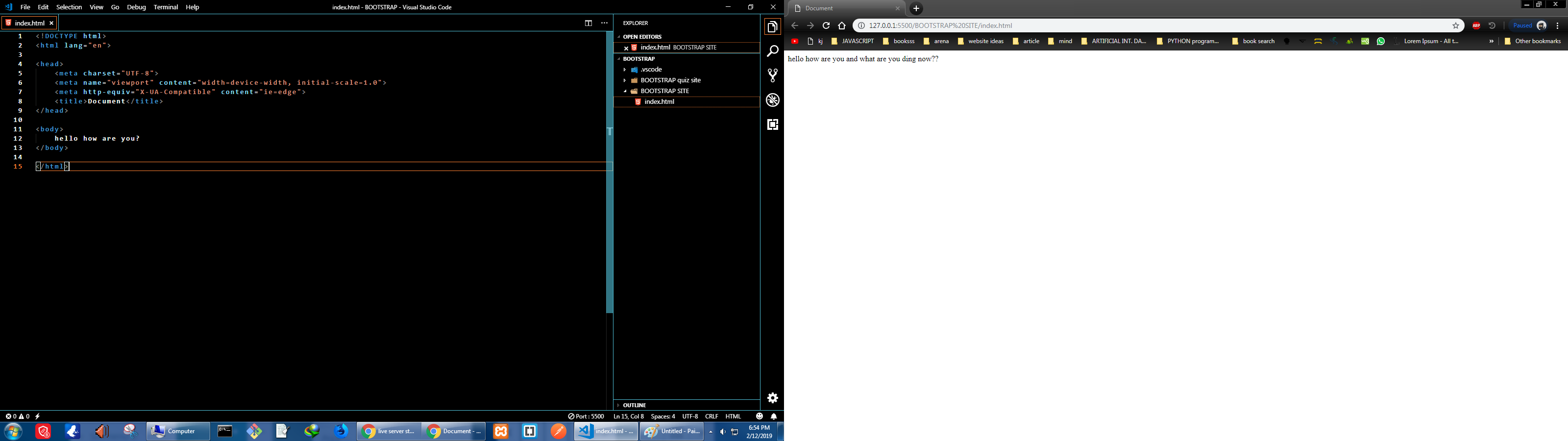
dashingvampire
on 12 Feb 2019
Okay. Can you please share a screenshot of Browser console and view souce code in browser?
ritwickdey
on 12 Feb 2019
and also show the .Vscode settings.json and workspace settings.json
ritwickdey
on 12 Feb 2019
@ritwickdey


dashingvampire
on 12 Feb 2019
and settings?
ritwickdey
on 12 Feb 2019
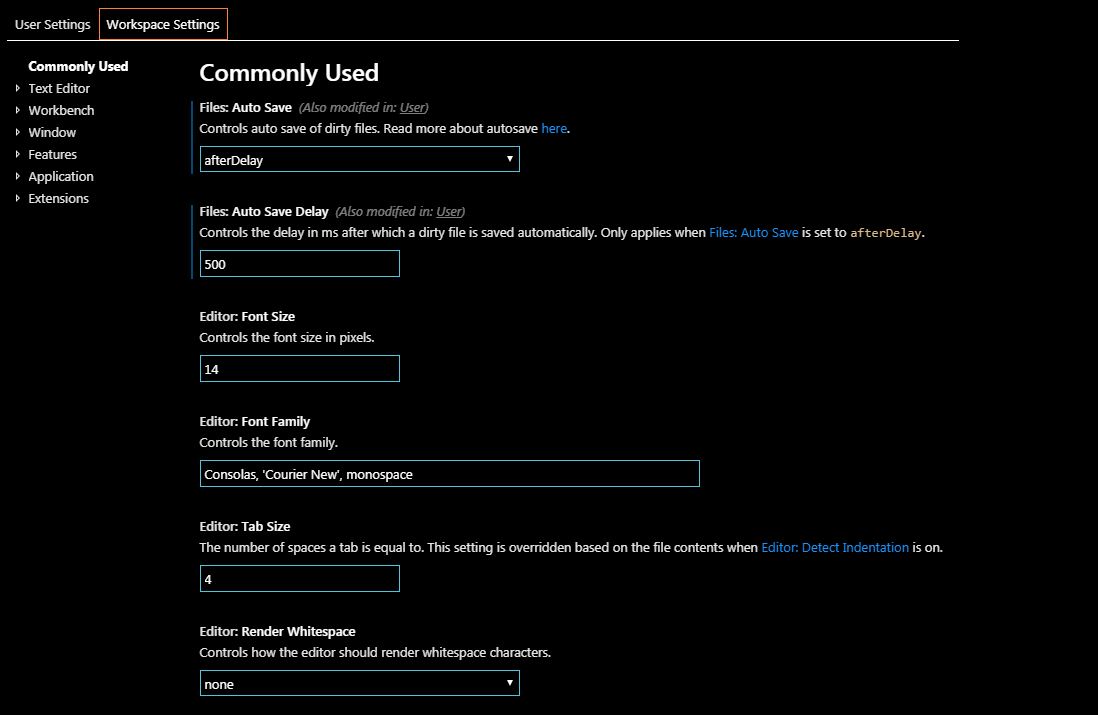
same for user
dashingvampire
on 12 Feb 2019
There should be few extra line of JavaScript in HTML file.. (Live server injects the code)
ritwickdey
on 12 Feb 2019
There should be few extra line of JavaScript in HTML file.. (Live server injects the code)
where?
dashingvampire
on 12 Feb 2019
I think liveServer.settings.useWebExt is true..
You have to make it false.
Search useWebExt in workspace settings ans user settings
ritwickdey
on 12 Feb 2019
view source code ans console are empty.
and this was all fresh folder..and files just to test after re installing vscode and live server and restarting everything many times.
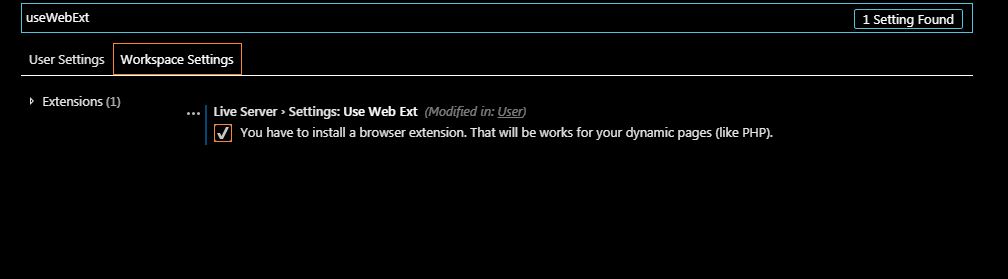
dashingvampire
on 12 Feb 2019
remove the tick. and restart server
ritwickdey
on 12 Feb 2019
This is not an issue. Please read the settings doc. You have to remove the tick of useWebExt to make it false
https://github.com/ritwickdey/vscode-live-server/blob/master/docs/settings.md
ritwickdey
on 12 Feb 2019
@ritwickdey the tick was not there..i just checked it before taking the picture in case it worked with tick there.
by default it was without tick there.
dashingvampire
on 12 Feb 2019
i dont know what really happened in the background. but i downloaded the chrome extension and added the file location to the server address. for now.
will be too hectic for editing all the time.
dashingvampire
on 12 Feb 2019
okk. remove the trick from User and Workspace settings. And try again.
ritwickdey
on 12 Feb 2019
Please don't try the browser extension now. For simple html file, you don't need the browser extension.
ritwickdey
on 12 Feb 2019
Just make sure that you don't have enabled useWebExt from user settings and workspace settings.
ritwickdey
on 12 Feb 2019
yes . did all as you in this msg. all fresh again. still same issue.
dashingvampire
on 12 Feb 2019
Can you create a fresh project in Desktop. ?
I'm not really sure that's happening. may be I can help you via TEAM VIEWER
ritwickdey
on 12 Feb 2019
its fine sir. i will work in other editor for now. i had some quick practices to do. i am kind of new to all this wen design world....
i will check in my laptop later. this issue is in my pc.
thank you for help anyways,
dashingvampire
on 12 Feb 2019
Can you create a fresh project in Desktop. ?
I'm not really sure that's happening. may be I can help you via TEAM VIEWER
@ritwickdey
Great work. But I had the same issue too. I have created an open issue but no response from you. It is failing at refreshCss() and also for html and js changes I have to do save (cmd + s) 3 or more times to refresh the browser. Please check and respond ASAP.
 chiranjeevi-bhaskaruni
on 13 Feb 2019
chiranjeevi-bhaskaruni
on 13 Feb 2019
please send the screenshot of html, browser console and view source page.
ritwickdey
on 13 Feb 2019
please send the screenshot of html, browser console and view source page.
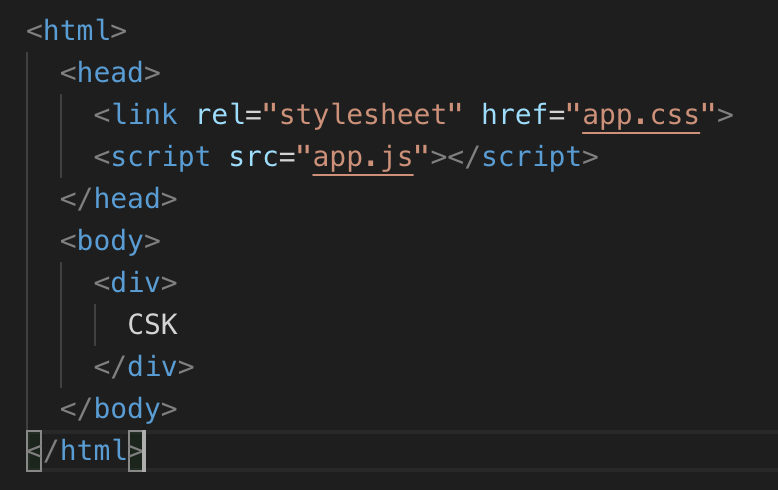


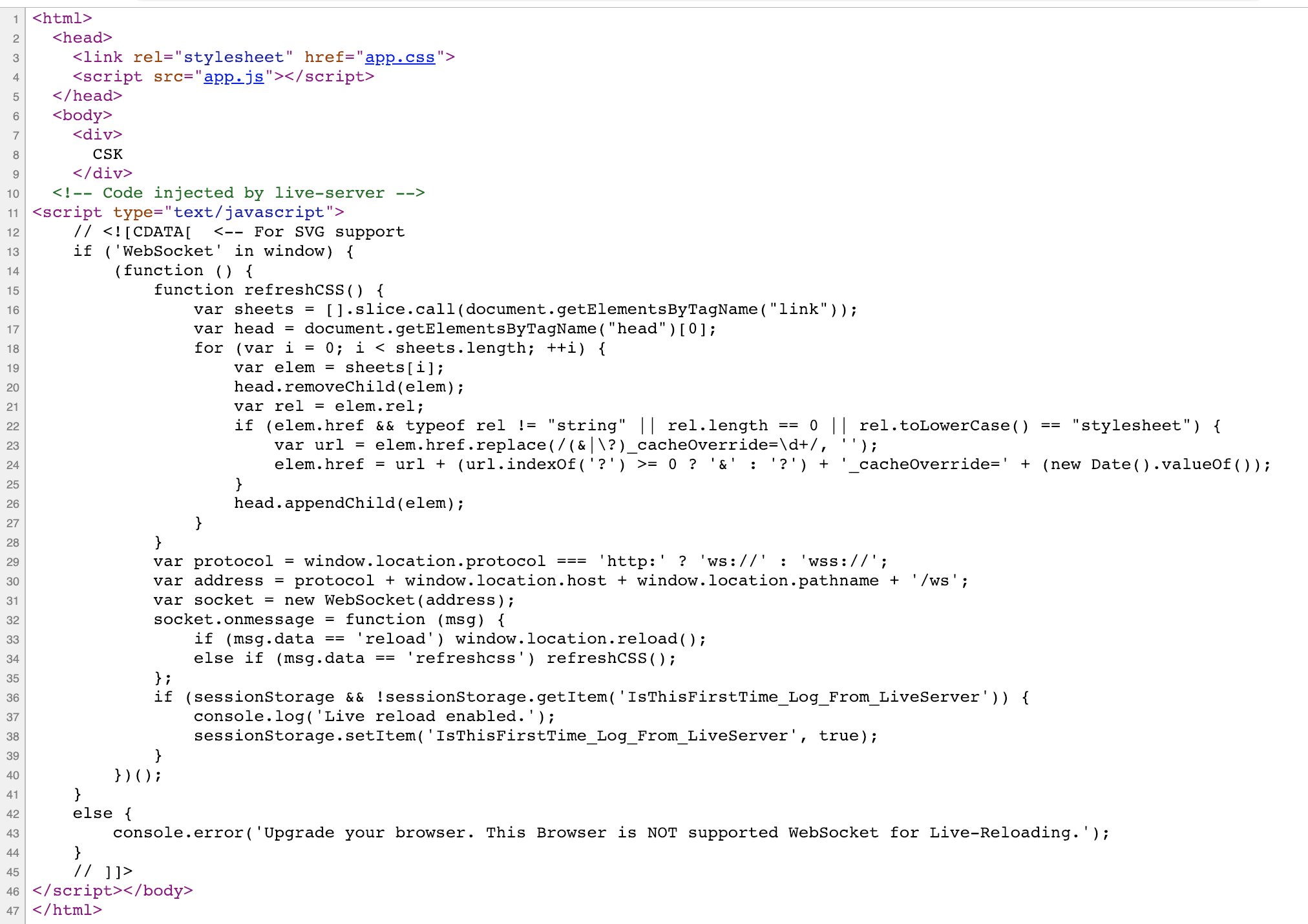
chiranjeevi-bhaskaruni
on 13 Feb 2019
One easy solution is that make 'fullReload' = true from vscode settings
ritwickdey
on 13 Feb 2019
One easy solution is that make 'fullReload' = true from vscode settings
It is better now but still, the refresh is happening after 3 to 4 times of doing save.
chiranjeevi-bhaskaruni
on 13 Feb 2019
It should not be. Can open vscode dev console (view=>Toggle developer tools) and try to save one time. Did you see any changes detected message? (wait max 10-15 sec)
ritwickdey
on 13 Feb 2019
It should not be. Can open vscode dev console (view=>Toggle developer tools) and try to save one time. Did you see any changes detected message? (wait max 10-15 sec)
No, I didn't see the changes detected message after saving once
chiranjeevi-bhaskaruni
on 13 Feb 2019
Hi @dashingvampire, you can safly disable fullReload, I've got the reason of the BUG.
Open a new Guest window of Chrome and try again (remeber to disable the fullReload)
ritwickdey
on 13 Feb 2019
Related issues
 GaoHengdong
·
4Comments
GaoHengdong
·
4Comments
 dominik-korsa
·
6Comments
dominik-korsa
·
6Comments
 tehsy97
·
6Comments
tehsy97
·
6Comments
 Er-rchydy
·
3Comments
Er-rchydy
·
3Comments
 Zerotask
·
4Comments
Zerotask
·
4Comments