Vscode-live-server: Autoload feature not working
Hi, I just installed live-server version v.3.2.1 but the autoload feature is not working. I have to refresh the page manually to see the changes.
FYI I didn't change any of the default settings
 gabygandrade
All 46 comments
Hi @gabygandrade, you've to save the file to live reload. make sure, you're saving the file. #71
Let me know if it's still not working for you.
 ritwickdey
on 19 Feb 2018
ritwickdey
on 19 Feb 2018
Hi, same issue here - no auto refresh / load. Also if I save the file, no change. You have to manually refresh the site to see the changes.
 emexy
on 19 Feb 2018
emexy
on 19 Feb 2018
Please make a simple HTML. And write somthing.. & check if it's auto reloading or not..
if not, click to "view page source" in browser, do you notice any extra JavaScript injected in the html starts with Code injected by Live Server ??
ritwickdey
on 19 Feb 2018
The extra javascript code is available, but autoloading isn't working.
emexy
on 19 Feb 2018
Have you changed any settings? Which platform your're using?
And please share a snapshot Developer console of vscode (Tools -> Toggle Developer Tools) after couple of saving!
ritwickdey
on 19 Feb 2018
Everything is on default setting.
My setup here:
- Windows 10 64 bit
- Current version of Visual Studio Code
- Current version of Live Server
- Current version of Google Chrome as browser
Developer console in Visual Studio Code shows only, also after a lot of changing and saving:
console.ts:123 [Extension Host] Ready for changes

console.ts:123 [Extension Host] Serving "c:\wamp\www\bulma\node_modules\bulma\" at http://127.0.0.1:5500
Ohh!! node_modules folder is excluded implicitly...
Can I know why you've named the folder as node_modules?
Btw, you've to rename the folder if you want the live reload features
ritwickdey
on 19 Feb 2018
Thank you very much! Now it's working - my fault: I wanted to test VS Code + Live server extension quick & dirty^^
emexy
on 19 Feb 2018
Hi @ritwickdey, I still have the issue. I saved the file and it is still not reloading automatically. I even enabled autosave on my VSCode and verified that is working.
I also looked at my HTML and noticed there IS new Javascript that injected that starts with Code injected by Live Server as you mentioned.
I am seeing this is in the Developer Console in Visual Studio Code after saving:
[Extension Host] Serving "/Users/gandrade/src/learning/udemy-modernJSFromBeginning/section2/" at http://127.0.0.1:5500
/Applications/Visual Studio Code.app/Contents/Resources/app/out/vs/workbench/workbench.main.js:253
[Extension Host] Ready for changes
4/Applications/Visual Studio Code.app/Contents/Resources/app/out/vs/workbench/workbench.main.js:253
[Extension Host] Change detected <filePath>
5console.ts:123 [Extension Host] <filePath>
And nothing after that.
Any guidance would be really appreciated!
gabygandrade
on 19 Feb 2018
Hi, @gabygandrade Are getting message Change detected '...path' message (in vscode developer console) whenever you're saving the file?
ritwickdey
on 19 Feb 2018
Yes I am.
Here's an output of that fro the VSCode developer console:
[Extension Host] Serving "filePath" at http://127.0.0.1:5500
console.ts:123 [Extension Host] Ready for changes
2console.ts:123 [Extension Host] Change detected ...filePath
But the changes are not reflected on the page
gabygandrade
on 19 Feb 2018
I am running on a Mac OSHigh Sierra V.10.13.3
VSCode V.1.20.1
Live-Server V.3.2.1
Google Chrome V.64.0.3282.167
gabygandrade
on 19 Feb 2018
Strange! Live Server is able to inject the code into your HTML and also detecting the changes. But you're NOT getting live reload feature.
Are you using Google Chrome ? Will you able to do few debug if I told you the steps?
ritwickdey
on 19 Feb 2018
Yes I am able to debug.
Also after a couple more times of trying I see this in the VSCode Console:
[Extension Host] No editors associated with document: /Users/gandrade/Library/Application Support/Code/User/settings.json
Could it be related to that? If not, happy to debug on Chrome.
gabygandrade
on 19 Feb 2018
Before the process, please close all the browser instances and open live server.
do you see any error in browser console?
You should see "Live reload enabled." for first time.
ritwickdey
on 19 Feb 2018
I closed the browser instance and opened live server. I don't see any error in the browser console.
I also do not see "Live reload enabled" in the console.
This is the only thing I see:
[Extension Host] Serving ...FilePath
console.ts:123 [Extension Host] Ready for changes
Strange!
Are you sure this code in injected in your HTML?
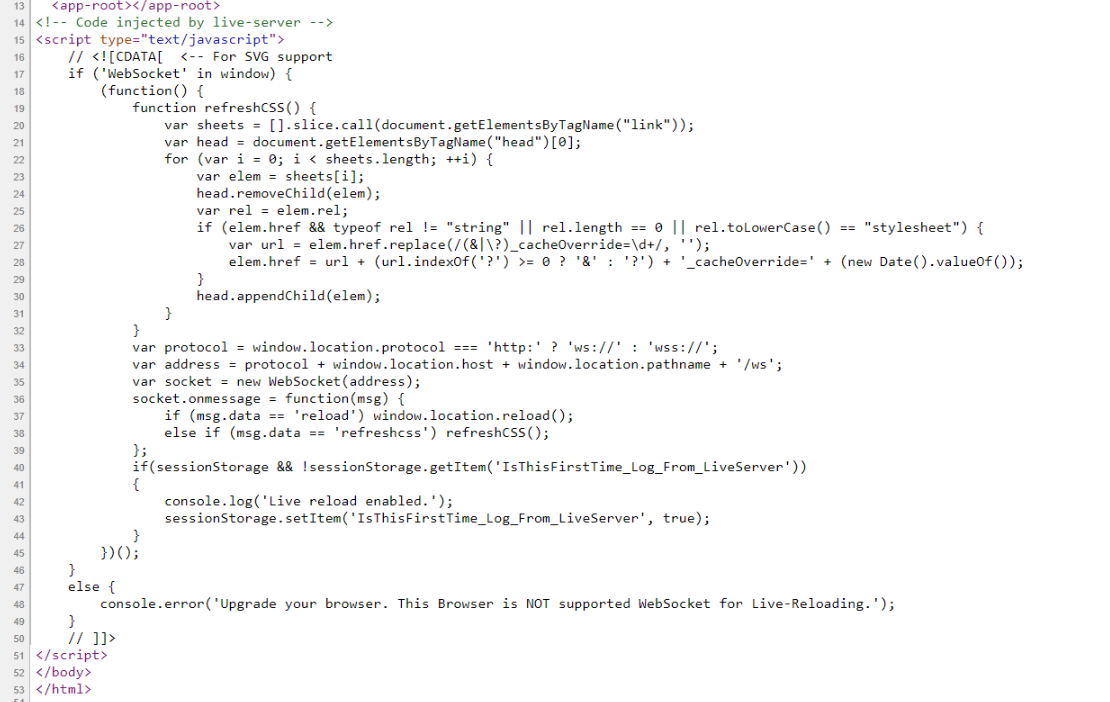
BTW, "Live reload enabled" this message will be stay for one time, if you hit refresh this message will be disappeared
ritwickdey
on 19 Feb 2018
Yes I see the "Code injected by live-server" part in my HTML document.
After a couple more tries I see this in the VSCode dev console:
log.ts:171 ERR An unknown error occurred. Please consult the log for more details.
But when I click on the sourcemap link it just takes me to this line in the logs:
    error(message: string, ...args: any[]): void {
        if (this.getLevel() <= LogLevel.Error) {
            console.log('%c  ERR', 'color: #f33', message, ...args);
        }
    }
I'm NOT sure why it's happening for you!
One more try.
Please the chrome extension.
Step 1 : start live server. Now open the extension and try connect to ws://127.0.0.1:5500.
status should be OPENED
Step 2 : change something on HTML & css files and hit save, you'll get the following message
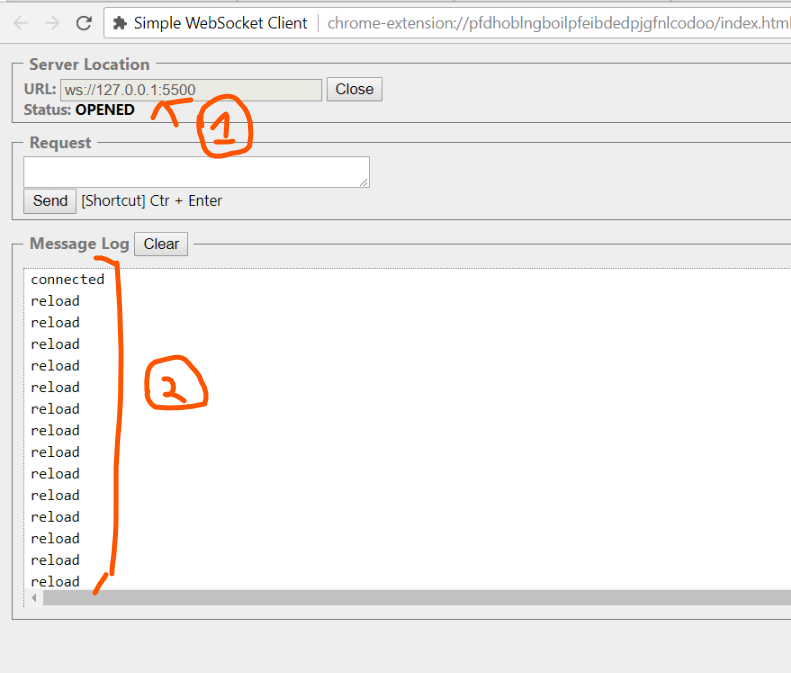
ritwickdey
on 19 Feb 2018
Hi @ritwickdey I tried the above as you suggested and get the same output as you:
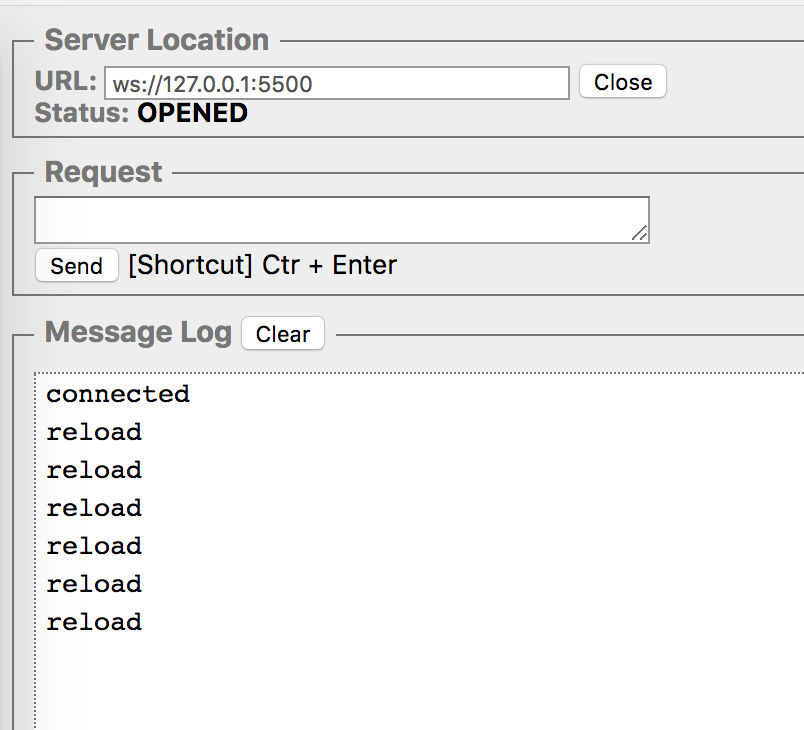
gabygandrade
on 19 Feb 2018
Then, everything is fine from VScode
can able to add breakpoints here from Chorme?
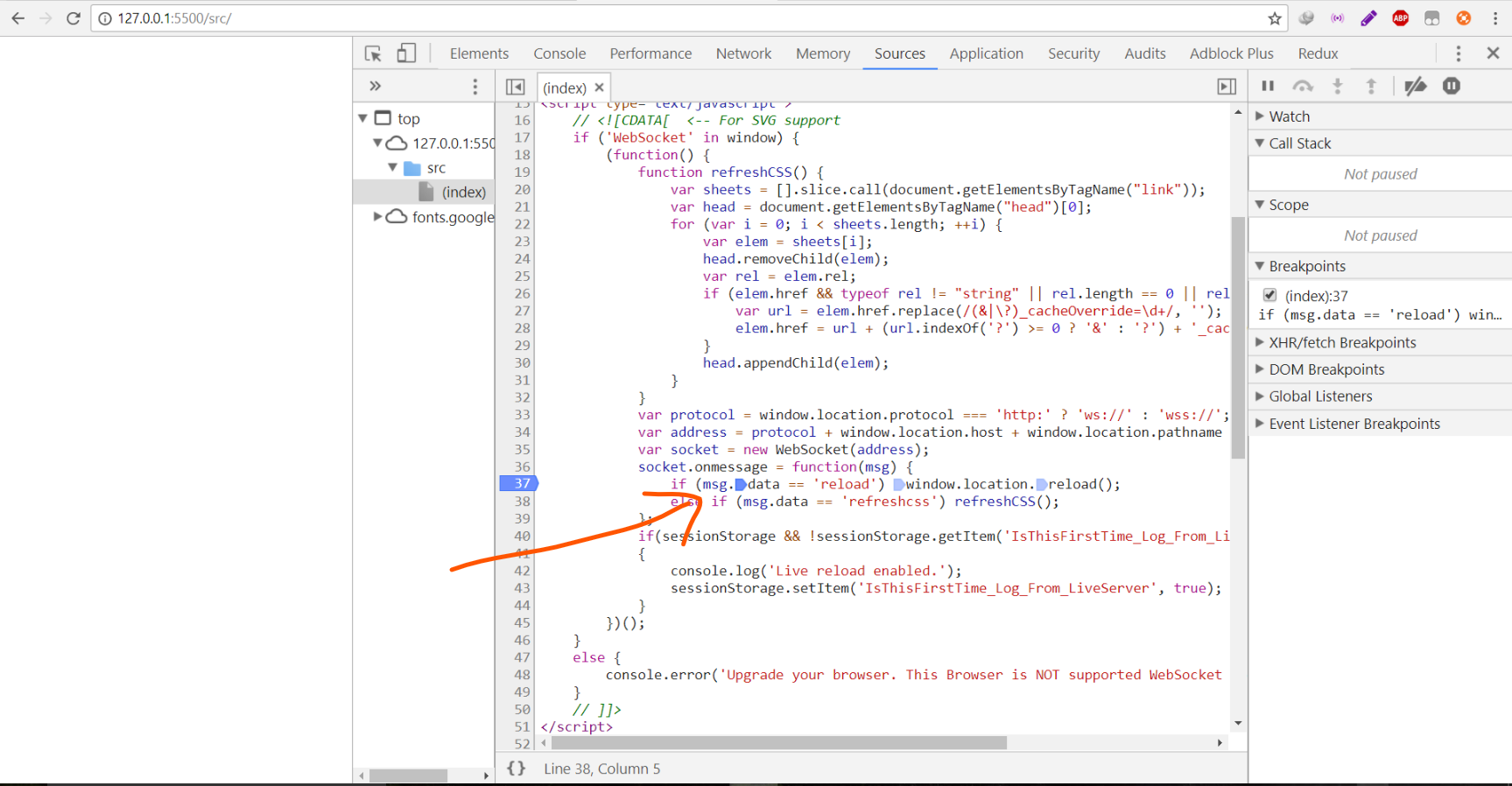
ritwickdey
on 19 Feb 2018
and hit save from Vscode. Then show me the value of msg (hover it)
ritwickdey
on 19 Feb 2018
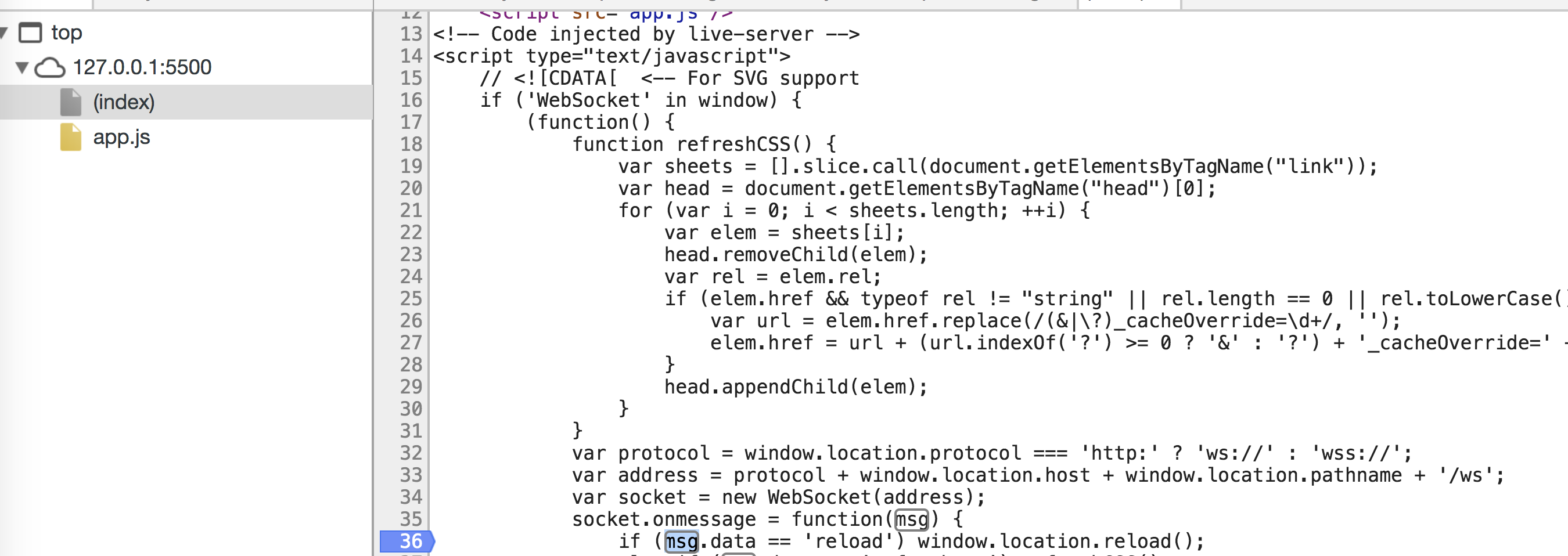
I added the breakpoint, changed the HTML file in VS, and then looked to see what the value of msg in Chrome devtools but I am not able to hover over it to see the value, and when I log it to the console I see Uncaught Reference Error:msg is not defined.
I'm not sure if something is not working with the JS Live-Server Injection because in my Chrome Devtools that part of the script shows up all black:
gabygandrade
on 19 Feb 2018
Can you send me the html file if it's not containing any sensitive information?
Do you try with a new html file with just boilerplate html ?
ritwickdey
on 19 Feb 2018
I can see the script tag you've written. <script src="app.js" />
It should be <script src="app.js"></script>
ritwickdey
on 19 Feb 2018
Yes I actually just saw that, and verified its now working fine. Thank you!
gabygandrade
on 19 Feb 2018
Okay! thanks for the confirmation !
If you really like the extension, please drop a review in vscode marketplace.
https://marketplace.visualstudio.com/items?itemName=ritwickdey.LiveServer
ritwickdey
on 19 Feb 2018
Yes it's awesome! 👍
gabygandrade
on 19 Feb 2018
Just wanted to say that the same fix worked for me - guess I'm too used to XML!
 yamahito
on 22 Feb 2018
yamahito
on 22 Feb 2018
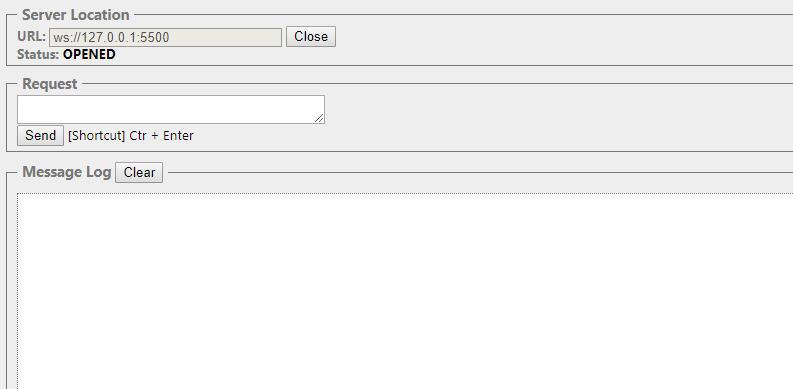
Hi. What if I am not getting the reload output? What will I do? Not even the connected one. :(
 leyooandreii
on 31 Mar 2018
leyooandreii
on 31 Mar 2018
Same, i also don't get any reload output.
Ok! I fixed it. Even though I tried turning it off and disabling stuff inside the program, the villain was Lavasofts Ad-aware antivirus, and as soon as I uninstalled it, it worked like a beauty!
 Joel8bitar
on 10 Apr 2018
Joel8bitar
on 10 Apr 2018
i was having problems with the live reload but then realised i didnt have auto save on. As you said auto save has to be on to live reload. Awesome app and as i can see excellent support :dancer:
 dwiggins4121
on 27 Sep 2018
dwiggins4121
on 27 Sep 2018
in my case after change my work folder location from "user\my user name.vscode" to another folder live server reload worked again.
 amirghiasi
on 12 Oct 2018
amirghiasi
on 12 Oct 2018
I had same problem but other reason. I named a folder with multibyte language(Japanese) and live server stopped working. After I renamed the folder with alphabet, it started working fine.
For those use languages other than English this might help.
 norixx
on 30 Oct 2018
norixx
on 30 Oct 2018
I have a problem when i click on 'open with live server ' it shows this message! any help ?!

 mayaramein
on 20 Dec 2018
mayaramein
on 20 Dec 2018
javascript is not injected into my html why is that ? when i save nothing changes and i think it's because of that , how can i fix it ?
 mido5219
on 13 Jan 2019
mido5219
on 13 Jan 2019
Hi @ritwickdey, my Live Reload only works for HTML changes, not CSS. Tried with several different projects.
There is well JavaScript injected in the html starting with Code injected by Live Server.
VS Code console shows "Debugger listening on ws:....... For help, see: https://nodejs.org/en/docs/inspector"
Aaand I'm not getting Change detected '...path' in vscode developer consol whenever saving the file.
Greatly appreciated!
Mac Air 64 bit
Live Server 5.5.1
VS Code 1.31.0 (1.31.0)
Current version of Google Chrome
 mgalkus
on 12 Feb 2019
mgalkus
on 12 Feb 2019
Hi ,
Live Server Extension is not Auto Loading.
Details ->
I have installed Visual Studio Code with the following version and details :
Version: 1.31.1 (user setup)
Commit: 1b8e8302e405050205e69b59abb3559592bb9e60
Date: 2019-02-12T02:20:54.427Z
Electron: 3.1.2
Chrome: 66.0.3359.181
Node.js: 10.2.0
V8: 6.6.346.32
OS: Windows_NT x64 6.1.7601
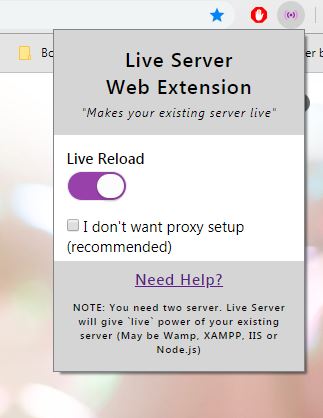
Live Server Extension has been installed in Visual Studio as well as in chrome. I couldn't see the browser page automatically loading when running the file. Trying troubleshooting in many ways. Kindly halp asap.

 Shinuuuu
on 18 Feb 2019
Shinuuuu
on 18 Feb 2019
Please make a simple HTML. And write somthing.. & check if it's auto reloading or not..
if not, click to "view page source" in browser, do you notice any extra JavaScript injected in the html starts with
Code injected by Live Server??
hello my live server isnt reloading it self and i checked to see if any code is inserted in my code by none was inserted. pls come to my aid
 sarmdoria
on 23 Feb 2019
sarmdoria
on 23 Feb 2019
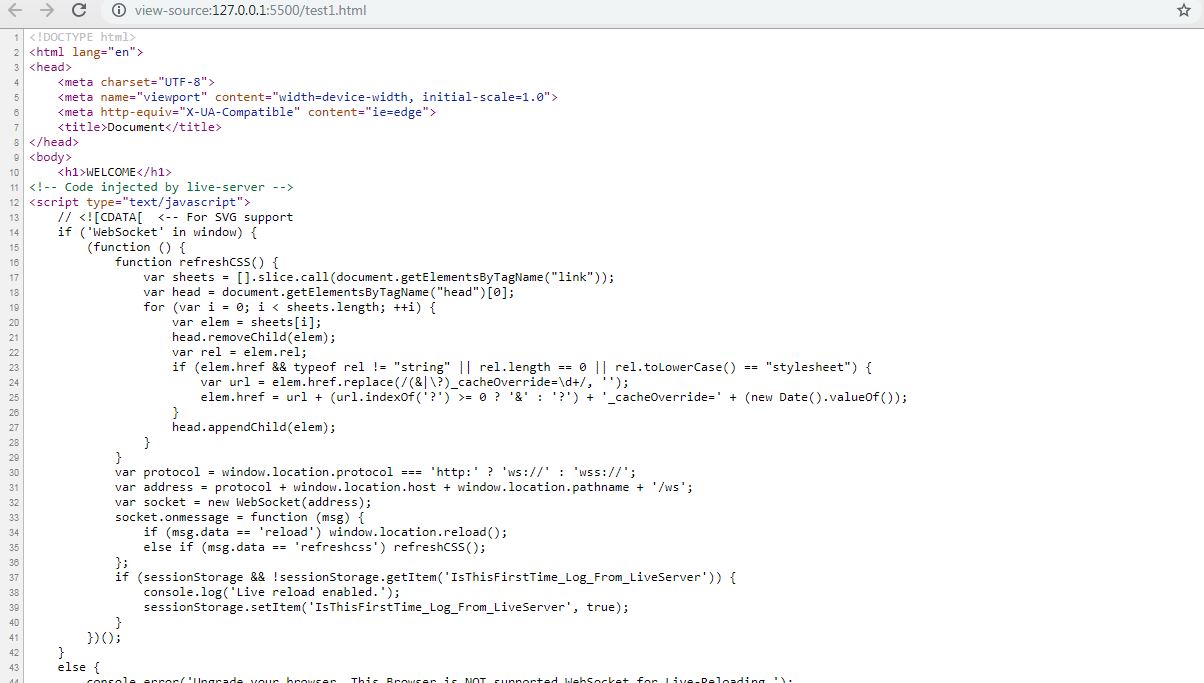
Hi,
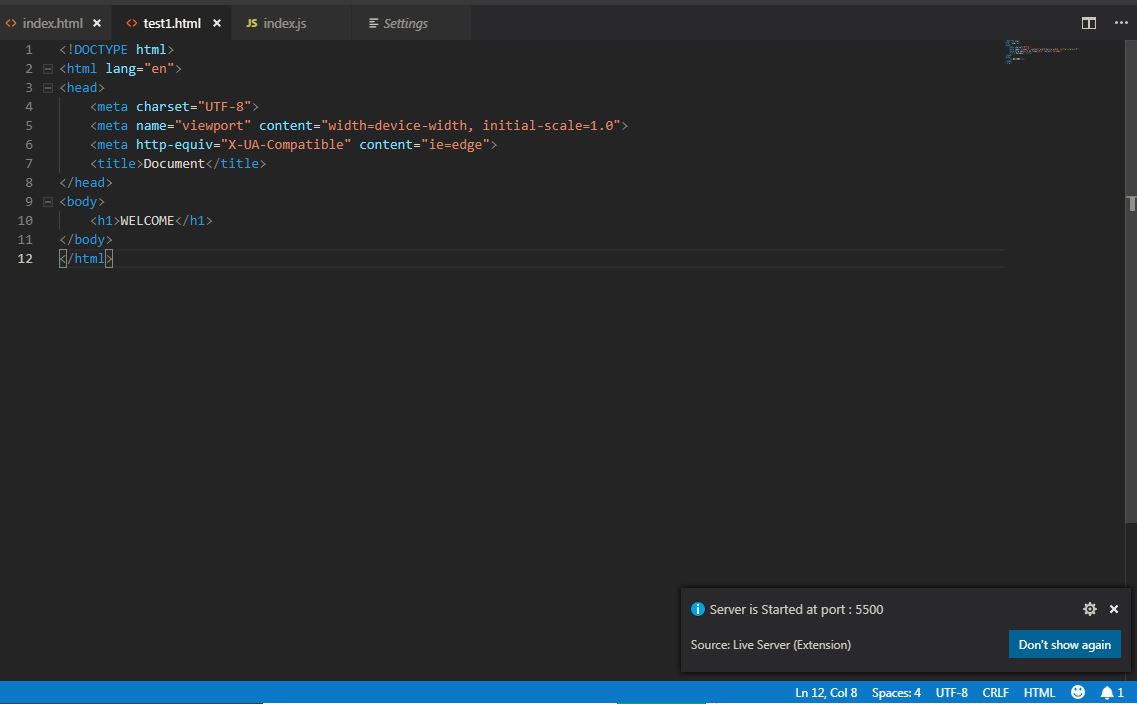
I have tried adding a simple HTML file and run on live server. It didn't automatically loaded and when i try to access page manually and viewed at view page source, I can see Code injected by Live Server. PFA screenshots too.
Shinuuuu
on 26 Feb 2019
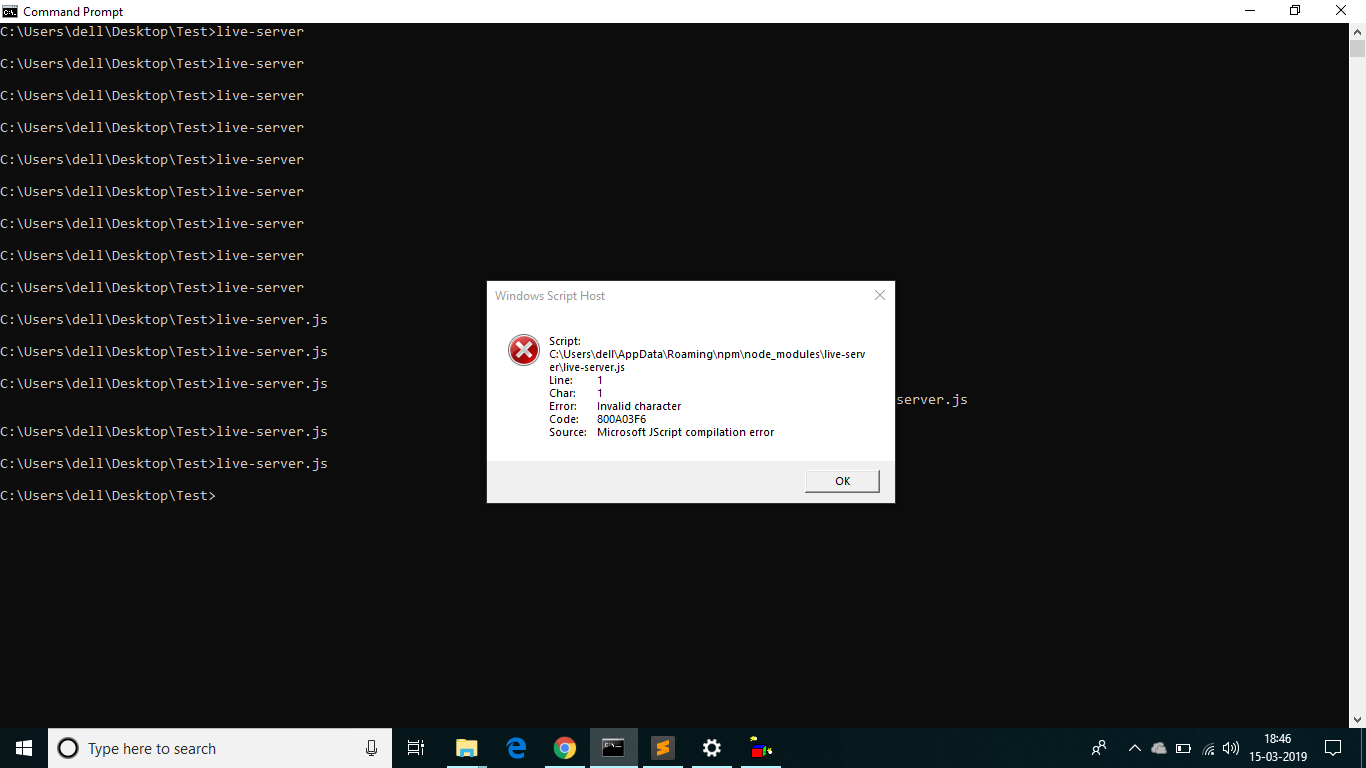
hii dudes..after installation of live-server in comand line i tried to execute live-server ,but it showing error.plz help me to fix this.
 baliramakrishna
on 15 Mar 2019
baliramakrishna
on 15 Mar 2019
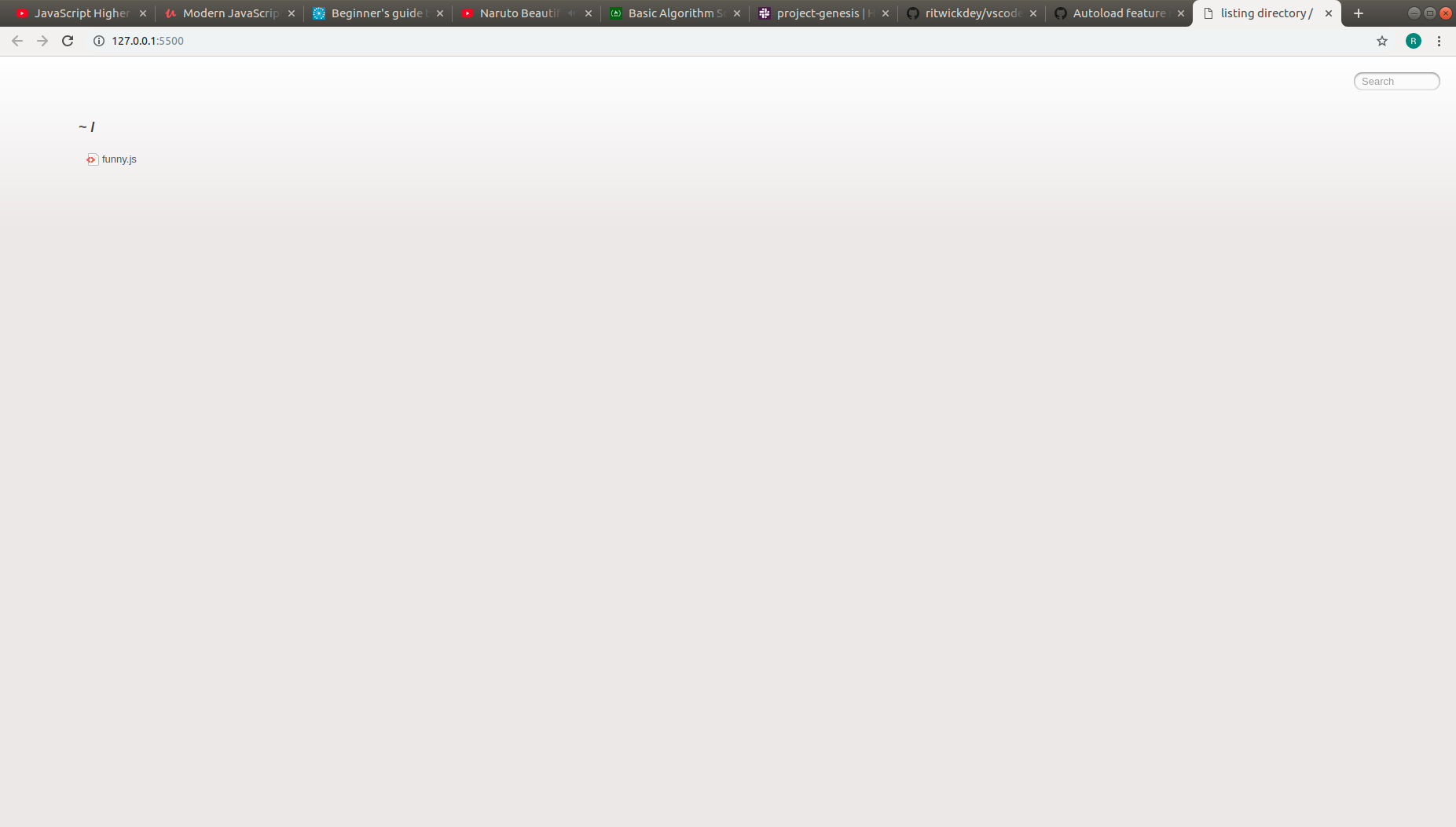
Hi there, I am experiencing this problem. Could you please help
 mazecoder
on 18 Apr 2019
mazecoder
on 18 Apr 2019
@mazecoder you do not have an HTML page so vscode doesn't know how to display a plain JS file that probably isn't generating any HTML code. Click the Funny.js file and see what happens. You have to have HTML to display anything in the browser.
 anthonybrown
on 27 May 2019
anthonybrown
on 27 May 2019
you must enable auto save in file
 omidgholami74
on 14 Aug 2019
omidgholami74
on 14 Aug 2019
@ritwickdey Hello. I have the same issue as the poster and I've tried the tips you gave. But when i tried opening a connection with the simple websocket chrome extension, it is not connecting. Stays on opening and later shows undefined.
Kindly help, thanks.
 johnson-jnr
on 8 Oct 2019
johnson-jnr
on 8 Oct 2019
Make sure you close the script tag into your html root file...
<script src="app.js" />
has to be written such as :
<script src="app.js"></script>
 ndjerrou
on 3 Nov 2019
ndjerrou
on 3 Nov 2019
Related issues
 Zerotask
·
4Comments
Zerotask
·
4Comments
 ninlil
·
6Comments
ninlil
·
6Comments
 Missangay
·
7Comments
Missangay
·
7Comments
 abhiinos111abhi
·
5Comments
abhiinos111abhi
·
5Comments
 dominik-korsa
·
6Comments
dominik-korsa
·
6Comments
Most helpful comment
I can see the script tag you've written.
<script src="app.js" />It should be
<script src="app.js"></script>