Vscode-jupyter: Jupyter Notebook theme when using ssh
Bug: Notebook Editor, Interactive Window, Editor cells
When using jupyter notebook in ssh mode, the theme of jupyter notebook is not same as VS Code's theme.
Actual behavior

Expected behavior

Your Jupyter and/or Python environment
Please provide as much info as you readily know
- Jupyter server running: Local | Remote | N/A
- Extension version: 20YY.MM.#####-xxx
- VS Code version: #.##
- Setting python.jediEnabled: true | false
- Python and/or Anaconda version: #.#.#
- OS: Windows | Mac | Linux (distro):
- Virtual environment: conda | venv | virtualenv | N/A | ...
Developer Tools Console Output
Microsoft Data Science for VS Code Engineering Team: @rchiodo, @IanMatthewHuff, @DavidKutu, @DonJayamanne, @greazer
 jediyoda36
All 15 comments
Sorry but this is a known limitation. We have a hack that lets us find the themes when using VS code in the local situation, but it doesn't work in the remote case. So we only provide light/dark in remote situations.
 rchiodo
on 15 Jan 2020
rchiodo
on 15 Jan 2020
did this feature added into the up to date version? I am thinking about swap to Jupyter Lab..
 neolyo
on 21 Mar 2020
neolyo
on 21 Mar 2020
This is still a limitation. We are waiting on VS code to give us access to themes from a remote extension.
rchiodo
on 23 Mar 2020
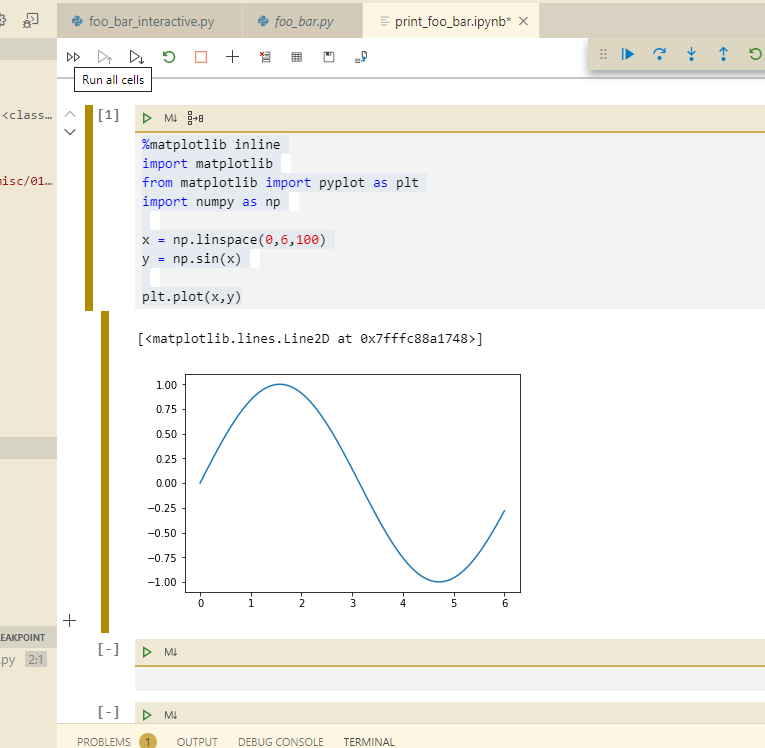
@rchiodo Would it be possible to have the theme as a setting in the python extension. I know it seems kind of silly to have to set the same theme twice, but it would get around the unexpected visual mismatch :)
 ajasja
on 25 Apr 2020
ajasja
on 25 Apr 2020
Having the setting doesn't solve the root cause of the problem. We know what theme is picked, we just can't find the theme json data.
In the %USERPROFILE%\.vscode\extensions (on windows) is where theme extensions are installed. In the remote SSH case, our extension is not installed there, but on the remote machine. We need access to this folder in order to find the theme json contents. There's is currently no way for an extension to read this directory.
rchiodo
on 27 Apr 2020
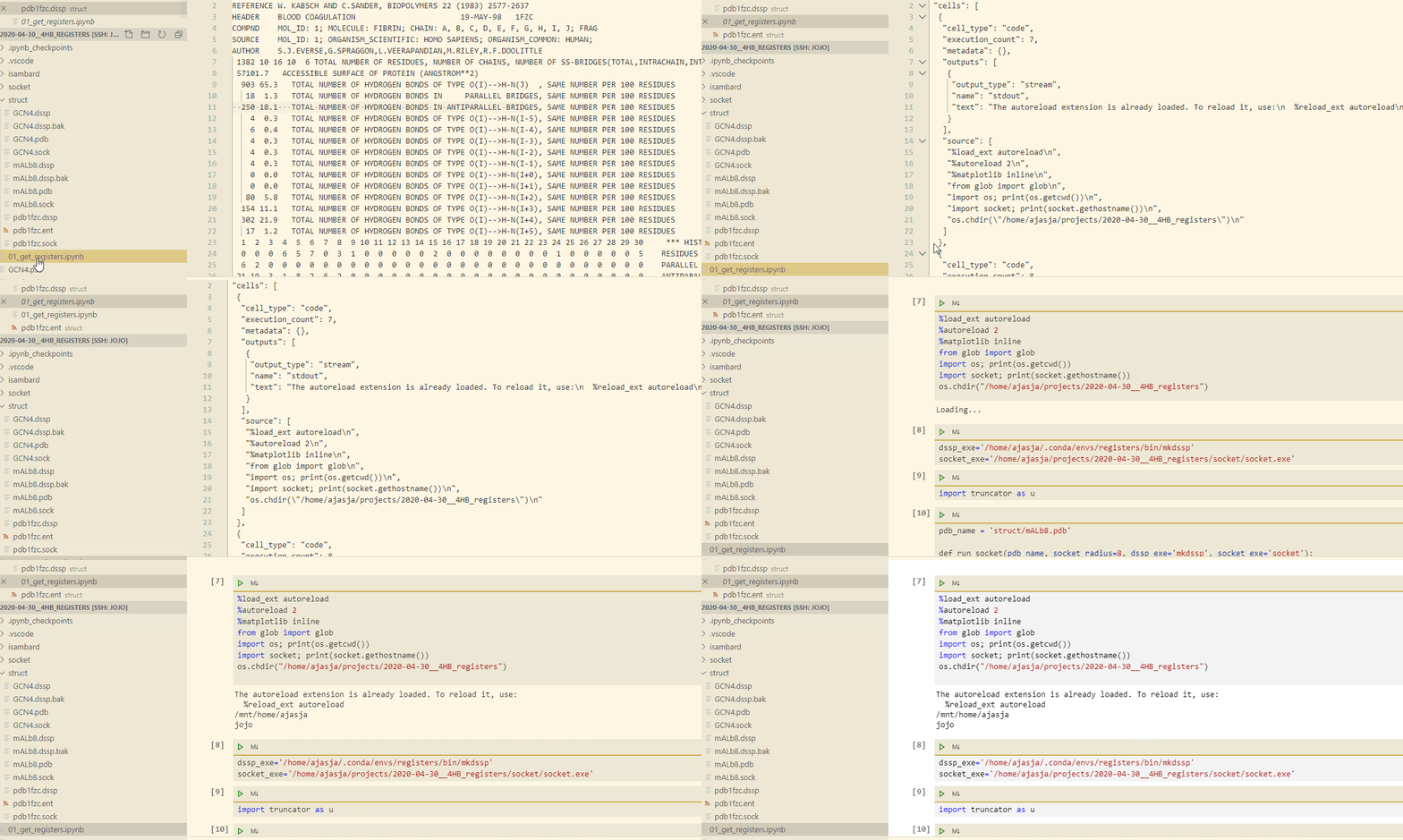
@rchiodo Thanks! I tried copying the extension data from %USERPROFILE%\.vscode\extensions to the ~/.vscode/extensions on the remote host. For the first 3 seconds everything was fine, but then it switched to the default light theme.
ajasja
on 2 May 2020
This is still a limitation. We are waiting on VS code to give us access to themes from a remote extension.
Would it be possible to also install the theme on the remote machine?
 austinmw
on 20 Jun 2020
austinmw
on 20 Jun 2020
Yes that might work. We look next to the extension for the theme, so if the extension is installed remotely, it should find the theme if you install it remotely.
However I believe there are UI vs Remote extensions. The theme may not end up on the remote machine even if you install it there.
rchiodo
on 22 Jun 2020
I installed a secondary theme on my local machine, copied its folder to the remote host, and deleted the first copy of the theme extension from my end. This leaves the extension theme on the remote host only, with my main theme installed locally.
Every time I go onto a remote server with ssh I'll have to switch to the other theme. The same theme can't be used since the local copy would override the remote copy automatically :\
 richardso21
on 1 Jul 2020
richardso21
on 1 Jul 2020
I can confirm this bug with the Remote - WSL extension, too. Copying the theme extensions into ~/.vscode_server/extensions does not work. Is there maybe another way to hack this?
 yeoldelloyd
on 2 Jul 2020
yeoldelloyd
on 2 Jul 2020
For anybody coming here through Google: There is a beautiful new themed native notebook interface that works with SSH remote! It's in the latest insiders VS Code (at least 1.49.0) and insiders python (v2020.9.104154-dev). Right click on a notebook and select "Open in preview Notebook Editor"

ajasja
on 25 Aug 2020
If it is still a limitation, would it be possible to provide more themes on the remote machine without installation? (eg. One Dark Pro) The default dark and light themes are really awful.
 yyNoBug
on 12 Nov 2020
yyNoBug
on 12 Nov 2020
@yyNoBug you can use vscode insider or code-server . They provide many themes
 zombba
on 12 Nov 2020
zombba
on 12 Nov 2020
For anybody coming here through Google: There is a beautiful new themed native notebook interface that works with SSH remote! It's in the latest insiders VS Code (at least 1.49.0) and insiders python (v2020.9.104154-dev). Right click on a notebook and select "Open in preview Notebook Editor"
@ajasja Hello, but I can't find the variable viewer in the Insight version. Do you know where to view the variable? "show variables active in jupyter kernel"
 xlilium
on 13 Nov 2020
xlilium
on 13 Nov 2020
@xlilium It's sadly not there yet (I'm currently working on it :)). There are some features of the preview editor that are not fully matched up with the old webview based editor. Our short-term goal is to fill in these missing areas in the next few releases before moving this new notebook interface out of preview.
 IanMatthewHuff
on 13 Nov 2020
IanMatthewHuff
on 13 Nov 2020
Related issues
 BCArg
·
3Comments
BCArg
·
3Comments
 TheOrangeJuice
·
4Comments
TheOrangeJuice
·
4Comments
 dimitry-ishenko
·
4Comments
dimitry-ishenko
·
4Comments
 AlbertDeFusco
·
4Comments
AlbertDeFusco
·
4Comments
 schatt89
·
4Comments
schatt89
·
4Comments
Most helpful comment
For anybody coming here through Google: There is a beautiful new themed native notebook interface that works with SSH remote! It's in the latest insiders VS Code (at least 1.49.0) and insiders python (v2020.9.104154-dev). Right click on a notebook and select "Open in preview Notebook Editor"