Vscode-jupyter: Font ligature setting is ignored in the output of Markdown cells
Bug: Notebook Editor, Interactive Window, Editor cells
Steps to cause the bug to occur
- Change
"edit.fontFamily"to a font that supports ligatures. - Enable font ligatures in the settings, eg:
"editor.fontLigatures": true. - Create new Notebook.
- Enter the following text in a Markdown cell and observe ligatured properly rendered in edit mode and in the output of the cell except for the code block:
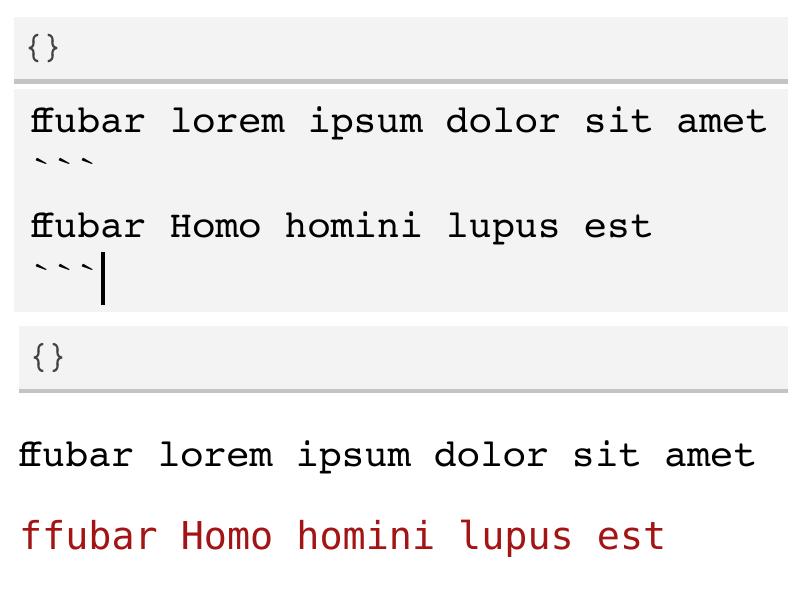
NB: The code block also does not respect the font setting, which is covered in a separate issue microsoft/vscode-jupyter#1604.
- Now, disable ligatures in the settings, eg:
"editor.fontLigatures": false. - Observe lack of ligatures in edit mode (as expected), but ligatures are still rendered in the output:
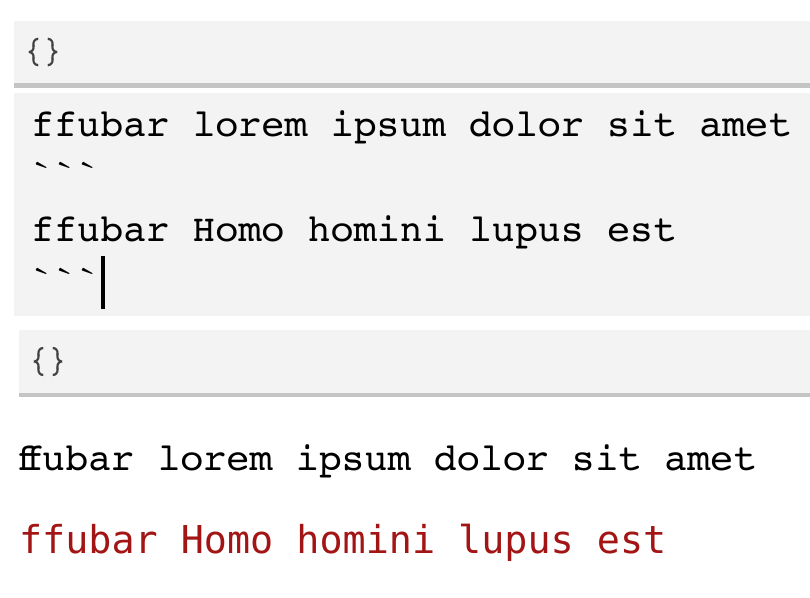
Actual behavior
editor.fontLigatures setting is ignored in the output of Markdown cells.
Expected behavior
editor.fontLigatures setting is respected in the output of Markdown cells.
Your Jupyter and/or Python environment
_Please provide as much info as you readily know_
- Jupyter server running: N/A
- Extension version: v2020.4.76186
- VS Code version: 1.45 and 1.46
- Setting python.jediEnabled: false
- Python and/or Anaconda version: python 3.8.2 (no anacondas here)
- OS: Ubuntu 20.04 LTS
- Virtual environment: N/A
Developer Tools Console Output
:hankey:
Microsoft Data Science for VS Code Engineering Team: @rchiodo, @IanMatthewHuff, @DavidKutu, @DonJayamanne, @greazer
 dimitry-ishenko
All 4 comments
Error messages are likewise rendered with ligatures:
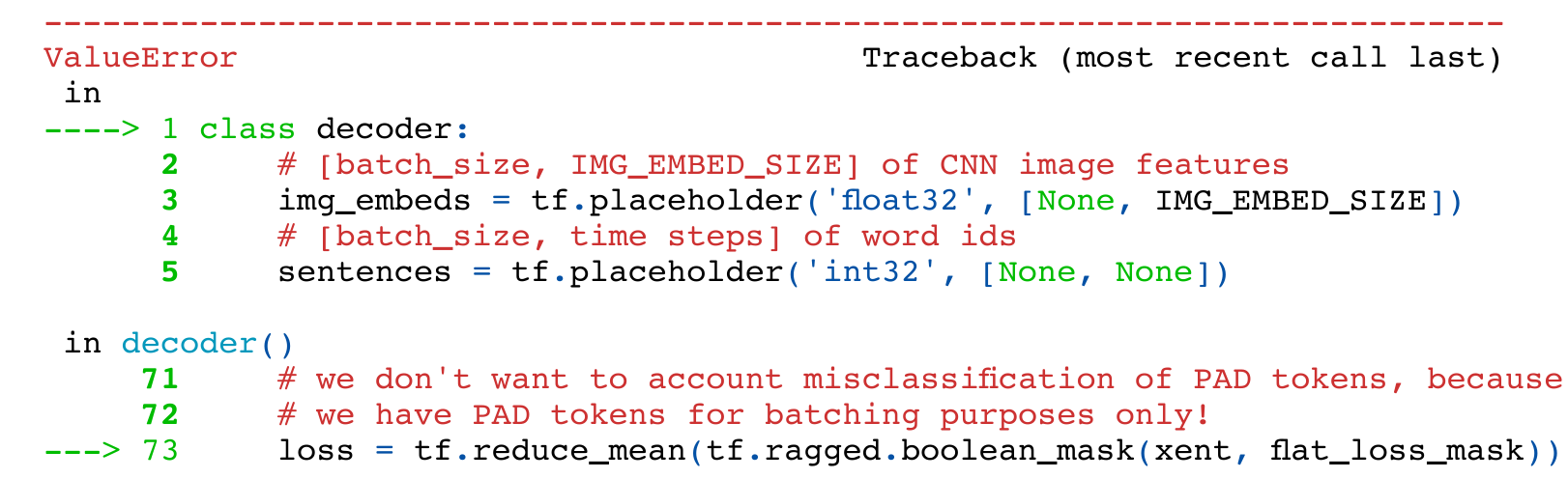
Eg, float, misclassification and flat_loss_mask above.
dimitry-ishenko
on 11 May 2020
Thanks for the issue @dimitry-ishenko. We'll discuss this in our next triage.
 DavidKutu
on 12 May 2020
DavidKutu
on 12 May 2020
This is the same problem as microsoft/vscode-jupyter#1604. So closing this one. It has to do with the markdown control we're using. If we change that (which we might) or fix it in the future, both of these bugs will be fixed.
 greazer
on 14 May 2020
greazer
on 14 May 2020
Thank you @greazer
dimitry-ishenko
on 14 May 2020
Related issues
 ashtou
·
3Comments
greazer
·
3Comments
ashtou
·
3Comments
greazer
·
3Comments
 janosh
·
4Comments
janosh
·
4Comments
 BCArg
·
3Comments
BCArg
·
3Comments
 entron
·
4Comments
entron
·
4Comments