Vscode-jupyter: Empty window when opening or creating Notebook
Issue Type: Bug
- Double click on an existing Notebook or select "Python: Create New Blank Jupyter Notebook" from the pallet.
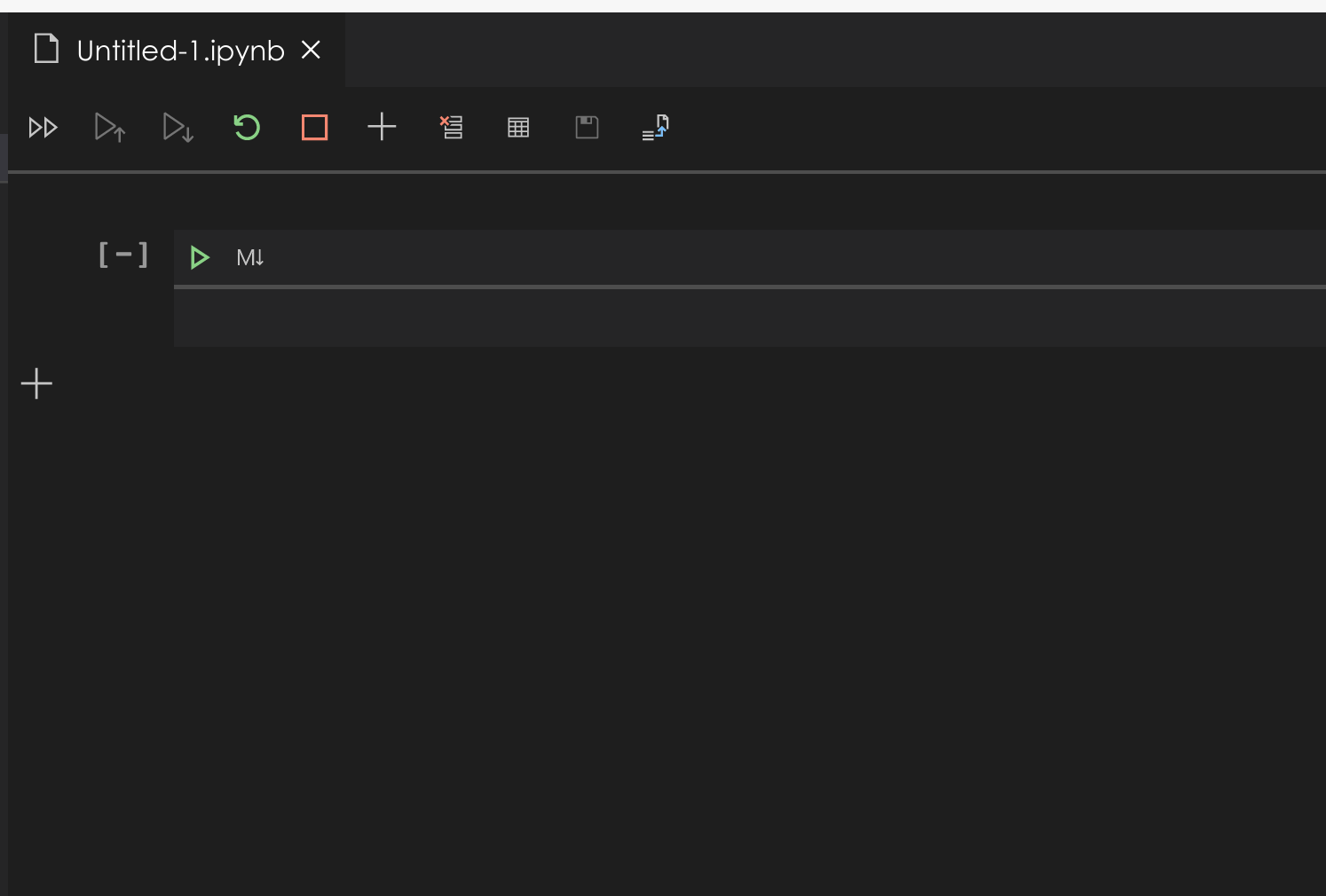
- About half the time you are greeted with a nice empty window (see below) that I cannot do anything with. Closing the window and trying again usually resolves the problem. Sometimes it doesn't. Third time is usually the charm.
Actual behavior:

Expected behavior:
Extension version: 2020.5.80290
VS Code version: Code - OSS 1.46.0 (3984852b33bd6897dd83108ac305c567d49e8fda, 2020-05-15T14:46:12.527Z)
OS version: Linux x64 5.4.0-29-generic
System Info
|Item|Value|
|---|---|
|CPUs|Intel(R) Core(TM) i7-1065G7 CPU @ 1.30GHz (8 x 1627)|
|GPU Status|2d_canvas: enabled
flash_3d: enabled
flash_stage3d: enabled
flash_stage3d_baseline: enabled
gpu_compositing: enabled
multiple_raster_threads: enabled_on
oop_rasterization: disabled_off
protected_video_decode: unavailable_off
rasterization: disabled_software
skia_renderer: disabled_off_ok
video_decode: unavailable_off
viz_display_compositor: enabled_on
viz_hit_test_surface_layer: disabled_off_ok
webgl: enabled
webgl2: enabled|
|Load (avg)|3, 3, 3|
|Memory (System)|15.23GB (2.57GB free)|
|Process Argv|--no-sandbox --unity-launch|
|Screen Reader|no|
|VM|0%|
|DESKTOP_SESSION|ubuntu|
|XDG_CURRENT_DESKTOP|Unity|
|XDG_SESSION_DESKTOP|ubuntu|
|XDG_SESSION_TYPE|x11|
 dimitry-ishenko
All 9 comments
Same issue is also present in the current official release of vscode.
dimitry-ishenko
on 20 May 2020
@dimitry-ishenko Thanks for reporting this. And I've seen this issue cropping up a few times as well. The next time this happens could you run the following command from vscode?
"Developer: Open Webview Developer Tools"
Then see if there is anything in the console window there? There seem to be some general webview activation issues that are happening and that log should help show what's going on. Note that this is different from the normal Help->Toggle Developer Tools option in VSCode that shows the console for the whole of VSCode, but the webview developer tools are just for the opened webviews.
 IanMatthewHuff
on 20 May 2020
IanMatthewHuff
on 20 May 2020
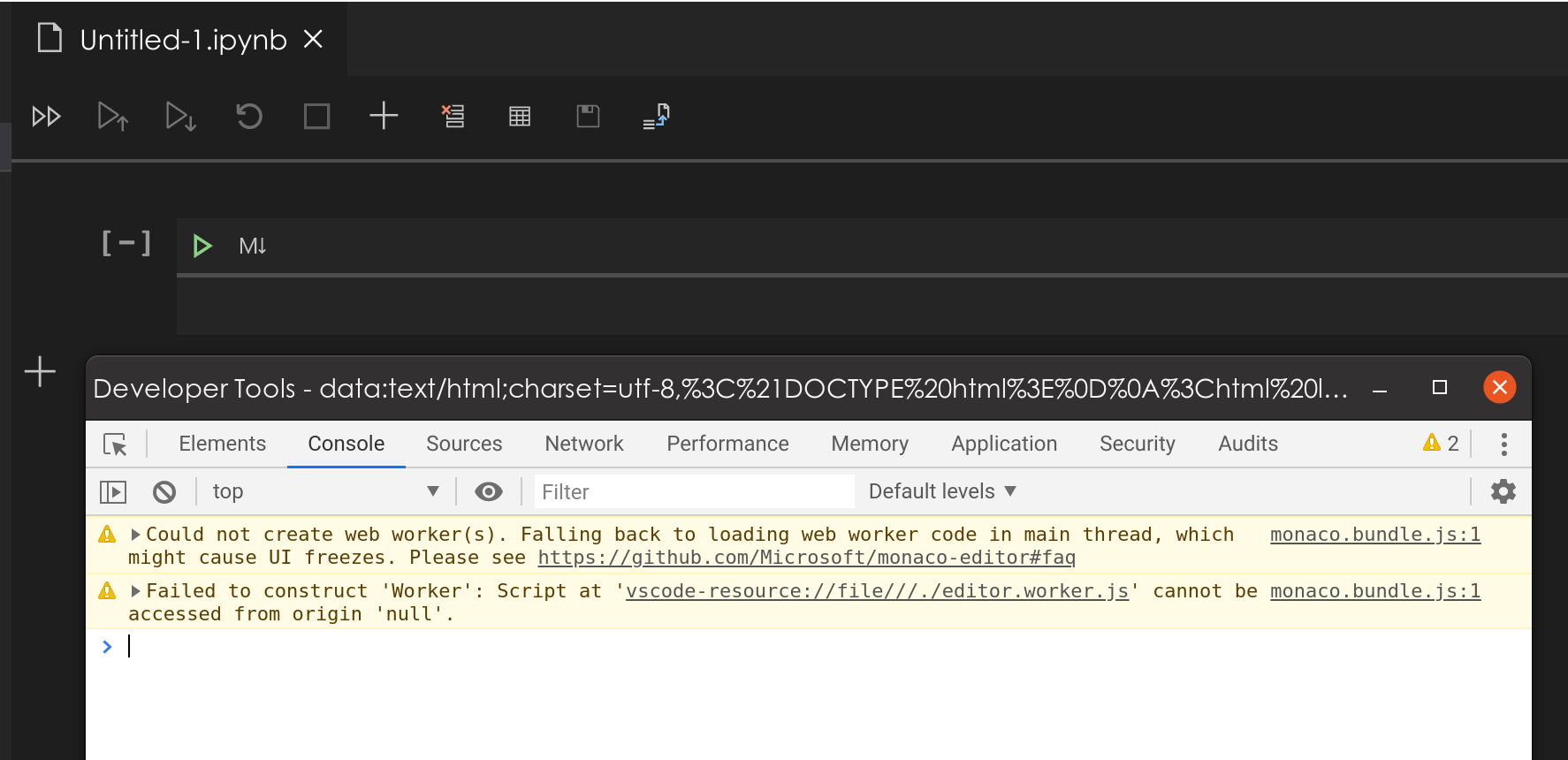
@IanMatthewHuff not sure if this helps, but here you go:

And for completeness this is what I get when it successfully opens the Notebook:
dimitry-ishenko
on 20 May 2020
@dimitry-ishenko Thanks. That is helpful. We've seen more customer reports of this recently. Seems to be a general issue with starting up a web view in VSCode. I've seen that same ERR_UNKNOWN_URL_SCHEME message myself, so I know that it's the same issue that you are seeing as well.
IanMatthewHuff
on 20 May 2020
@IanMatthewHuff thanks for looking into it and holler if you need anything else
dimitry-ishenko
on 20 May 2020
@dimitry-ishenko We did some looking around on our team. Seems like this was a general VSCode issue with webviews. Per this issue here:
https://github.com/microsoft/vscode/issues/89038
Looks like a fix might be in VSCode-insiders right now if you wanted to try that out.
https://code.visualstudio.com/insiders/
IanMatthewHuff
on 20 May 2020
@IanMatthewHuff initial results look good! I've gotten 10 for 10 opening on the first trial. Thank you!
dimitry-ishenko
on 20 May 2020
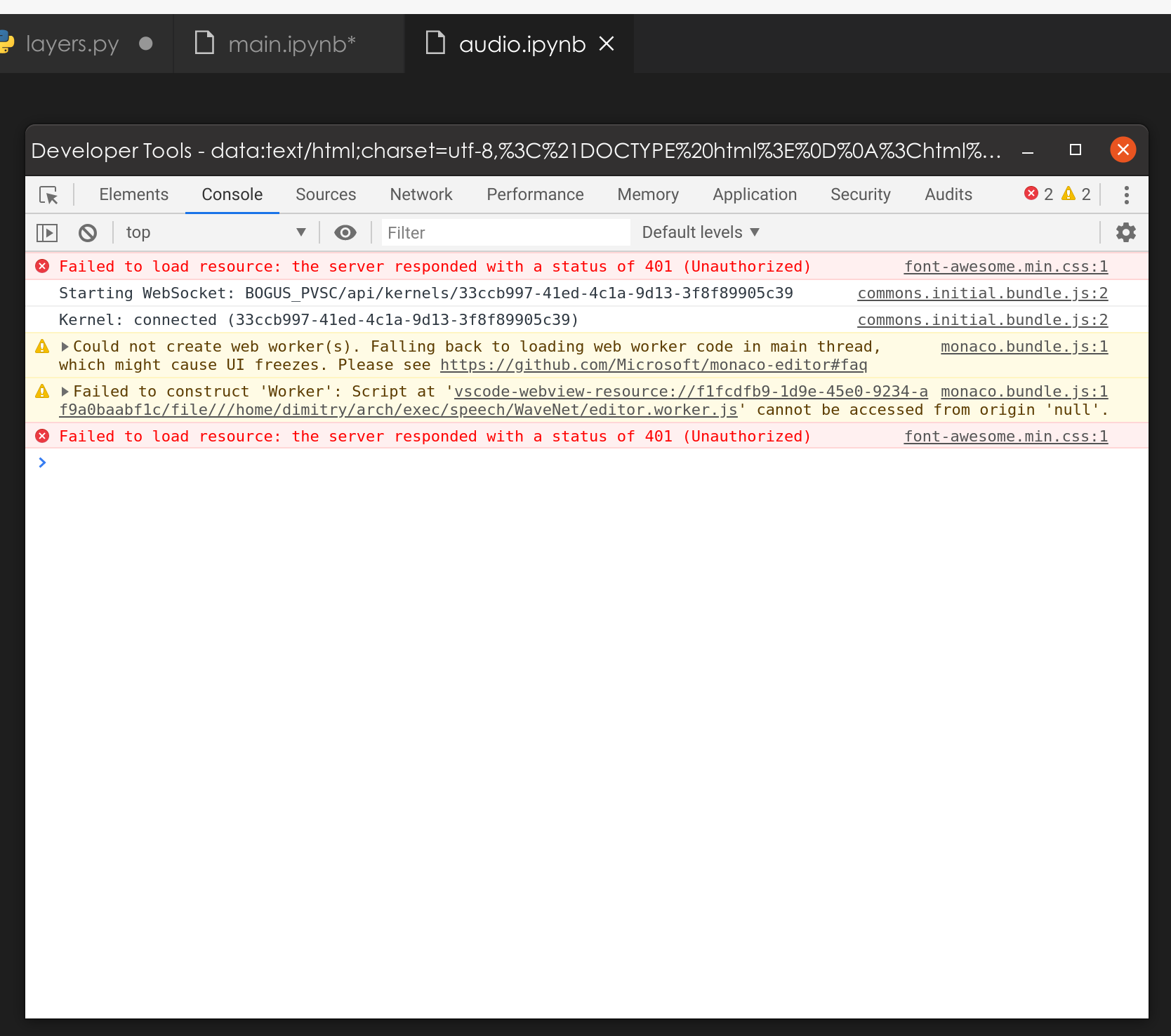
@IanMatthewHuff sadly, I am still seeing this issue:
dimitry-ishenko
on 22 May 2020
@dimitry-ishenko I'm actually going to close this issue down. Not because it's not a problem, but because we already have this issue here:
https://github.com/microsoft/vscode-python/issues/11865
Tracking it. I believe that updating VSCode insiders did fix the ERR_UNKNOWN_URL_SCHEME issue, but now you are hitting the 401 unauthorized coming from font-awesome. The issue for microsoft/vscode-python#11865 is what we're going to use to track the 401 issue.
IanMatthewHuff
on 26 May 2020
Related issues
 n-a-sz
·
3Comments
dimitry-ishenko
·
4Comments
n-a-sz
·
3Comments
dimitry-ishenko
·
4Comments
 entron
·
4Comments
entron
·
4Comments
 jediyoda36
·
4Comments
jediyoda36
·
4Comments
 TheOrangeJuice
·
4Comments
TheOrangeJuice
·
4Comments