Vscode-jupyter: Cant open notebook in new preview notebook
Issue Type: Bug
Just opening up the file gies this error:
Unable to open 'filename.ipynb': Incorrect NotebookModel, expected VSCodeNotebookModel.
Extension version: 2020.9.102277-dev
VS Code version: Code - Insiders 1.49.0-insider (3d5b2fecf2e6788cb9877d7d868d964fbc3ecd53, 2020-08-18T06:45:26.867Z)
OS version: Darwin x64 19.6.0
 matrix303
All 9 comments
@matrix303 Thanks for filing this issue.
Please coul dyou provide the following information:
- Please could you confirm you do not have any
ipynbfile opened? - Please open a simple
pythonfile wait for the bottom statusbar to appear and display the python infomration. After that please attempt to open thisipynbfile. - If you get this error, please could you provide the details from the console window
Help -> Toggle Developer Tools -> Console Window.
 DonJayamanne
on 18 Aug 2020
DonJayamanne
on 18 Aug 2020
So just to update you, opening this using the old notebook editor works fine as expected, its when I try to open it in the new notebook editor (which I really want to use cause the features are awesome).
no other ipynb file open
simple python file = python 3.7.6 64 bit conda
3.
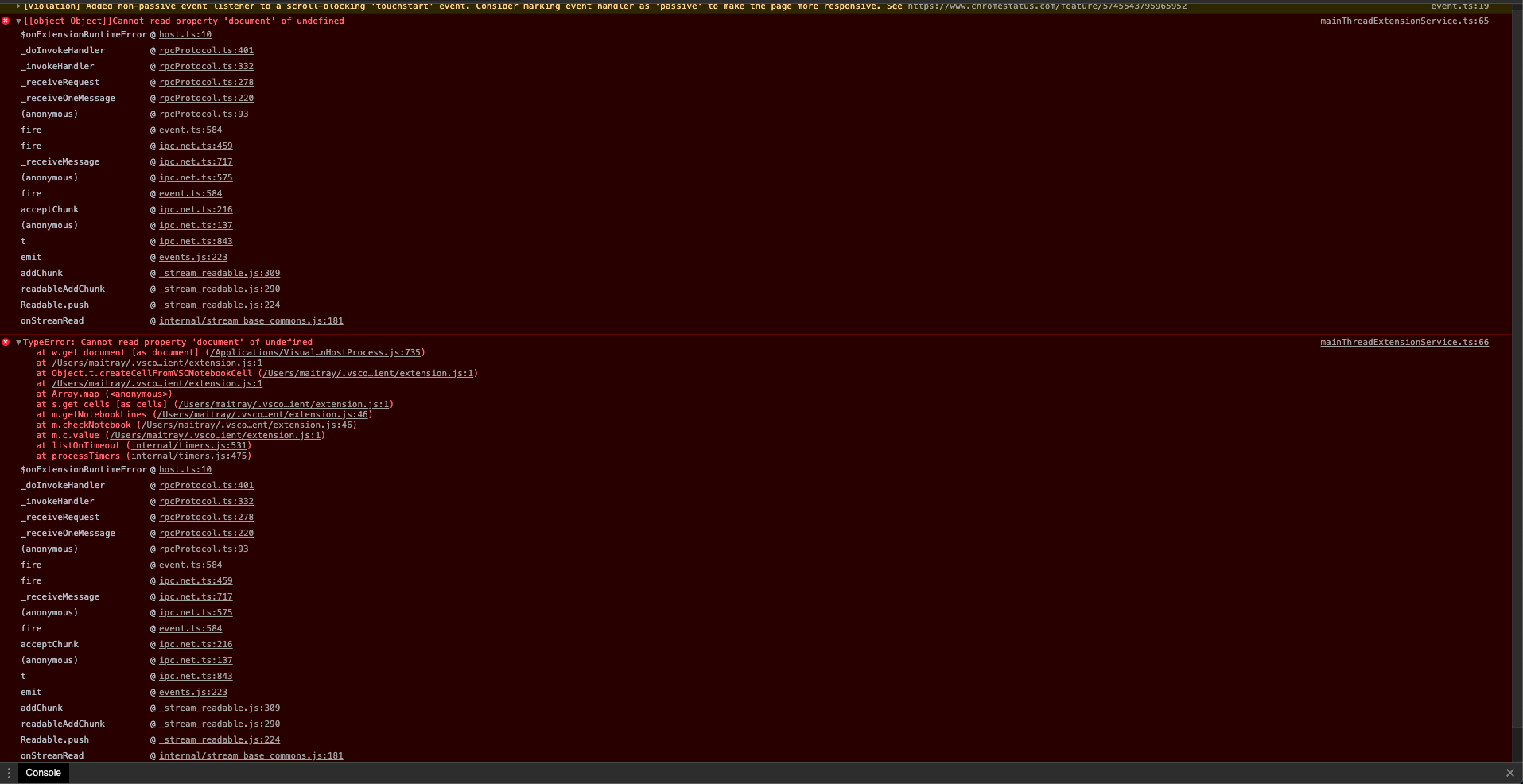
matrix303
on 18 Aug 2020
so after restarting vscode, I can now open it.
matrix303
on 18 Aug 2020
so after restarting vscode, I can now open it
Possible you had an update to VSCode or the extension.
Thanks for confirming this.
I'll close this issue as it is now working.
DonJayamanne
on 18 Aug 2020
This has been happening for a day and restart fixes it, it stops working periodically for some reason. for example, I restarted and its not working anymore. same error
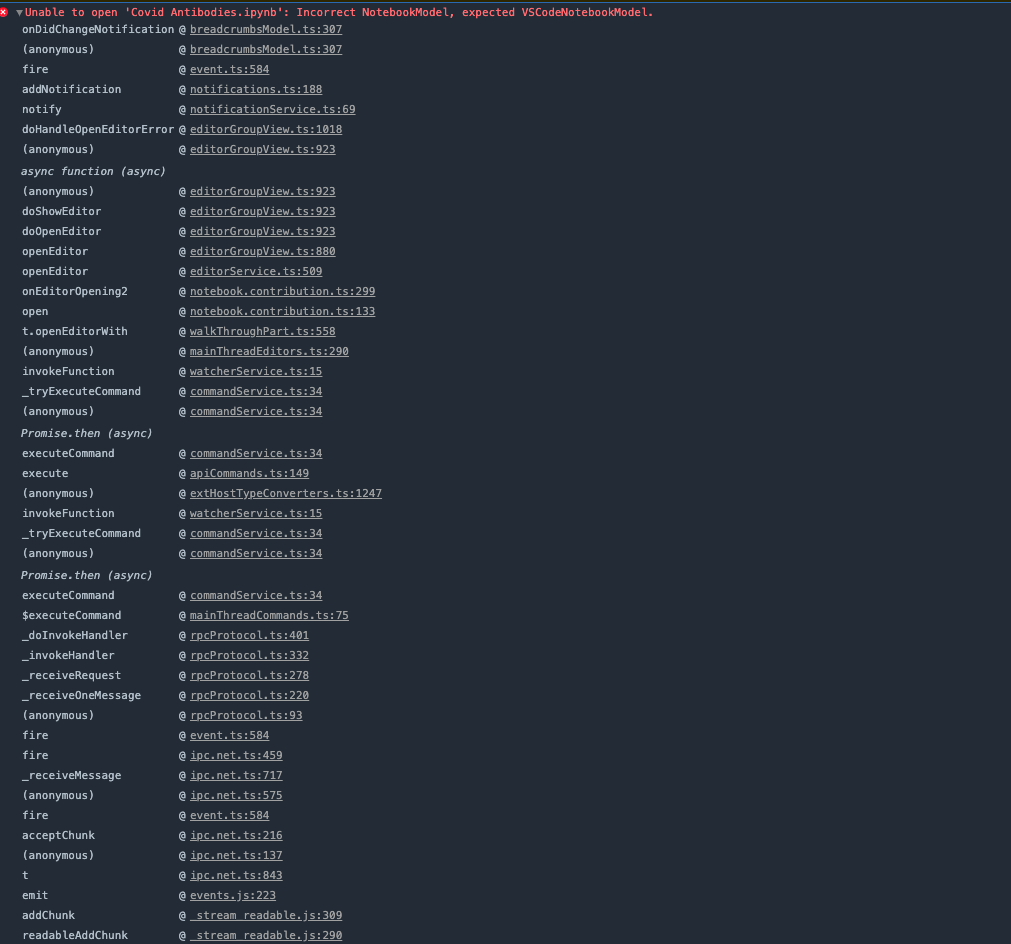
matrix303
on 18 Aug 2020
so after restarting vscode, I can now open it
Possible you had an update to VSCode or the extension.
Thanks for confirming this.
I'll close this issue as it is now working.
Please reopen this as it is not solved @DonJayamanne
matrix303
on 18 Aug 2020
It looks like you have the same notebook opened in the old editor as well.
Please could you try the following,
- Open you user settings.json file (go into settings)
- Add
NativeNotebook - experimentinto the setting as follows:
    "python.experiments.optInto": [
        "NativeNotebook - experiment"
        ... if you have anything else here, you can leave that.
    ],
That seems to have fixed it, tried opening the files multiple times and has worked so far. If it continues then I shall tag you again. Thanks
matrix303
on 18 Aug 2020
Had the same issue, @DonJayamanne workaround fixed it for me.
 Zelgadis87
on 6 Sep 2020
Zelgadis87
on 6 Sep 2020
Related issues
 kdkavanagh
·
53Comments
kdkavanagh
·
53Comments
 jbeyer16
·
41Comments
jbeyer16
·
41Comments
 bigrat911
·
71Comments
bigrat911
·
71Comments
 Louis-DR
·
61Comments
Louis-DR
·
61Comments
 HenriqueAJNB
·
48Comments
HenriqueAJNB
·
48Comments
Most helpful comment
That seems to have fixed it, tried opening the files multiple times and has worked so far. If it continues then I shall tag you again. Thanks